Add or Remove a Location From Toast Local
Last updated: Jun 8, 2026, 12:46 PM
Question
How do I add or remove my location from Toast Local?
Answer
Restaurants are added automatically to Toast Local three days after signing with Toast. For new Toast customers, it can take 7-14 business days for your locations to be visible on Toast Local.
To add or remove a restaurant from Toast Local:
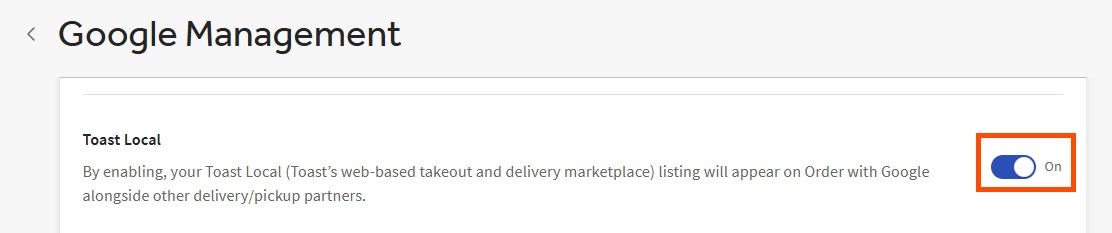
- In Toast Web, navigate to Takeout & delivery > Toast order sources > Toast Local > Google Management.
- Toggle List my restaurant on Toast Local On or Off.
- Save and publish changes.
Note: For existing customers, it can take up to 24 hours for any changes to visibility on the Toast Local site.