Set Up Free Delivery Offers on Digital Ordering
Last updated: Apr 8, 2026, 10:14 AM
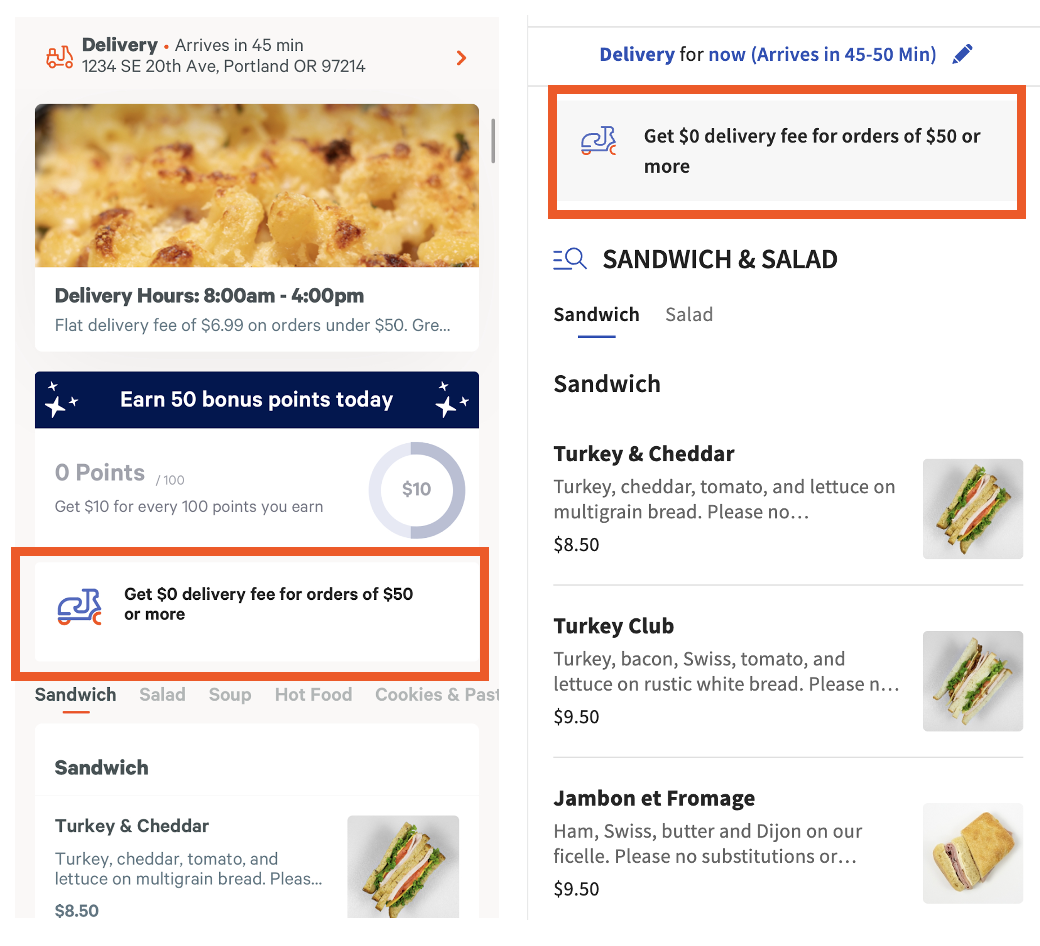
Create a free delivery offer on Toast Online Ordering and the Toast App to encourage your guests to order delivery directly from your restaurant and increase their average order. No work is required from your restaurant other than setting a waived delivery fee threshold on your delivery service charge(s).
Offer delivery with your own drivers or with Toast Delivery Services! Don't have Toast Delivery Services yet? Navigate to Toast Shop to get started!
| The free delivery offer feature is unavailable for Canada, Ireland, and the U.K. Please check back for updates. |
Enable Free Delivery Offer
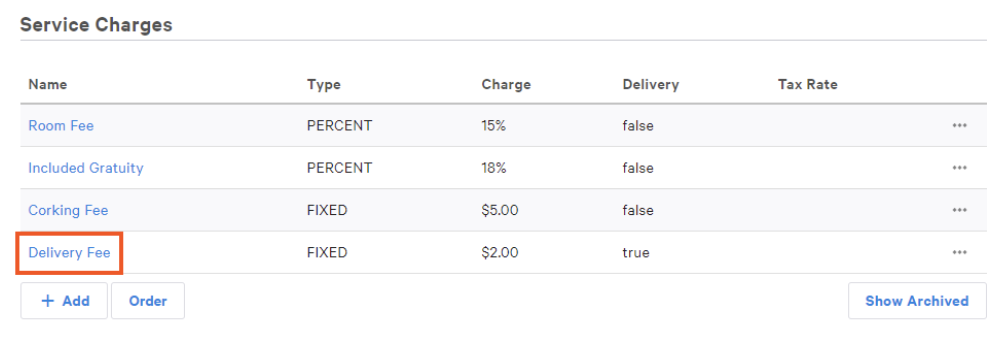
- To configure delivery fees, navigate to Payments > Check & receipt setup > Service charges.
- On the Service Charges page, locate the Delivery Fee line item.
- Selecting Delivery Fee gives you the option to edit the amount. The default amount will automatically be set to $2.00 for customers who do not have a delivery fee set. You can update this amount at any time.
Set a Delivery Threshold
By setting a waiver delivery fee threshold, your delivery fee will be waived if a guest places a delivery order with an order value greater than the threshold.
For example, if your threshold is at $60 and a guest's total is $65.50, the fee would be waived for the guest. The free delivery offer banner will display automatically when you waive the delivery fee on your delivery service charge.
- Select the Delivery Fee line item link as shown in the image above.
- Scroll to the Delivery section and enter the dollar amount for the Waive Fee Threshold. The service charge is waived if the pre-discount amount of the check is greater than or equal to this amount.
- Save and Publish your changes.

Guest Experience for Free Delivery Offers
Once the free delivery offer is established, saved, and published, guests will see the following when placing an order. Note: if more than one delivery fee is enabled, the offer banner will not display.