Get Started With the SparkPlug Integration
Last updated: Apr 8, 2026, 10:11 AM
SparkPlug is an employee gamification and incentive integration that enables customers to have real-time, fully customizable server and staff sales incentive programs. Leveraging Toast’s labor, orders, and menu data, SparkPlug allows customers to automate tedious staff incentive and reporting processes and focus their time on their guests.
Note: This integration requires access to Toast Partner Integrations. To learn more, see Set Up Toast Partner Integrations.
Key features of the SparkPlug integration:
- Connect to Toast via a direct integration.
- Automate incentive tracking, payouts, and prize fulfillment.
- See ROI at-a-glance with real-time sales reporting and integrated analytics.
- SMS incentive notifications and rewards keep employees engaged without having to use an app or password, helping lead to increased adoption from employees.
Enable SparkPlug with Toast
- To enable SparkPlug with Toast, log into Toast Web and navigate to Integrations > Integrations management > Browse & purchase integrations.
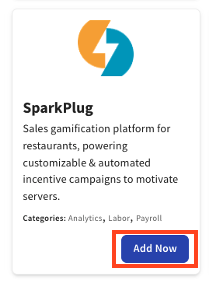
- Enter SparkPlug in the Search field and then select Add Now. Note: Your restaurant must have access to Toast Partner Integrations to add this integration. To learn more, see Set Up Toast Partner Integrations.
- Review the data scope visibility terms and conditions and select Confirm to accept. For more information, see the Data Scope Visibility article.
- After confirming the integration in Toast Web, SparkPlug’s support/onboarding team will email you directly to schedule their SparkPlug onboarding call. Toast also recommends reaching out to the partner support@sparkplug.app after adding the tile in Toast Web to confirm that the partner receives notice that the integration has been added to your location(s).
- You can also start using SparkPlug in a self-serve manner within approximately two to three hours after adding the integration and signing up before official onboarding begins with the SparkPlug team.
Troubleshooting and Support for the SparkPlug Integration
For any issues with the SparkPlug integration, which are unrelated to Toast products software or hardware or network/connection issues. For any SparkPlug questions or support issues, customers should email support@sparkplug.app, available 24/7.