Publish Changes on the POS
Last updated: Dec 4, 2025, 10:59 AM
Question
How do I publish changes on the POS?
Answer
| In order to publish changes on your POS, you must have the necessary POS Access permission(s), depending on the changes that you will make. Learn more about access permissions here: |
To publish changes on your POS, follow these steps:
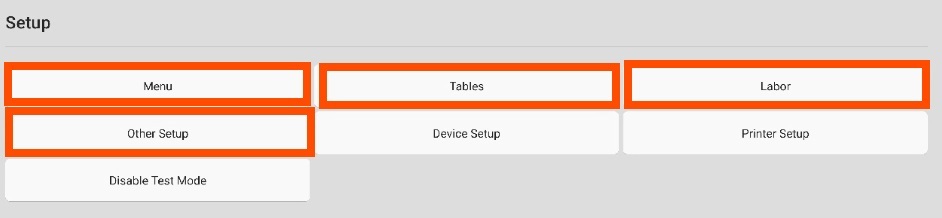
- From the POS home screen, navigate to the Setup section, where you can access Menu, Tables, Labor, and Other Setup settings to make changes directly on your terminal instead of using your computer. Select any of these settings to update them as needed.
- Next, select Save.
- Select PUBLISH CHANGES in the top-right corner of the screen to publish the changes.