Toast Kitchen Printer Quick Start Guide
Last updated: Mar 25, 2026, 1:43 PM
Toast Kitchen Printer Overview
Front View of the Toast Kitchen Printer
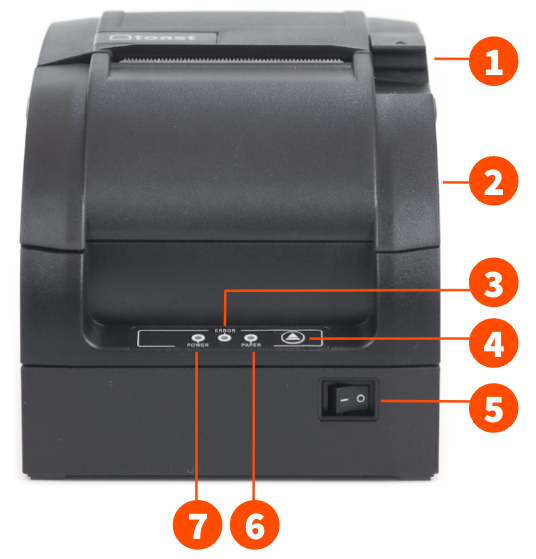
- Open latch (to add paper and change out ink ribbon)
- Front cover
- Error indicator light
- Feed button
- Power button
- Paper error indicator light
- Power indicator light
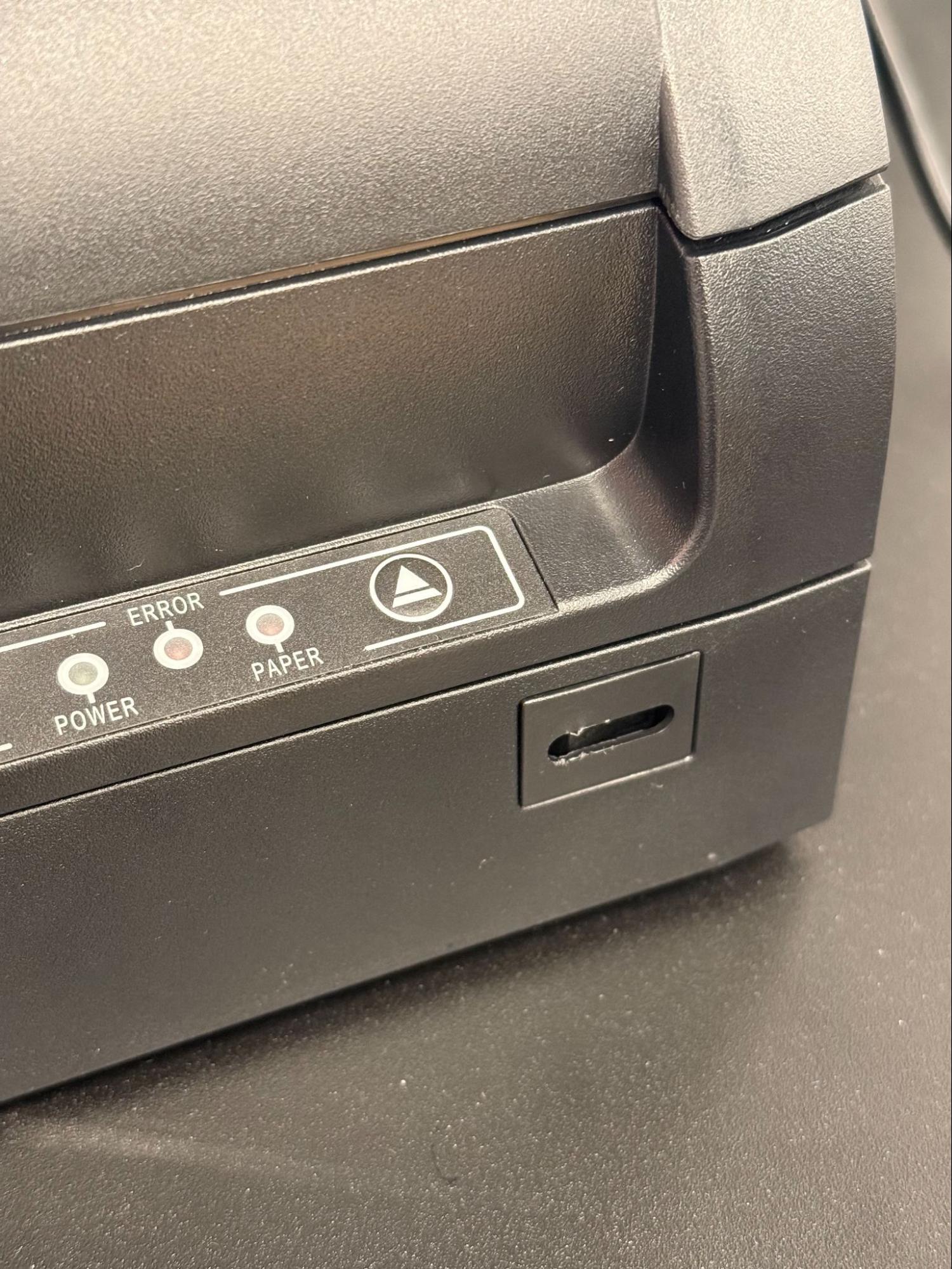
Toast Kitchen Printer Power Button Cover
The power button cover for the Toast Kitchen Printer helps prevent the area from dirt or accidental presses. Note: The power button cover is removable.
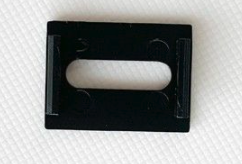
Toast Kitchen Printer without the power button cover:
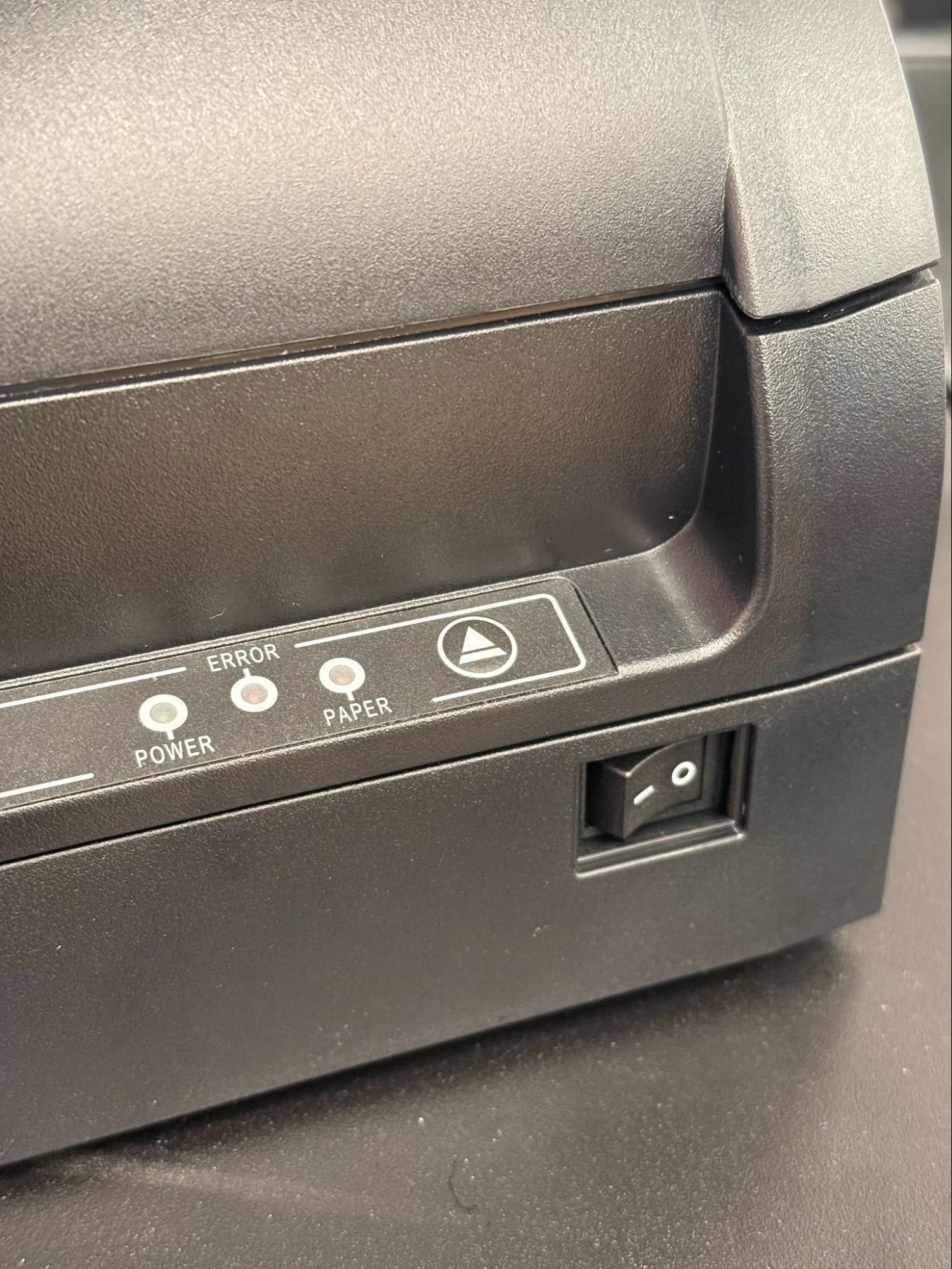
Toast Kitchen Printer with the power button cover:
Back and Bottom View of the Toast Kitchen Printer
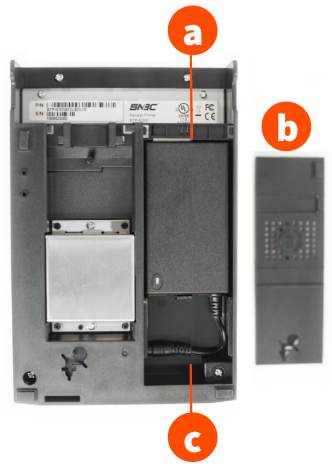
- Power block
- Cover
- Power block cable
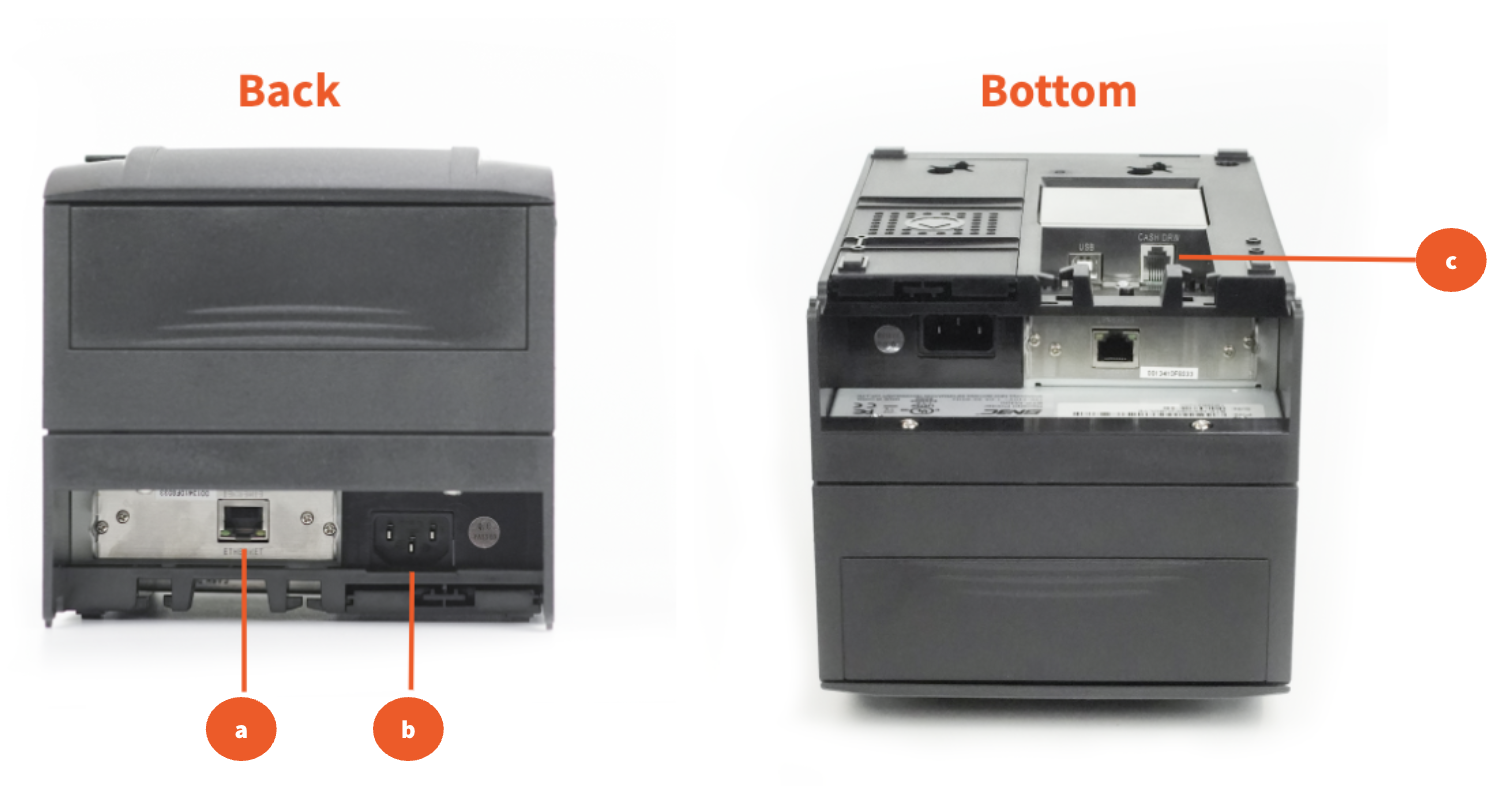
- Ethernet port
- Power port
- Cash drawer connector
Toast Kitchen Printer Hardware Setup
| To set your printer to display euros as the currency on receipts, configure the language pack settings in the printer setup section of Toast Web. Learn more in this Support Center article, Configure Your Printers to Display Euro. |
Step 1: Toast Kitchen Printer Unboxing and Configuration
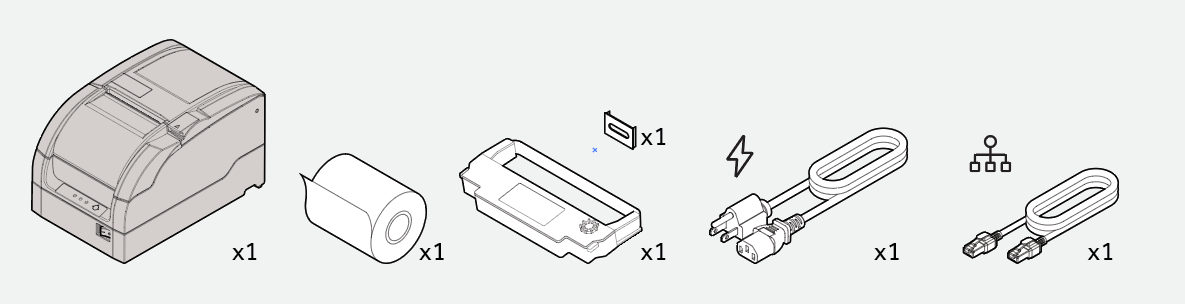
The following parts are included in the box for your Toast Kitchen Printer:
- Printer
- 3 ft Ethernet cable
- Power cable
- Roll of paper
- Ink ribbon
- Power Button Cover
- Start by unboxing your printer and the contents listed above
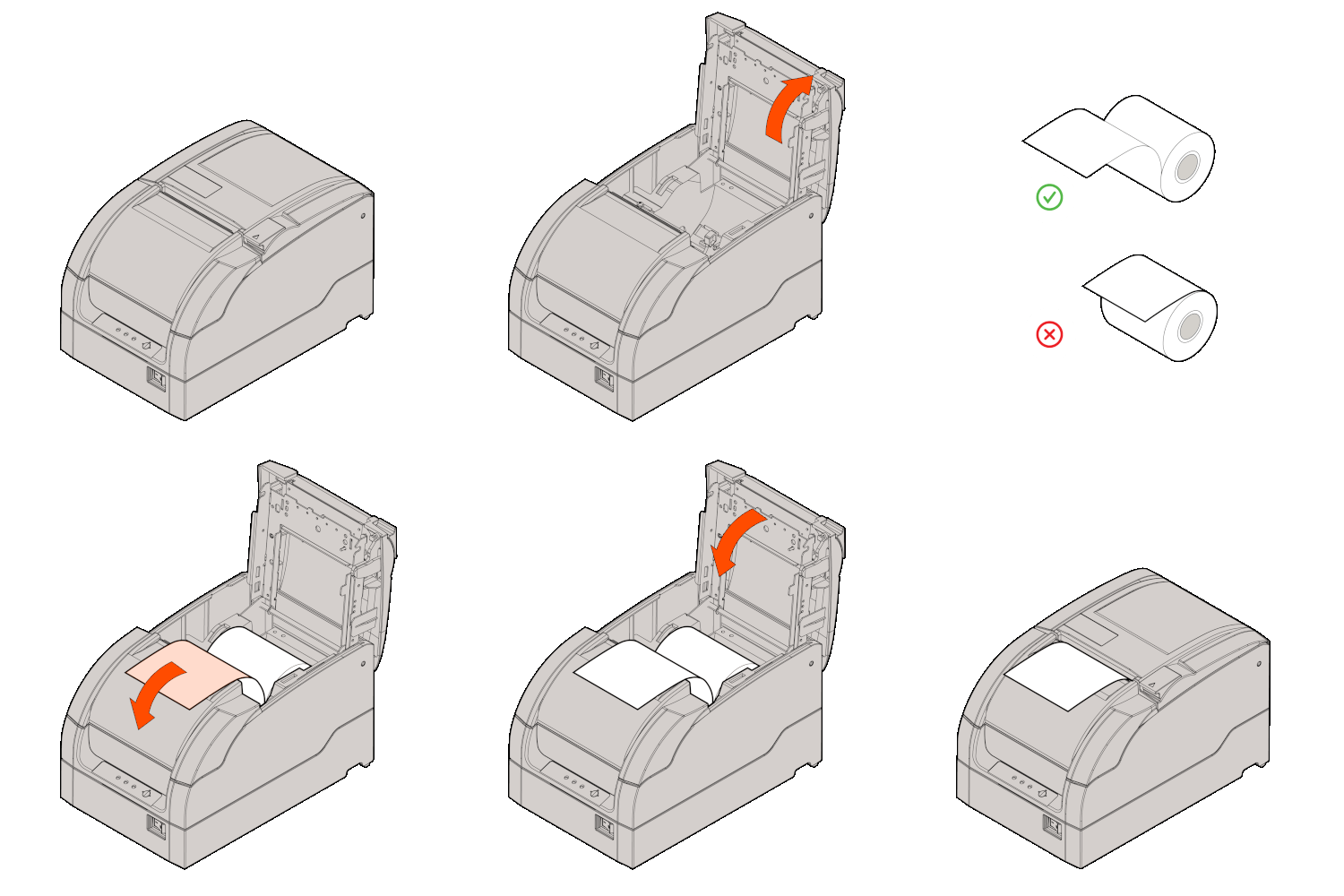
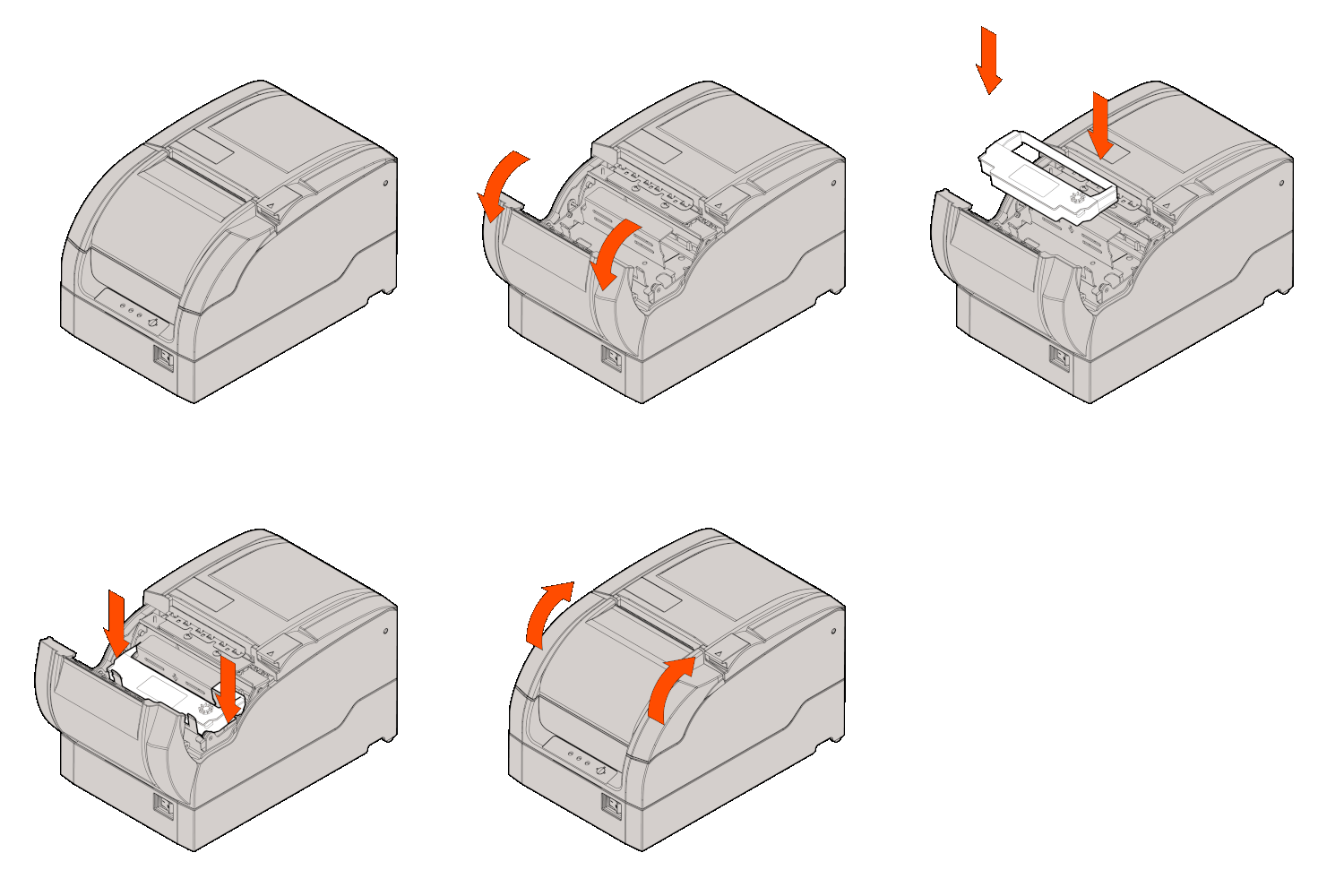
- Next, install the paper roll as shown in the image below.
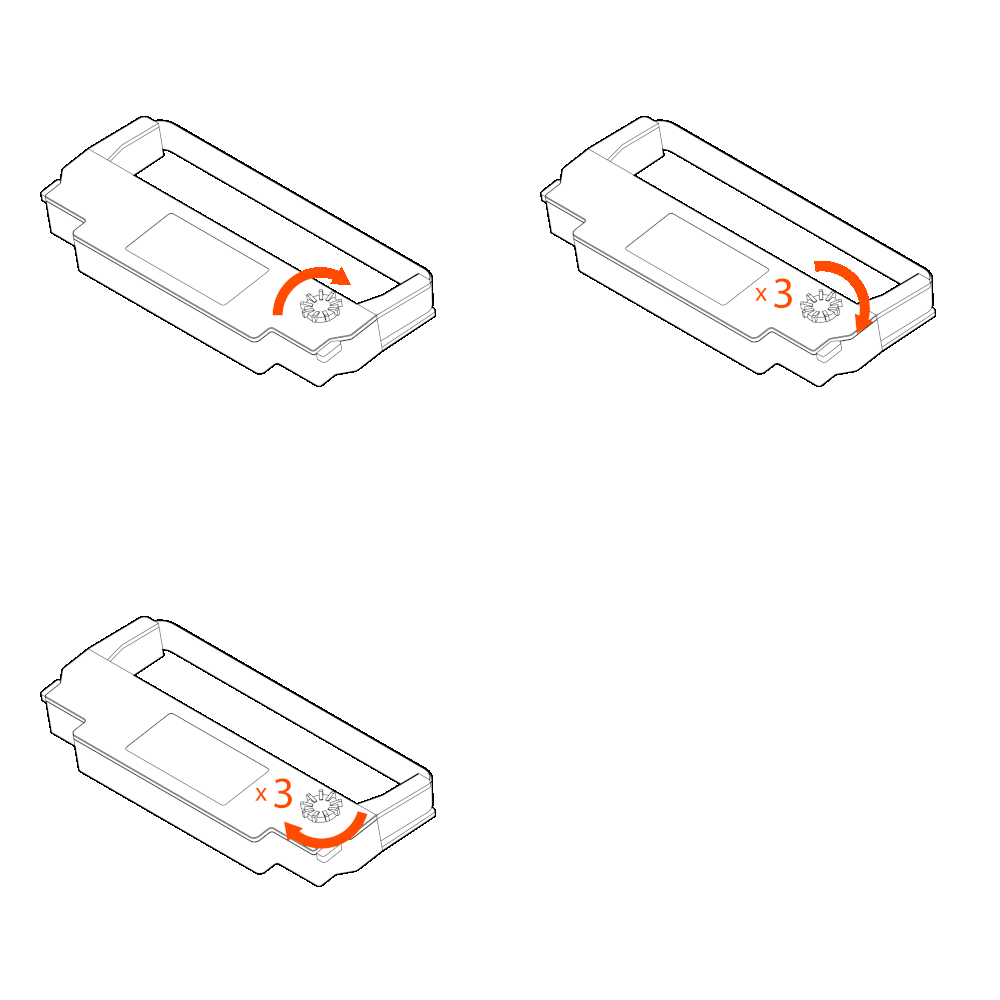
- Then, install the ink ribbon with the steps below:
- Open the front cover.
- Turn the ribbon knob 2 or 3 times to tighten the ribbon.
- Install the ribbon based on the image below.
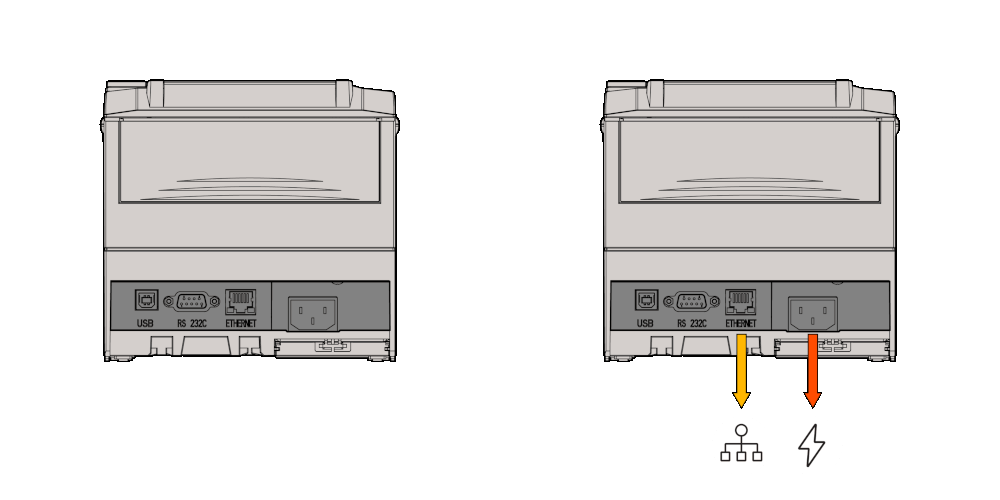
- Finally, plug in and connect your Ethernet and power cables. Your power cable should connect directly to an outlet, and the Ethernet cable should connect to your network switch or router directly. Note: Your printer should be connected to the same network as your location's POS devices.
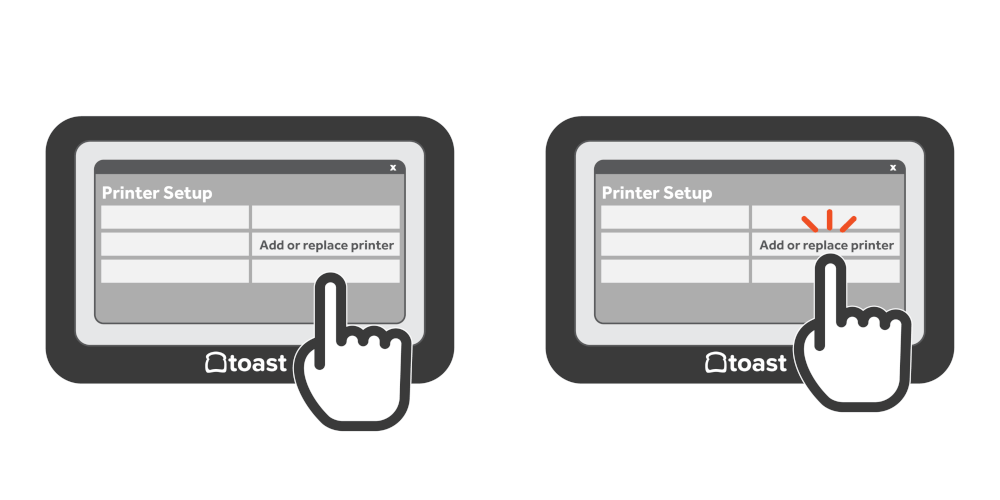
- Once you've installed your new printer, navigate to the Printer Setup on the Toast app to configure your printer:
- On the Toast app main menu dashboard, navigate to Setup > Printer Setup.
- Select +Add or replace printer to complete setup.
- Continue to Step 2 to finish the printer configuration.
Step 2: Toast Kitchen Printer Toast Application Setup
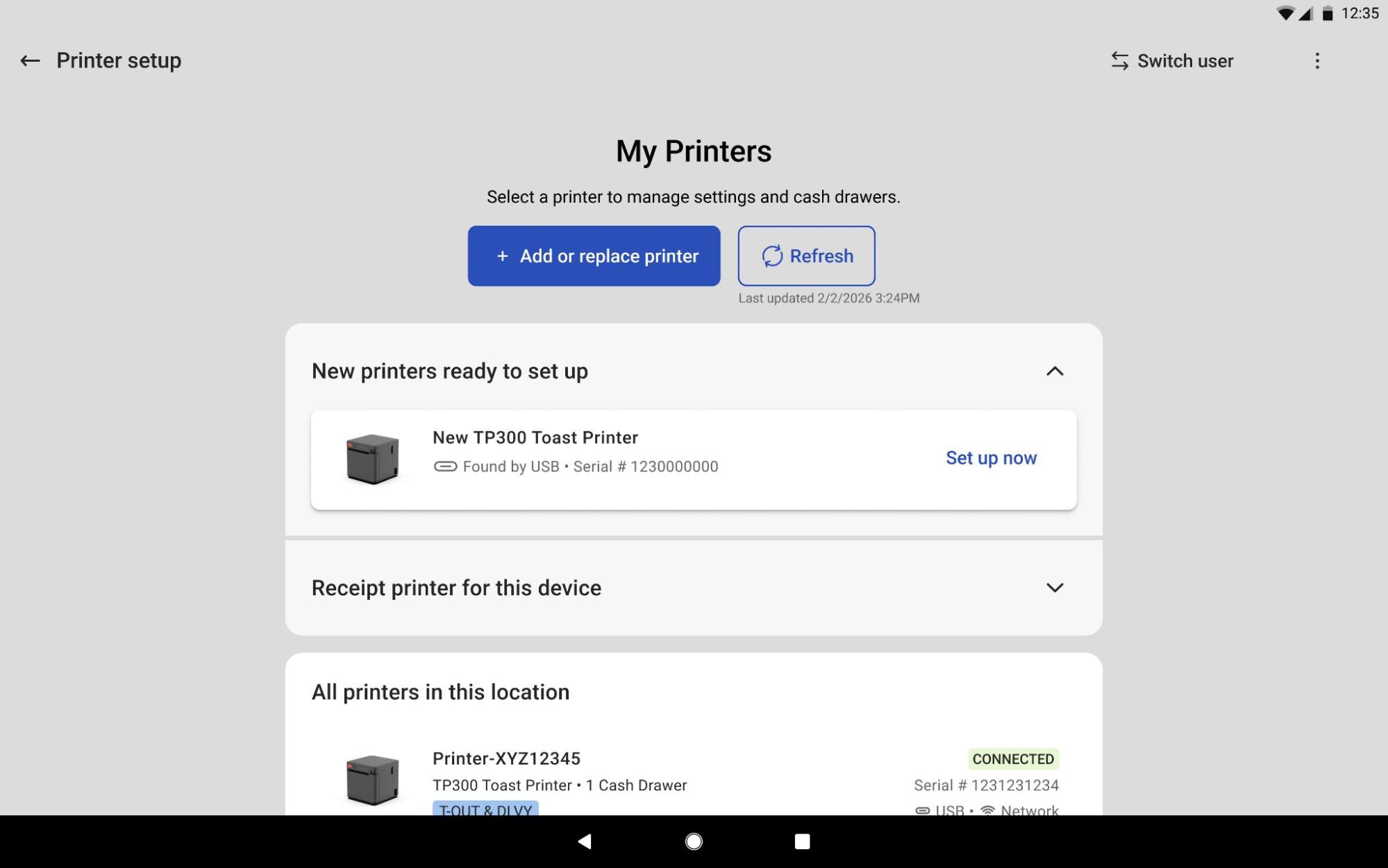
Once you've installed your new printer, navigate to the Printer Setup on the Toast app to configure your printer:
- On the Toast app main menu dashboard, navigate to Setup > Printer Setup.
- Select +Add or replace printer to complete.
- If you've already turned on the printers, you can select Set up now to complete printer configuration in Toast.
| To replace a broken printer or upgrade old hardware and keep all your existing printer configurations, such as kitchen routing and labels, select Replace or upgrade an existing printer. |
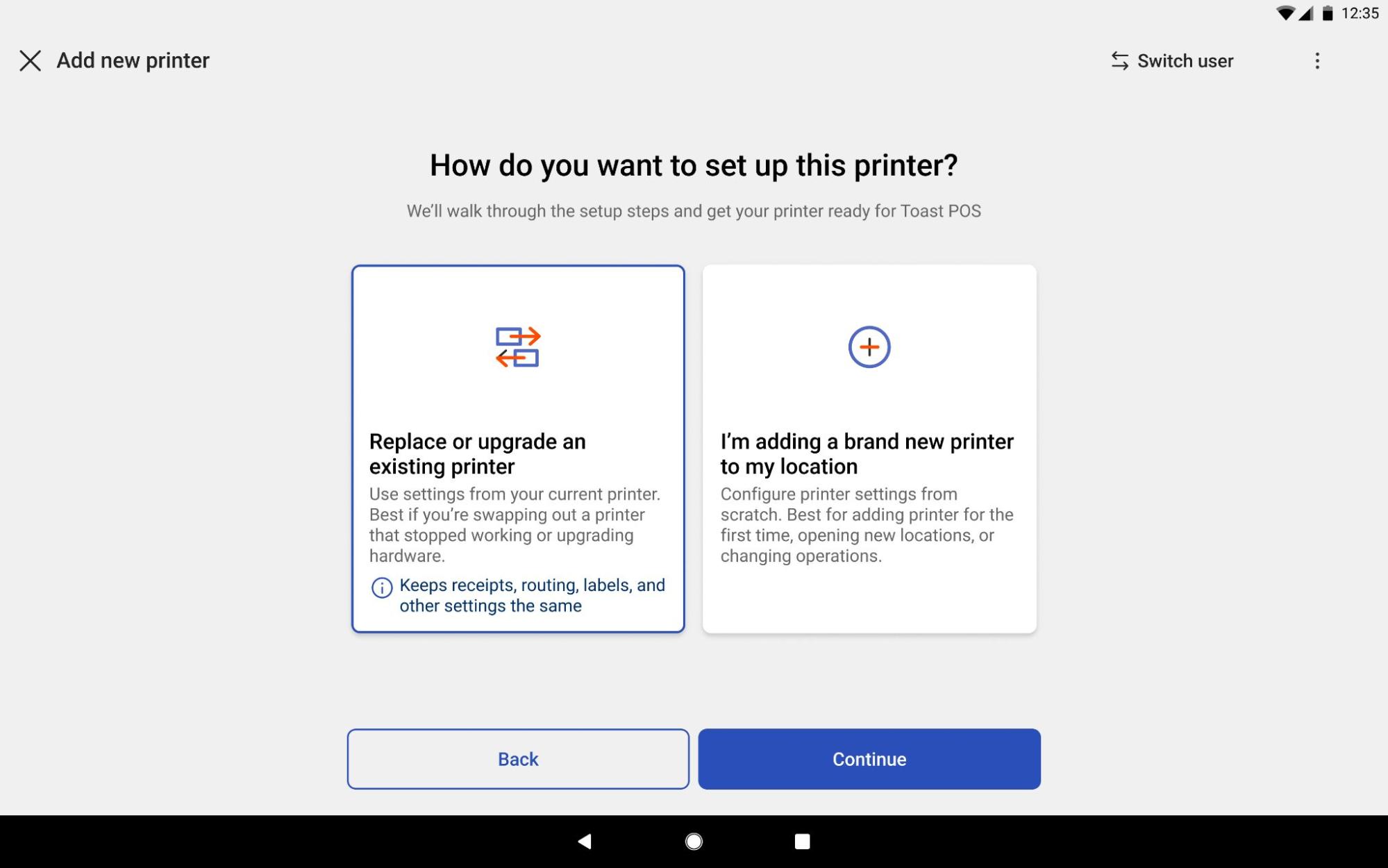
- Follow the wizard on the screen. You'll be prompted to select prep stations, print a test ticket, and finish the configuration of your printer. Note: See if you have not created your Menu & Prep Station or cannot find your desired Prep Station to config the printer
Additional Toast Kitchen Printer Information
The Toast Kitchen printer will buzz and use lights to alert the user of errors. Check out the table below for more information:
| Light | Function |
| Error | Under the error conditions outlined below, the error light will flash |
| Paper | Under the paper near end conditions (), the paper light will turn on and remain on |
| Power | When the printer is on, the LED light will remain on |
| Error | Buzzer | Light |
| HP error | Interval beep | Error light interval flash |
| Print head overheated | 6 beeps | Error light flashes 6 times |
| Cutter error | 4 beeps | Error light flashes 4 times |
| Paper near end | 2 beeps | Paper LED light will turn on AND Error LED light will flash once |