Add a Special Request to a Menu Item
Last updated: Sep 16, 2026, 1:14 PM
Question
How do I add a special request to a menu item on my Toast POS?
Answer
With Toast, you have the ability to add special instructions or notes called Special Requests to an item before it's sent to the kitchen. These notes are typed in manually and can dictate preparation instructions, allergy information, and more. There are no permissions that control special requests, so any user with access to enter an order can also enter a special request.
To enable special requests for your restaurant, navigate to Front of house > Order screen setup > UI options in Toast Web and in the Order Screen section, make sure Special Request is Enabled in the Additional Modifier Groups table. Below it, you can also toggle the ability to add a price/charge for the special request. Save and publish your changes.
Here is how you add special requests to an order on the POS:
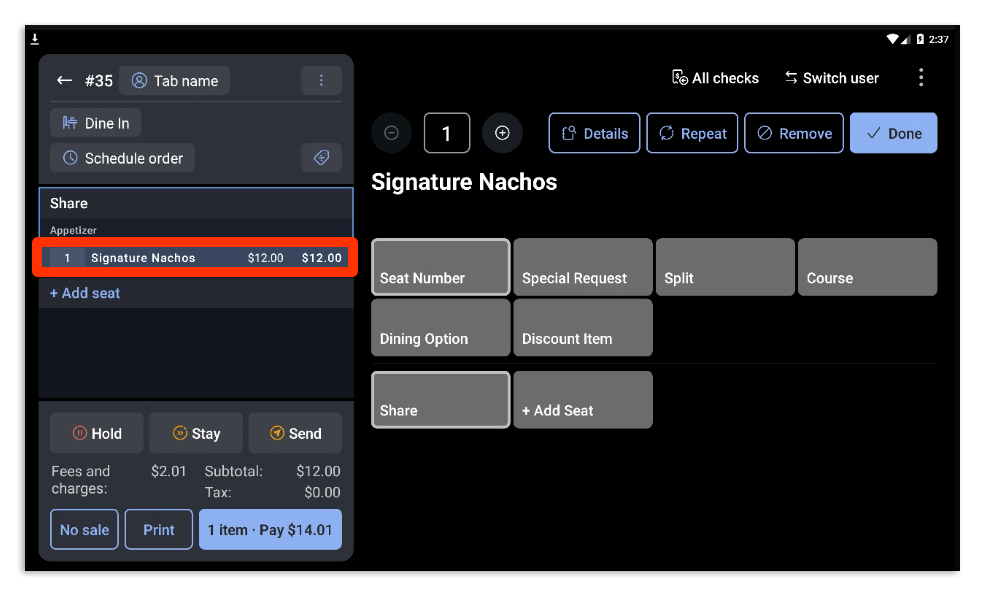
- Select the item you need to add a special request to. In the example below, we have selected the Signature Nachos.
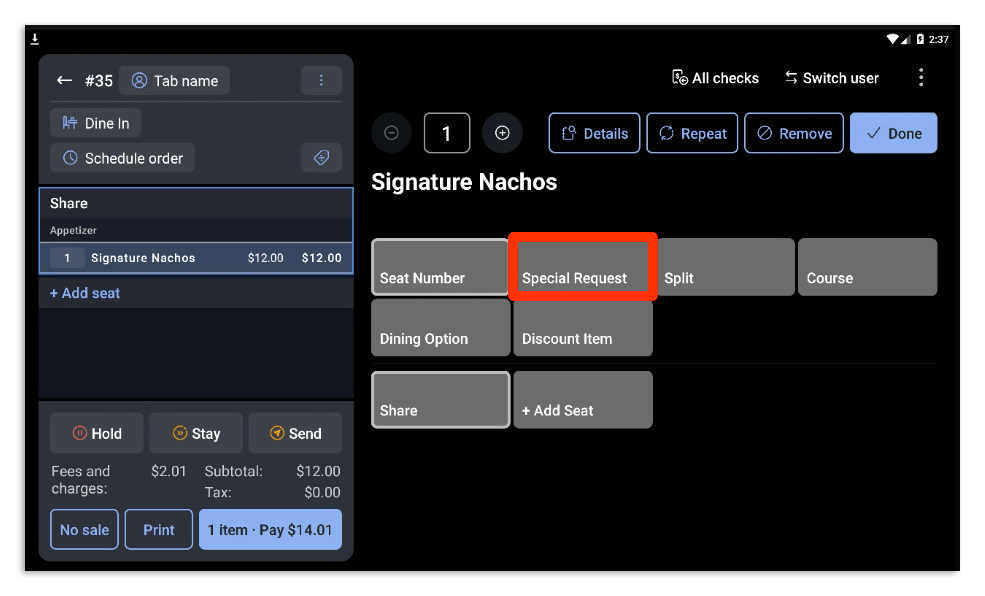
- Once the item is highlighted, the additional group modifiers will appear on the order screen. Select Special Request.
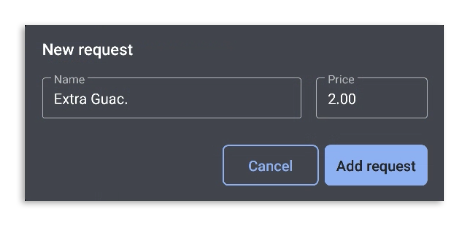
- Enter the specific request and include a price if necessary. In this example, we have added Extra Guac as a special request and included a price of $2.00 for the request. Select Add request when you're finished.
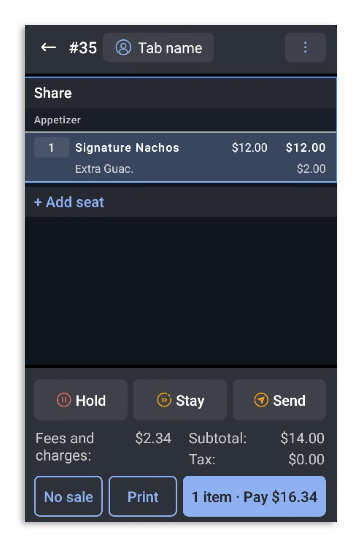
- The newly created special request will appear as a modifier for the item and will print on the kitchen ticket.
- To remove a special request, select the item the request is attached to and select the Special Request button. You can deselect the special request that was added previously to remove it from the item.
You can watch a video overview below:
Want to practice? Select the button below! For an optimal interactive experience, we suggest accessing with a computer.
Additional Information
If you'd like to learn more about how to find out how many of each special request has been added, check out Special Requests Reporting.