Set Up an Ongoing Toast Marketing Campaign
Last updated: Sep 29, 2026, 5:32 PM
Ideally, you know your most frequent diners by name; you might even know what they order and - better yet - what to suggest based on what they have ordered in the past. Now, what about the diners you don't see regularly or the diners you used to see but haven't seen in some time? How do you get them back in the door
Improve marketing outreach and keep guests coming back with integrated email marketing that saves time, drives sales, and maximizes guest data.
Interested in adding Toast Marketing to your Toast Suite? Navigate to Toast Shop now!
- Use Email Marketing for the First Time
- Create an Ongoing Email Marketing Campaign
- Automated Campaigns Available
- Review Your Automated Campaign Results
Use Email Marketing for the First Time
Note: We don't want your guests to feel spammed, so we have a rule in place that if any guest has received an automated marketing campaign from you in the past month, they cannot receive another one.
In Toast Web, you can create a one-time email campaign two ways:
- In the left navigation, select Marketing > Create campaign > Email Campaign.
- In the left navigation, select Marketing > Email marketing > Campaigns > New campaign.
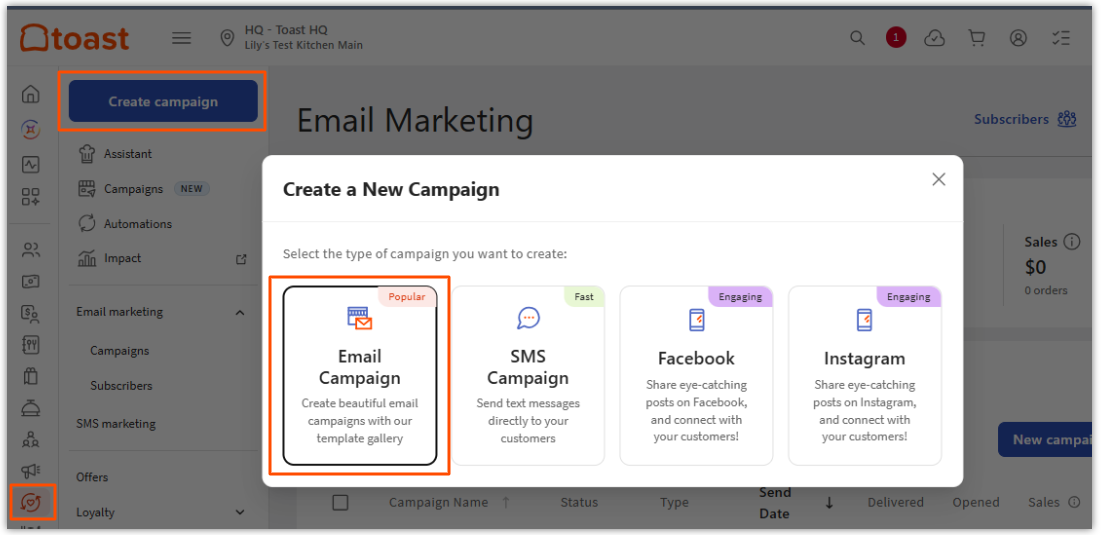
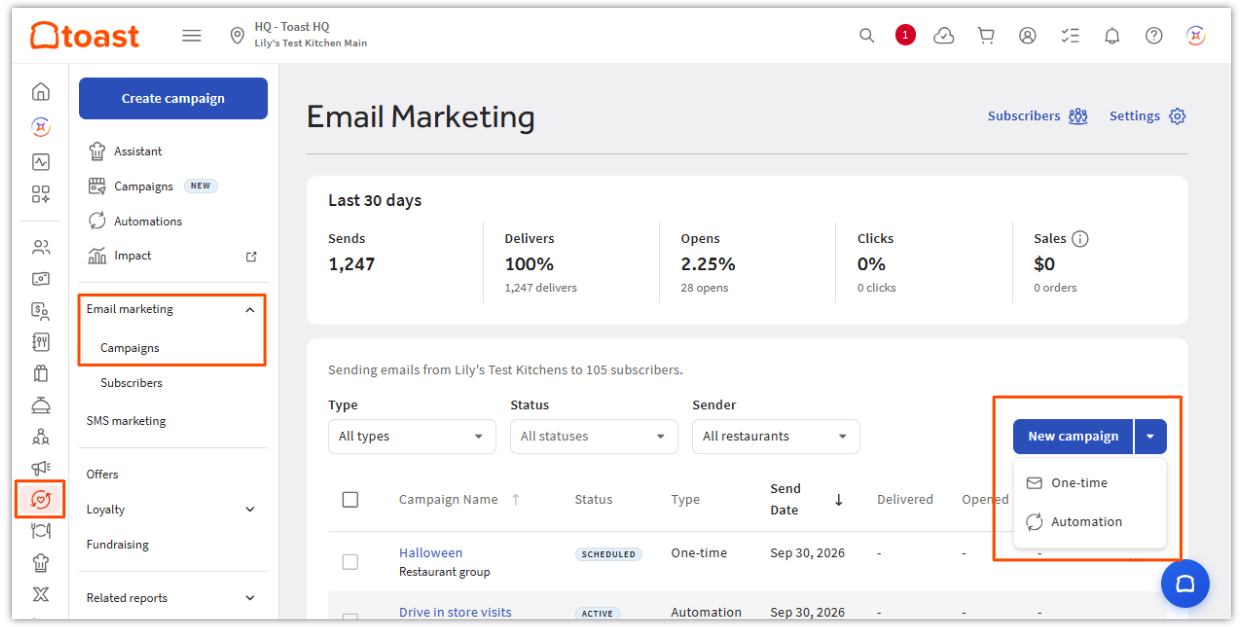
Both paths lead to the same setup:
- Select a template from the Templates gallery, or select Basic template to start from scratch.
- Customize your campaign using the four tabs on the left: Settings, Audience, Content, and Branding.
- When you're ready, select Send now, or select the drop-down arrow next to it for more options:
- Schedule
- Save draft
- Send test
- Save as template
- Request review
- Change approval status
- Review history
- Switch to classic editor
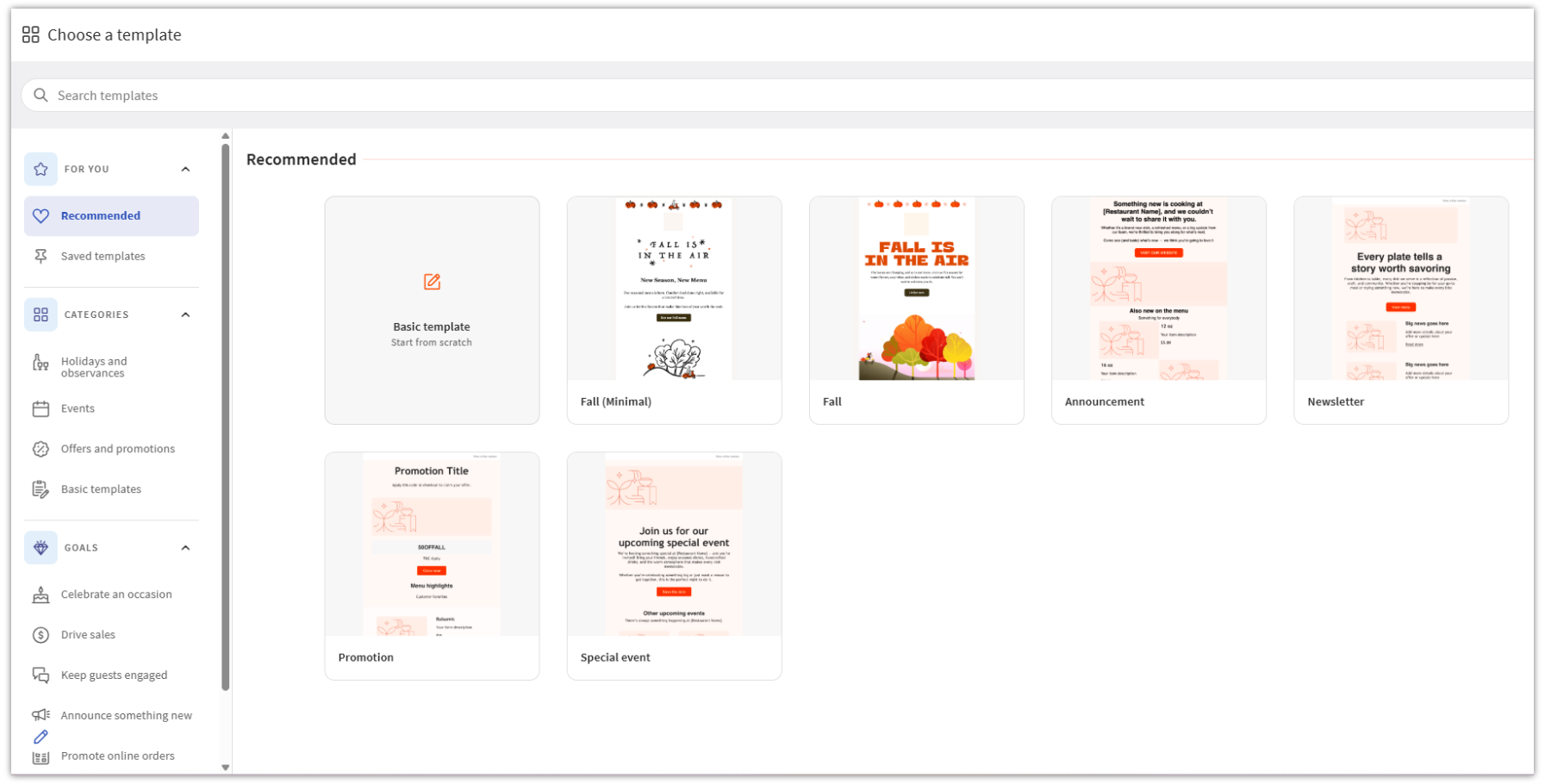
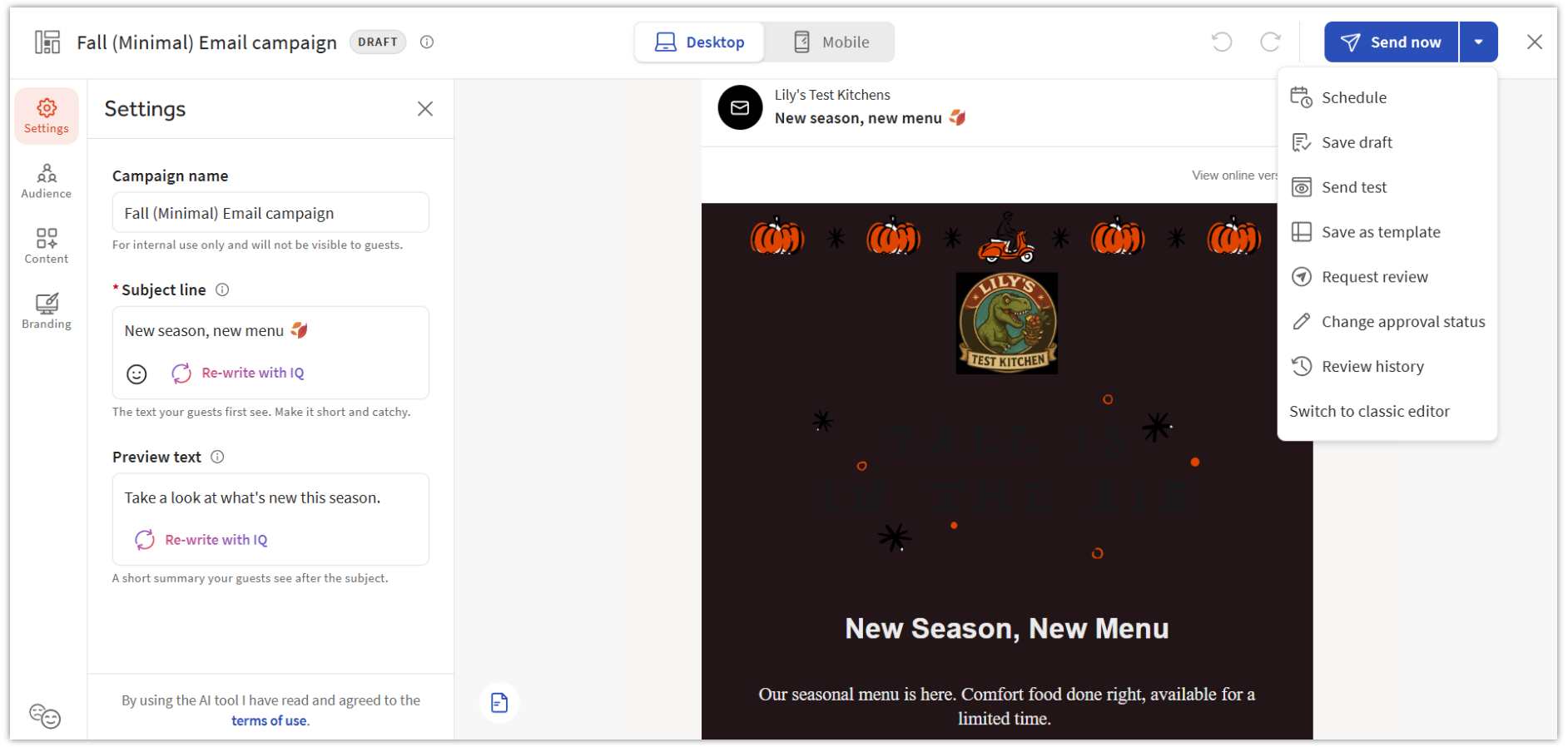
You can now build automated and one-time campaigns using the Email Marketing Campaign Builder and view your marketing dashboard.
Create an Ongoing Email Marketing Campaign
You can bring guests back to the restaurant by using the customer data available in Toast POS to create an automated email marketing strategy. These "set it and forget it" campaigns can help you increase revenue by increasing the frequency of visits from existing guests and driving additional sales from lapsed guests.
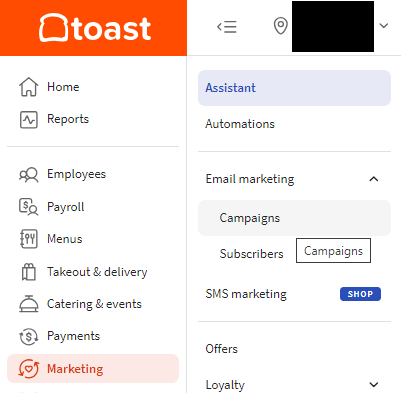
- In Toast Web, navigate to the Marketing section using the left-hand navigation, then navigate to the Email marketing drop-down and select Campaigns.
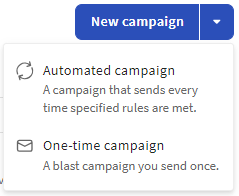
- Select the drop-down arrow next to New campaign drop-down and select Automated campaign.
- On the Automated tab, choose to send the campaign to an entire restaurant group or to individual locations:
- Welcome new guests: Email guests who provide their email for the first time to welcome them to your community. This is a great place to include links to your website, online ordering page, or social media.
- Remind guests to visit again: Email guests who have not visited in a while and encourage them to come back. These campaigns help keep guests engaged and returning.
- Recognize high-spending guests: Engage with your high-spending guests and let them know that you appreciate them.
- Thank repeat guests: Thank and reward guests who visit regularly. These campaigns are a great way to share promos as a thank you.
- Drive online orders: Encourage your guests to order online for the first time.
- Drive in-store visits: Bring guests into your store for an in-person visit!
- Follow up with your guests: Thank your guests for their business and encourage them to return.
- Drive Loyalty Enrollment: Invite your guests to join your Loyalty program
- Thank guests for positive feedback: When a guest leaves positive feedback, send an automated email to thank them and encourage a public review
- Select Edit details for your chosen campaign. You will now be automatically routed to the Email Marketing Campaign Builder to customize your message.
- Note: The Email Marketing Campaign Builder allows you to seamlessly edit your content, design, and settings in one place before launching.
- In the Campaign Builder, use the left sidebar to configure your campaign:
- Rules: Set your Audience (which locations receive this campaign) and the Automation trigger (for example, a spend threshold or number of days since last visit).
- Settings: Edit the Campaign name (internal only), Subject line, and Preview text.
- Content: Edit the email's design and message.
- Branding: Edit your sender details and branding.
- Before starting your campaign, you can send yourself a test email to check for mistakes. In the top right corner of the Email Marketing Campaign Builder, select the small arrow next to Activate, then select Send test. Type in an email address and press Enter to add it — you can add more than one. When you're ready, select Send.
- Select Activate and the status will change to Active.
- Notes:
- Email automations are sent once daily to qualified guests from the previous 24 hours.
- If at any time you wish to pause this ongoing campaign, go back to the Automated tab and turn it Off using the toggle next to the campaign.
- Notes:
Note: You can also manage all your automated campaigns — across Email, SMS, and Loyalty — from one place. In the left navigation, select Marketing > Automations for a unified view with setup progress and quick on/off toggles for each automation.
Recommended Campaigns
You can quickly create an ongoing campaign by selecting one of the pre-built modules in the Marketing Hub.
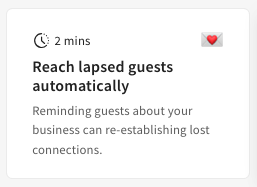
- Once the campaign is selected, enter the trigger information
- Amount of times a guest has ordered
- By guest spending amount
- Days since a guest's last visit
- Select Activate to complete.
- Once complete, you will receive an activation confirmation.
Automated Campaigns Available
Curious to see what automated options are available? Use the chart below to learn more about each automated campaign available and find the one that best fits your restaurant's needs.
| Name | Description |
| Welcome | Targets guests who provided their email address to your restaurant for the first time. Note: This segment excludes new members of your Toast Rewards program as they receive a welcome email with rewards program details. |
| Miss You | Targets guests that have not visited in 30 days or more. |
| Repeat Guest | Targets "regulars" of your restaurant to share a thank you message or special offer after every 5th visit. |
| Big Spender | Targets guests with a higher than average spend at your restaurant to share a thank you message or special offer. Simply set your custom threshold, and emails will be sent to guests whose check average exceeds it. |
| Drive online orders | Targets guests to order online for the first time. |
| Drive in store visits | Targets guests to visit your store for an in-person visit. |
| Follow up | Thank your guests for their business and encourage them to return. |
| Drive Loyalty Enrollment | Invite your guests to join your Loyalty program. |
| Thank guests for positive feedback | When a guest leaves positive feedback, send an automated email to thank them and encourage a public review |
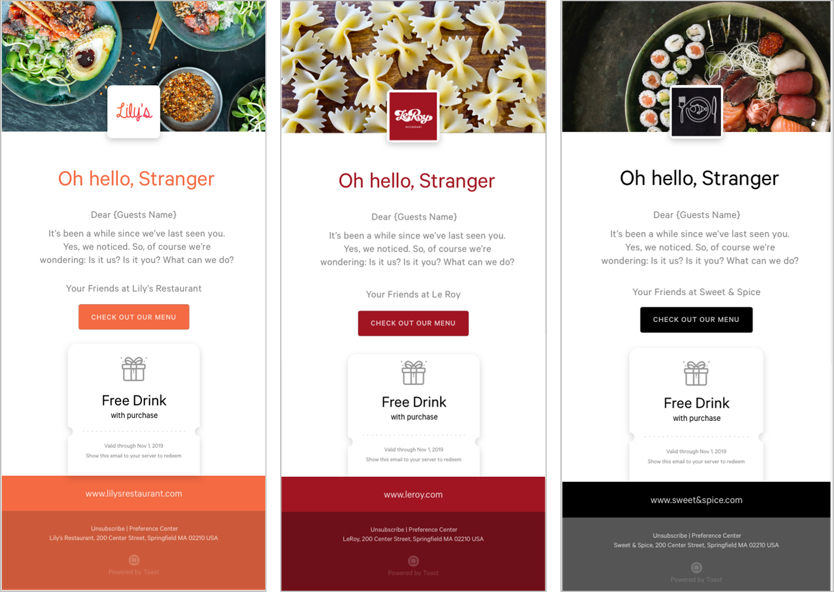
Here are a few example emails you can create with some of the templates above!
To learn more about what you can do with Toast Marketing, watch the following video.
Back to top
Review Your Automated Campaign Results
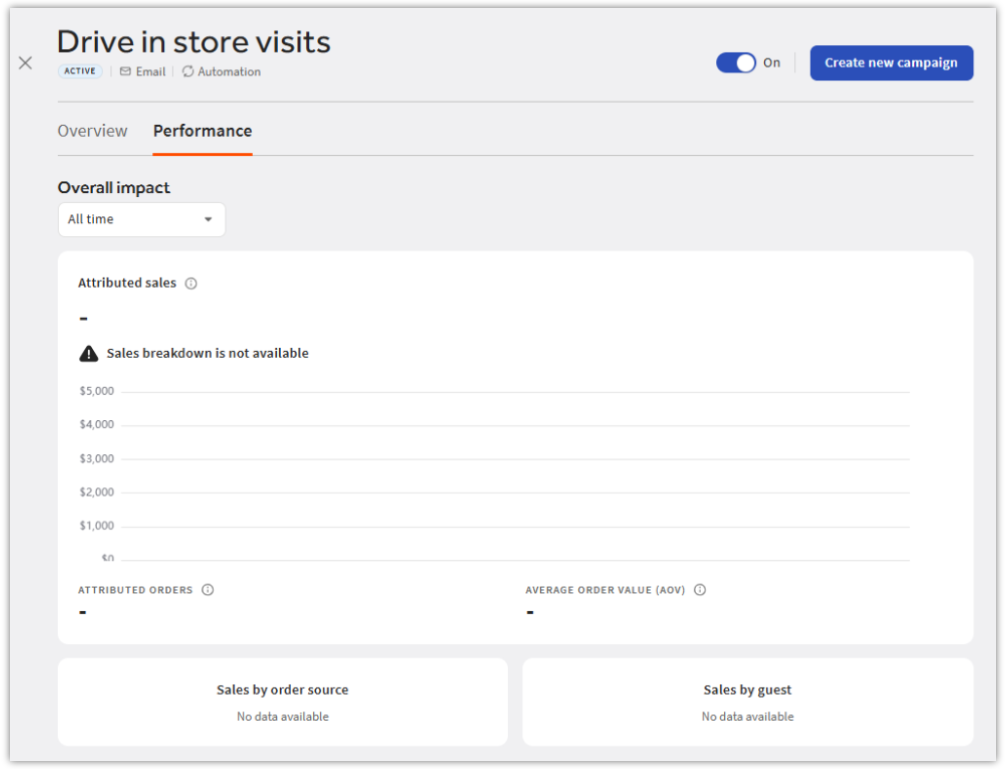
Select any automated campaign from your campaign list to open its details. On the Performance tab, under Overall impact, use the time-range dropdown to view results for all time, the last 30 days, or the last 14 days. You'll see:
- Attributed sales: A day-by-day breakdown of sales attributed to the campaign, along with total attributed orders and average order value (AOV).
- Sales by order source: The top order sources for attributed sales.
- Sales by guest: A breakdown of attributed sales by guest type.