Skip the Update Button in Table Service Mode
Last updated: Apr 7, 2026, 10:20 AM
Question
- Can I bypass the update button in Table Service Mode?
- How do I disable the update button in Table Service Mode?
Answer
Yes, you can bypass the update button on orders in Table Service Mode to aid in faster order taking.
On your POS, navigate to Table Service Mode. On the left hand side of your screen there is a Show/Hide toggle that opens and closes your order details panel as seen in the image below.
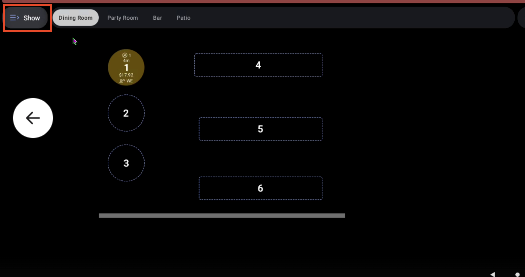
If you select Show and select your order from the provided list or the table service screen, you will be required to select Update before editing your order. If the order details panel is closed, or toggled to Hide, you will be able to select the table directly and immediately make updates to your order without needing to select Update.