Cash Out a Gift Card's Remaining Balance
Last updated: Sep 17, 2026, 5:34 PM
Use Gift Card Cash Out
Gift Card Cash Out is a function that allows a gift card to be properly "cashed out" at the point of sale. Cash out in this case refers to the action of providing cash for the remaining balance on a gift card. This function is often used when a locale's regulations require that a restaurant offers cash tender to their guests when a gift card balance falls below a certain threshold.
Configuration
To get started with configuring Gift Card Cash Out:
1. Log in to Toast Web and navigate to Finance > Payments > Gift cards > Gift card setup.
- Enabled: Determines if the functionality is on or off.
- Cash Out Threshold: The value at which the gift card must be to be allowed to be cashed out.
- Example: If the threshold is set at $2.00, the highest value to be cashed out is $1.99 or any value below that. A card with a $2.00 balance or higher cannot be cashed out.
- Cash Out Permission: Determines who is able to cash out a gift card.
- Manager: Limits the ability to cash out a gift card to managers only. Note: Managers must have the 6.3 Payments Setup and 1.7 Cash Drawer Access permission.
- Any User: Allows any user with the 1.7 Cash Drawer Access permission to use the cash out function.
Note: Cash drawer needs to be configured for the terminal being used, and must be open for the day.
Cash Out Gift Cards on the POS
All configured and ready to go? Great! Now it's time to use the Gift Card Cash Out function at the point of sale.
1. On the Order Screen, select the Gift Cards button.
b. Confirm Cash Out: The gift card qualifies for cash out.
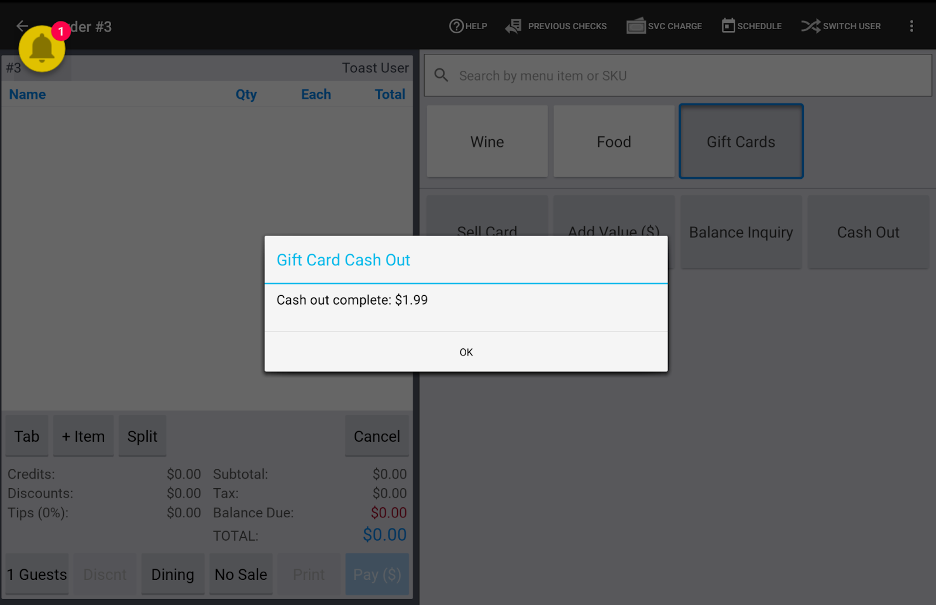
Gift Card Cash Out Reporting
Gift Card Cash Out reports can be found in the Cash Activity Audit report.
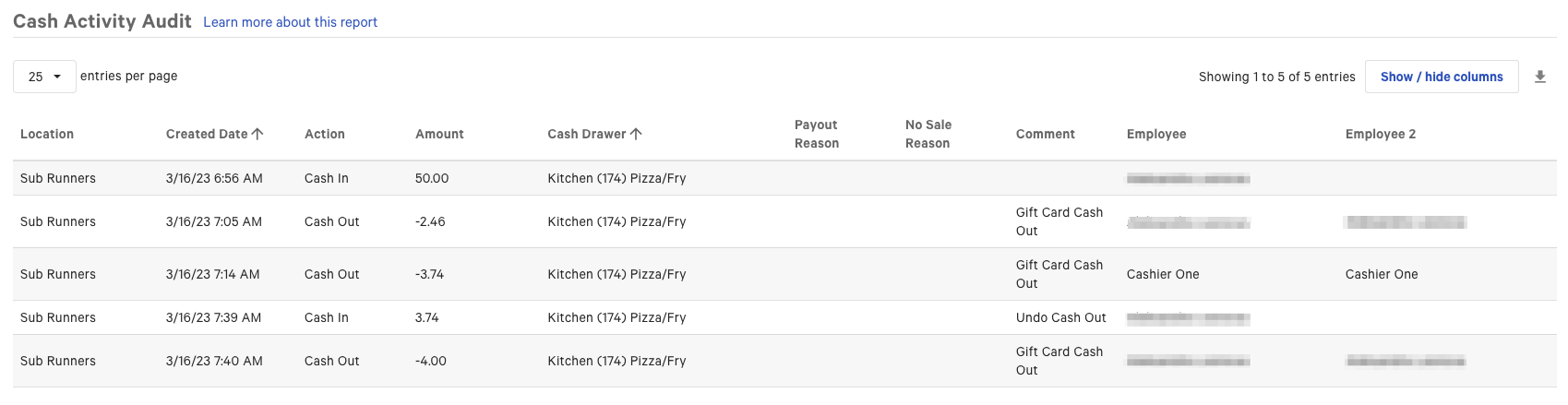
The Cash Activity Audit will show a cash out line item for the Cash Out action, detailing it with Gift Card Cash Out in the Comment column.
Note: The Cash Out feature will report as a redemption in your gift card provider's reporting. To determine how this may report differently in your provider's reporting, please contact your gift card service provider.