Change Your Approval Mode With Toast Online Ordering
Last updated: Sep 16, 2026, 4:13 PM
Question
Guests are receiving emails saying their online order is not approved and to contact the restaurant. How do I turn this off?
Answer
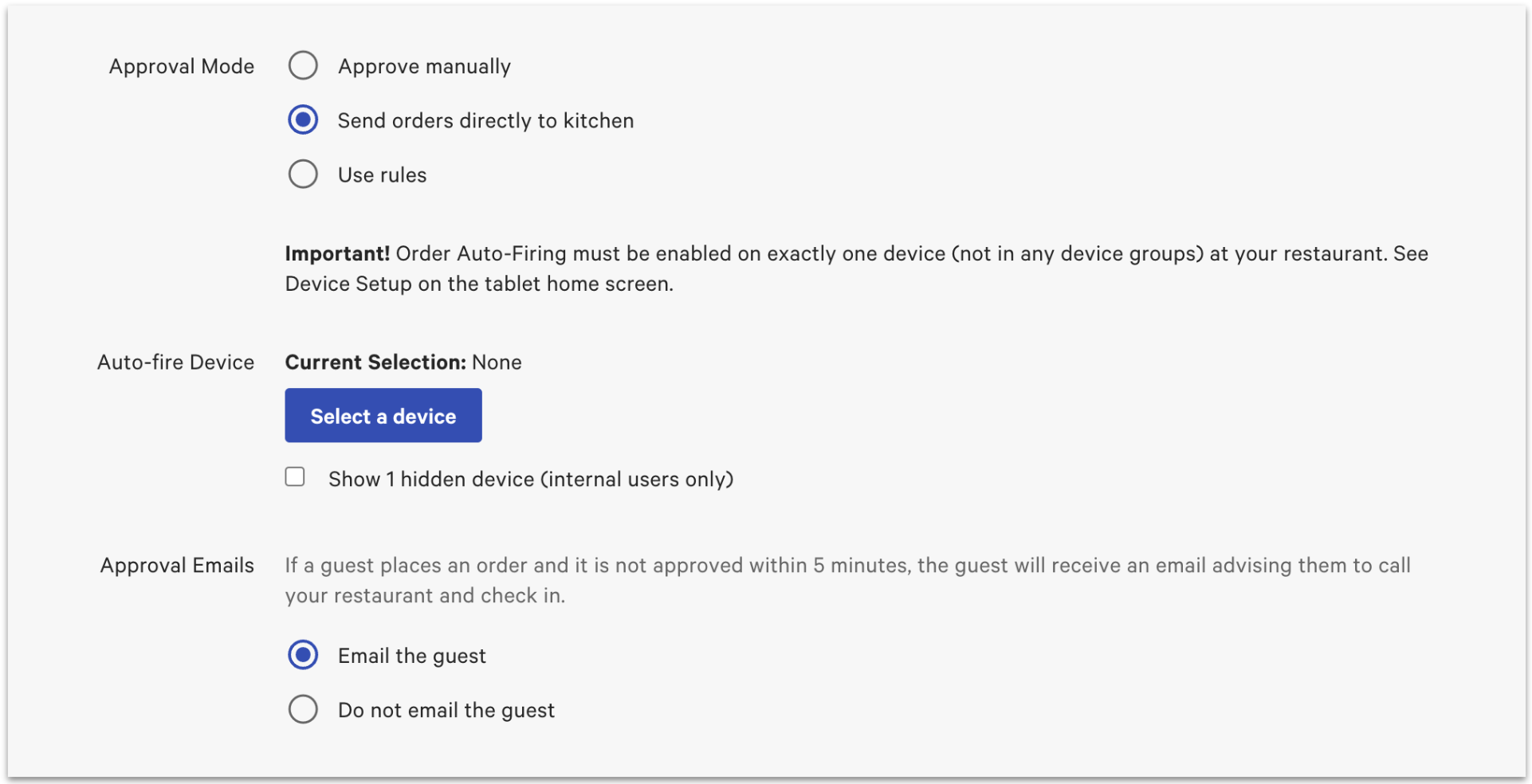
Guests receive these emails for online orders when the Approval Mode is set to Approve Manually on the Online Ordering page in www.toasttab.com. This message is standard and cannot be custom-configured to display other content. It is sent to guests 5 minutes after an order is placed if it has not been approved.
To turn this feature off, follow the steps below:
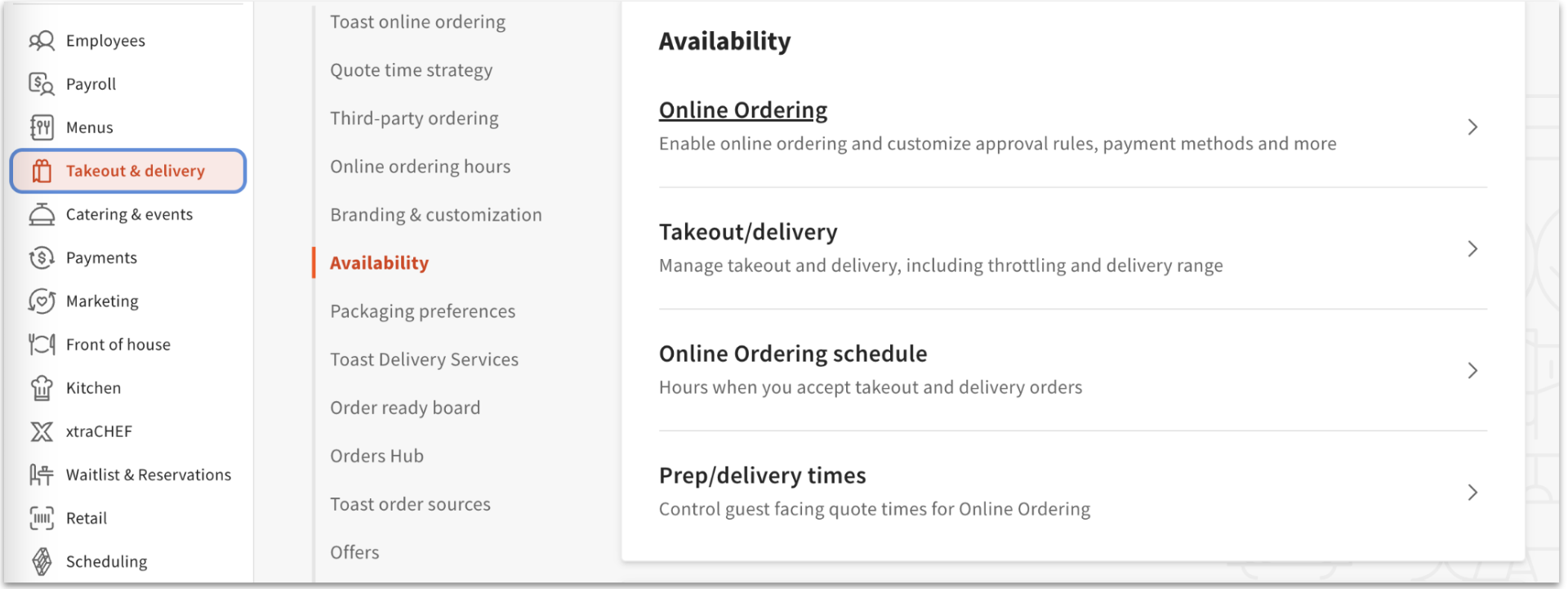
- In Toast Web, navigate to Takeout & delivery > Availability > Online Ordering.
- Scroll down to the Approval section.
- Next to Approve emails, select Do not email the guest.
- Save and Publish your changes.