Get Started With the ChowNow Integration
Last updated: Aug 17, 2026, 9:58 AM
Learn more about ChowNow integration.
- ChowNow Integration Overview
- Enable ChowNow Integration With Toast
- ChowNow Supported Menu Features
- ChowNow Integration: Troubleshooting and Support
ChowNow Integration Overview
ChowNow is an Online Ordering and Delivery integration that provides an online ordering and delivery platform and aggregator solution, with commission-free options, helping Toast customers thrive and retain more of their revenue.
Enable ChowNow Integration With Toast
- To enable the ChowNow integration with Toast, log into Toast Web and navigate to Integrations > Integrations management > Browse & purchase integrations.
- Enter ChowNow in the Search field and select Add Now.
- Review the data scope visibility terms and conditions, and select Confirm to accept. For more information, see the Data Scope Visibility article. If you have multiple locations, select from the drop-down menu.
- Note: Your restaurant must have access to Toast Partner Integrations to add this integration. To learn more about Toast Partner Integrations, see this Support Center article: Set Up Toast Partner Integrations.
- Once completed, a representative from ChowNow will contact you within one business day to assist you with the onboarding process. The onboarding process may take between three to four weeks, depending on your customization needs.
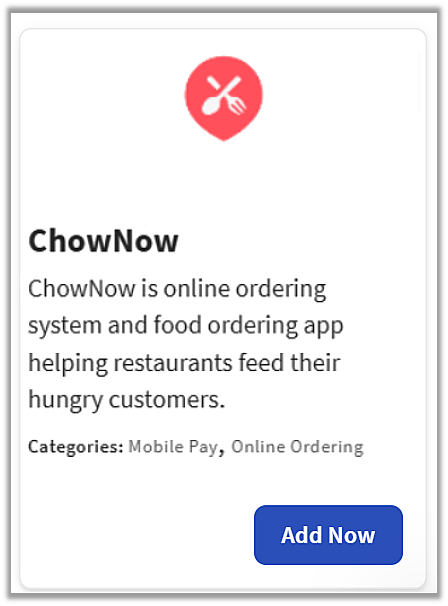
Configure ChowNow in Toast Web
- Once you select Add Now on the ChowNow tile in Toast Web, you will select which restaurant(s) you would like to connect to your ChowNow account, and select Apply
- After you select Apply, you will be forwarded to a confirmation screen.
- After confirming and adding ChowNow, ChowNow’s support/onboarding team will reach out directly to you within one business day.
- Toast also recommends that you reach out to the partner after adding the tile to confirm that the partner receives notice that the integration has been added to your location(s).
ChowNow Supported Menu features
The following chart notes all Toast functions/features that are and are not supported currently with ChowNow:
| Feature | Supported by ChowNow? | Comments |
|---|---|---|
| Pre-modifiers | No | |
| Nested Modifiers | No | |
| Default Modifier | No | |
| Duplicate Modifiers | No | |
| Sequence Pricing | No | |
| Swap Pricing | No | |
| Size Pricing for Modifiers | No | Menu Item level size pricing is supported, not modifiers |
| Delivery | Yes | |
| Scheduled Orders | No | |
| Promo Codes | Yes | Single Use Promo also supported |
| Auto-apply discounts | Yes | |
| Time-specific Pricing | No | |
| Menu-Specific Pricing | Yes | |
| Menu Items Size Pricing | Yes | Menu Group size pricing is also supported |
| Modifier Ordering Priority | Yes | |
| Subgroups | No | |
| Menu Availability | Yes | |
| Images: menus, menu groups, menu items, modifiers | Yes | Only images on the menu are available |
| Descriptions: menus, menu groups, menu items, modifiers | No | Only the description of menu items is available |
| MLM Specific: Location Specific Pricing (LSP) | Yes | |
| MLM Specific: LSP with nested pricing strategy | No |
What Toast menu functions does ChowNow currently support?
ChowNow’s integration with Toast DOES support:
- Modifier Order Priority
- Menu-specific pricing
- Size Pricing for Menu Items
- Note: ChowNow does NOT support modifier size pricing
- Size Pricing on Menu Groups
- MLM Location-Specific Pricing
What Toast menu functions are NOT currently supported by ChowNow?
ChowNow’s integration with Toast does NOT currently support:
- Pre-modifiers
- Default Modifiers
- Duplicate Modifiers
- Nested Modifiers
- Subgroups
- Prompt for Quantity
- Sequence Pricing
- Modifier size pricing
- Swap Pricing
- Time-specific pricing
- Note: this is for specific menu items, and differs from time-specific menu availability
- Pizza Menu Management (Menu Modifier Pricing)
ChowNow Integration: Troubleshooting and Support
For any questions or support issues relating to the ChowNow integration, you can send an email to:
- General Support: support@chownow.com
- Call or Text: (888) 707-2469
- Live Chat: https://get.chownow.com/support/