Get Started With CustomerX.i Integration
Last updated: Mar 25, 2026, 1:49 PM
Learn how to set up the CustomerX.i integration with Toast.
| This integration requires access to Toast Partner Integrations. To learn more, see Set Up Toast Partner Integrations. |
- CustomerX.i Integration Overview
- Enable CustomerX.i Integration With Toast
- CustomerX.i Integration: Troubleshooting and Support
Customer X.i Integration Overview
Turn your Toast sales data into a growth engine! CustomerX.i helps you truly "Know Your Customer" by analyzing your sales trends and comparing your performance with other merchants. Discover more about who your guests are and what they love, so you can reach more people and increase engagement
Enable CustomerX.i Integration With Toast
- To enable the Customer X.i integration with Toast, log into Toast Web and navigate to Integrations > Integrations management > Browse & purchase integrations.
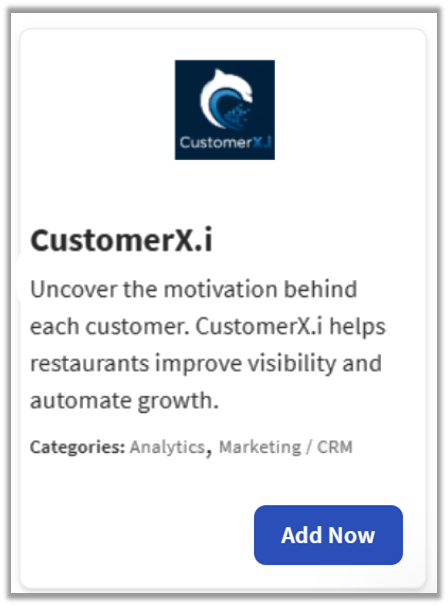
- Enter Customer X.i in the Search field and select Add Now.
- Review the data scope visibility terms and conditions, and select Confirm to accept. For more information, see the Data Scope Visibility article. If you have multiple locations, select from the drop-down menu.
- Note: Your restaurant must have access to Toast Partner Integrations to add this integration. To learn more about Toast Partner Integrations, see this Support Center article: Set Up Toast Partner Integrations.
- Once completed, a representative from Sunday will contact you within one business day to assist you with the onboarding process. The onboarding process may take between three to four weeks, depending on your customization needs.
CustomerX.i Integration Tile Configuration
Once the CustomerX.i integration is added to your restaurant's Toast account, the CustomerX.i Onboarding Team will provide you with a Group ID. You will then need to enter this Group ID into the Group ID field within CustomerX.i integration settings in your Toast system.
To add the CustomerX.i Group ID to the integration tile:
- Select Integrations on the left-hand menu rail in Toast Web.
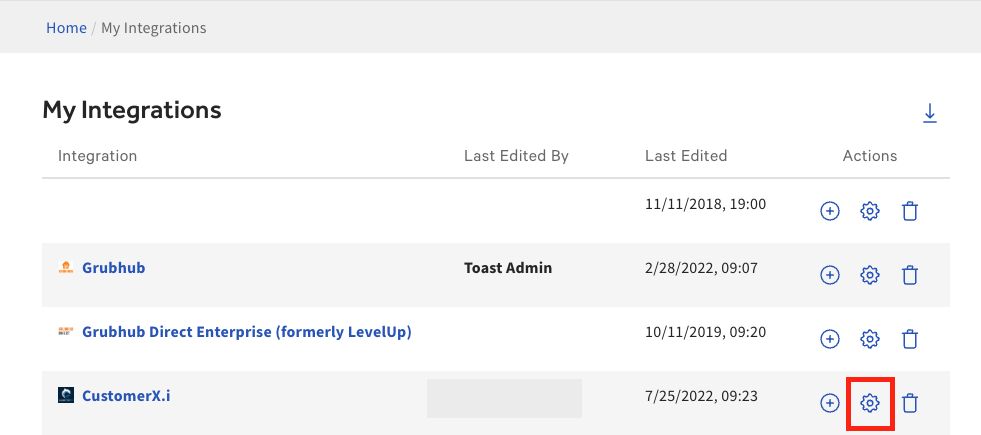
- Select Configure Integrations
- Select the cog wheel under Actions to the right of the integration:
- Input the CustomerX.i Group ID, in the Group ID field next to each location that wishes to be connected.
- Select Apply.
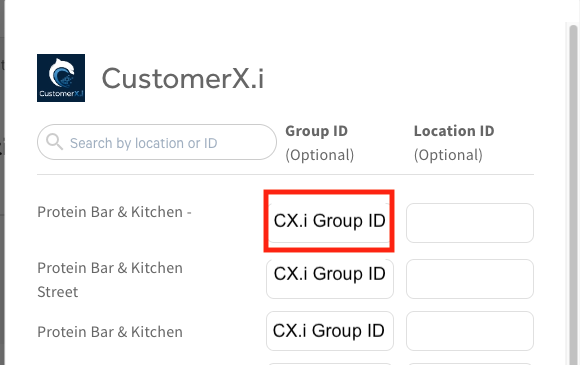
Note: If you don’t have your CustomerX.i Group ID, you can reach out to CustomerX.i support team or can find CustomerX.i Group ID in your CustomerX.i dashboard.
CustomerX.i Integration: Troubleshooting and Support
For any questions or support issues relating to the Sunday integration, you can send an email to:
- General Support: tech-support@customerxi.com