Get Help With Delivery Mode, and Dispatch Drivers
Last updated: Sep 30, 2026, 8:00 AM
Toast has a built-in function for first-party delivery, which allows the user to manage orders quickly and easily from when the order is submitted to the delivery being completed by your driver.
- Access Delivery Mode
- How to Dispatch a Driver
- Complete Deliveries
- Change Delivery Driver after Completing a Delivery
Access Delivery Mode for First-Party Delivery
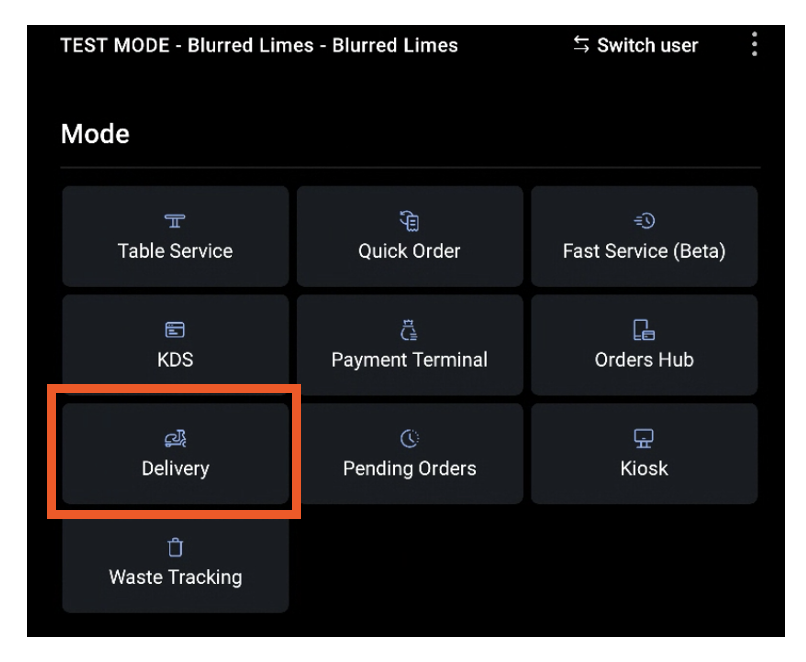
From the main Toast Menu, select Delivery.
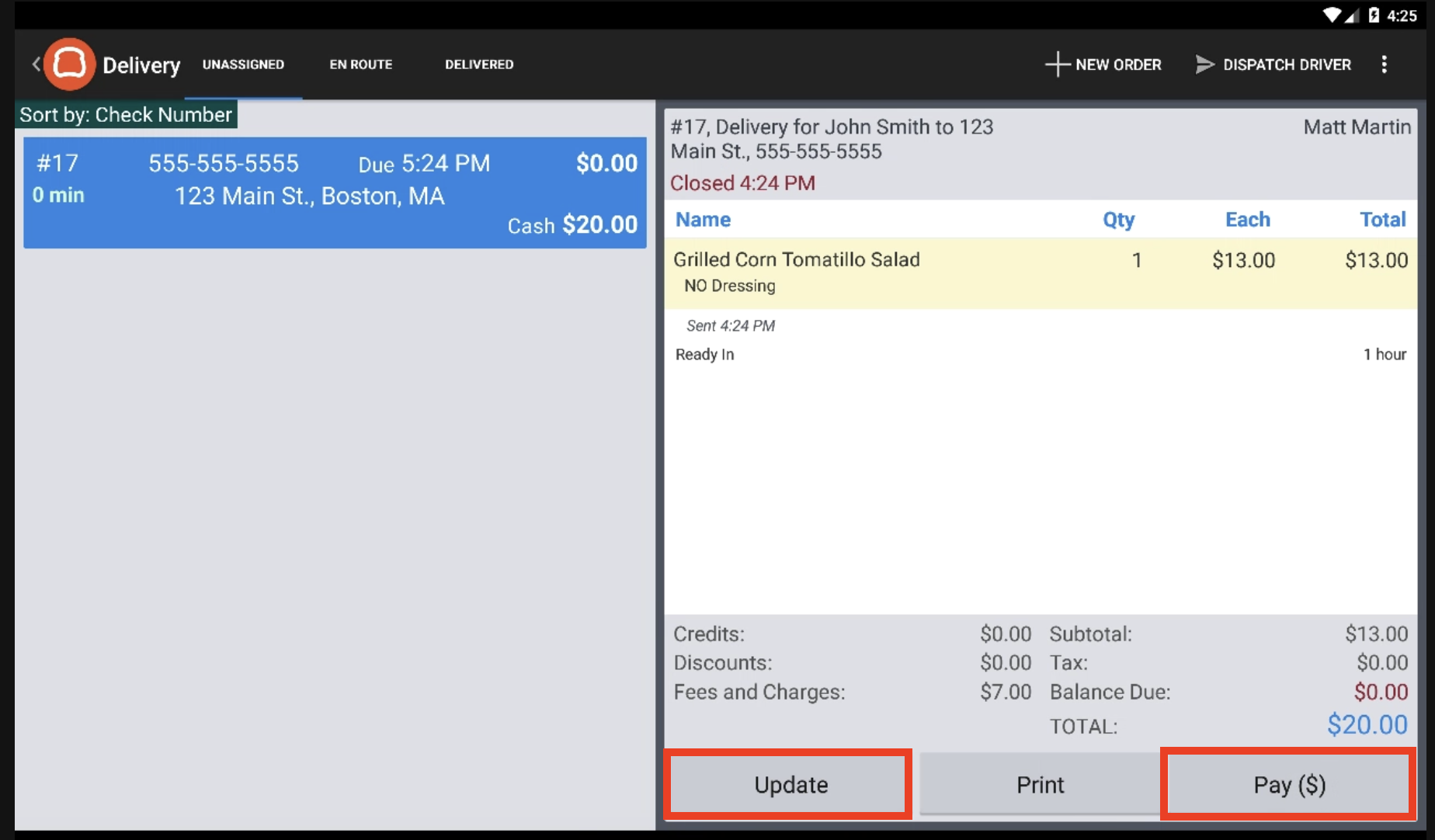
Delivery Mode consists of three phases:

- Unassigned - Orders that have been submitted for delivery that have not been dispatched to a driver
- En Route - Orders that have been dispatched to an on-duty driver.
- Delivered - Orders that have been delivered and rendered complete from the app.
In addition to these views, there is also a Dispatch Driver function. Dispatching a driver for an order is what sends the order from Unassigned to En Route. The name of the delivery driver will be listed in the top right hand corner of the order. Read the next section on how to dispatch drivers.
When the driver returns and selects the Complete Delivery button, this action moves the order from En Route to Delivered. Read below to learn how to complete deliveries.
As shown below, from the Unassigned mode, a user can use the Update and Pay buttons to either update the order or update the payment(s) on the order. This is the same shortcut that exists on checks with other Dining Options.
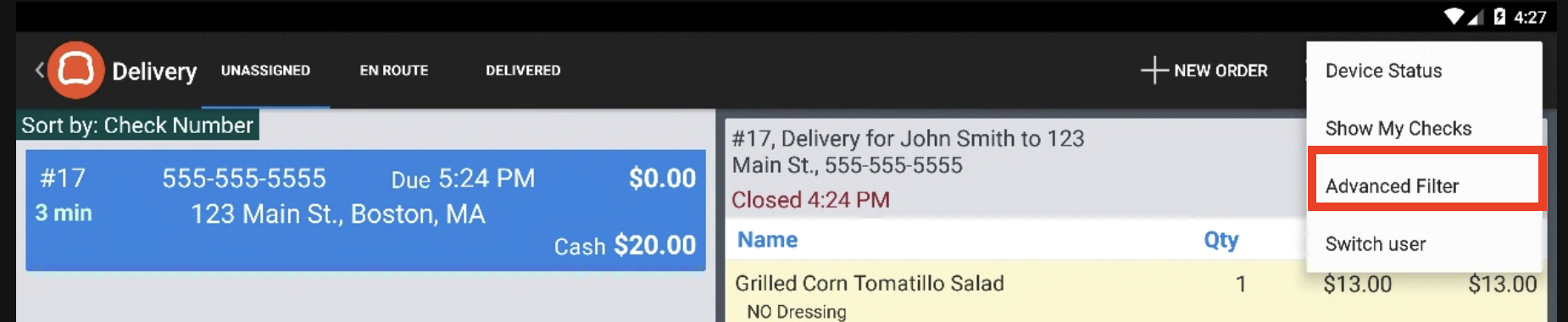
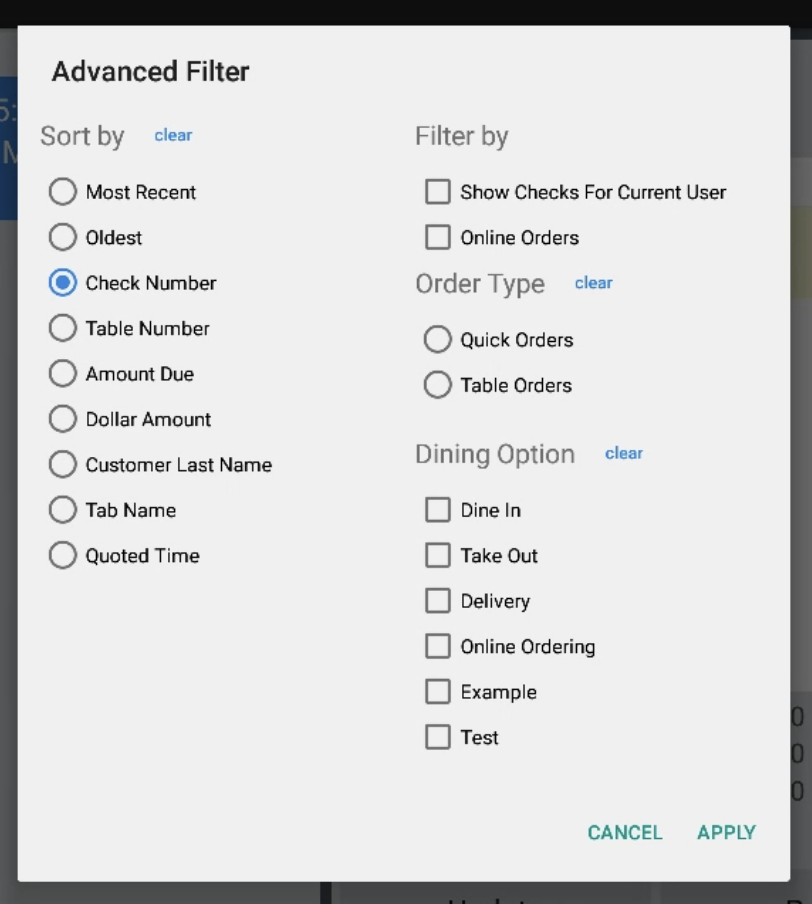
You can also Sort Checks in Delivery Mode. Select the overflow menu in the top right and choose Advanced Filters.
- Here, you can choose any filter to sort your checks by. A common choice is Quoted Time which will allow you to prioritize which orders should go out first.
Dispatch a Delivery Driver for First-Party Delivery
Whether placed by phone or online, delivery orders are managed from Delivery Mode.
Dispatch an Order:
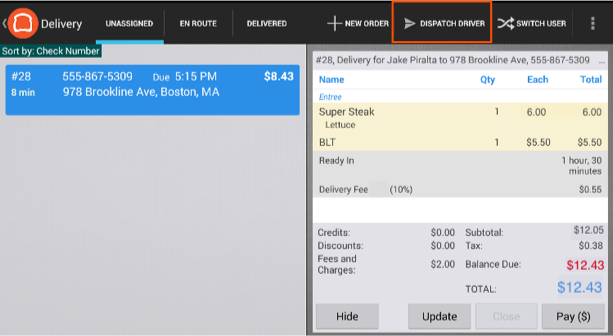
- Delivery orders that have been placed start in the Unassigned tab. From this mode, a user can enter the Dispatch Driver Screen using the Dispatch Driver button in the top right corner.
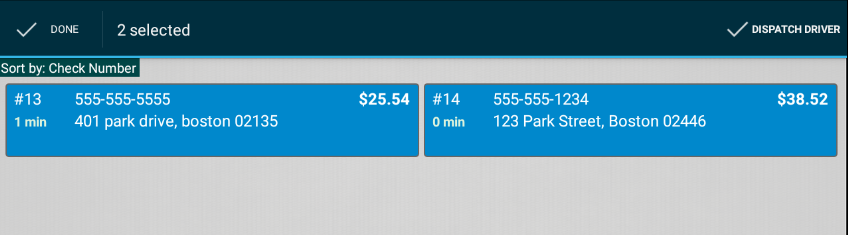
- Select the order(s) that need to be dispatched by selecting orders and the Dispatch Driver button in the top right corner.
- A pop-up will appear to select the driver assigned to the order. Only employees clocked in and with at least one Job Type where Driver is marked will appear on this list. Select a driver.
Note: Only drivers that are clocked in can be dispatched.
- Select Ok.
Note: When a delivery order is assigned to an employee with a job set up as a "driver," they will receive any tips/gratuities assigned to the check.
With a driver dispatched on the order, the order moved to the En Route tab.
Back to top
Complete a First-Party Delivery
When your driver returns, the order can be fulfilled and completed. Note: Orders must be marked Delivered in Delivery Mode before a driver's shift is closed.
Complete an Order:
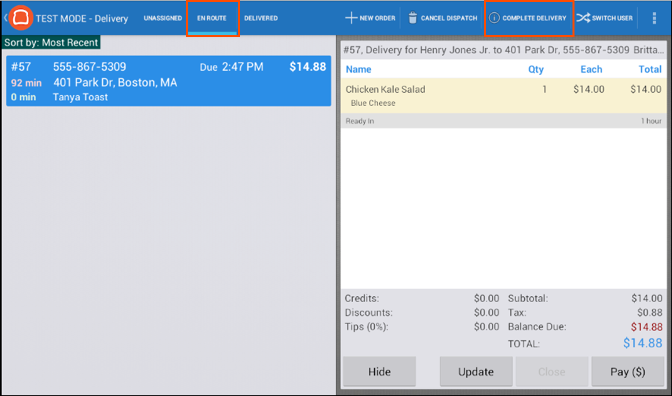
- In Delivery Mode, navigate to the En Route tab, and select the order that has been delivered. Select Complete Delivery in the upper right corner.
- Confirm the delivery by selecting the Complete Delivery checkbox in the upper right.

The order has been delivered!
Back to top
Change Delivery Driver after Delivery is Completed
To change the driver that was dispatched on a delivery order after the order has been marked complete:
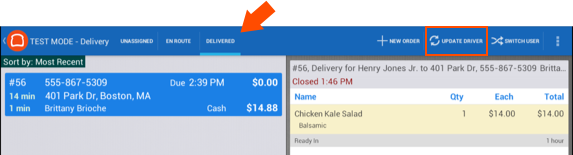
- In Delivery Mode, select the Delivered tab, choose the order in question, and select Update Driver
- Choose the new driver to be credited for the order and select OK.
Note: The entire check and any tip/gratuity will be transferred to the new driver.
Back to top