Elo V4 Installation Guide
Last updated: Sep 17, 2026, 8:13 PM
The new Elo V4 is comparable to our Toast Flex, comes in 15'' or 22'' display size, and can be used as either a KDS device or a Kiosk.
In this Article:
Install Your Elo V4
You can download the installation guide here or follow the installation steps below.
Before you get started, identify where you want your Elo V4 to be located. Make sure there is a power outlet and wall port in reach.
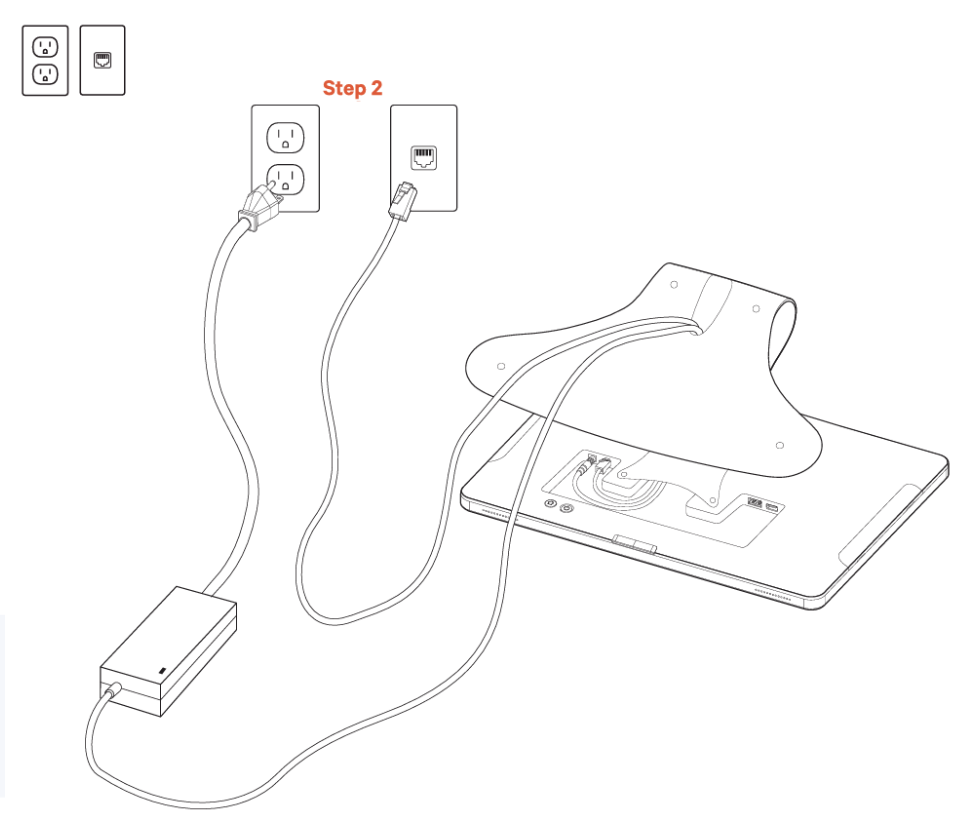
Elo V4 (On Stand) - 15 inch
- Unpack your Elo V4 and place it on the counter.
- The power and Ethernet cords are already plugged into the back of the terminal.
- Plug the other end of the power cord into the power outlet.
- Plug the other end of the ethernet cord into the wall port.
Elo V4 (On Stand) - 22 inch
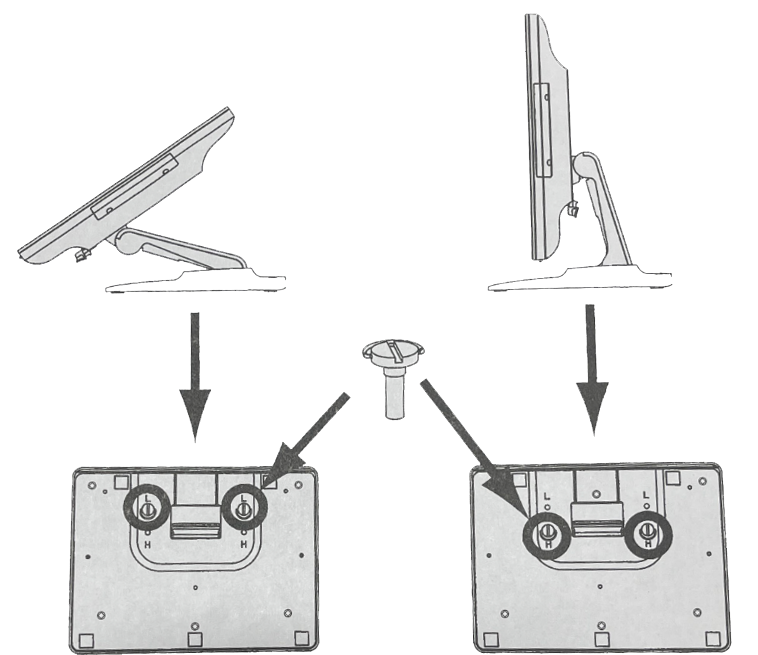
- Unpack your Elo V4 and place it on the counter.
- Remove both pins at the bottom of the stand.
- Configure and set up the stand in either position shown below (angled or upright).
- Reinsert the pins to lock the stand in that position.
- The power and Ethernet cords are already plugged into the back of the terminal.
- Plug the other end of the power cord into the power outlet.
- Plug the other end of the Ethernet cord into the wall port.
Elo V4 (Mounted) - 15 and 22 inch
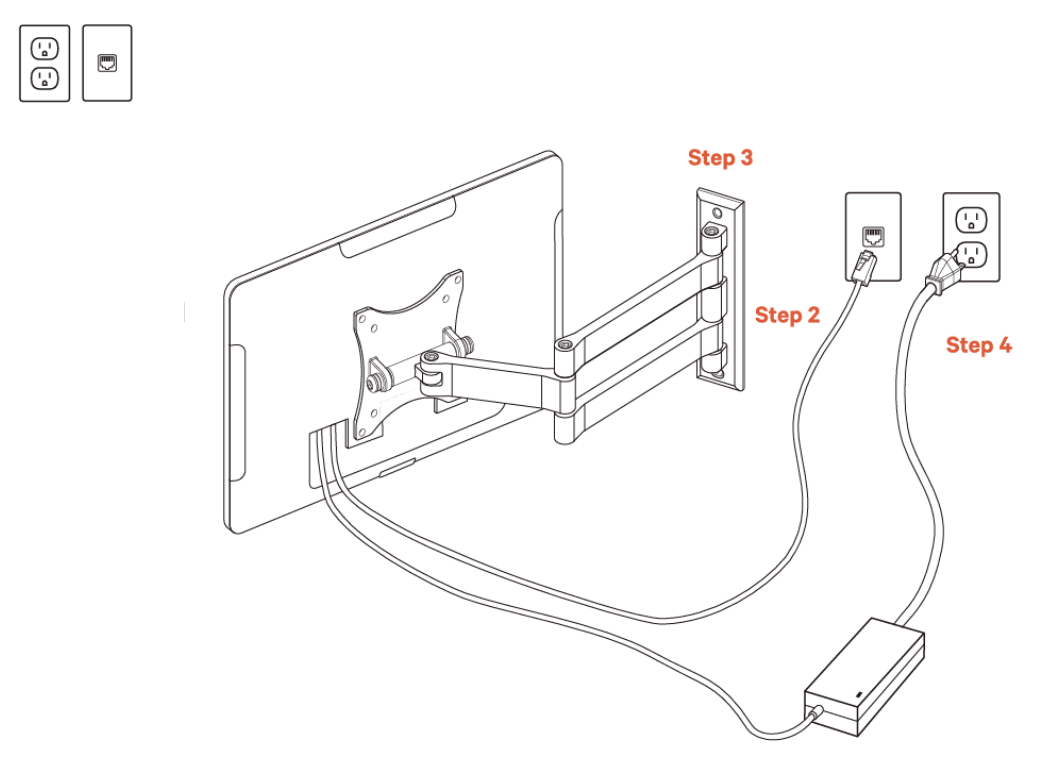
- Unpack your Elo V4 and wall mount. Elo V4 will have the swing arm for the wall mount already attached. The power cable and Ethernet cable will already be plugged into your Elo V4.
- Plug the other end of the Ethernet cable into the wall port.
- Attach your wall mount to the wall. Note that Toast does not drill holes. You'll need to drill your own holes or have holes pre-drilled in the desired location.
- Plug the other end of the power cable into the wall outlet.
Mirror Your KDS Display
Needing a larger screen to mirror your KDS display?
- A USBC to HDMI cable can be purchased to mirror your Elo V4 device to a larger screen.
- A micro HDMI to HDMI cable can be purchased to mirror your Elo V2 device to a larger screen.
Note: In this scenario, KDS functionality can only be performed on your Elo device. Toast is unable to assist in any troubleshooting for your mirrored device.
Back to top
Elo V4 Kiosk
Elo V4 Kiosks are enabled by Toast Guardian's LockTask Mode feature. Toast Guardian is Toast's mobile device management application that is included on all Toast devices running on Android 8.1 or above.
The LockTask Mode experience protects the security of your Kiosk by locking your device to the Toast POS Kiosk experience and preventing your guests from changing device and restaurant settings. If you have any questions on LockTask Mode, Elo V4, or accessing device and restaurant settings for your own configuration needs, please contact Toast Customer Care.
The following image is an example of the new LockTask Mode experience for Elo V4 Kiosks.