Export Your Multi-Location Management Settings
Last updated: Sep 17, 2026, 4:49 PM
Question
How can I export a report to view the settings set across all of the locations in my management set?
Answer
You can download a settings summary for your management set to help you manage settings across locations, know what changes need to be made at each location, and identify any locations that may have been left out when settings changes were made. To export this report, you will need the 6.4 Publishing permission.
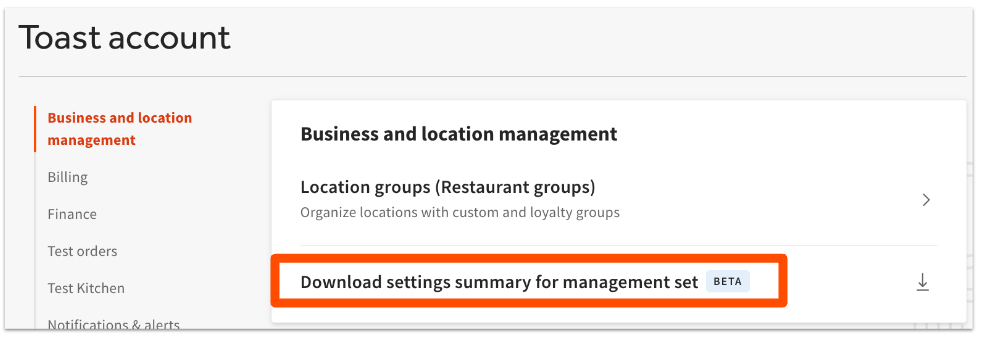
- In Toast Web, navigate to Toast account > Business and location management > Download settings summary for management set.
- Your browser will start downloading the report as a CSV file. Note that if you have pop-ups blocked, you'll need to allow pop-ups from toasttab.com in order for the file to download.
- Open the file with Excel or Google Sheets to view your data.
Learn more about permissions in the Permissions Reference Guide.
Additional Information
Multi-Location Management is used by restaurants with many locations. It allows you to create shared configurations in Toast Web and quickly share them across your restaurant locations.
The more configurations you share among your restaurants, the easier they are to maintain because you only need to manage one shared configuration, as opposed to multiple separate configurations for each location.
 | Multi-Location Management must be enabled by a Toast Administrator. Please contact your Customer Success Manager or Toast Customer Care (via Support Center) to get started. |