Find the Serial Number on International Card Readers

Last updated: Dec 23, 2025, 12:00 PM

Question

I'm using an international card reader. Where do I locate its serial number?

Answer

Follow the instructions below to locate the serial numbers for international card readers.


DEVICE
LOCATE SERIAL NUMBER
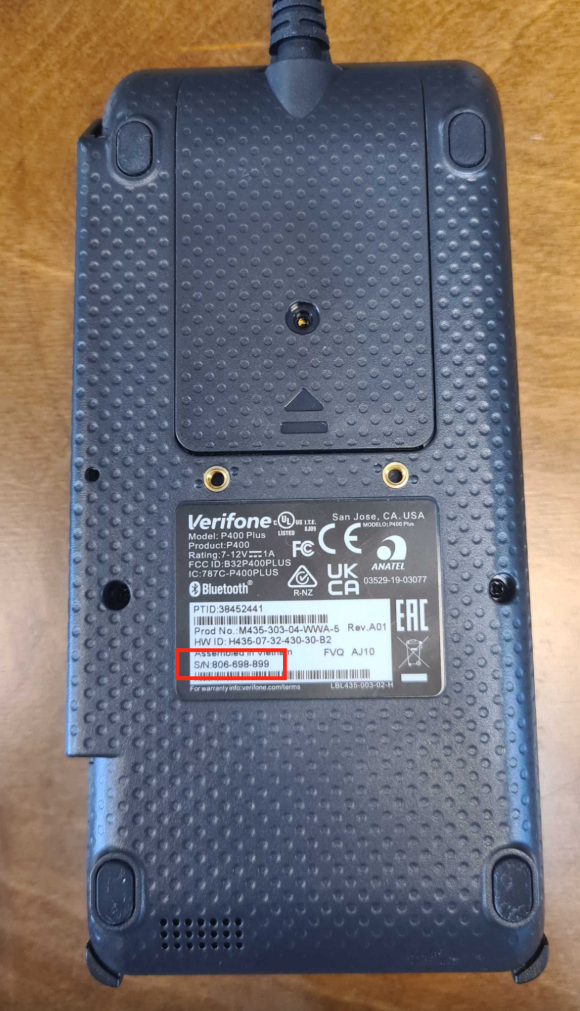
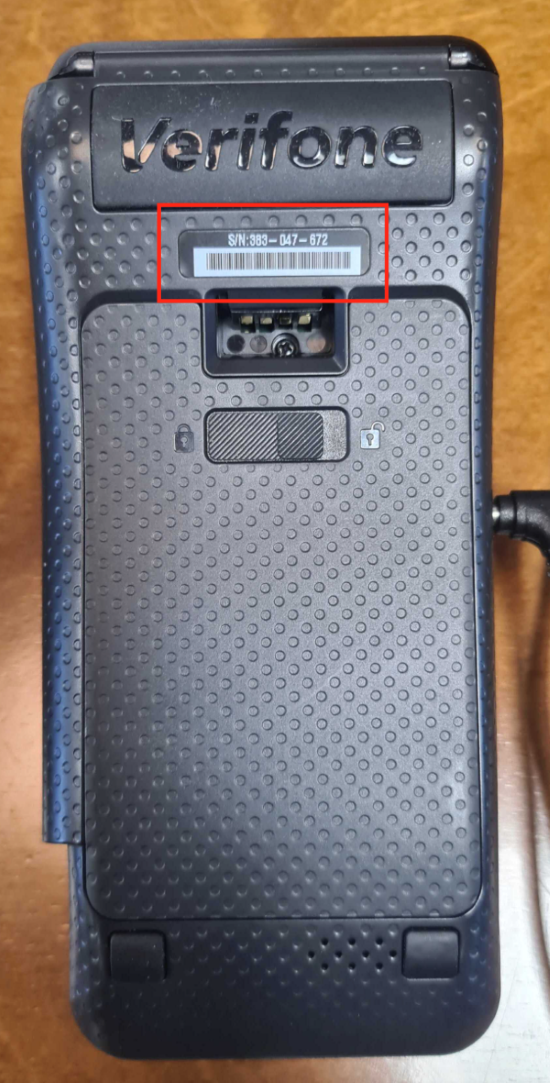
P400P400 card reader serial number location
  • Look for the label at the back containing the device's serial number.
  • Press (5) + GREEN button to access the Device Info page.
  • Look for the Serial Number field.
V400

V400 card reader serial number location

  • Look for the label at the back containing the device's serial number.
  • Press (5) + GREEN button to access the Device Info page.
  • Look for the Serial Number field.
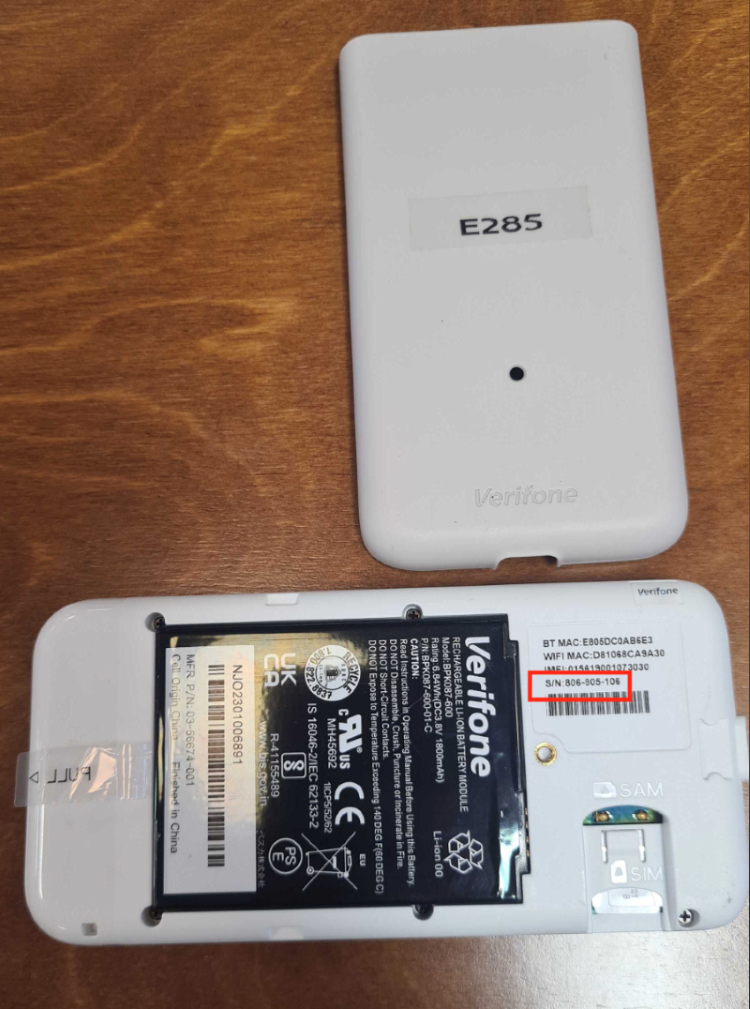
E285E285 card reader serial number location
  • Remove the battery cover, then look for the label containing the device's serial number.
  • Press (5) + GREEN button to access the Device Info page.
  • Look for the Serial Number field.
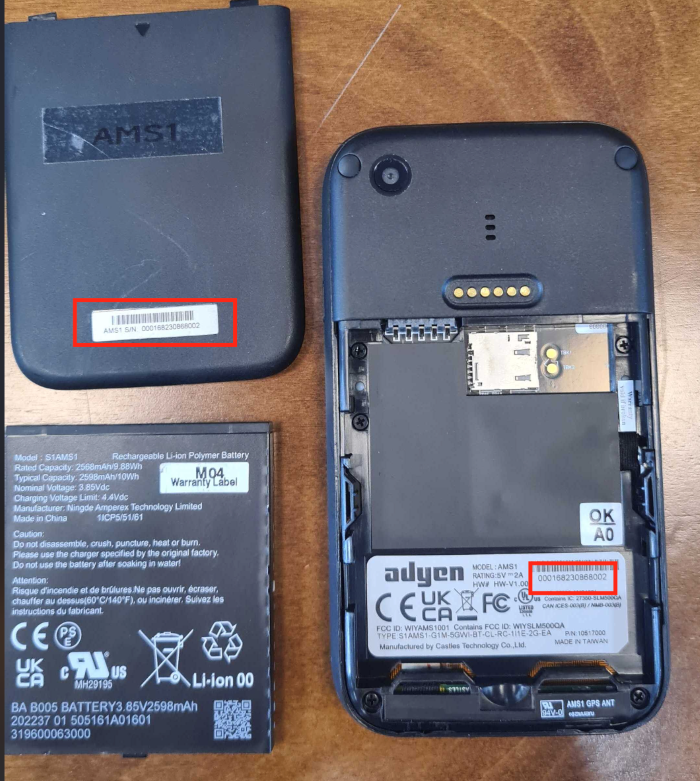
AMS1AMS1 card reader serial number location
  • Look for the label at the back containing the device's serial number.
  • Remove the battery cover and battery, then look for the label containing the device's serial number.
  • Select the Settings icon on your device and then select Device info.
  • Look for the Serial Number field.
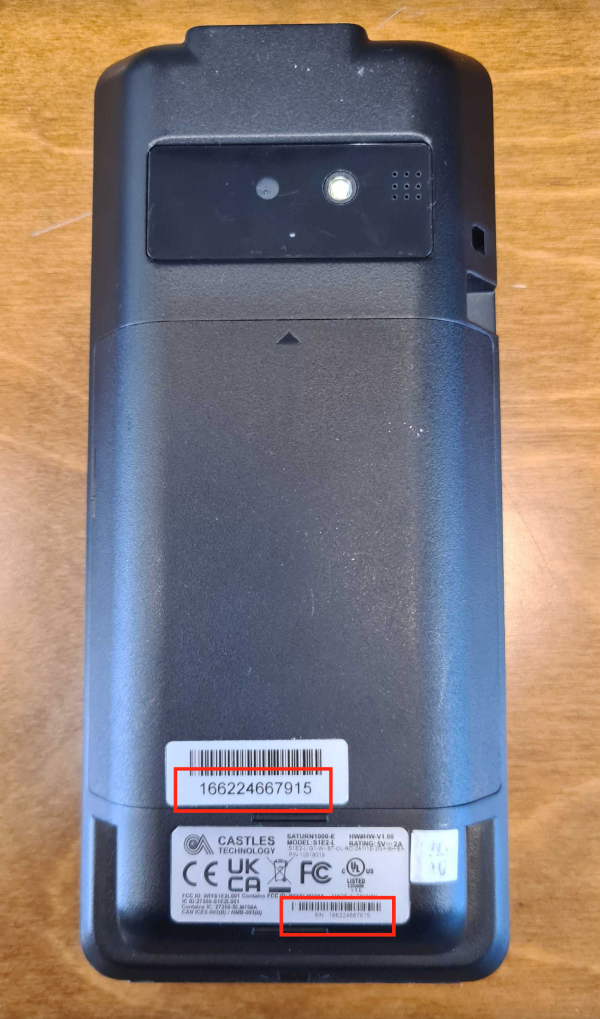
S1E2LS1E2L card reader serial number location
  • Look for the label at the back containing the device's serial number.
  • Select the Settings icon on your device and then select Device info.
  • Look for the Serial Number field.