Get Help: Flashing Content on the Digital Menu Board Display
Last updated: Sep 17, 2026, 11:54 AM
Question
Why is my content flashing on the digital menu board?
Answer
If you’re seeing content flashing or flickering on your screen, we can usually fix this with a quick reset of the player settings.
Try these steps to get your display back to normal:
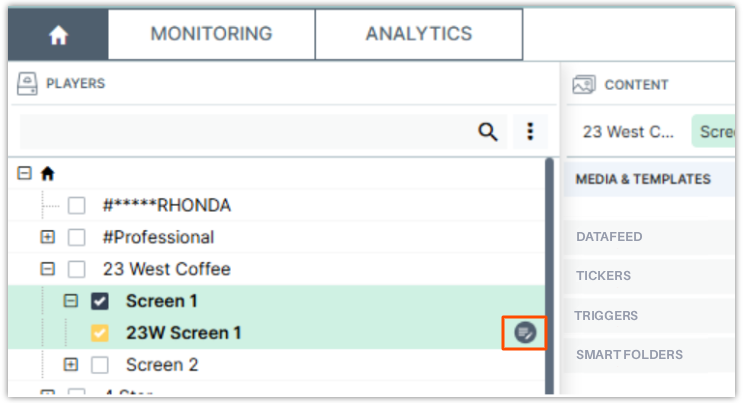
- In your dashboard, check the box next to the affected player, then select the Player Properties icon.
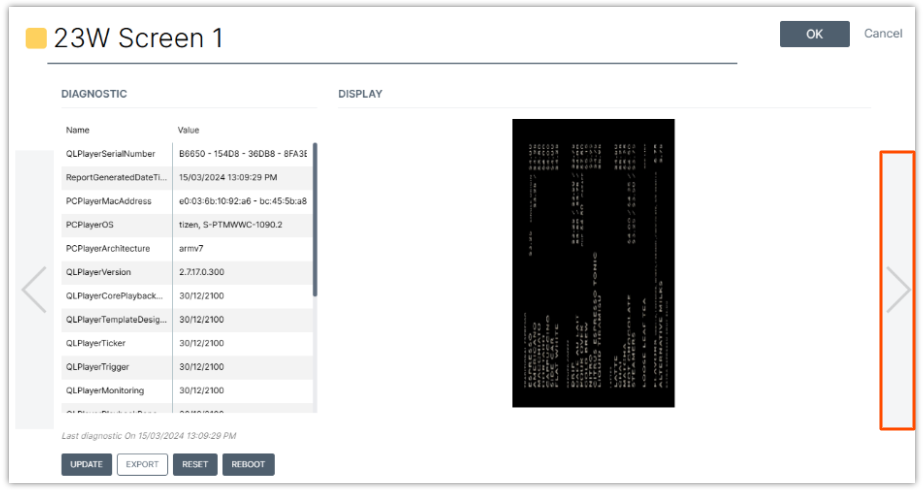
- Select the right arrow button twice until you reach the Diagnostics screen.
- Select Reset at the top-right corner, then select OK.
- Finally, select Publish to send the refreshed settings to your screen.