Get Started With the OhWaiter Integration
Last updated: Apr 28, 2026, 4:23 PM
OhWaiter is an AI-powered food ordering service that enables your customers to easily order directly from their phones with just a few quick texts in seconds, creating and closing an order no matter where they are. With OhWaiter, guests can easily order their food onsite or from their home or office for pickup and delivery while paying seamlessly with our integrated POS solution and even repeat previous orders via copy and paste. There is no website or app to update, so guests just text and pay.
This integration requires access to Toast Partner Integrations. To learn more, see Set Up Toast Partner Integrations.
Key features of the OhWaiter integration:
- As every guest uses their phone number to interact with OhWaiter, we can give guest-specific recommendations before checkout, thus increasing the check basket size.
- If guests know what they want, they can text/type it faster than navigating a web page, closing out an order in a matter of seconds instead of minutes. This feature is critical for repeat customers.
- Dine-in guests can alert staff through the app when they have a mid-meal request instead of waiting for a server to come by or flag one down.
Enable OhWaiter with Toast
- To enable OhWaiter with Toast, log in to Toast Web and navigate to the Integrations section using the left-hand navigation menu. Then, select Integrations management > Browse & purchase integrations.
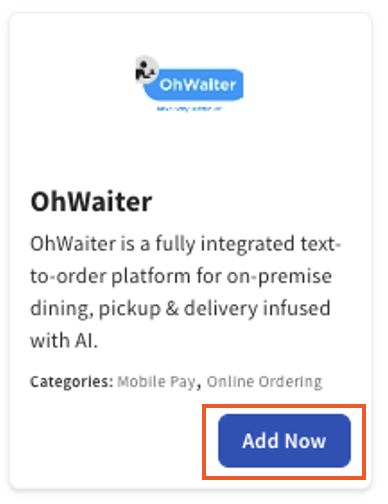
- Enter OhWaiter in the Search field and select Add Now.
- Note: Your restaurant must have access to Toast Partner Integrations to add this integration. To learn more, see Set Up Toast Partner Integrations.
- Note: Your restaurant must have access to Toast Partner Integrations to add this integration. To learn more, see Set Up Toast Partner Integrations.
- Review the data scope visibility terms and conditions and select Confirm to accept. See the Data Scope Visibility article for more information.
- OhWaiter will contact you within 24 hours to schedule a menu sync and the remainder of the onboarding items needed for a customer to go live.
Troubleshooting and Support for the OhWaiter Integration
For troubleshooting and support, email the OhWaiter support team directly at support@ohwaiter.com for any OhWaiter integration issues unrelated to Toast products (software or hardware) or network/connection issues.
Back to top