Manage Birthday Rewards
Last updated: Sep 21, 2026, 3:10 PM
If you use Toast Loyalty and you have already completed the birthday reward setup, discover how guests will use them here.
Birthday rewards are an excellent way to incentivize guests to visit your restaurant around their birthday. Select a link to add Toast Loyalty or enable birthday rewards if you already use Toast Loyalty.
- How Guests Sign Up for Birthday Rewards
- How Guests Are Notified of a Birthday Reward
- How Birthday Rewards Work
- How Guests Redeem Birthday Rewards
- When Guests Can Redeem Birthday Treat Rewards
- Additional Resources
How Guests Sign Up for Birthday Rewards
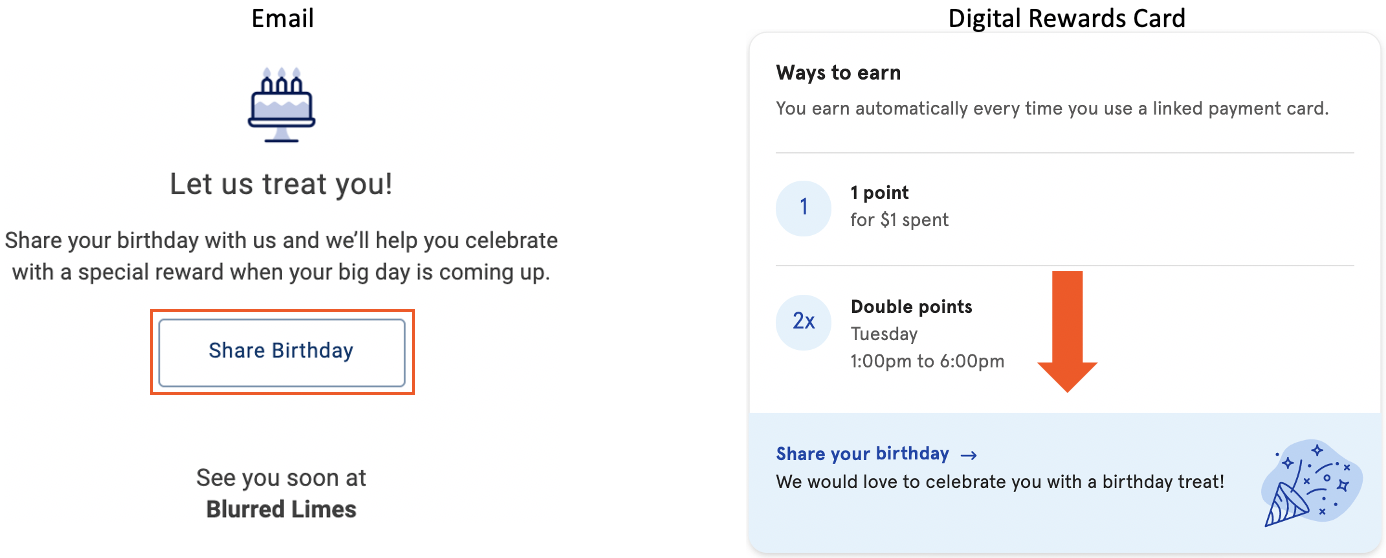
- A guest must first be a part of your loyalty program. Check out How Guests Enroll in Toast Loyalty for details on enrolling in your loyalty program. Upon enrollment, a guest will receive a welcome email or text.
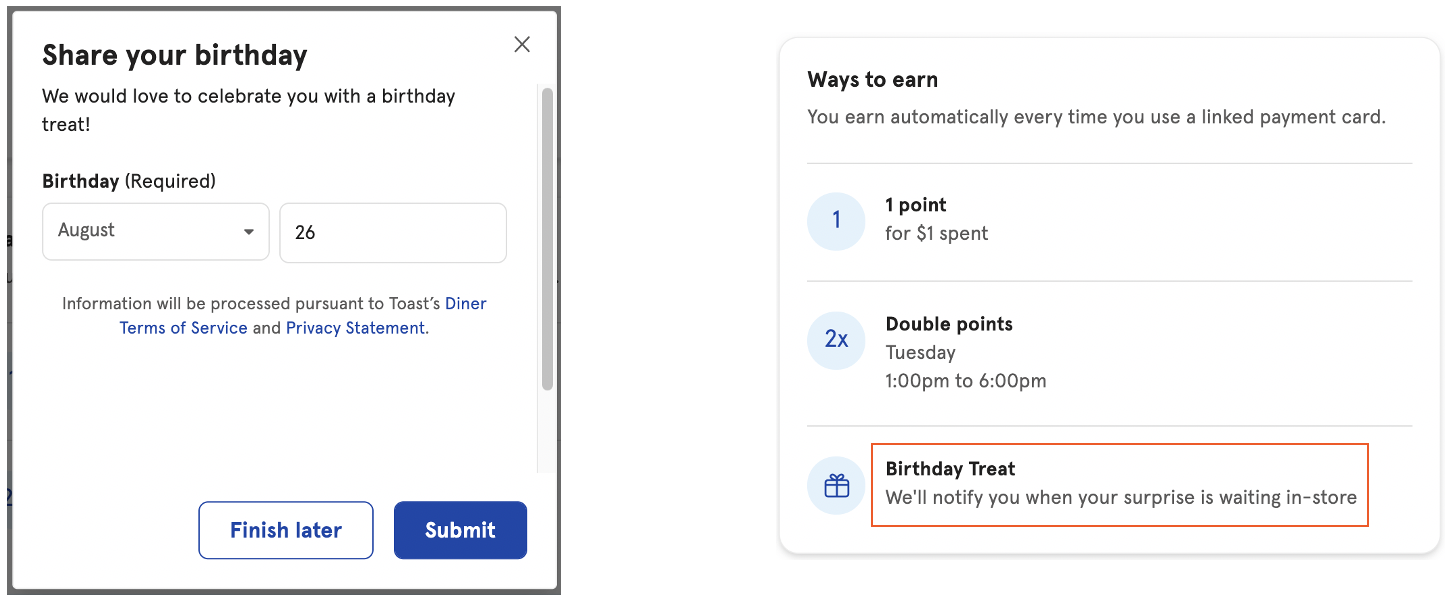
- They can add their birth month and date by using the link in the email or text or accessing their digital rewards card.
- Once a birthday is added, a note is added to the Ways to earn section on their digital rewards card.
How Guests Are Notified of a Birthday Reward
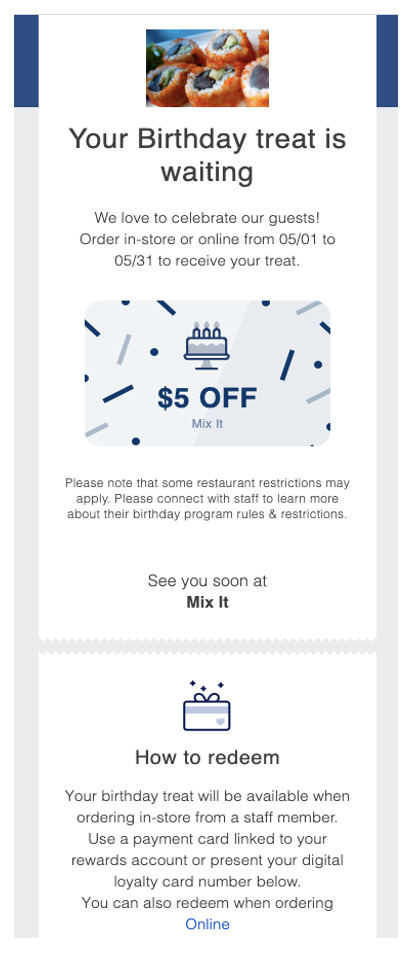
- Once a birthday reward is available, the guest will receive an email alerting them of their reward.
- Additionally, on their digital rewards card, they will now see Birthday Treat available under their points.
How Birthday Rewards Work
Guests enrolled in one or more Toast loyalty programs can see all their available birthday rewards in one place using Birthday Hub in the Toast Local app.
Note: Birthday Hub only surfaces Toast-managed loyalty rewards. Guests can see the expiration date for a birthday reward in Birthday Hub, not in the general reward details view. If a guest does not see an expiration date on their reward, have them check Birthday Hub.
How Guests Redeem Birthday Rewards
In-Store Redemption of Birthday Reward
How can you redeem a birthday reward In-Store
- A guest will place an order with a member of your staff. Birthday rewards may only be redeemed in-store.
- From the payment screen on the POS, your employee will select the Rewards button and locate the guest's account.
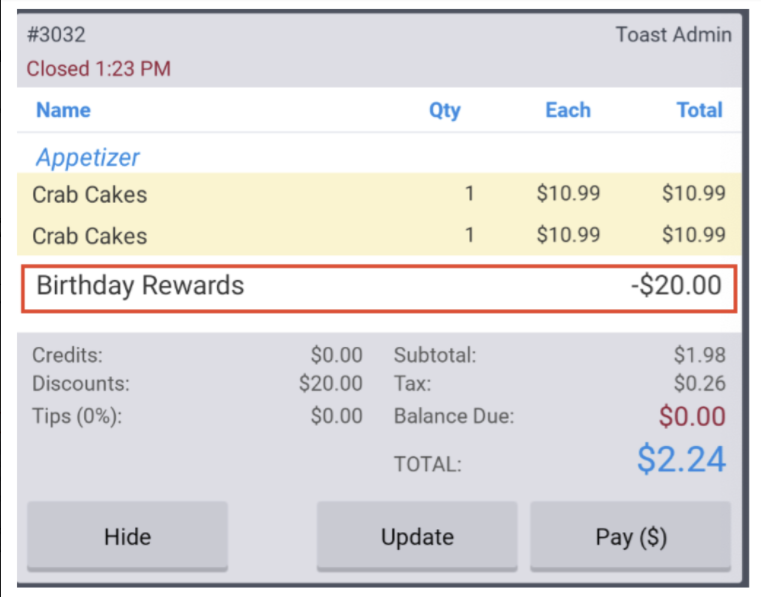
- If a guest has not met the loyalty program threshold for their next reward, the birthday discount will automatically be added as a discount to the order.
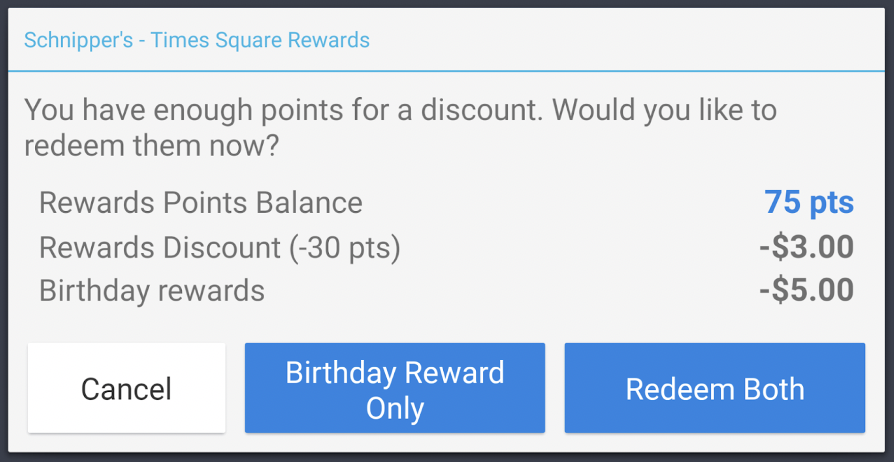
- If a guest has met the loyalty program threshold and is also eligible for a reward, they will see the following prompt. Select if both rewards will be used or just the birthday reward.
Online Ordering Redemption
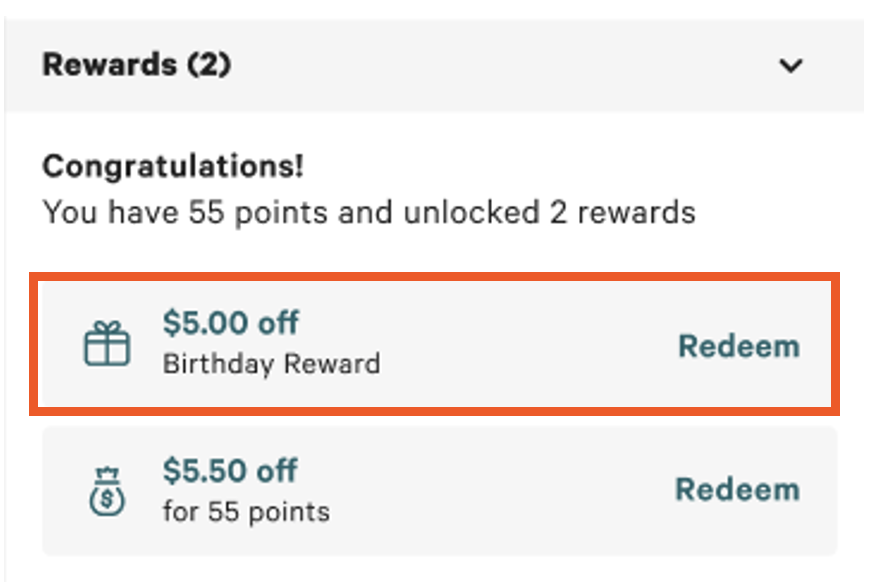
When guests pay at checkout on Online Ordering, they will be presented with their Birthday Reward to redeem in the rewards section, where they can apply the reward along with their standard loyalty rewards (if applicable).
When Guests Can Redeem Birthday Treat Rewards
| Birthday treat rewards will only be available to a guest’s account 24 hours after their birthday information is added to their Loyalty account. If a guest signs up or adds in their birthday, and tries to redeem their birthday treat on the same day, they won’t be able to do so as rewards will only reflect on their Loyalty account the next day. |
Note: A birthday reward is available for a limited window around the guest's birthday, either a set number of days or the full birthday month, depending on your restaurant's settings. The reward can be used once, and the discount cannot exceed the guest's check total. Any unused amount does not carry over.
The timeline for redeeming birthday treat rewards will depend on the timeframe or custom timeframe that you've set for your restaurant. Each restaurant sets its own birthday treat redemption window, so timing varies by location. If you're a guest looking for your own reward's expiration, check your digital rewards card or contact the restaurant directly.
To review or configure your settings for redeeming birthday treat rewards, follow these steps:
- In Toast Web, navigate to Marketing > Settings > Bonus Programs > Birthday treat.
- Under the Guest can redeem during section, select your desired settings, OR
- Under Custom timeframe, enter your desired timeline by selecting the pencil icon.
- Save and publish your changes