Toast Payroll: Security Role Page Access
Last updated: Aug 20, 2026, 12:42 PM
Question
How do I know which security roles can see certain pages or screens in Toast Payroll?
Answer
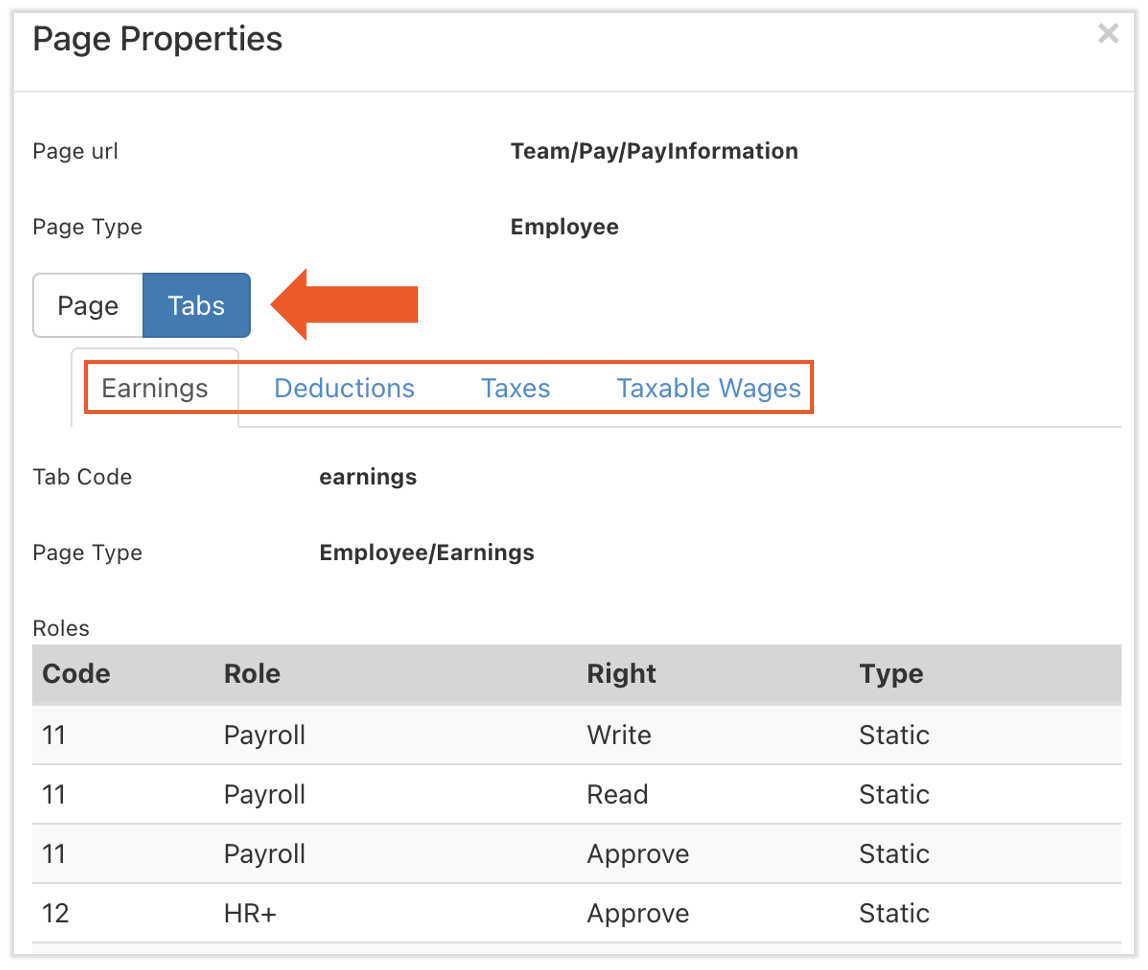
When trying to determine if certain security roles have access to a specific page in the Toast Payroll system, an HR+ user can navigate to that page themselves. Look for a button at the very, very bottom of any page. It is titled Page Properties (if you do not see this button, you most likely do not have the standard HR+ security role). Select this to display all security roles that have access to the page you are currently viewing.

If there are tabs on this page (e.g. employee profile > Employment > Recurring), you can also toggle to each tab to see which security role can access each tab individually.
This content is for informational purposes and is not intended as legal, tax, HR, or any other professional advice. Please contact an attorney or other professional for advice.