Find Your Year-to-Date Top Selling Items and Modifiers
Last updated: Apr 28, 2026, 4:22 PM
Question
Where can I see my top-selling menu items, modifiers, and open items?
Answer
You can view your year-to-date top-selling items and modifiers on the Menu Breakdown report. You must have the 4.2 Menu Reports (+ Inventory / Menusphere Reporting) access permission in order to view and generate this report. Learn more about user permissions here, Permissions Reference Guide.
- In Toast Web, navigate to Reports > Menus > Menu breakdown.
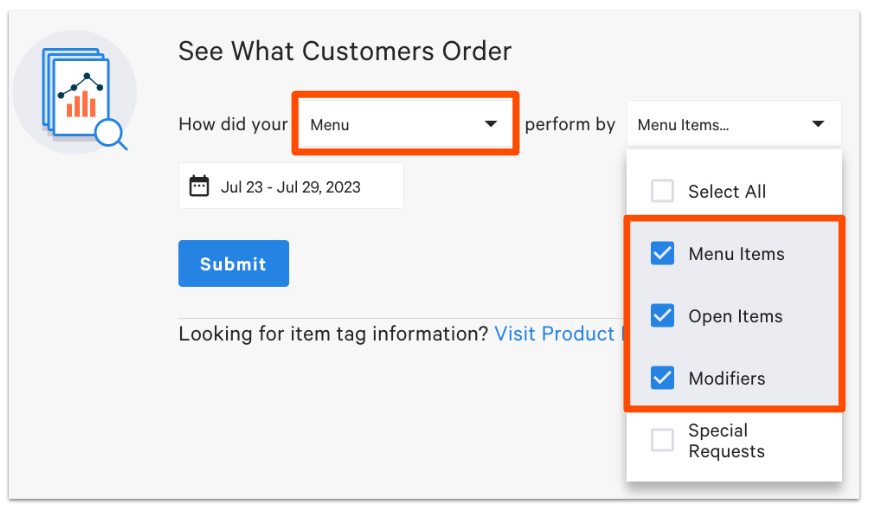
- In the first drop-down, select Menu.
- In the second drop-down, select the menu components you wish to see in your report.
- In the date drop-down, select Year to Date.
- If you have multiple restaurant locations, use the location field to select a restaurant location.
- Select Submit to run your report.