How do I override taxes on a modifier?
Last updated: Sep 18, 2026, 10:21 AM
Question
How do I override taxes on a modifier?
Answer
| The modifier tax behavior setting that is described in this article is currently in limited release with select customers. Check back soon for updates! |
To override taxes on a modifier, follow these steps:
- In Toast Web, navigate to Menus and find the modifier that you want to configure in Toast Web.
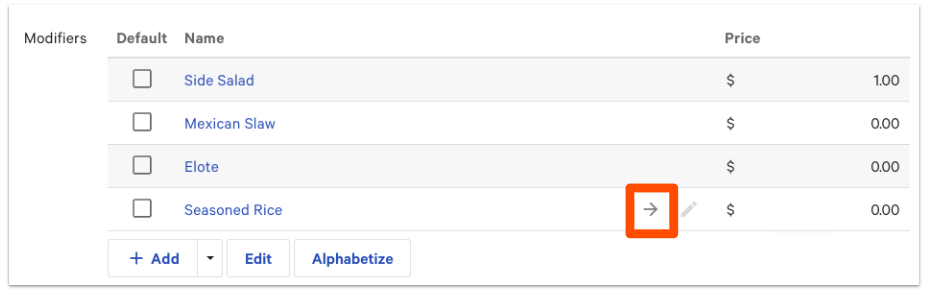
- Select the arrow icon next to the modifier that you wish to update to open the item reference page.
- Scroll down to the Taxes section. For the Inherit Tax Rates from Menu Group? option, select No, specify tax rates here.
- Select a tax rate from the Applicable taxes section.
- For the Modifier Tax Behavior setting, select Modifier tax rate overrides item tax rate.
- Save and publish your changes.
Additional Information
No tax for takeout can sometimes vary based on the modifier selection.
For example: A guest orders a turkey and cheese sandwich that is not taxable as a cold item, but as soon as they add bacon to that item it becomes a hot sandwich and is then taxable. The workaround is to change the taxes of the modifier "bacon", being the hot, taxable ingredient on the sandwich.
Please see this technical documentation for more information: Taxes on Modifiers.