Find the Serial Number on Your Toast Device
Last updated: Sep 17, 2026, 5:30 PM
- Device Serial Numbers
- Toast Go® 2
- Toast Go® 3
- Toast Flex Terminal
- Elo Terminal
- Toast Tap™
- Printers
- Meraki
- Unifi AP MAC Addresses
- Toast Network (Pronto)
- Scanner
- Find Device Serial Number on the Toast App
- Additional Resources
Device Serial Numbers
Serial numbers are essential for identifying, troubleshooting, and managing warranties for your Toast devices. They help identify specific devices in your setup, validate warranty eligibility for replacements or repairs, and assist technical support when troubleshooting device issues.
Note if the serial number sticker is fallen off, you can always find it in the device Status page in the Toast app.
- Open the Toast App: Log in to the Toast POS app on the device you are using.
- Access the Menu: Tap the overflow icon, represented by a carrot (▼) or three vertical dots (⋮), in the top-right corner of the screen.
- Select "Device Status": From the drop-down menu, select the "Device Status" option.
- Navigate to the "Device" Tab: In the Device Status dialog box that appears, look for a "Device" tab or a left-hand rail menu and select it.
- Locate the Serial Number: The device's serial number will be listed under the "Device Details" section.
Toast Go® 2 Serial Number
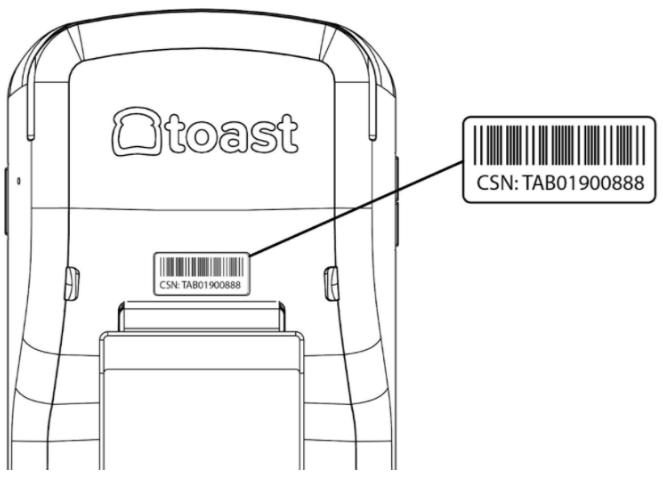
The serial number on a Toast Go® 2 handheld is the 11-character alphanumeric series on the back of the casing. The serial number begins with three letters, always starting with a T, followed by nine numbers. If the device screen is broken or it has been offline for an extended period, you can still find the serial number on the back sticker.
Toast Go® 3 Serial Number
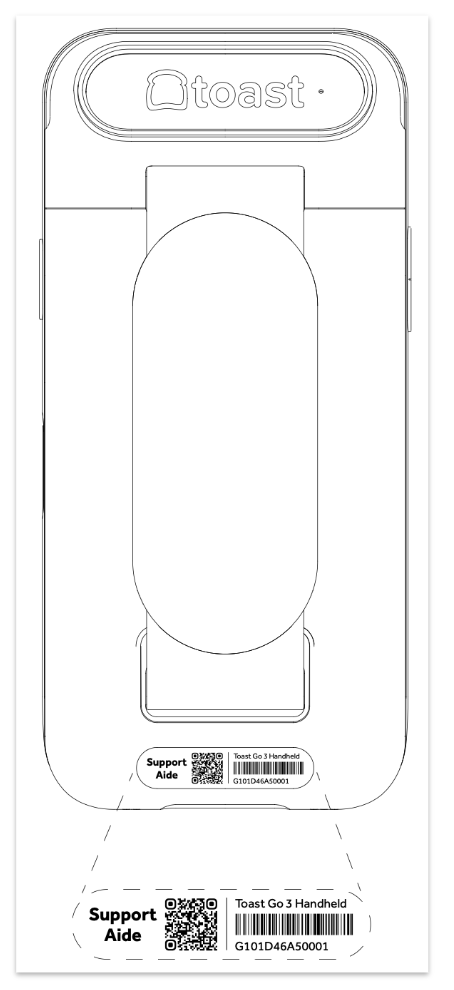
The serial number on a Toast Go® 3 handheld is the 13-character alphanumeric series on the back of the casing. If the device screen is broken or it has been offline for an extended period, the serial number can still be found on the back sticker.
Toast Flex Terminal
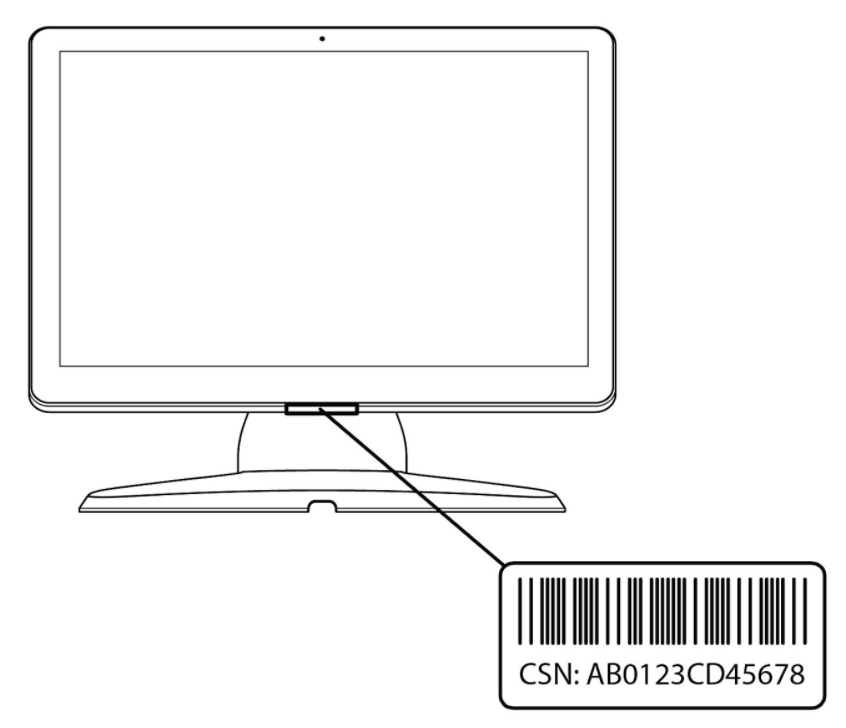
The serial number on a Toast Flex device is the 13-character alphanumeric series on the bottom of the screen bezel.
Elo Terminal Serial Number
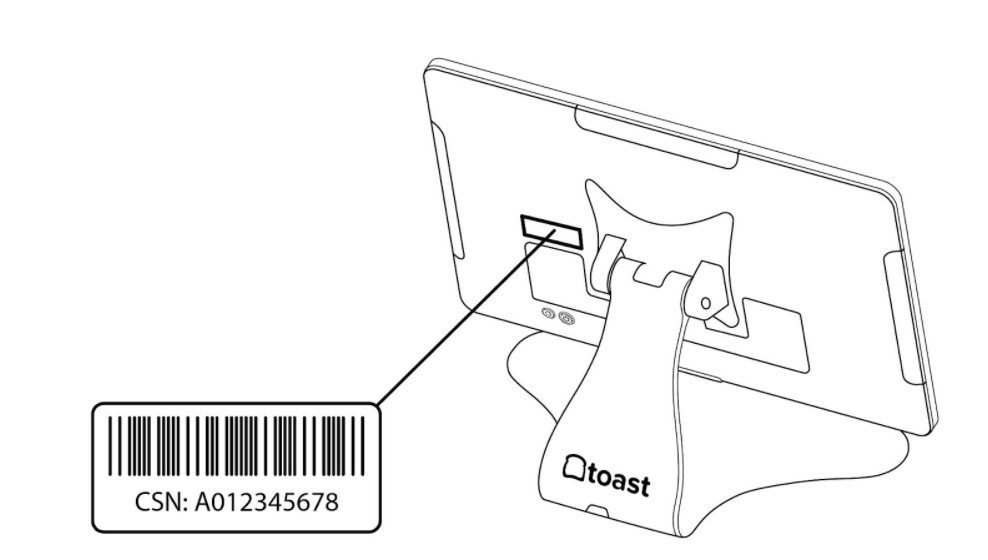
The serial number on an Elo terminal issued by Toast is the 10-character alphanumeric series on the back left side of the device. The serial number begins with a letter followed by 9 numbers.
Toast Tap™ Serial Number
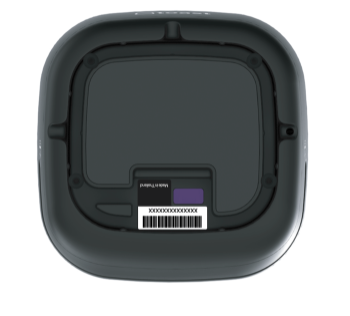
The serial number on a Toast Tap™ (on-counter) can be found at the bottom of the device.
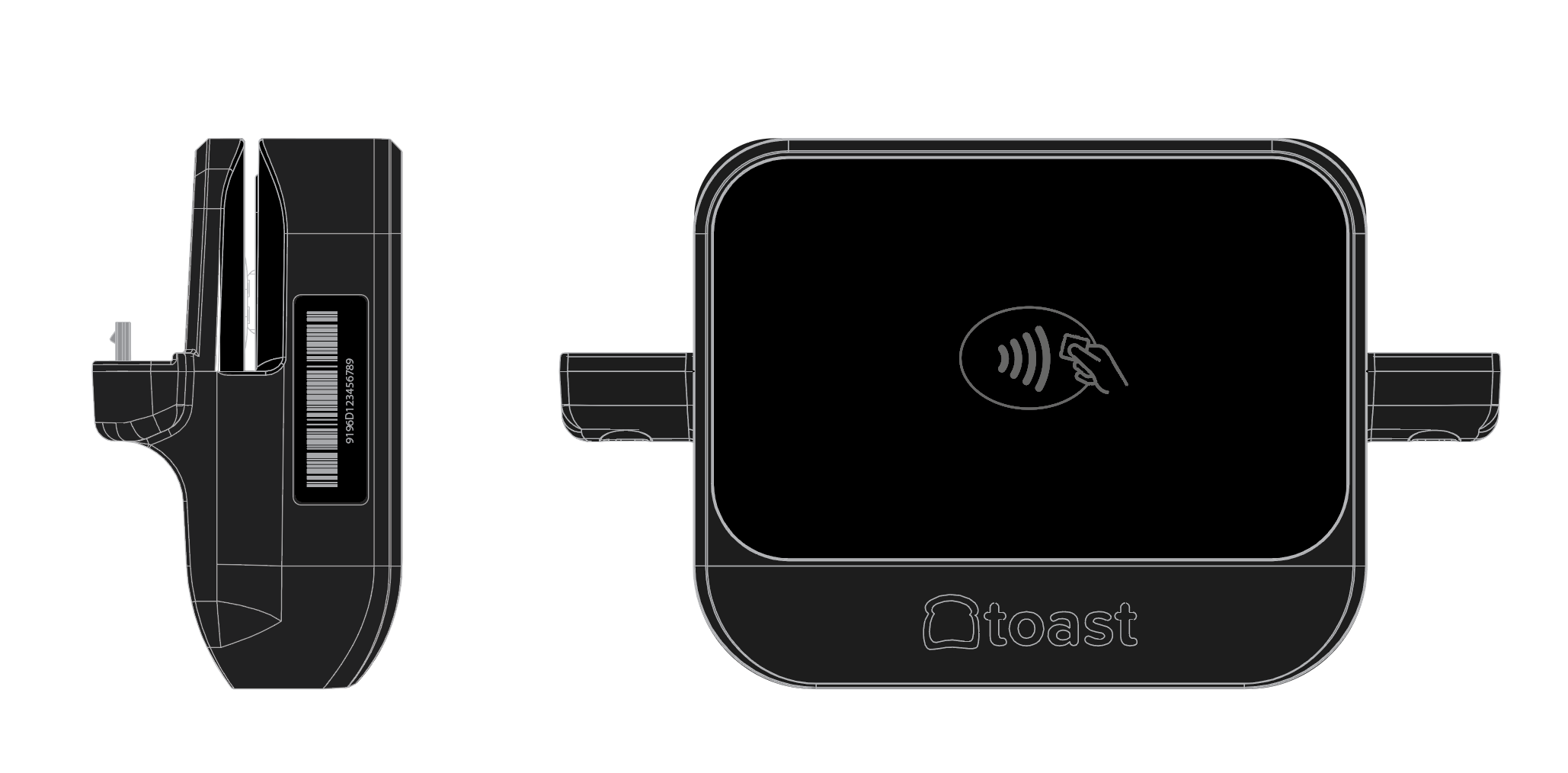
The serial number on a Toast Tap™ (direct attach) can be found on the side of the device, when the Toast logo is facing upward it will be on the left side.
Printers
- Epson T20 Printer
- Epson M30 Printer
- Epson U220 Printer
- Epson L100 Printer
- Epson L90 Printer
- Toast Printer TP200/TP300
Epson T20 Printer Serial Number
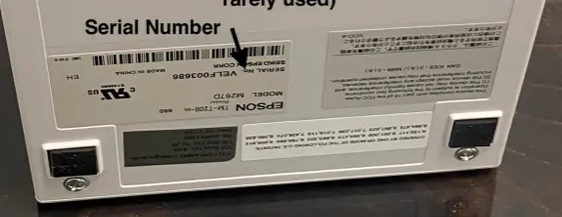
The serial number is located on a sticker placed on the bottom of the printer.
Epson M30 Printer Serial Number
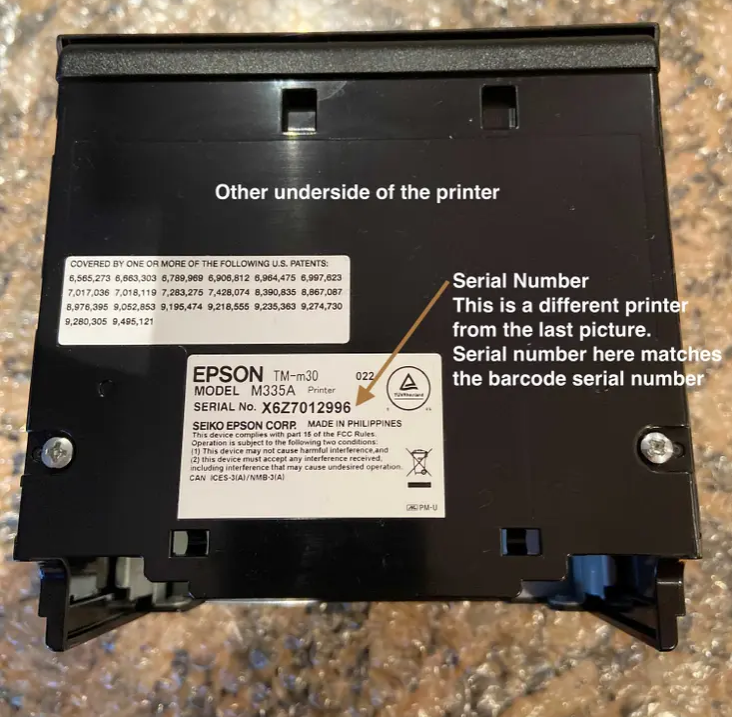
The serial number is located on the back of the printer underneath the backplate. You will need to remove the backplate to see it.
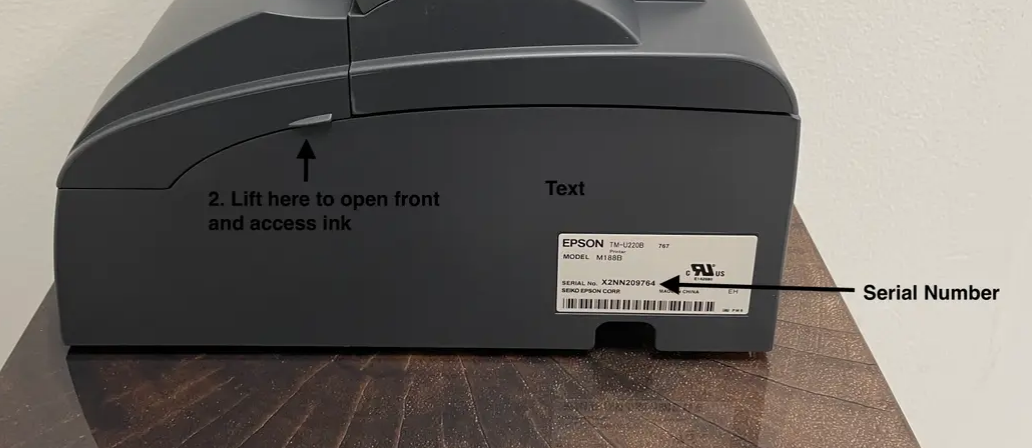
Epson U220 Printer Serial Number
The serial number is located on a sticker placed on the side of the printer.
Epson L100 Printer Serial Number
The serial number is on a sticker located on the back of the printer.
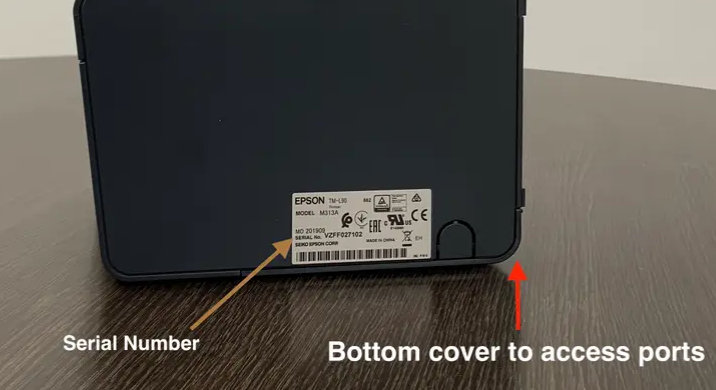
Epson L90 Printer Serial Number
The serial number is on a sticker located on the side of the printer.
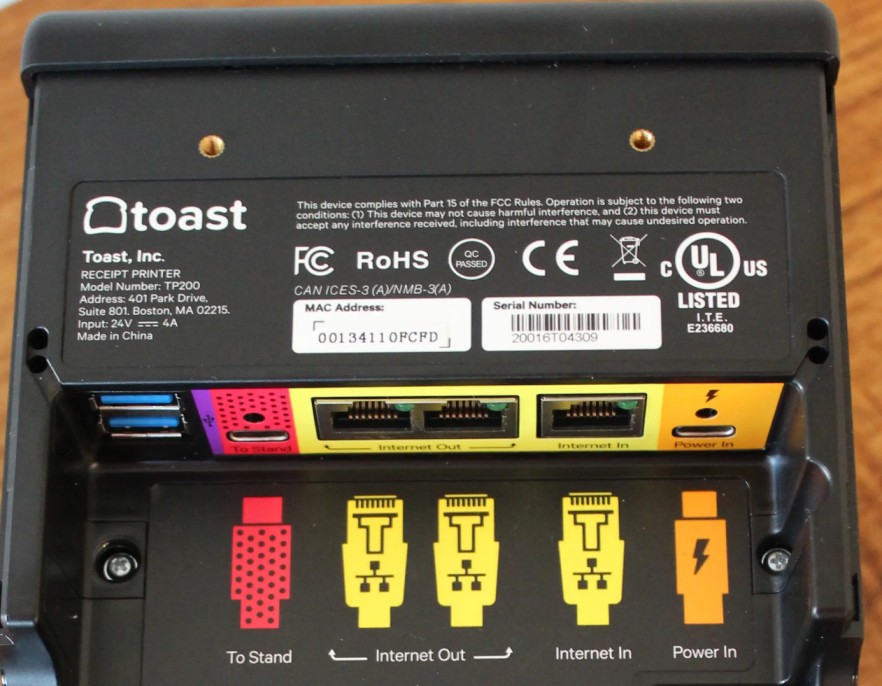
Toast Printer TP200/TP300 Serial Number
The serial number is printed on the bottom of the printer. You’ll need to remove the bottom plate to see it.
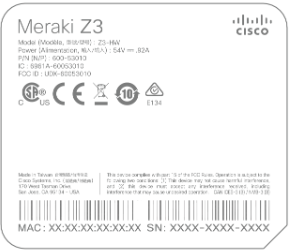
Locate a Meraki Serial Number
Meraki serial numbers are located on the back of the device, in the lower right-hand portion of the label, preceded by the acronym SN and usually begin with the letter Q.
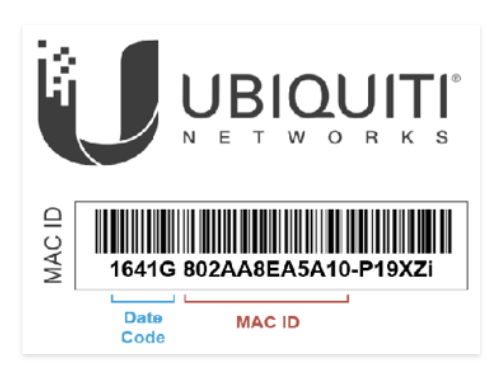
Locate Unifi AP MAC Addresses
- For indoor Access Points, the MAC address is located on the back of the device. Note: the mounting ring must be removed to access the label with the MAC printed on it
- For outdoor Access Points, the MAC address is under the cover at the bottom of the device, where the Ethernet cable is inserted.
- Unifi MAC addresses are printed on the back of the device. Refer to this diagram for the relevant portion:
Locate Toast Network (Pronto) Serial Numbers
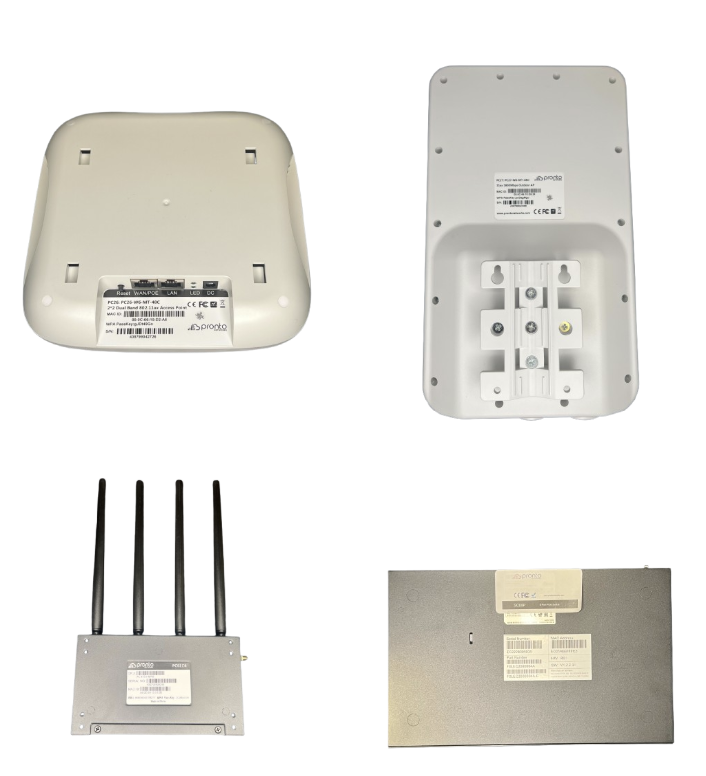
Serial numbers for all Pronto equipment can be found on the label attached to the back of the device.
Locate a Serial Number on a Scanner
Serial numbers for scanners can generally be found on the bottom of the scanner itself, not on the scanner cradle.
Find Device Serial Number on the Toast App
If the sticker on your device has fallen off or the serial number is unreadable, you can find your device's serial number via the Toast app.
- Select the three-dot overflow menu in the top-right corner of the screen, and select Device status.
- Select the Device tab on the pop-up window.
- The device serial number will be listed under the device details.
If you're unable to locate a device's serial number and the item has been issued directly by Toast, please contact Toast Customer Care.
Additional Resources