Find Your Toast App Version
Last updated: Sep 17, 2026, 4:16 PM
Question
How do I find my Toast app version?
Answer
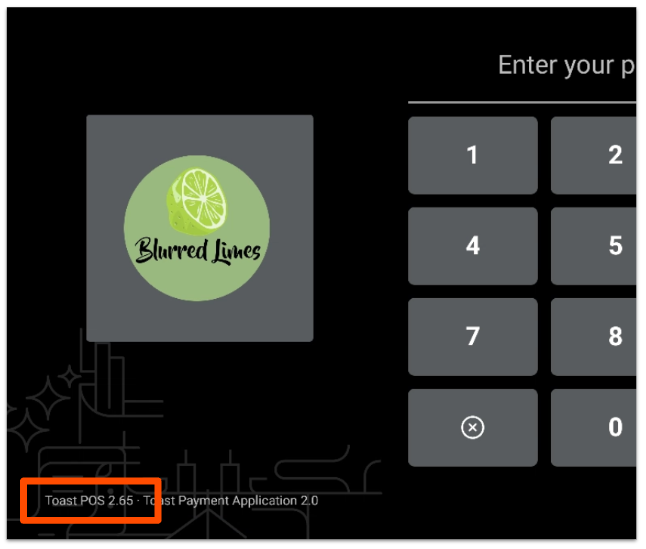
Find Toast App Version On Your POS Device
Follow these steps to find the Toast app version on your POS device:
- Navigate to the Switch User screen so you can see the number pad screen.
- Look at the bottom left corner and you'll see your current device's app version.
Find Toast App Version On Toast Web
Follow these steps to find the Toast app version on Toast Web:
- Log in to Toast Web.
- Scroll to the bottom of your homepage. Here you can see the current app version for your devices.

For steps to update your Toast app, see Installing a Required Toast Update.