Install Your Toast Router SIM Card
Last updated: Oct 31, 2025, 8:18 AM
Question
How do I install my Toast Router SIM card?
Answer
| Toast-managed cellular backup is in a limited release with select customers. Broader availability will be communicated as it expands. Cellular functionality for routers is scheduled for late 2025; until then, please install your SIM card so your devices are prepared to support this feature once enabled. |
Note: If you need the steps on setting up your Toast Router, see Set Up Your Toast Router.
Every Toast Router comes with a SIM card. The card is either pre-installed or in an envelope packaged in the box along with the router. If you receive the SIM in an envelope, please follow the instructions below on how to install:
- Make sure your router is off before you install your SIM card. If you do not turn off your router, the device may have trouble booting up.
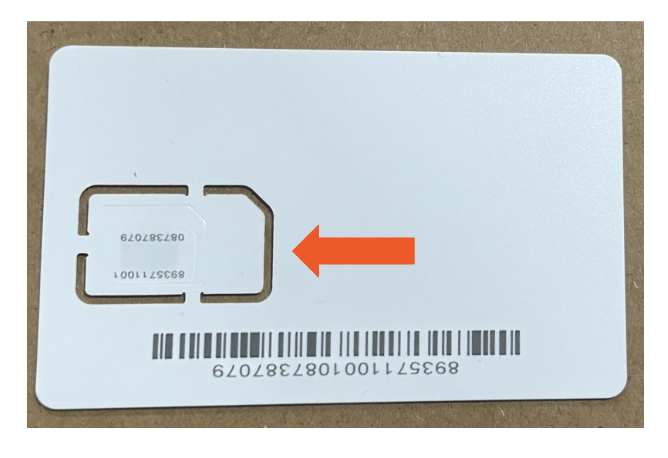
- Punch the SIM card from the plastic card, following the larger perforations. Do not separate the smaller card (nano SIM) from the larger one.
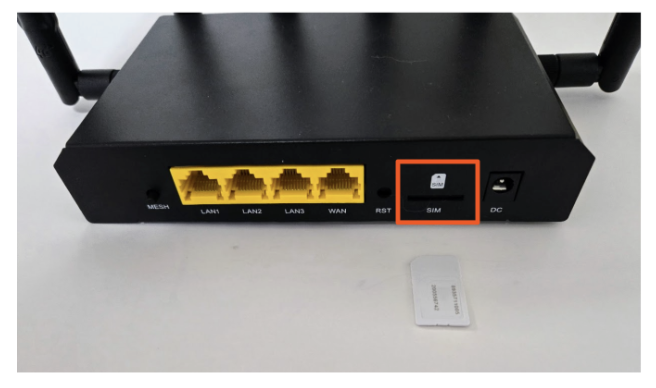
- Locate the SIM card slot on the back of the Toast router.
- Place the SIM card into the slot with the chip facing down, then press the SIM card in by placing your thumbs on the corners and pressing firmly towards the router, until you feel and hear a “click”.
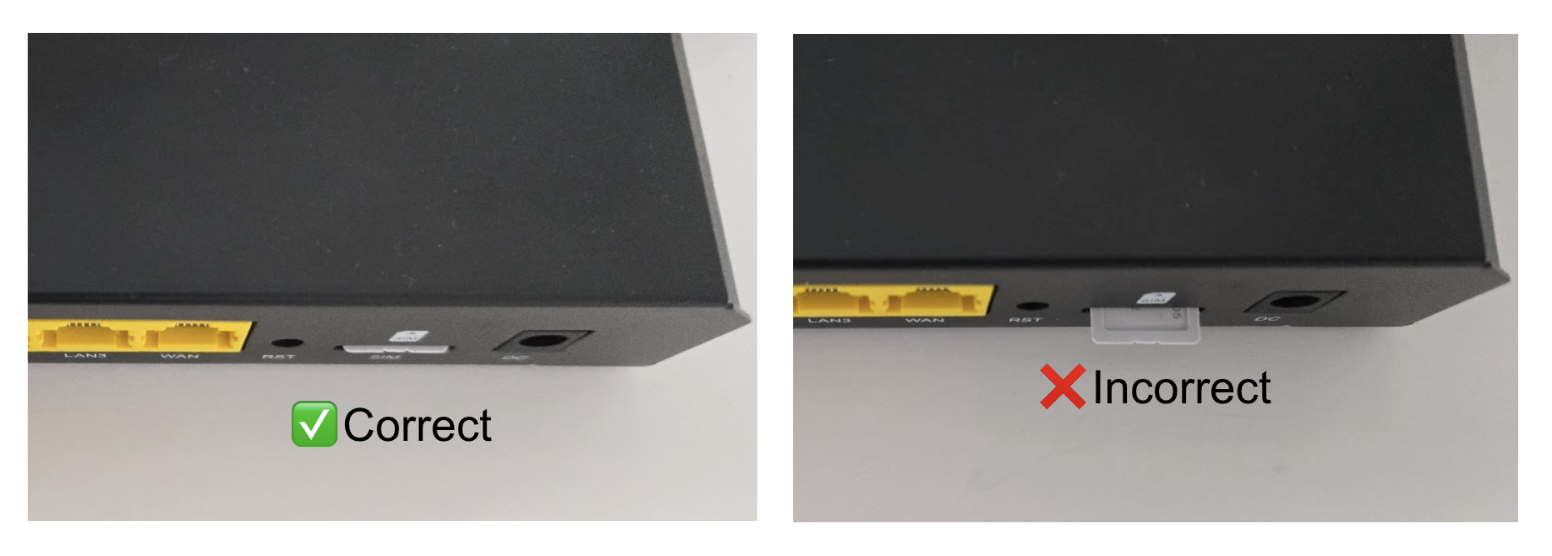
- Ensure the SIM card is inserted correctly and does not stick out from the back of the router. This prevents it from being gripped or falling out.