Instant Deposit Reporting Overview
Last updated: Sep 17, 2026, 8:50 AM
Learn how to track your instant deposit transitions.
Instant Deposit Reporting Overview Steps
Products this applies to: Toast Web | Access needed: N/A
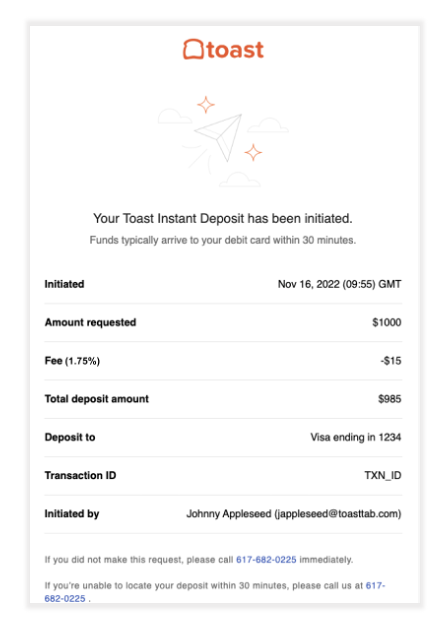
- Review instant deposit availability and email notifications
- Check instant deposit transaction status in Toast Web
- Review instant deposit activity in the Reconciliation Report
- View instant deposit amounts and fees in Payout Overview
- Check instant deposit fees in Deposit Totals Overview
- Review additional instant deposit resources
Instant Deposit Reporting Process
- Review instant deposit availability and email notifications
- Some customers or locations may not yet have access to instant deposit.
- Customers new to Toast, or newly opened locations, may not have access right away when they first begin accepting card payments through Toast.
- Along with the email notification sent after each instant deposit transaction, you can also view the reporting associated with your transactions.
- Check instant deposit transaction status in Toast Web
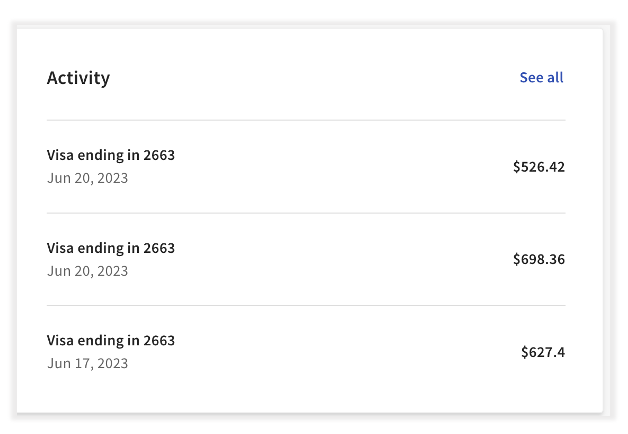
- Once you complete an instant deposit transaction, the transaction shows on the instant deposit homepage under the Activity section. This is the best place to check the status of your instant deposit transactions quickly.
- To check the status of an instant deposit transaction:
- Log in to Toast Web and navigate to Finance > Payments > Instant Deposit.
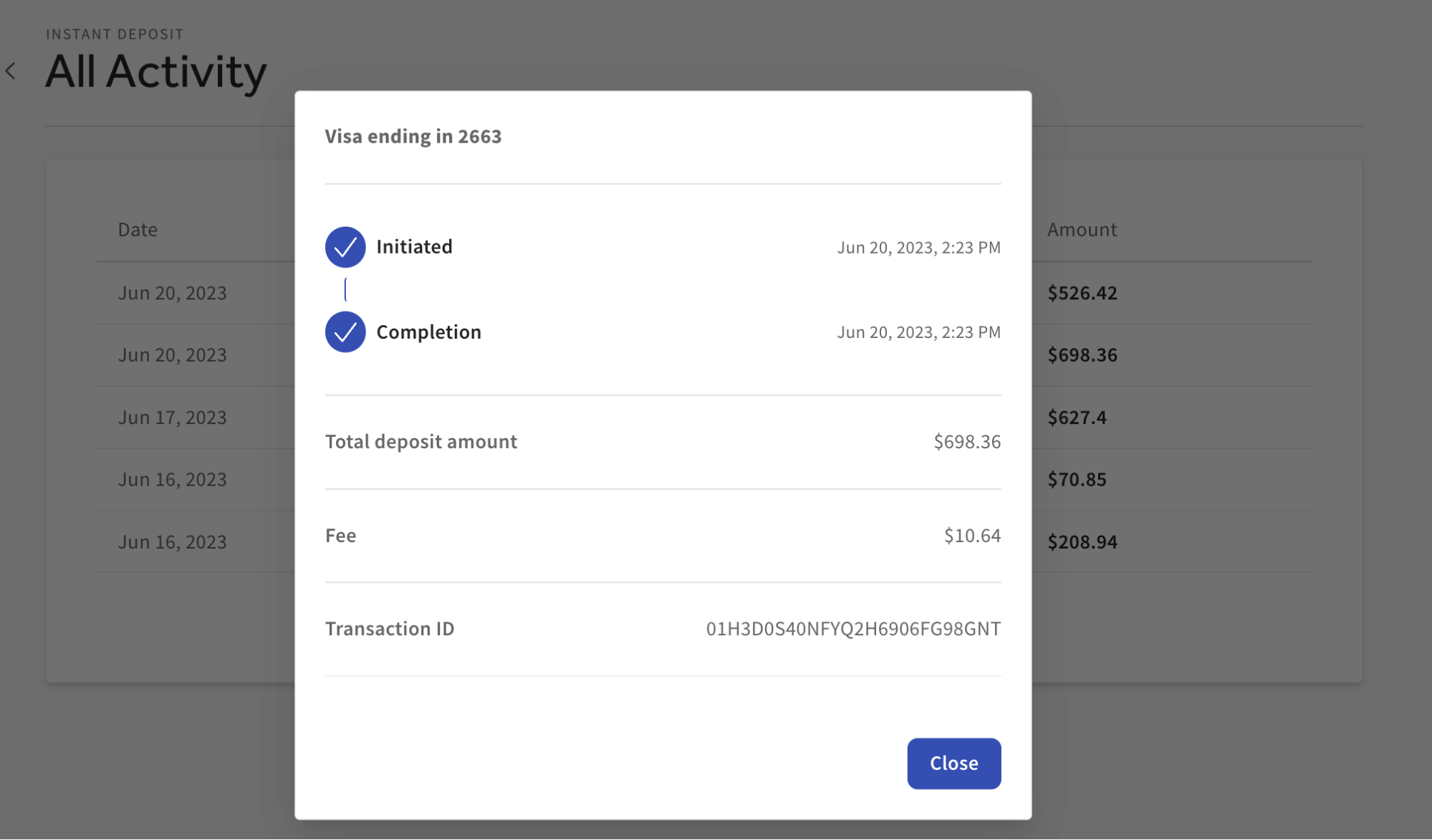
- Select the instant deposit transaction on the main page or select See all, which surfaces the Instant Deposit All Activity page.
- Select the transaction you want to see more information on, and a pop-up page with the following will surface:
- Transaction status
- Total amount of instant deposit transactions
- Fee associated with the instant deposit transaction
- Transaction ID
- Select Close to exit from the pop-up page.
- Once you complete an instant deposit transaction, the transaction shows on the instant deposit homepage under the Activity section. This is the best place to check the status of your instant deposit transactions quickly.
- Review instant deposit activity in the Reconciliation Report
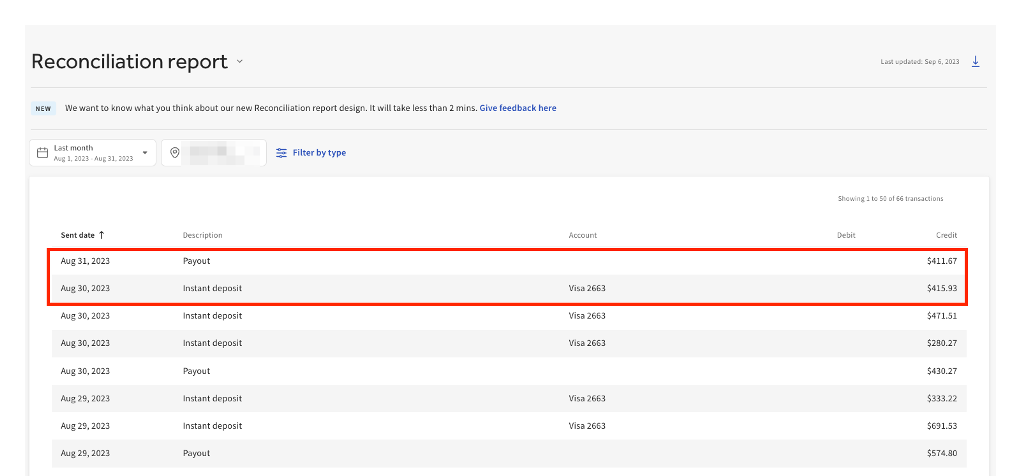
- Log in to Toast Web and navigate to Reports > Payments > Reconciliation.
- The reconciliation report will automatically show all payouts/deposits, including instant deposit transactions, from the restaurant location’s prior month.
- Note: Currently, instant deposit transaction items on the reconciliation report do not have any clickthrough functionality and do not show any deeper information per instant deposit transaction line item.
- View instant deposit amounts and fees in Payout Overview
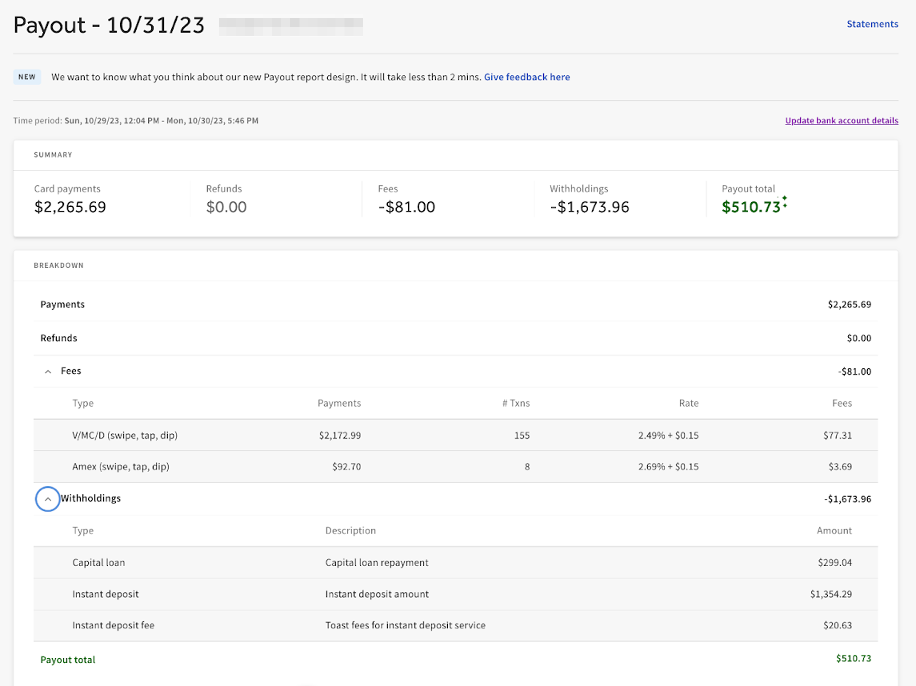
- The Payout Overview report shows instant deposit amounts and fee totals for specified date periods.
- Access this report by selecting Payout on the Reconciliation report or navigating to Reports > Payments > Payout overview.
- Once in Payout Overview, instant deposit transaction amounts and related fees for the specified payout will be displayed in the Withholdings section.
- Instant Deposit: The total amount of any/all instant deposit transactions for the noted time period.
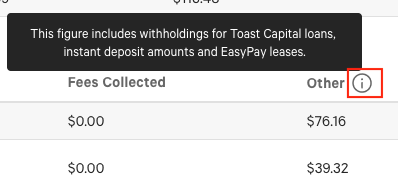
- Instant Deposit fee: Total amount of all fees for instant deposit transactions for the noted time period.
- Check instant deposit fees in Deposit Totals Overview