Kitchen Overview Report
Last updated: Sep 17, 2026, 1:25 PM
This report shows your kitchen setup by organizing views of configurations based on how they impact the kitchen.
Access the Kitchen Overview Report
To find the Kitchen Overview page, navigate to Reports > Kitchen operations > Kitchen overview.
The Kitchen Overview page allows you to view kitchen configurations and devices to more easily pinpoint issues that impact kitchen operations.
This overview aims to help you review and troubleshoot the following questions more quickly:
- Why aren’t tickets firing to the kitchen?
- Why aren’t tickets displaying on certain KDS' or printing at certain printers?
- Why are tickets displaying or printing on incorrect devices?
- Why are menu items displaying or printing on incorrect devices?
- Why is the printer printing too many tickets?
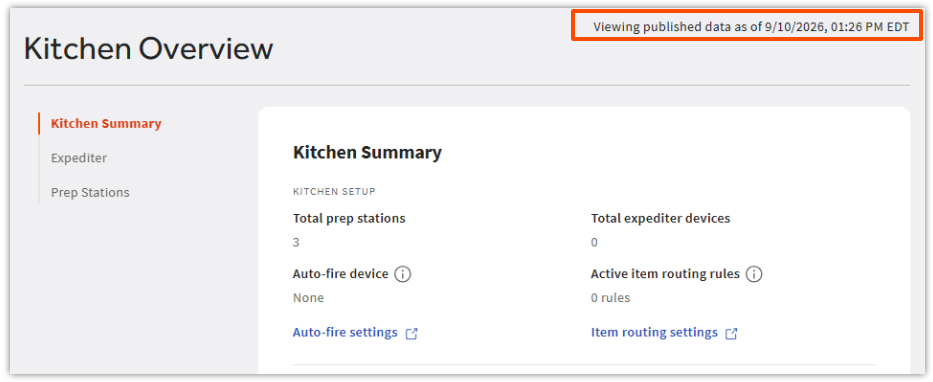
When you select Kitchen Overview in the Reports list, the page will automatically update and publish kitchen data on the location that you’re logged into. The page will render the location’s published data as of the time the page was loaded. The timestamp at the top of the page indicates when the data was last updated.
Kitchen Overview: Using the Page
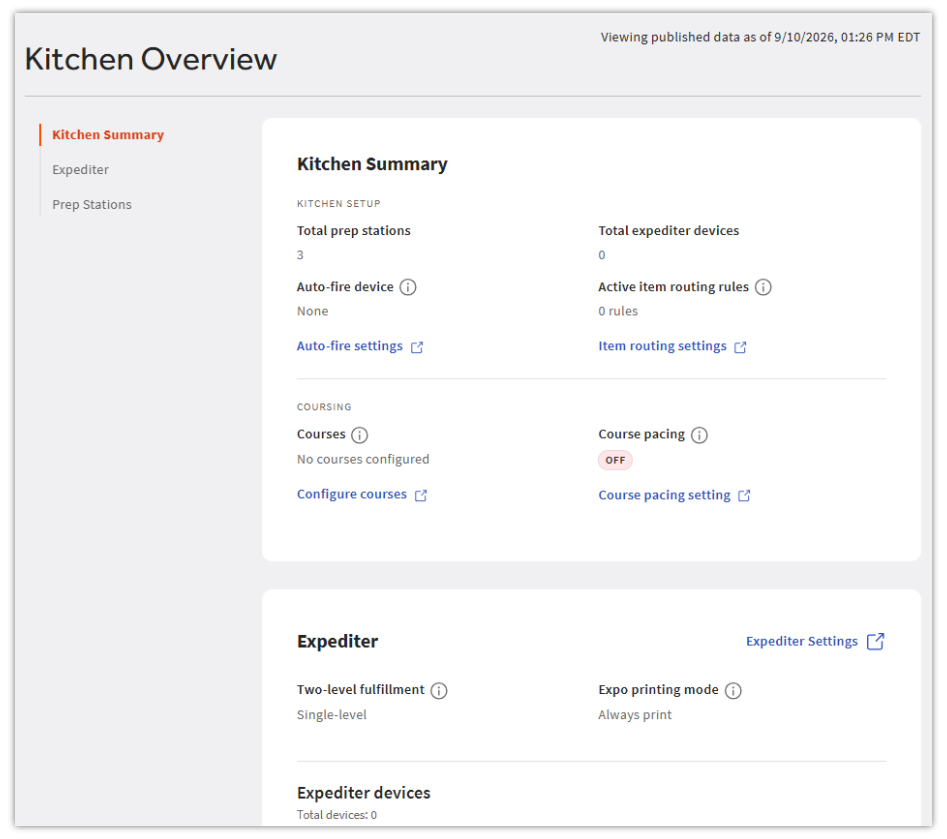
The Kitchen Overview page has three sections:
- Kitchen Summary: Details and settings that are relevant to the kitchen at a high level.
- Expediter: Details, settings, and devices configured for expediters.
- Prep Stations: Details, settings, and devices configured for prep stations.
On the left-hand side of the page, there is a navigation bar with each of the three sections listed. To quickly go to any one of these sections, select the section name.
In the top right-hand corner, a timestamp indicates the time the page was updated. This timestamp is listed in the restaurant’s time zone.
Kitchen Overview: Kitchen Summary
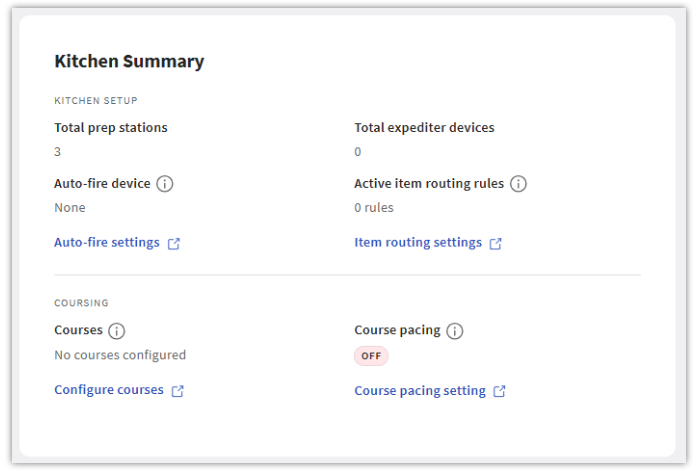
The Kitchen Summary section provides a snapshot of what's going on in the kitchen, grouped into two areas, each with links to the corresponding settings page if changes are needed:
- Kitchen Setup:
- Total prep stations: The number of prep stations configured in Toast Web.
- Total expediter devices: The number of expediter devices configured in Toast Web.
- Auto-fire device: Which (if any) auto-fire device is set up in Toast Web.
- Active item routing rules: How many item routing rules are set up and active in Toast Web.
- Coursing:
- Courses: The courses currently configured for this restaurant.
- Course pacing: Whether the Course Pacing setting is enabled in Toast Web.
Note: The Two-Level fulfillment setting (previously shown here as Expo Enabled?) now appears on the Expediter tab.
Kitchen Overview: Expediter
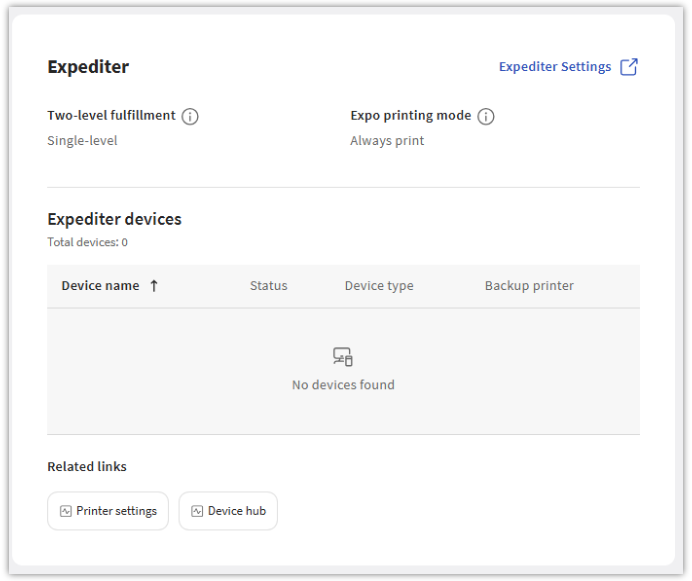
The Expediter section (previously called Expo) provides an overview of how your restaurant's expediter is configured. It includes:
- Two-level fulfillment status
- Expo printing mode
- Expediter devices: Expediter devices now appear in a single table, showing:
- Device name
- Status
- Device type
- Backup printer
- Total expediter device count
- Related Links
- Printer settings
- Device Hub
- Select Expediter Settings in the top right to jump to the settings page for more options.
Kitchen Overview: Prep Stations
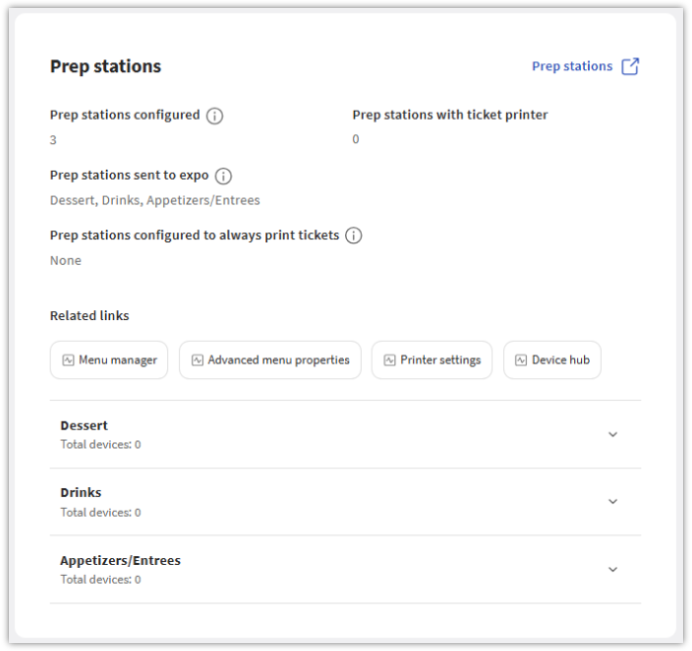
The Prep Stations section provides an overview of how your restaurant's prep stations are configured. It includes:
- Prep stations configured
- Prep stations with ticket printer
- Prep stations sent to expo
- Prep stations configured to always print tickets
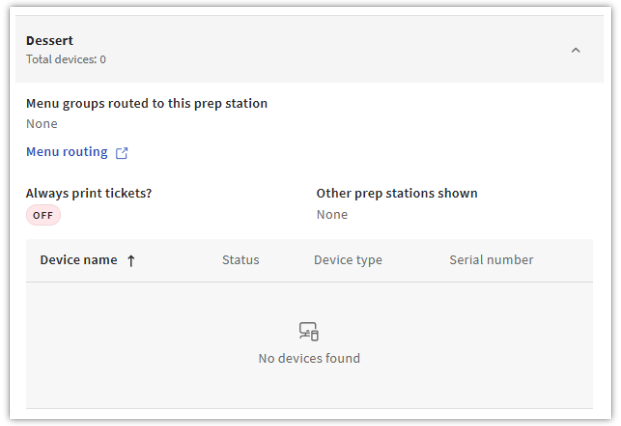
- Select a prep station in the list to expand it and see:
- Menu groups routed to this prep station, with a link to Menu routing
- Always print tickets? (on or off)
- Other prep stations shown
- A table of devices assigned to this prep station, showing Device name, Status, Device type, and Serial number
- Related Links
- Menu manager
- Advanced menu properties
- Printer settings
- Device hub
- Select Prep stations in the top right to jump to the settings page for more options.
Note: Device-level data is on all configured devices, not only active devices. This report is not able to filter active devices.