Log Into Another Location on Toast POS
Last updated: Feb 26, 2026, 5:09 PM
Question
How do I log out of my current location and log into another location in the Toast POS app?
Answer
Follow these steps to log out of one location and log in to another:
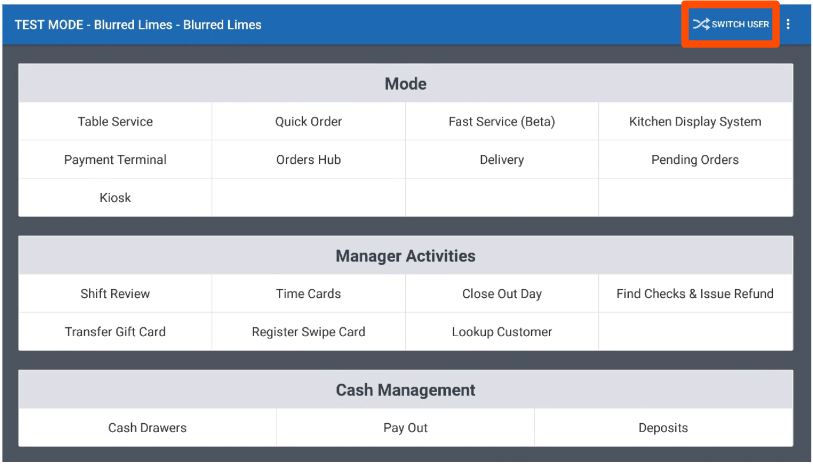
- In the upper-right corner of your device, select SWITCH USER.
- Note: On the Toast Go®, if you are on any page other than the passcode screen, select the overflow menu (three dots) in the top right corner and then select Switch User.
- Note: On the Toast Go®, if you are on any page other than the passcode screen, select the overflow menu (three dots) in the top right corner and then select Switch User.
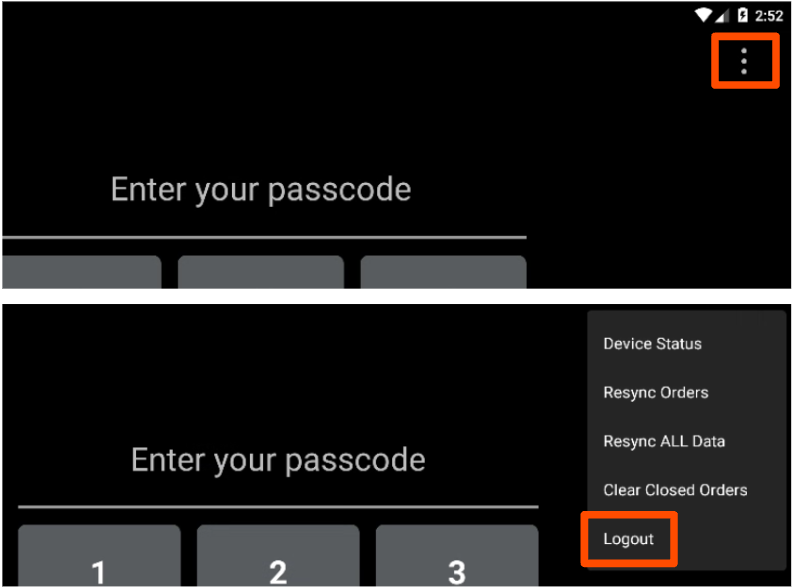
- On the passcode screen, select the overflow menu (three dots) and then select Logout.
- Enter a valid username and password.
- Once you select Log in, a pop-up window will appear to allow you to select which location you’d like to log in to.
- Select the new location name, then enter your passcode to load your data.