Next Day Mode Overview
Last updated: Sep 17, 2026, 1:00 PM
- What is Next Day Mode?
- Set Up in Toast Web
- Schedule a Specific Time for Next Day Orders
- View Next Day Mode Checks on the POS
What is Next Day Mode?
Next Day Mode allows a manager with Restaurant Operations Setup permissions to place orders on a device to be fulfilled by the kitchen the next day. On the next day, all orders placed from the previous day will be printed to the kitchen or be displayed on a Kitchen Display System at the time you specify.
Back to top
Set Up Next Day Mode in Toast Web
Follow these steps to configure next day mode in Toast Web:
- Navigate to the Front of house > Order screen setup > UI options and scroll to the POS Scheduling Settings section.
- Toggle the Enable Next Day mode on POS to the On position.
- Enter your desired configuration for the Time to send previous day's orders to kitchen setting that appears right below Enable Next Day mode on POS.
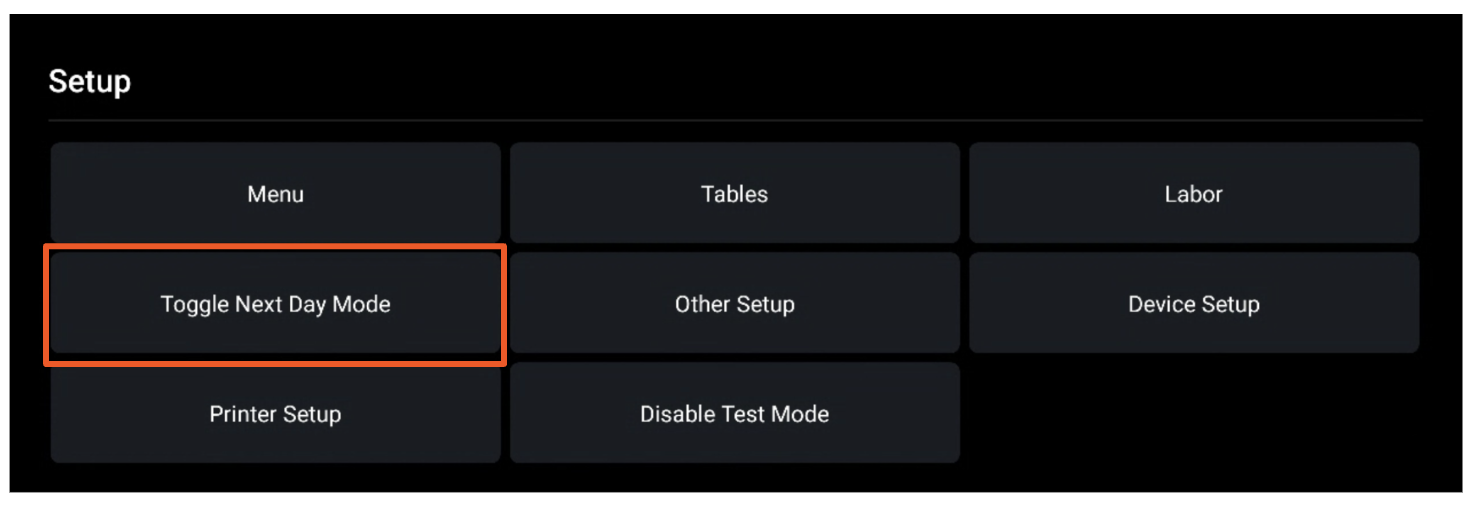
- Once Next Day Mode has been enabled, any user with Restaurant Operations Setup Permissions will see Toggle Next Day Mode under the Setup section on your device.
- Any orders placed in Next Day Mode will show the next day's date and the time that the order will be sent to the kitchen for fulfillment.
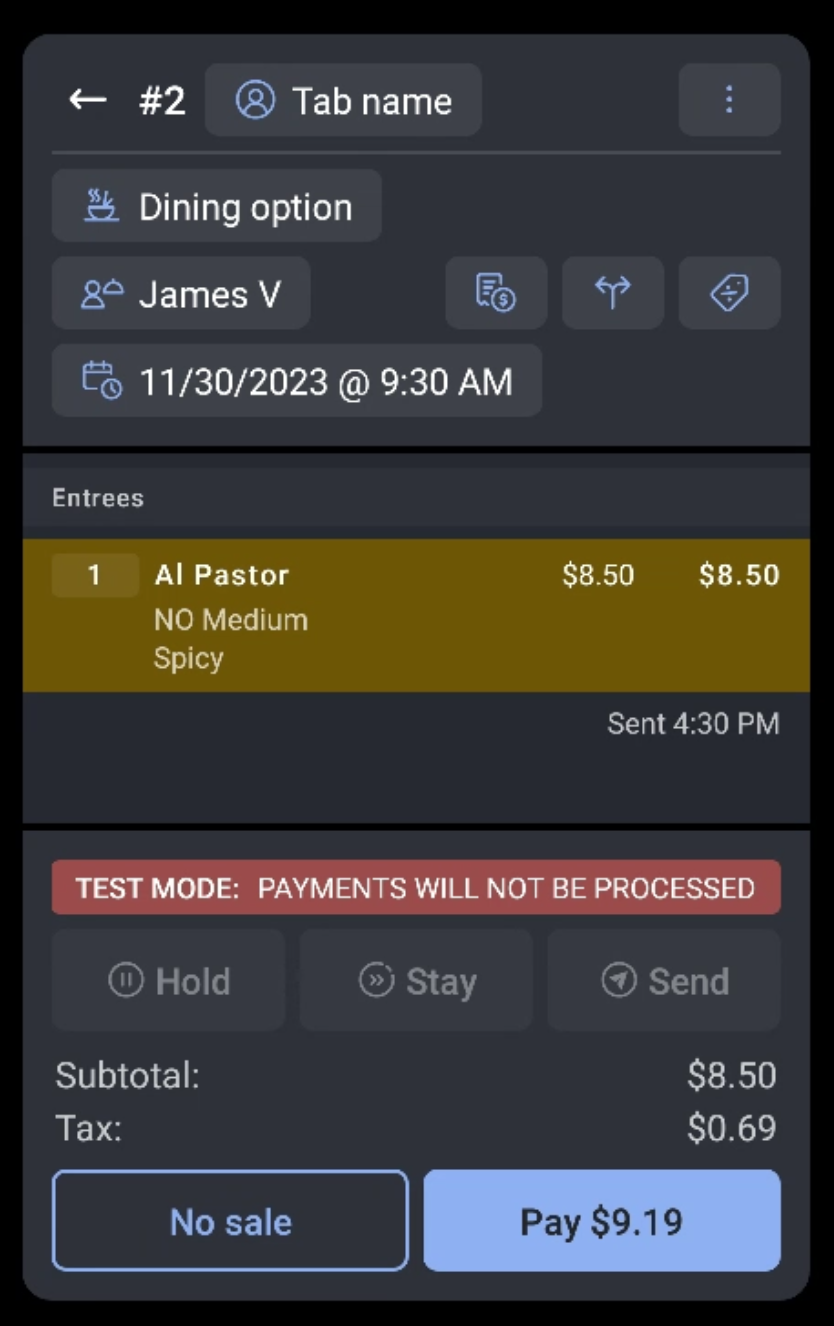
Orders that have not been paid for in advance will remain in the Open Checks tab of the payment terminal until the following day--when they will then need to be paid for and closed. Credit card payments for orders placed in Next Day Mode will be processed and accounted for in the next day's sales.
Note: Next Day Mode does not apply another payment type (such as cash, gift cards, etc.) amounts/tips to Next Day reporting. Rather, they are viewed as a Paid in Total amount in the same day's reports and as a Deposit Sale Collected in the next day's reports. Only credit card payments will appear as next-day sales.
Back to top
Schedule a Specific Time for Next Day Orders
Individual orders can be scheduled to be sent to the kitchen, for fulfillment, at a specific time on the next day. If an order does not have a scheduled time, it will default to the time configured in Toast Web.
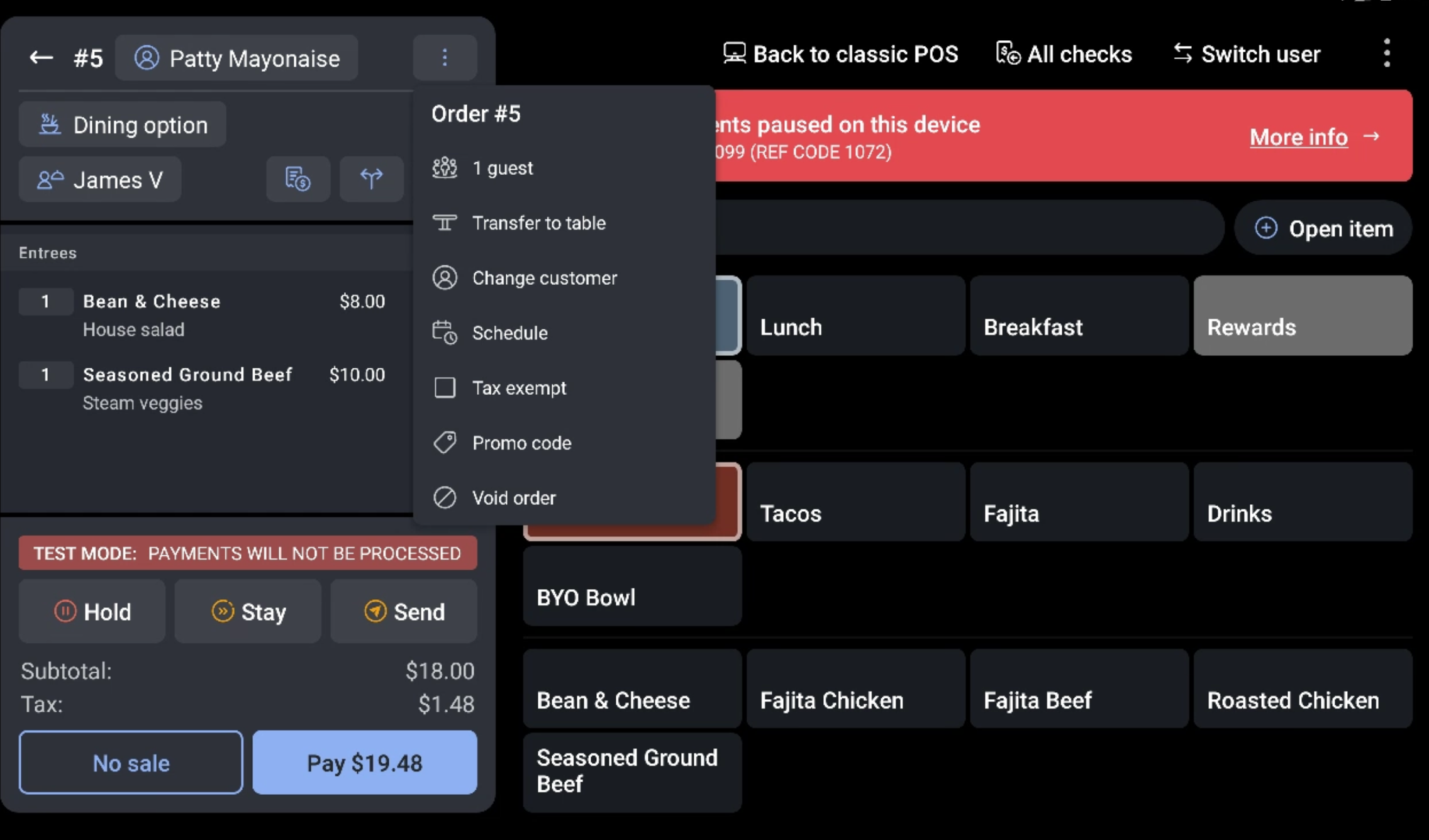
- To schedule a specific time for a Next Day order to be fulfilled, select the overflow menu and then Schedule.
- Next, you'll choose the time that the order should be fulfilled for the following day.
- Last, choose the amount of time that the order will take to prepare.
Note: If you do not schedule a time for the order, the order will default to the time set in your Toast Web UI Options.
- Once the scheduled time and prep time have been set, they will appear on the order screen (and ticket/Kitchen Display Screen).
View Next Day Mode Checks on the POS
Open Checks that come from orders placed in Next Day Mode:
- Will NOT affect Shift Review or Close Out Day, at the end of a business day.
- Will NOT need to be closed until the day the order is fulfilled.
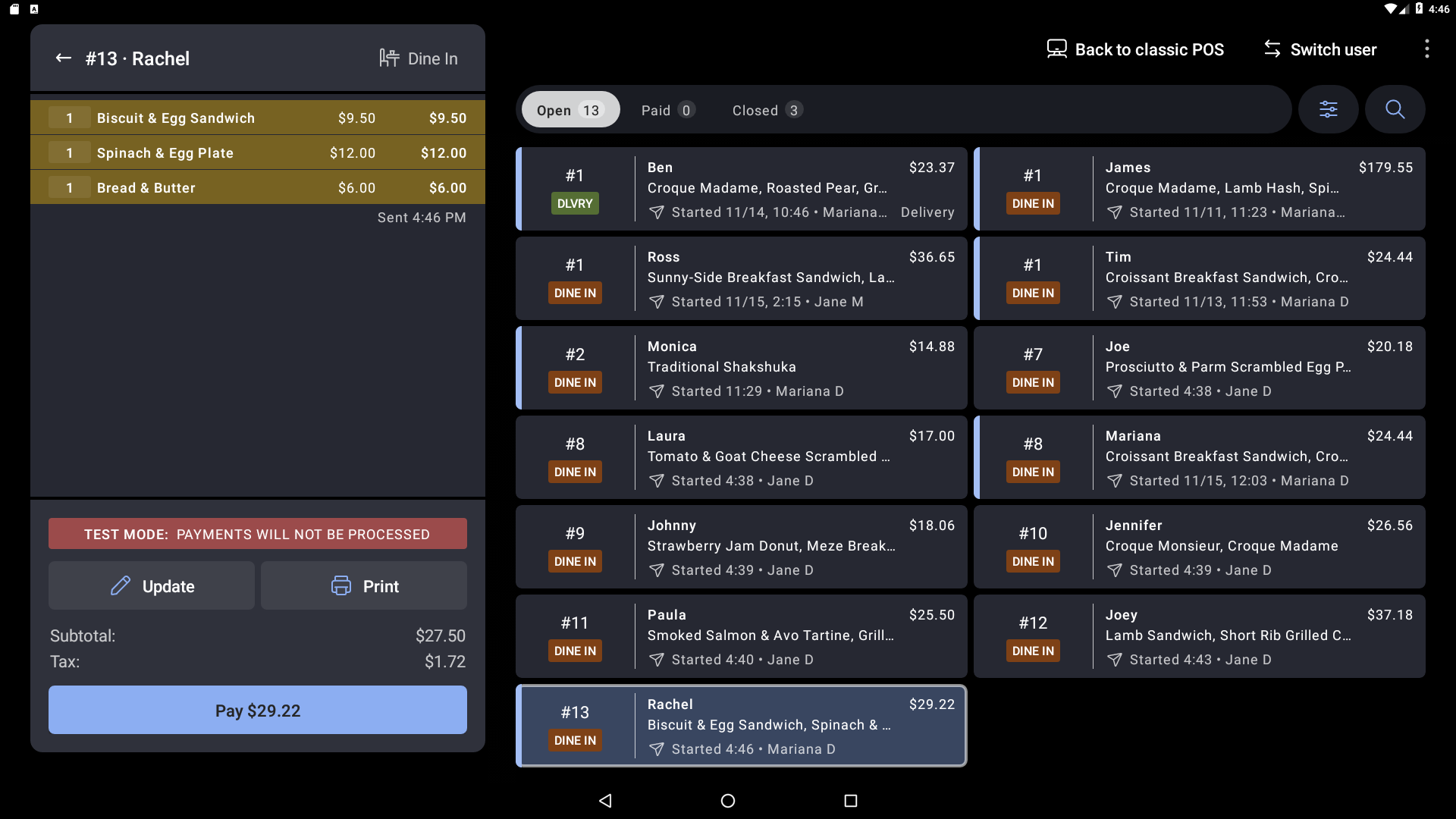
Paid Checks (orders paid for with a credit card) that come from orders placed in Next Day Mode:
- It will NOT be processed until the day the order is fulfilled.
- They will remain in the Paid Checks tab of the payment terminal until the following day when they must be completely closed.
- Will NOT affect Shift Review or Close Out Day at the end of a business day.
- Can NOT be closed until the day the order is fulfilled
Note: Cash payments taken in advance, will be expected in your end-of-day close out. The sale will be represented in the next day's Sales Summary report.