Onboarding Resource Center
Last updated: Oct 5, 2026, 11:53 AM
Find what you need to get started with Toast.
 | |
| Built for tailored onboarding. | |
| Welcome to Toast - let's get started!
While you get set up with Toast, this resource center will be your one-stop-shop for all things onboarding.
We designed an ecosystem of support and tools to fit your time, budget, and needs. |
|
 | Prepare for onboarding & meet your Onboarding Consultant |
 | |
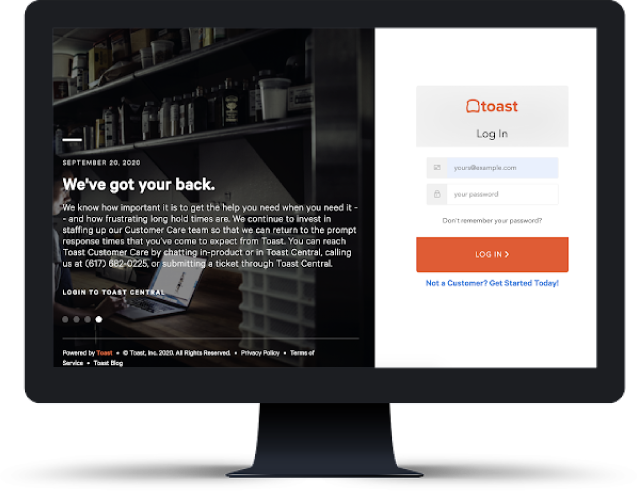
| Activate your Toast account
Once your contract is signed, you'll receive an email to activate your Toast account. |
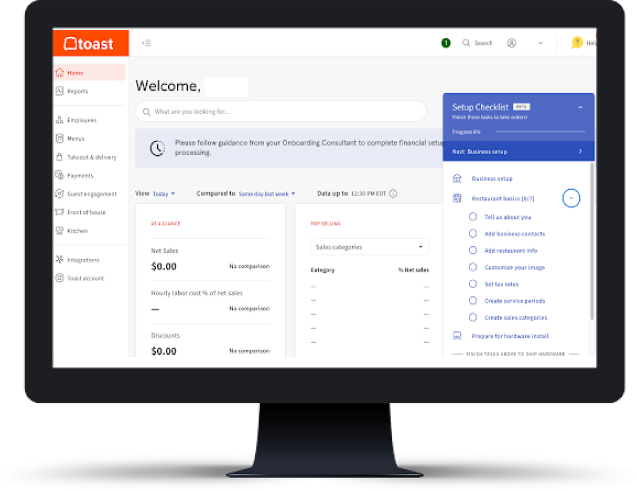
| Complete your setup checklist
On the right corner of your home page, you'll see a setup checklist. This is where you'll begin inputting your restaurant's information into Toast. |
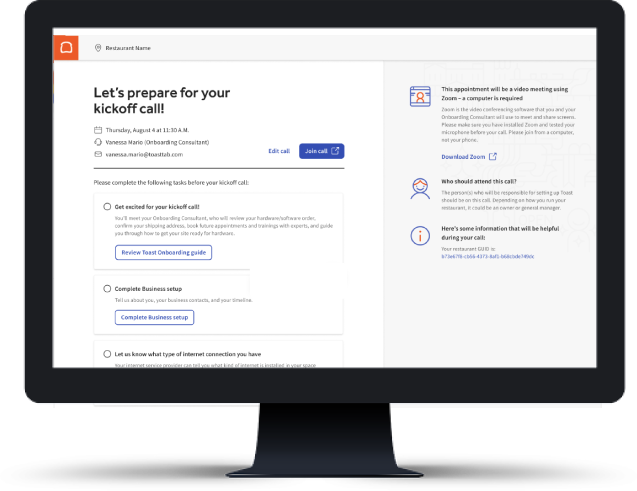
| Prepare for your kickoff call
In your setup checklist, select Kickoff call. Providing information here will help your Onboarding Consultant (OC) plan out a successful Toast implementation prior to your call. |
| Customers based in the US: Make sure to download the Toast Now mobile app to schedule your kickoff call and get started! (iOS / Android) | Customers based in the US: If you purchased via the Toast Online Platform, the kickoff call is unavailable. | |||
|
|
|
|
 | Understand your onboarding package |
| |
| Select an onboarding menu based on your location: | ||||
 | After your kickoff call |
| |
 | Menu training |  | Site readiness guide |  | Hardware Hub |
 | Explore your Toast resources |
| |
 |  | |||
| Toast Support Center makes it easy for you to find answers when you need them. Use help articles, take a training class, or check out staff training videos and become a Toast expert. | Visit Toast Classroom for extended manager and staff trainings on topics like menu management, how to use Toast reporting, and more. | |||
 |  | |||
| A single destination to network with industry peers, share best practices and success stories, get your questions answered, and more. | Make sure to subscribe to our Toast status updates to receive the latest information on system status notifications. | |||