Toast Payroll: Prevent Timesheets for Salaried Employees
Last updated: Oct 20, 2026, 12:21 PM
Question
If a salaried employee is clocking in and out, how can I prevent their hours from showing up on payroll?
Answer
Some restaurants want to track when their salaried employees clock in and out on the POS (even though their pay is a flat salary and not based on hours worked), but not have timesheets show up in Toast Payroll. This allows payroll administrators to monitor hours without those hours affecting a payroll run. To set this up:
- Log into Toast Payroll and open an employee's profile via the Team page.
- When you select Team in Toast Payroll, you should see a URL that begins with payroll.toasttab.com. Visit Navigate Toast Payroll Within Toast Web to learn how the new Toast Payroll navigation works.
- Select the > caret icon in the upper-right corner of the Employment Details tile.
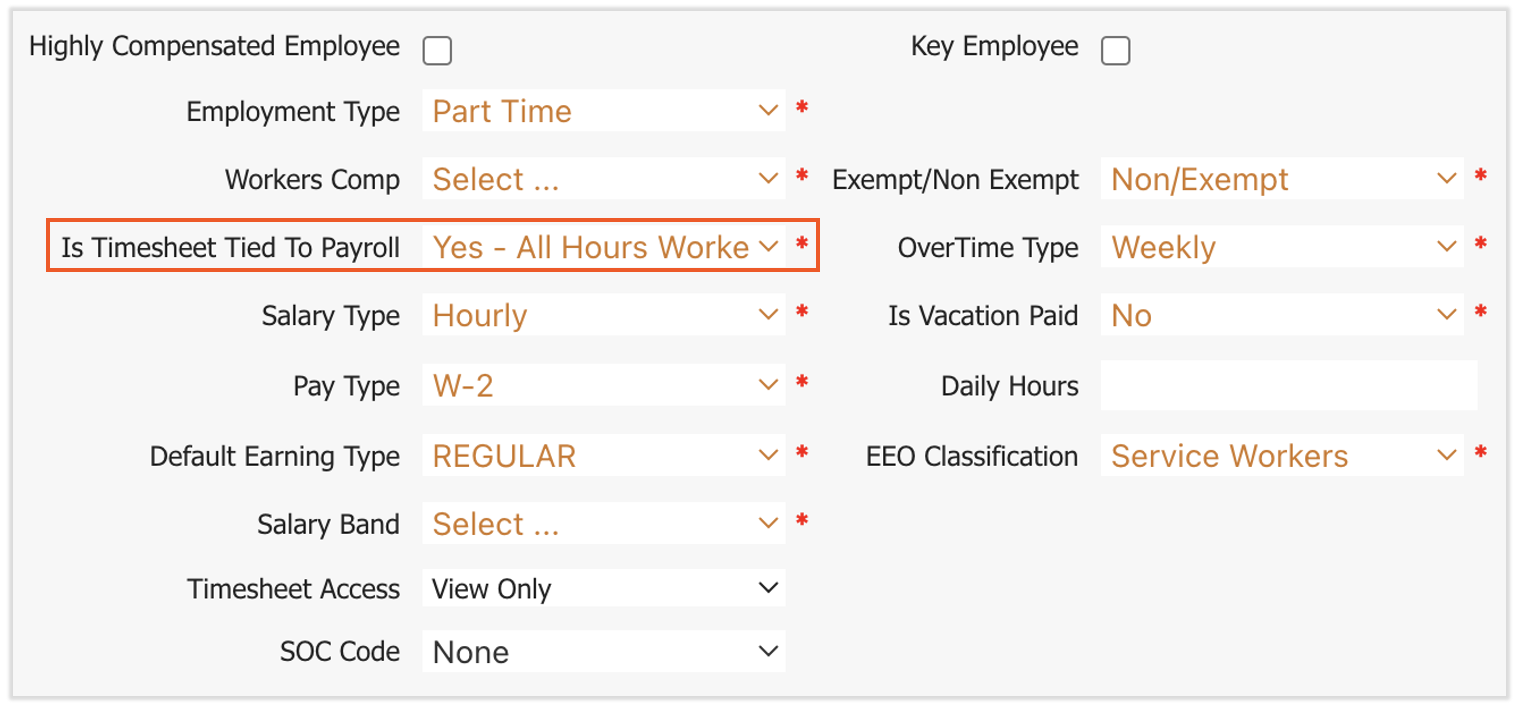
- After selecting a Reason, look for the Is Timesheet Tied to Payroll field.
- Make sure the Is Timesheet Tied to Payroll? setting is marked as No for that employee's position.
With this setting as No, even if a salaried employee's timesheet is approved, their hours won't be pushed to the payroll process. If this setting is marked as any of the three Yes options, approved timesheet hours could flow to payroll and could lead to additional earnings on top of the employee's regular salary.
This content is for informational purposes only and is not intended as legal, tax, HR, or any other professional advice. Please contact an attorney or other professional for advice.