Assign Sort Order to Menu Items for Prioritized Printing
Last updated: Sep 17, 2026, 12:21 PM
Question
How do I assign an order number to sort my menu items for kitchen printing?
Answer
To assign a sort order to menu items or modifiers so they are displayed in a particular order on printed tickets or KDS tickets, follow the steps below:
- In Toast Web, navigate to Menus > Bulk management > Advanced properties.
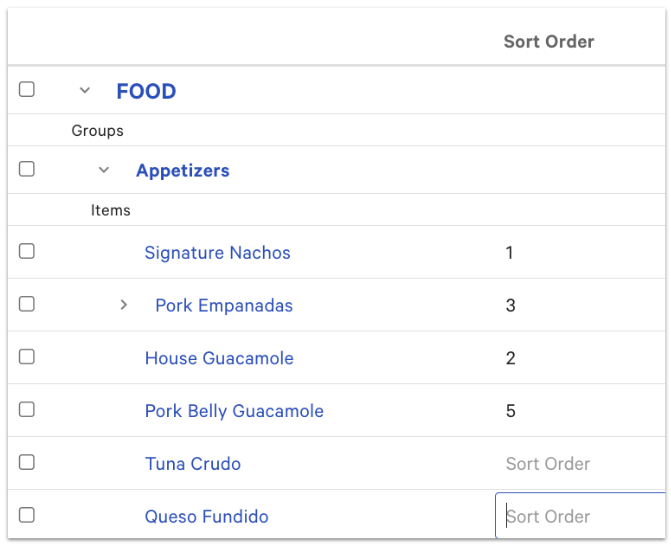
- Open the Show/Hide drop-down menu and select Sort Order under Preparation. This will add the Sort Order column to your advanced properties list.
- Use the caret (arrow) to expand your menu that has the items you wish to assign a sort order to.
- Enter the sort number in the text field of the Sort Order column. "1" is the highest priority, and every number follows after that.
- To make future editing easier, we recommend using large units of numbers (for example 100, 200, 300 ) so you can add in new items without having to reconfigure all items.
- To make future editing easier, we recommend using large units of numbers (for example 100, 200, 300 ) so you can add in new items without having to reconfigure all items.
- Save and publish your changes.
Note: You can also edit a menu item's sort order individually on the item details page, in the Preparations section.
Additional Information
Learn how to configure prioritized printing to make use of item sort order in this Support Center article, Manage Item Sorting Priority for Kitchen Tickets.