Publish Changes on the POS
Last updated: Sep 16, 2026, 2:14 PM
Question
How do I publish changes on the POS?
Answer
Before You Begin
Permissions needed:
- 6.4 Publishing — required to publish any saved changes
- The applicable 6.0 Web Setup permission for the settings you are changing
Note: To see which permissions your employee account has, or to review what each permission controls, see the following:
To publish changes on your POS, follow these steps:
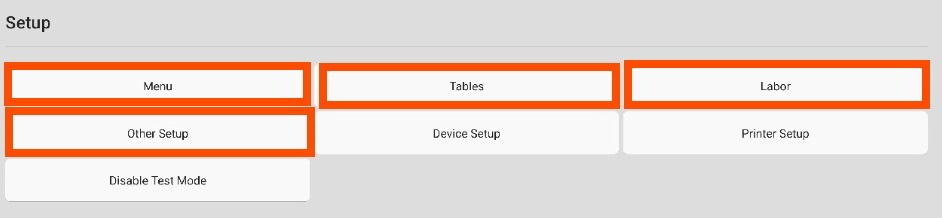
- From the POS home screen, navigate to the Setup section, where you can access Menu, Tables, Labor, and Other Setup settings to make changes directly on your terminal instead of using your computer. Select any of these settings to update them as needed.
- Next, select Save.
- Select PUBLISH CHANGES in the top-right corner of the screen to publish the changes.