Manage the Guest Checkout Process
Last updated: Sep 17, 2026, 7:15 PM
Learn to configure settings in Toast Web to enable digital signatures, set up the tip screens, and speed up the checkout process for your guests.
Remove Digital Signatures on Devices
Digital signatures are no longer required by credit card companies. To remove digital signatures from the checkout process at your restaurant, set the order signature threshold in Toast Web. The threshold you configure applies to the order signature threshold total. When the order total equals or exceeds this amount, the guest will be prompted to sign.
- In Toast Web, navigate to Finance > Related > Settings > Payment options.
- Under the Credit header, change the Signature Threshold field. Toast recommends adding a high threshold of about $1,000 if you would like all signatures to be removed.
- Save and publish your changes.

If you want to require your guests to sign for every credit transaction, set the Signature Threshold to $0.01.
Tip & Signature Screens
Restaurants can select between combined and legacy tip and signature screens. Learn more below on how each screen will look for your guests and how it will affect the tip options that appear for them.
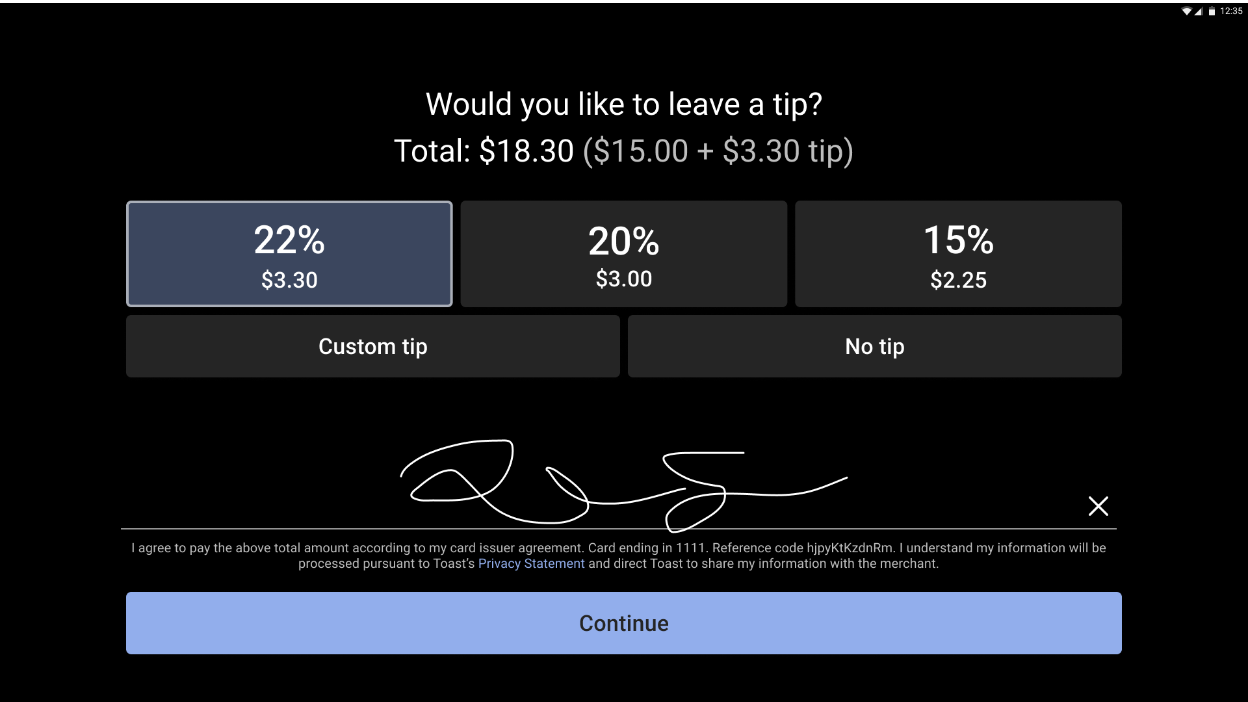
Combined Tip & Signature Screen: Displays the tip options and signature field in a single screen. Three suggested tip amounts may be configured. Additionally, the default tip amount configured in Toast Web will be displayed on the tipping screen on POS devices. Learn how to configure the default tip options below.
Configure Tip & Signature Screen
- In Toast Web, navigate to Finance> Related > Settings > Payment options.
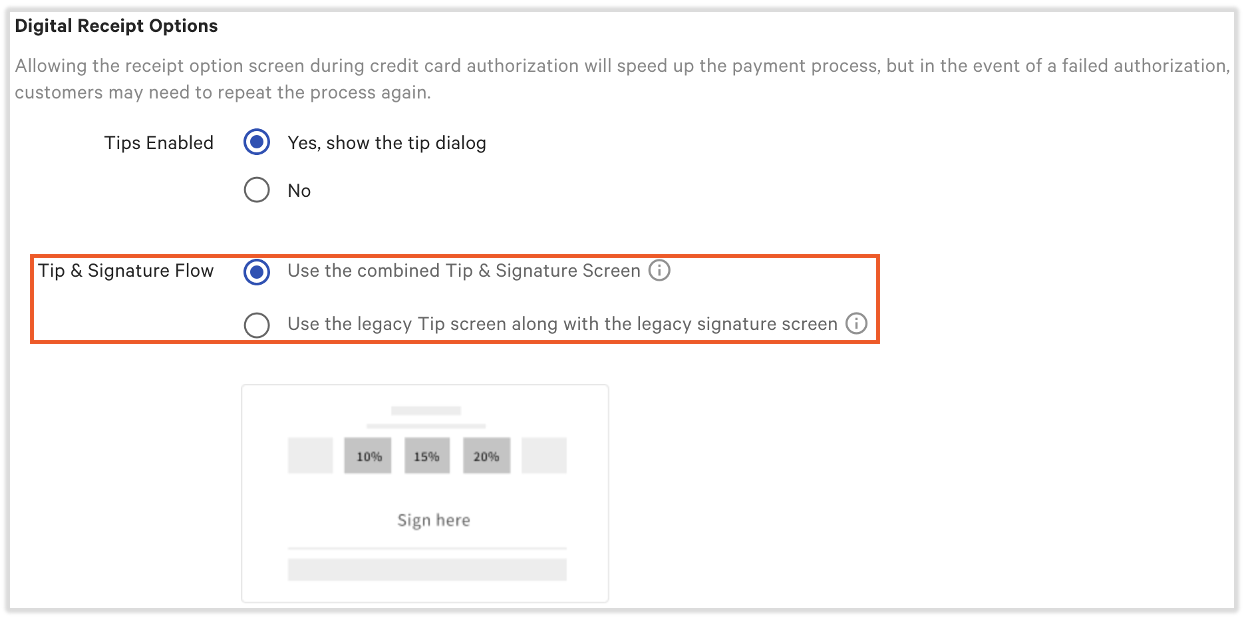
- Scroll to the Credit > Digital Receipt Options section. Next to Tip & Signature Flow, select the option you prefer for your restaurant.
- Save and publish your changes.
Select a Default Tip Amount
When using the combined tip and signature screen on digital receipts, you can set the tip to a defaulted amount or percentage. This can be helpful for quick-service restaurants where customers tend to sign first and realize they missed their opportunity to tip.
- To configure tips, log into Toast Web and navigate to Front of House setup > Order screen setup > UI options.
- Scroll to the Tipping section.
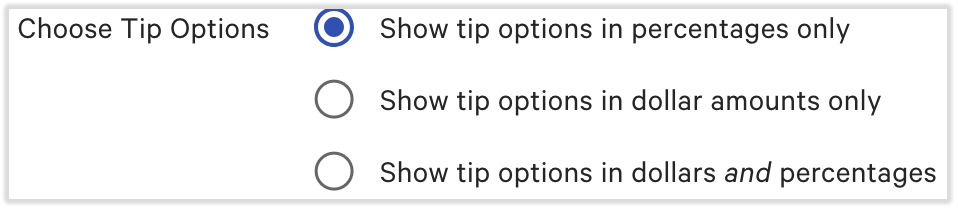
- Begin with the Choose Tip Options toggle. If percentages only OR dollar amounts only are selected, you will only select one default tip. If dollars and percentages are selected, two default tips can be selected.
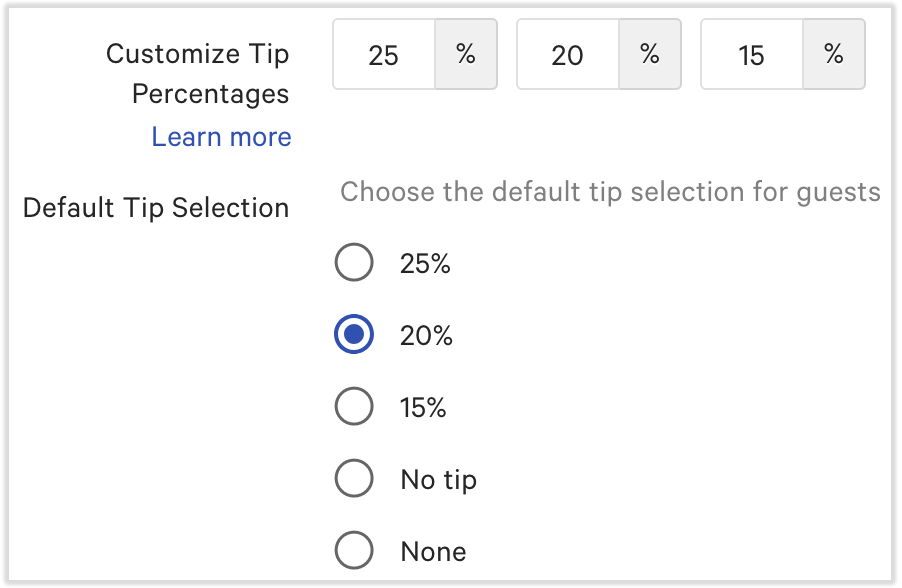
- Once that selection has been made, you'll see options similar to the image below. Begin by adding amounts and/or percentages to the Customize Tip Percentages fields. Once those are complete, you may select the Default Tip Selection button you wish. If you chose dollars and percentages above, you will do this twice.
- Be sure to save and publish your changes. The combined tip and signature screen will appear with the default tip you selected.