Route Kitchen Tickets by Modifier
Last updated: Apr 23, 2026, 5:18 PM
Routing by Modifiers Overview
Routing by modifiers allows you to send modifiers to specific prep stations without the other modifiers on the ticket. This can make it easier for chefs to read tickets and get the info they need right away.
For example, if you have a Daily Special on your menu that comes with a choice of modifiers (like a Side Salad and Seasoned Rice), you can route these modifiers directly to specific prep stations.
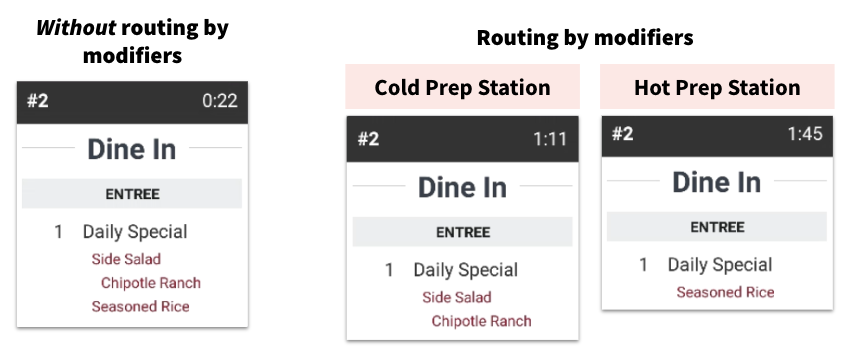
Take into consideration that if your modifiers have further customization, also known as nested modifiers, they will appear below the modifier item at the prep station (such as the Chipotle Ranch dressing in the example above).
Enable Routing by Modifiers
To turn this feature on, follow these steps:
- In Toast Web, navigate to Kitchen > Printers, tickets, & KDS devices > Kitchen.
- In the Printed Tickets and Ticket Screens section, for the Modifer Routing setting, select Print or show modifier(s) only.
- Save and publish your changes.
Next, you'll want to make sure that your modifiers are set up to go to the correct prep station.
Configure Your Modifiers
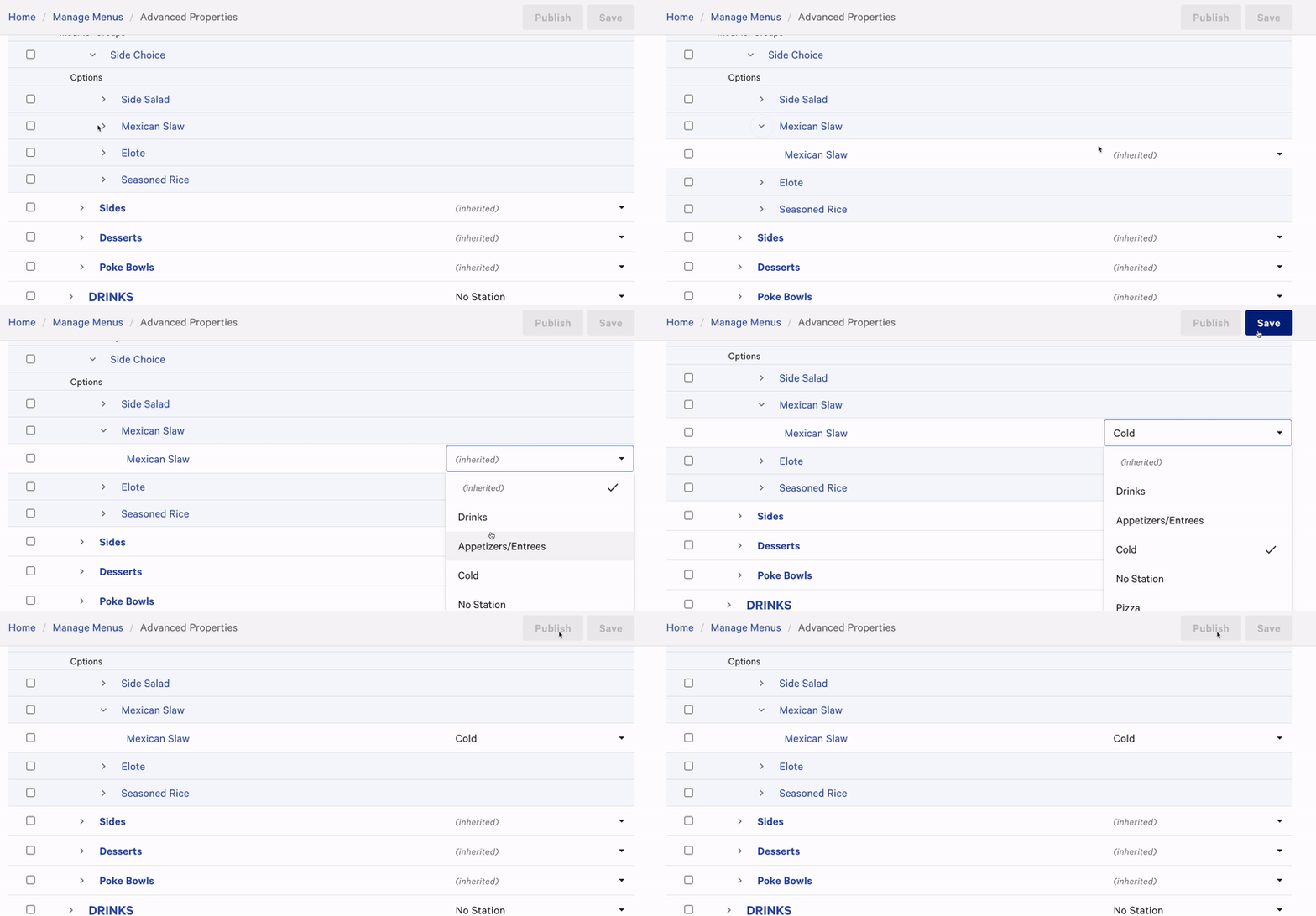
- Navigate to Menus > Bulk management > Advanced properties.
- Select the Show/Hide drop-down menu and enable Prep Stations column located in the Preparation section of the drop-down list. You may wish to deselect other columns to hide them for the time being.
- You should now see the Prep Stations column on your Advanced Properties page. Use the arrow (>) icons on the left side of the page to expand menus until you get to the list of modifers you'd like to edit.
- Use the drop-down menu to change a modifier's prep station as desired. If a prep station hasn't been designated, the modifier will inherit the original prep station the menu item has been assigned
- Once you're finished making changes, save and publish to send the updates to your POS and KDS devices.