Sling by Toast: Set Up Schedule Enforcement
Last updated: Sep 17, 2026, 11:29 AM
- Enable the feature
- Adjust settings
- Frequently Asked Questions
- Can I apply schedule enforcement to only some employees?
- What happens if an employee clocks in too early or without a scheduled shift?
- What happens if an employee clocks in too late for a scheduled shift or clocks out too early or late?
- Why do some of the shifts sent to Toast not have a job attached?
- Why are some of the shifts not sent to Toast?
- Helpful links
With the integration between Sling and Toast, your schedule is automatically sent to Toast every hour. You can use this information to prevent early clock-in and clock-out on your POS.
Enable Schedule Enforcement
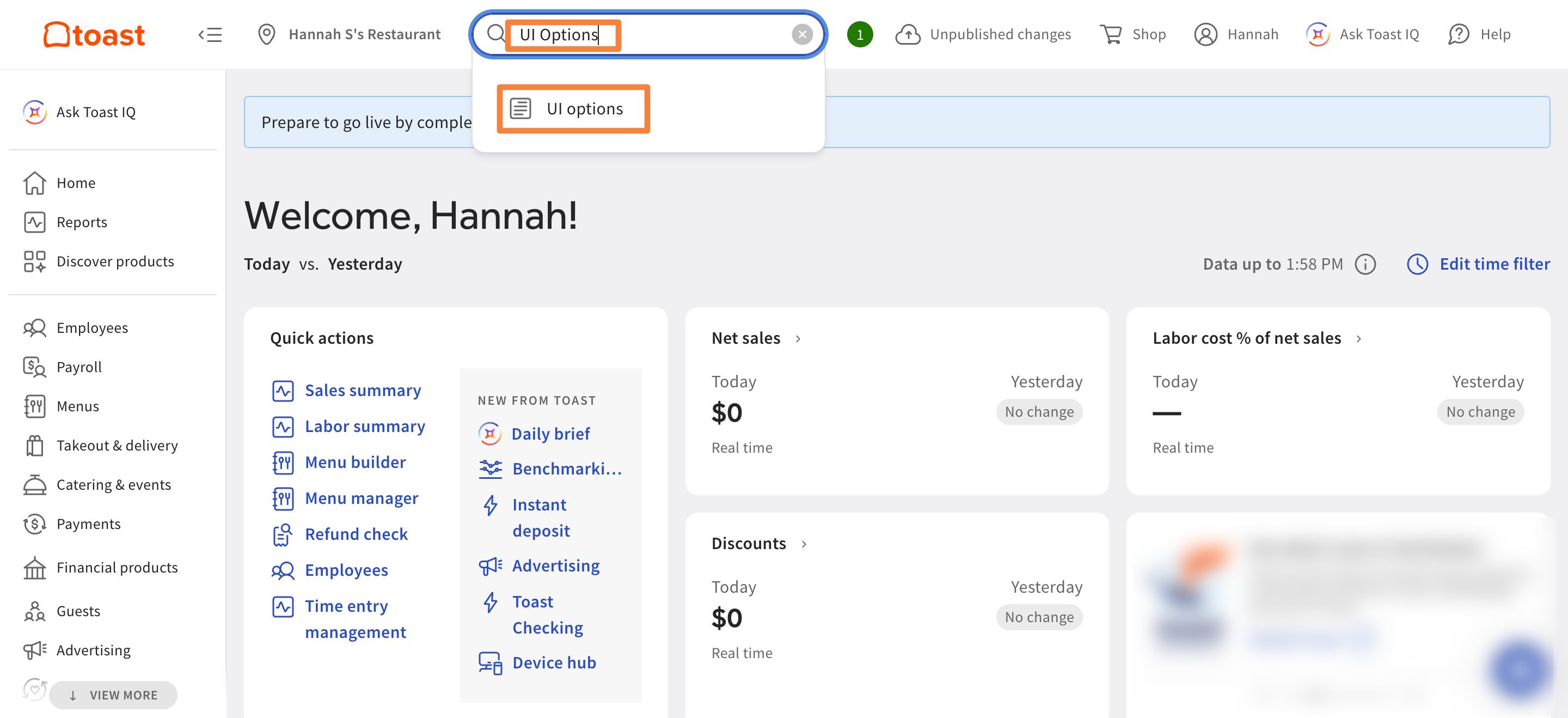
To enable schedule enforcement, type UI Options in the search bar at the top of the page, then select UI Options.
Scroll down to the Time Clock section and enable the Enforce scheduling option.
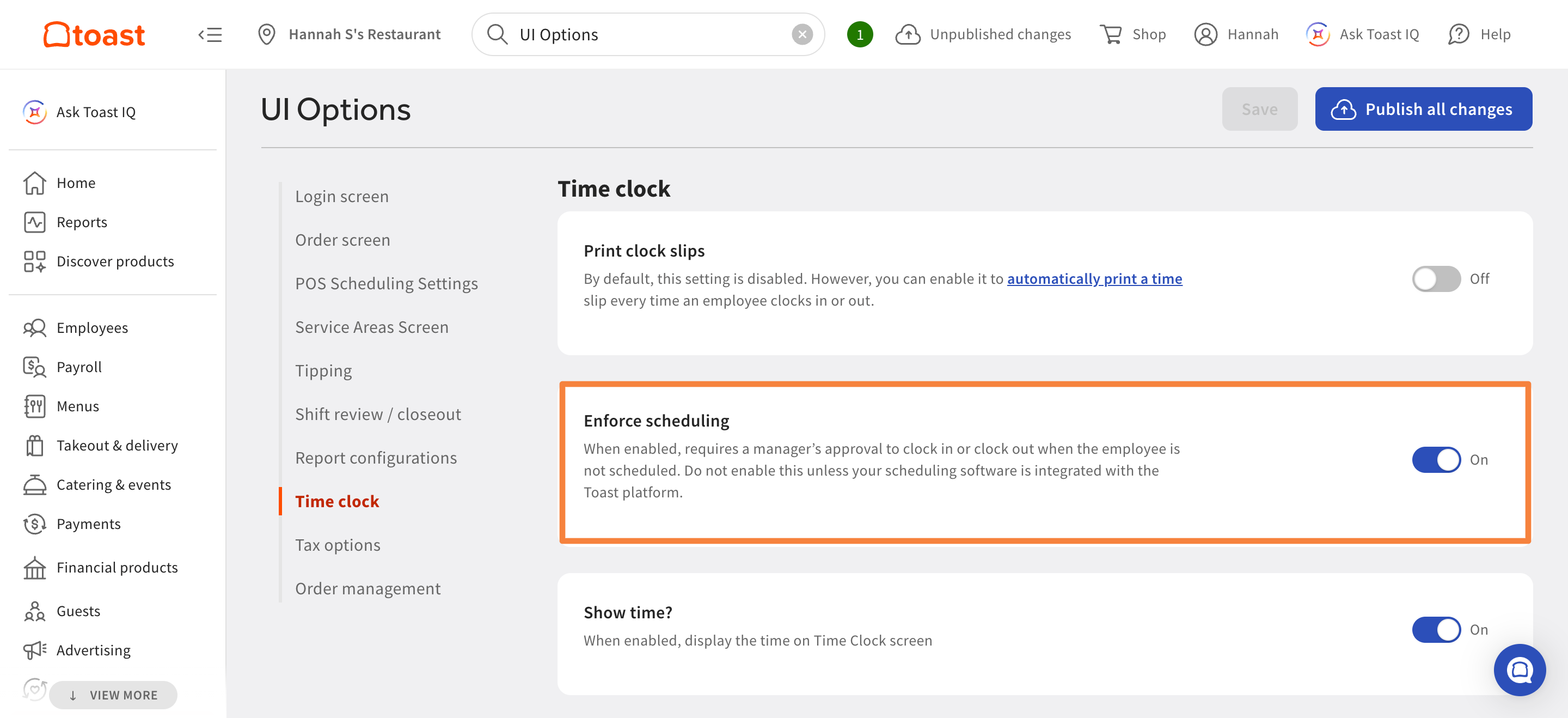
Make sure to save and publish your changes.
Adjust Settings
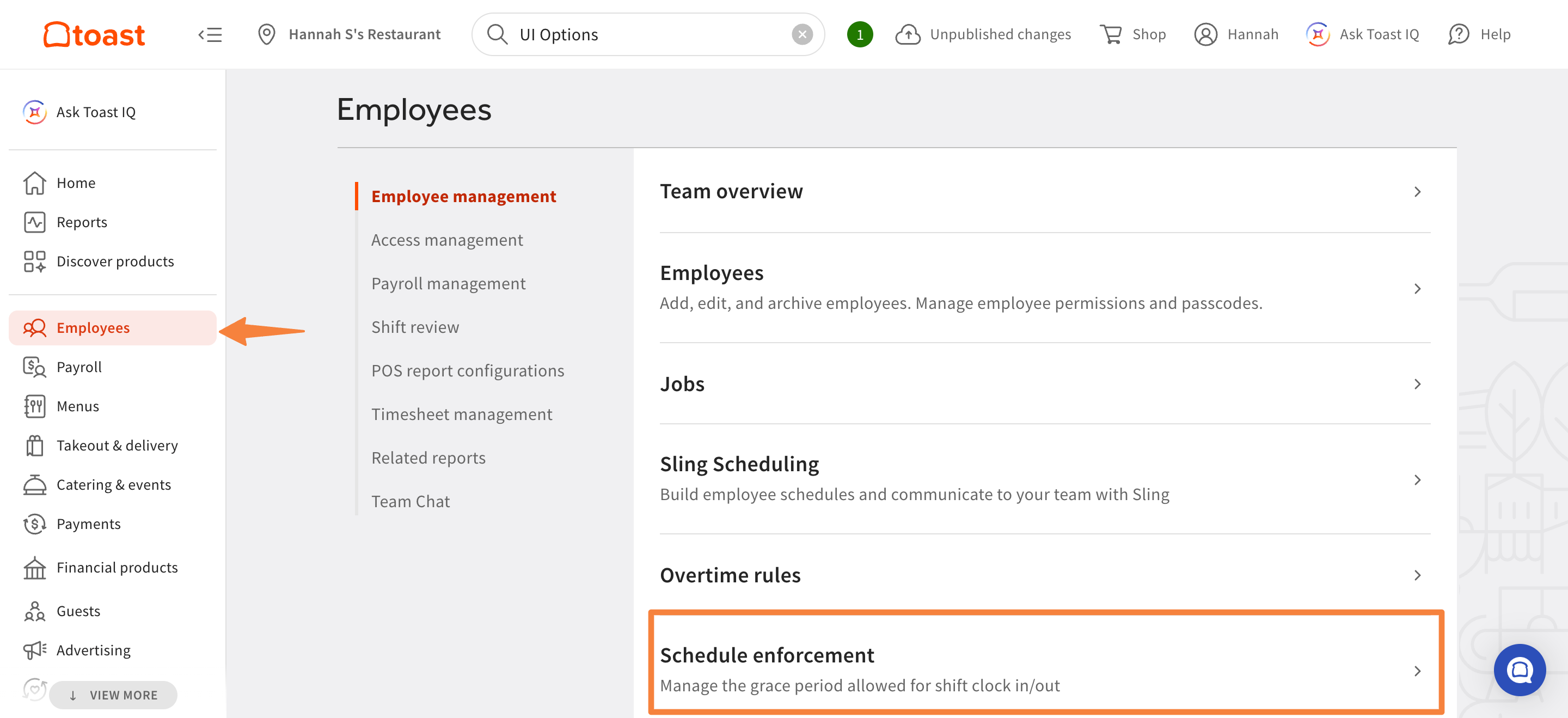
To adjust grace periods, select Employees in the left menu, then select Schedule enforcement.
On this page, you can configure early and late clock-in and clock-out limits. The maximum grace period is 90 minutes.
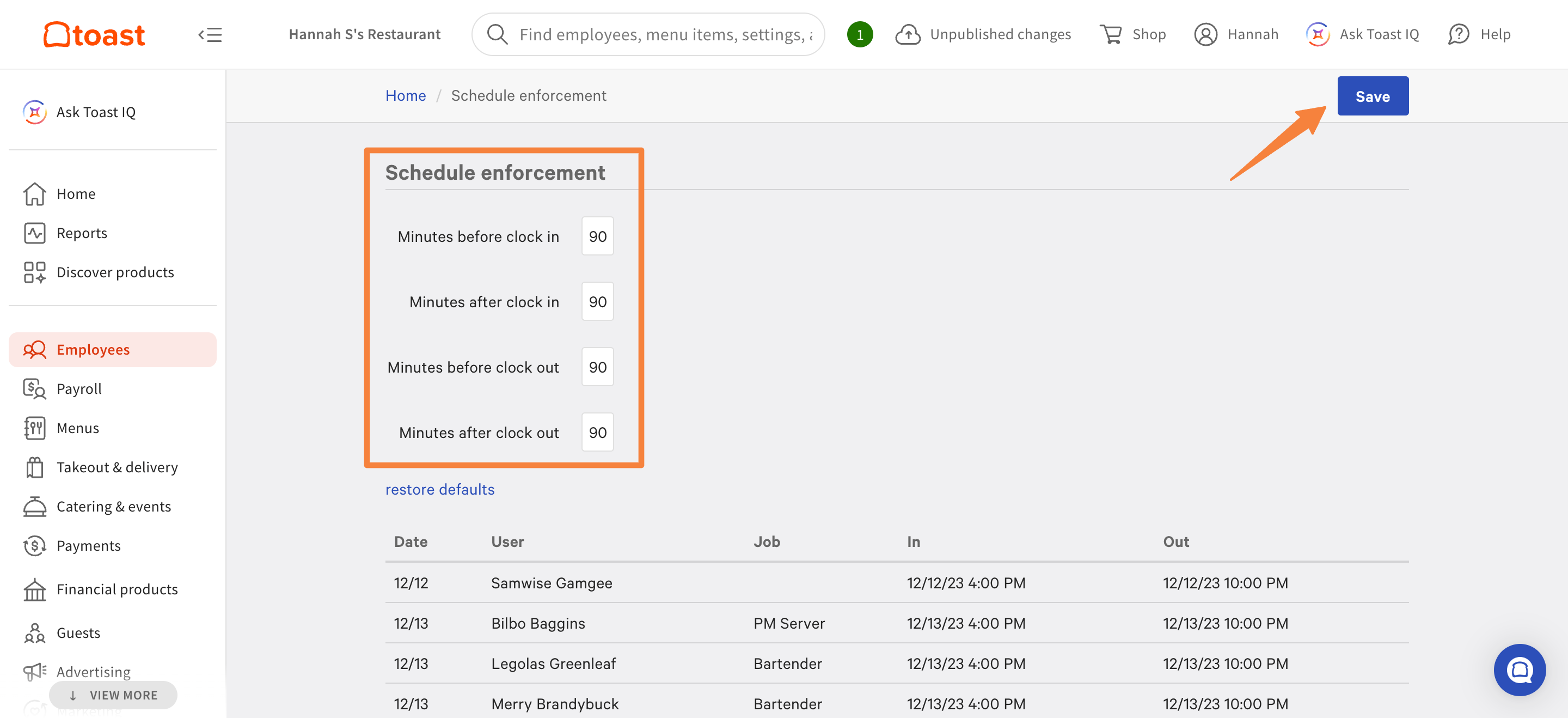
Make sure to save your changes after updating these settings.
Frequently Asked Questions
Can I apply schedule enforcement to only some employees?
Schedule enforcement cannot be applied to only some employees. It applies to every employee at your location, so anyone who clocks in outside their scheduled shift needs manager approval, regardless of their role or department.
If you have employees who are not scheduled in Sling and you do not want them to need manager approval, you must disable schedule enforcement for everyone.
Also asked as:
- Can I enable schedule enforcement for back of house employees only?
- Why do my front of house employees need manager approval to clock in?
- Can I exclude certain employees from schedule enforcement?
What happens if an employee clocks in too early or without a scheduled shift?
A manager must enter their PIN on Toast POS to approve this unscheduled shift. The timesheet will be imported into Sling as an unscheduled timesheet.
What happens if an employee clocks in too late for a scheduled shift or clocks out too early or late?
A manager must enter their PIN on Toast POS to approve this clock-in or clock-out. The timesheet will be imported into Sling and remain linked to the scheduled shift.
Why do some of the shifts sent to Toast not have a job attached?

This happens when the position of the shift exists as a job on Toast but does not match the jobs linked to this employee. Make sure your employees have the same positions in Sling and Toast.
Why are some of the shifts not sent to Toast?
This happens when the position of the shift in Sling does not exist as a job on Toast. It is recommended that you create positions in Toast first and then sync them with Sling.
Helpful Links
Access the Admin Manual for the Toast + Sling integration.
Learn how to add additional Toast locations to your Sling account in the Syncing Additional Toast Locations With Your Existing Sling Account article.
For help setting up the integration, refer to the Create & Sync Your Sling by Toast Account article.