Set Up Your CAS Scale With Toast
Last updated: Apr 13, 2026, 7:41 AM
Question
How do you set up a CAS PD-II scale?
Answer
| In order for your CAS scale to work with Toast, use one of the following supported hardware configurations:
Requirement: CAS scales connect via USB-A. When using a Toast Printing Hub, Toast Receipt Printer, or Toast Smart Hub, the device must also power the terminal via a USB-C cable provided only by Toast. When using a guest-facing display, your Toast Flex 3 must be connected to the guest-facing display with the Toast Flex 3 guest-facing display 3-ft or 9-ft cable. |
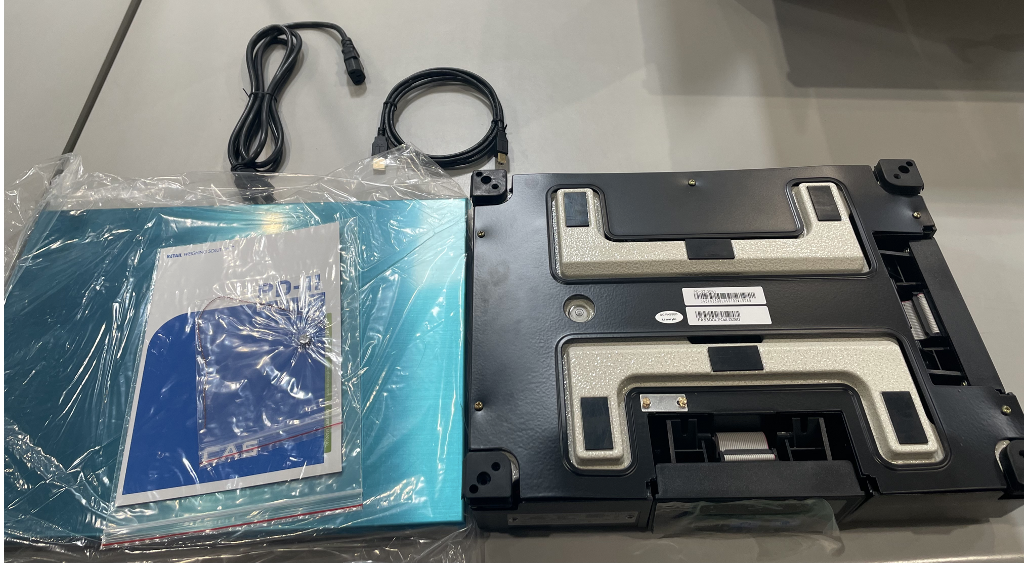
- Unpack the scale and all components from the shipping box. Check that you have all the parts using the provided packing list.
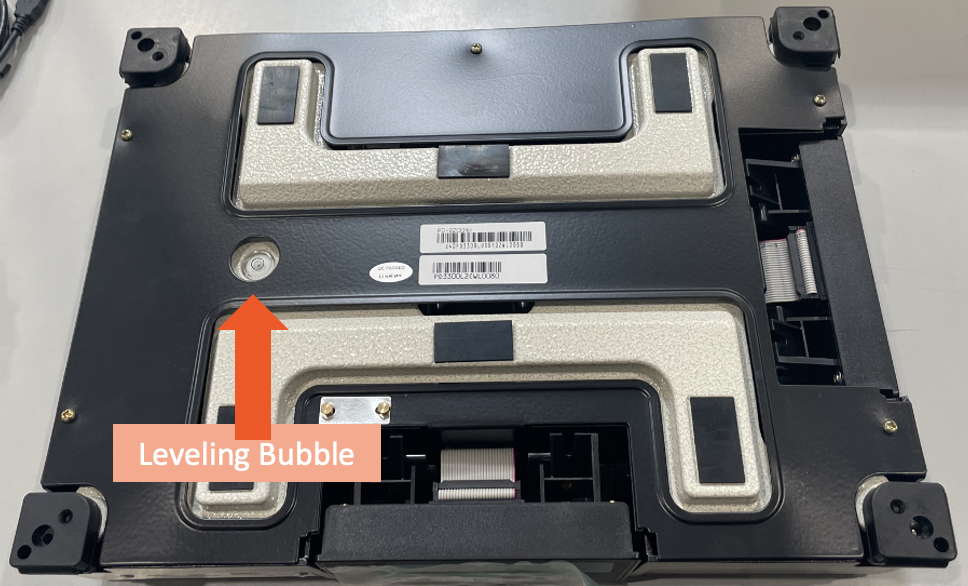
- Level the scale base using the four leveling feet. View the level bubble located under the platform top. A top-down view with the platter plate off is shown below:
- Once the bubble is centered in the bubble window, unwrap the blue scale tray and place it on top of the scale.
- Connect to your Toast device: Make sure that the Toast device and the scale are both turned off.
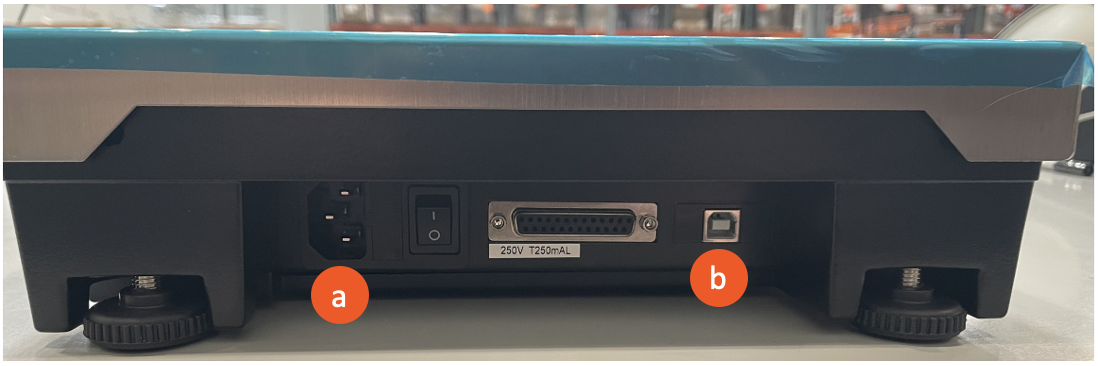
- Use the USB cable to connect the scale to your Toast device. Plug the square-shaped end into the scale and the other end into the Toast terminal, printer, or hub.
- Now plug the power cable into the scale and then into a power outlet. Flip the power switch next to the power port to turn the scale on.
- Power port
- USB port
- Turn on the Toast device.
- When the prompt to use the attached USB by default comes up ("Allow the app Toast POS to access the USB device?"), make sure that you select the Use by default for this USB device checkbox.
- Select OK.