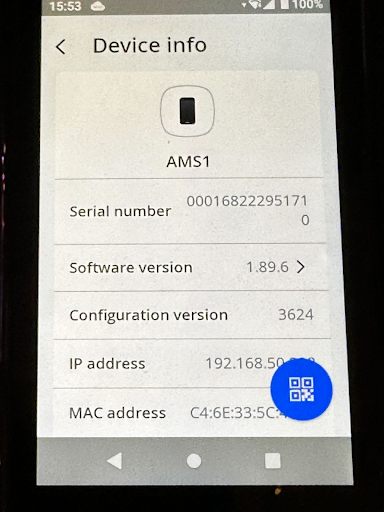
Set Up your AMS1 Card Reader
Last updated: Sep 17, 2026, 4:28 PM
Learn how to install and set up your AMS1 Card Reader.
- Device Setup
- Pair the Device to your Toast Go® 2 Using a QR Code
- Manually Pair the Device to your Toast Go® 2
- Additional Resources
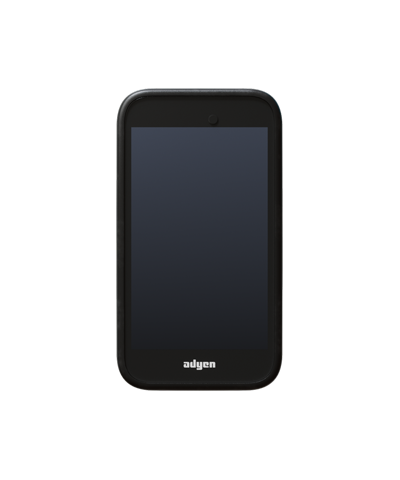
The first part of the setup will be connecting the reader to the Toast network and pairing the device:
- Begin by unboxing and removing the AMS1 reader as well as the USB-C charging cable.
- Power on the device by connecting the USB-C cable to a power source. It's recommended that the device is given at least 4 hours to charge while you continue the following setup steps.
- Once the device is powered on by holding the power button on the right side, connect it to the Toast network to begin the boarding process.
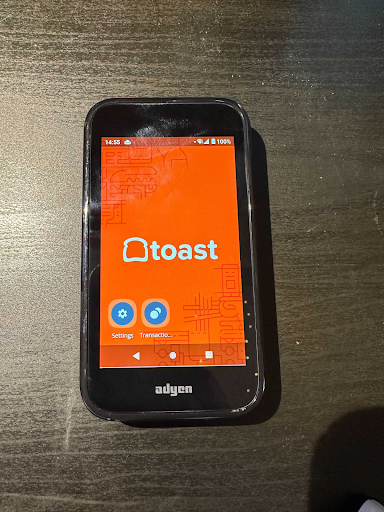
- Select the Settings button on the home screen to enter the admin settings.
- If prompted for a password, enter TOST, or 8678 (using the T9 keyboard).
- Select Network.
- Select Wi-Fi.
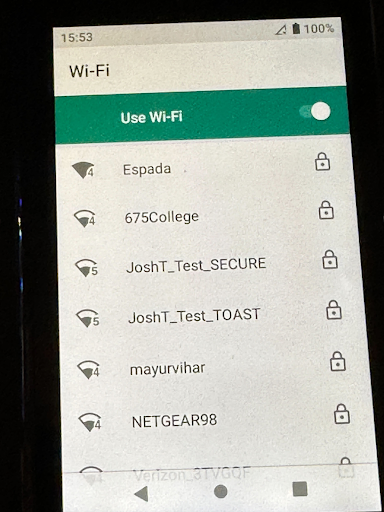
- Select the Toast network from the WiFi list and enter the password. If the network is not on the list, select Add Network and enter the name "Service Set Identifier (SSID) of the Wi-Fi network and the Wi-Fi password.
- Once successfully connected, select the Home button to go back to the main screen. You will now see an option to board the terminal.
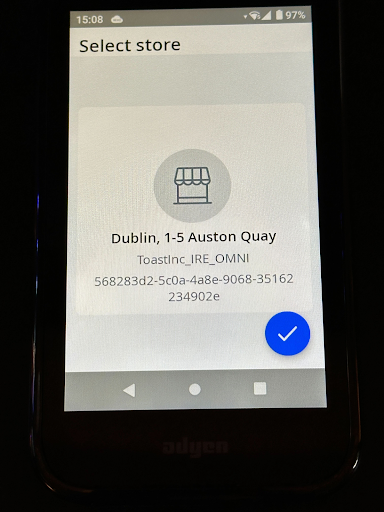
- The device will then prompt you to confirm your store location. Double-check that it's the correct location and then select the blue check mark.
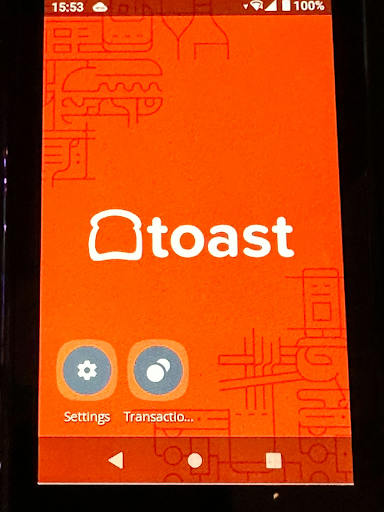
- The boarding process will now begin and can take up to 30 minutes. During this process, you may see the device restart a few times. When the device has completed the boarding process, it will display a background with the Toast logo and will be connected to the network.
Pair the Device to your Toast Go® 2 Using a QR Code
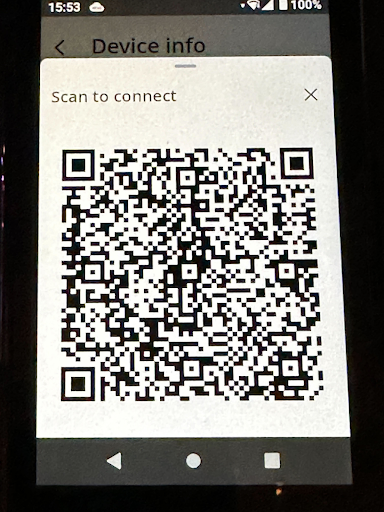
Next, you'll need to pair your AMS1 card reader to your Toast Go® 2. Follow these steps to pair the device using scan to sync. If scan to sync does not work, skip to the next section to manually pair your device.
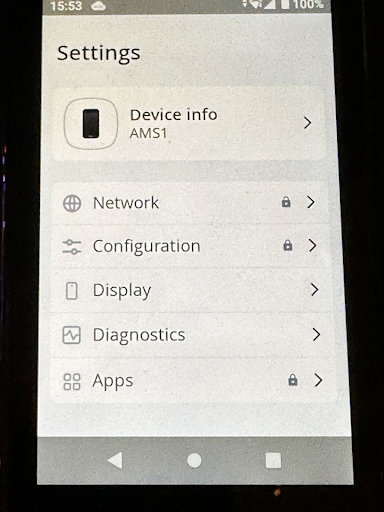
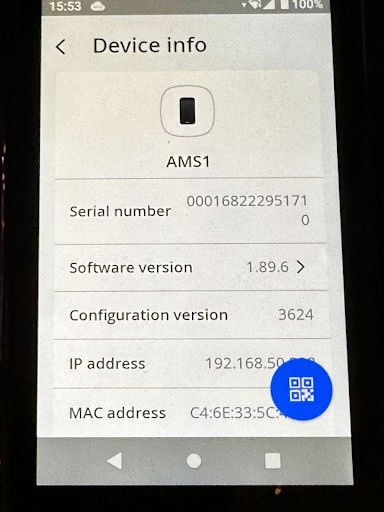
- First, select the Settings icon on your AMS1 and then select Device info to open the Device info page.
- On the bottom right of the Device info page, select the blue QR code button. Once the QR code displays, keep this open so you can scan it with your Toast Go® 2.
- Now, on your Toast Go® 2, open the Toast POS app and navigate to Device Setup. Within the Device Setup list, select Card Readers.
- Select Add New Card Reader.
- Select Card Reader Model > Ayden(Network).
- Now select Scan QR Code and place the device in front of the QR code box on the screen.
- The device will then pair.
- Make sure digital receipts and EMV are both enabled on the Toast Go® 2 or the device will not communicate.
- Now make sure your device is successfully paired. Navigate back to the home page on the card reader by selecting the Home button.
- On your Toast Go 2, create a test order and select the Credit option on the payment selection screen. The workflow will then move to the card reader.
- Select the tip amount on the card reader and provide payment via tap, dip, or swiping the card.
Manually Pair the Device to your Toast Go® 2
If you're unable to pair the device using scan to sync, you can enter the device info manually. You'll first need to gather some information from the AMS1 reader.
- Select the Settings icon on your AMS1 and then select Device info to open the Device info page.
- Keep this page open so you can input the device info on your Toast Go® 2.
- On your Toast Go® 2, open the Toast POS app and navigate to Device Setup. Within the Device Setup list, select Card Readers.
- Select Add New Card Reader.
- Select Card Reader Model > Ayden(Network).
- Input the following information found on the Device info page on your card reader:
- Serial ID: (Model-SN) AMS1-000168222951710
- Card Reader IP: xxx.xxx.xxx.xxx
- Username: toastID
- Password: first 8 characters of your account's "Globally Unique Identifier (GUID)"
- Disable Tips: Decide if you want the device to prompt for tipping or not
- Once you've added this information, select Complete Setup.
- The device will then pair.
- Make sure digital receipts and EMV are both enabled on the Toast Go® 2 or the device will not communicate.
- Now make sure your device is successfully paired. Navigate back to the home page on the card reader by selecting the home button.
- On your Toast Go® 2, create a test order and select the Credit option on the payment selection screen. The workflow will then move to the card reader.
- Select the tip amount on the card reader and provide payment via tap, dip, or swiping the card.