Set Up a Takeout Tax Rate
Last updated: Aug 13, 2026, 10:32 AM
Question
How do I charge a different tax rate when an order is set for takeout instead of dine-in?
Answer
To set up a tax rate for takeout orders, follow these steps:
- In Toast Web, navigate to Menus > Settings > Tax rates.
- Select the name of the tax whose rate should change when the items it's applied to are for takeout instead of dine-in (or select + Add Tax Rate if you haven't set one up yet).
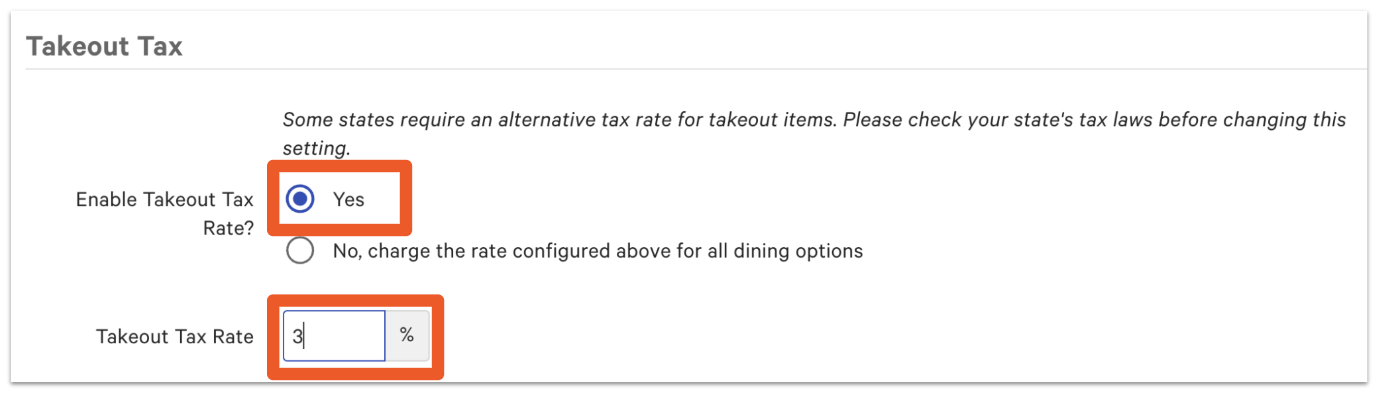
- Scroll down to the Takeout Tax section, and for the Enable Take Out Tax Rate setting, select Yes.
- Enter the Takeout Tax Rate as a percentage.
- Save and publish your changes.
Note: The Takeout tax rate only applies to orders with the Takeout dining option. It does not apply to other dining options, such as Delivery.