Configure Hidden Menus
Last updated: Sep 17, 2026, 8:40 AM
Question
- How do I make it so that only certain devices show certain menus?
- How can I change which menus are available at each terminal?
Answer
| In order to configure hidden menus, you must have the following access permissions:
Please see Assign User Access Permissions and Permissions Reference Guide for more details on each access permission, including who it should be assigned to. |
- In Toast Web, navigate to Menus > Bulk management > Advanced properties.
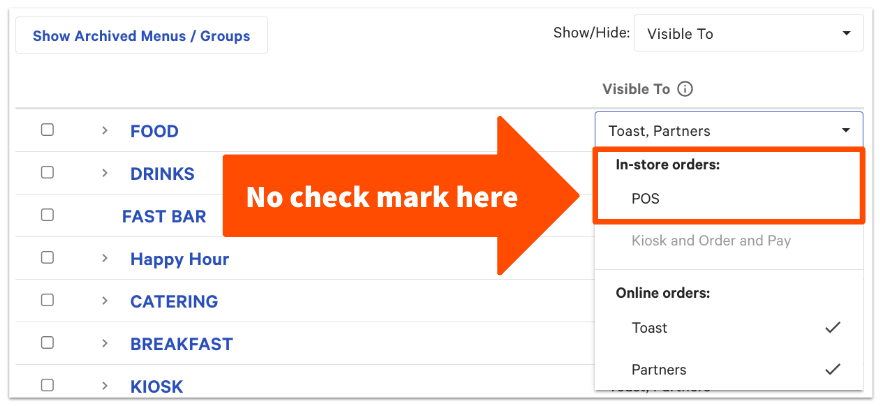
- Select the Show/Hide drop-down and check off Visible To so that the column appears on the advanced properties table.
- For each menu that you want to hide on some of your POS devices, deselect the In-store orders: POS option from the Visible To drop-down. This will hide the menu from all POS and kiosk devices. However, as of June 2025, items on hidden menus can still be scanned, even from a kiosk.
- Save and publish your changes.
- On the device you wish to have access to the hidden menu, navigate to Setup > Device Setup from the main menu of the Toast app.
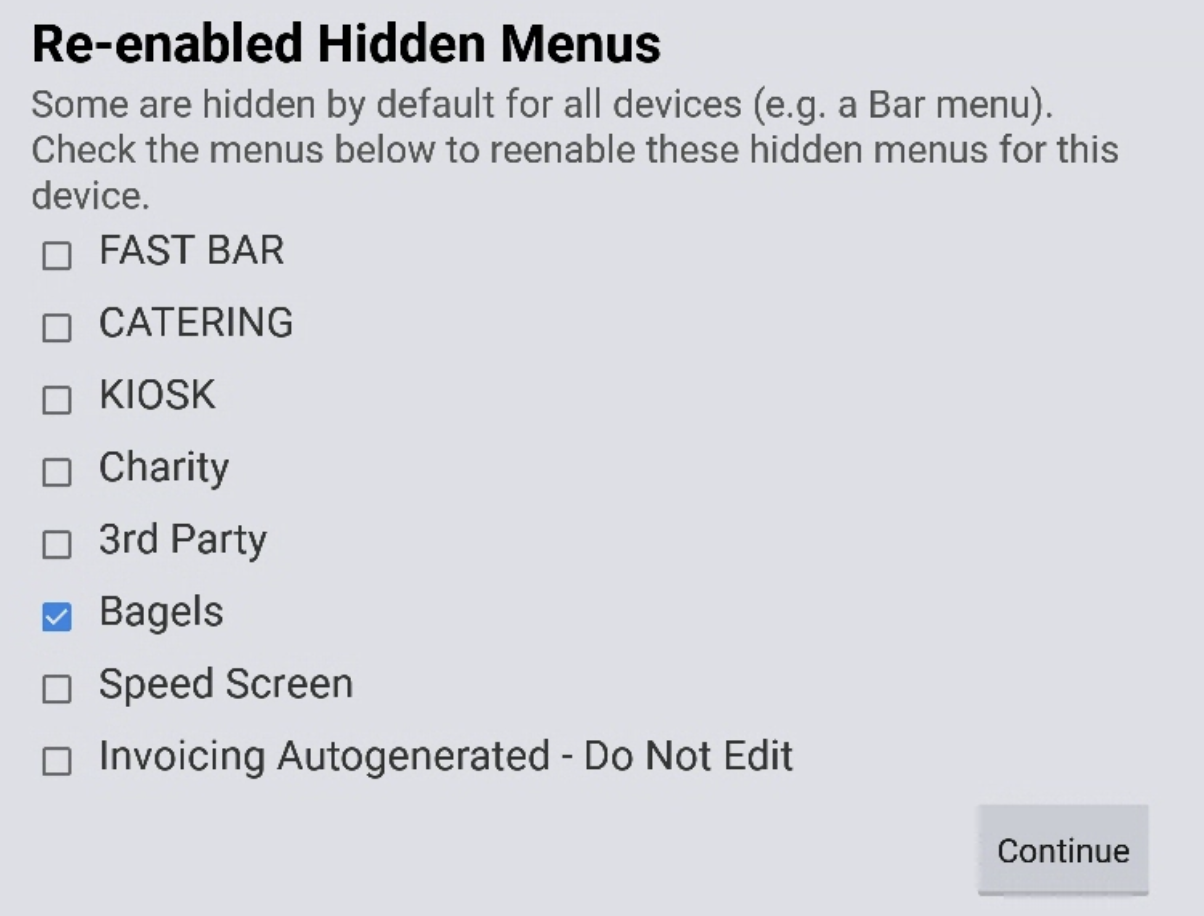
- Select Re-enabled Hidden Menus. The next prompt will allow you to select which hidden menus you want to re-enable on this device.
- Repeat steps 5-6 for any other devices that need access to the hidden menu.
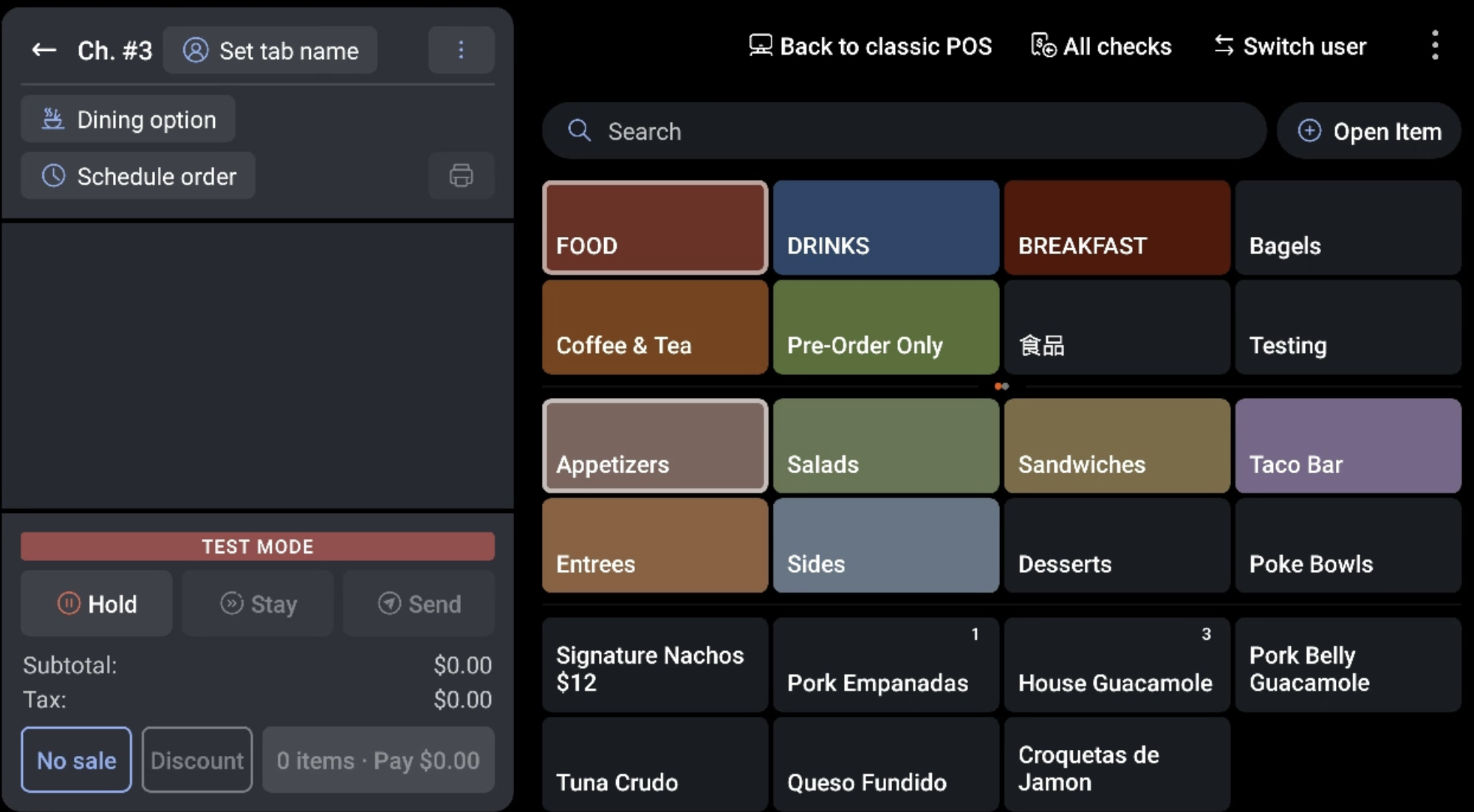
The re-enabled menu will now appear on the order screen. In the example below, we re-enabled the Bagels menu and you can see that it's visible from the order screen. The other hidden menus are not visible.
Additional Information
Can I use the steps above to shown hidden menus on my kiosk?
No, you can't re-enable hidden menus on a kiosk device. In order to show a menu on your kiosk, the Visible To setting must include kiosk. Note that if you want a menu to be visible to your kiosk, then you must also select the visible to POS option as well in your menu editor.

Can I make different menus appear when certain employees log in?
No, at this time it's not possible to show or hide a specific menu for an individual employee (or groups of employees).