Sling by Toast: Reset Password
Last updated: Jun 10, 2026, 3:43 PM
Use this article for help if you forgot your password for Sling by Toast.
Reset Password from the Login Screen
If you forgot your password or cannot log in, you can request a reset link from the Sling login screen on the web or GetSling mobile app, or by visiting the following page:
https://login.getsling.com/forgot-password
You must have access to the email address associated with your Sling profile to complete the reset process.
If you do not know which email address is associated with your profile, contact your manager.
If you no longer have access to the email address on file, contact Sling Support.
Reset Password from Your Profile
If you can still access your account and want to update your password, go to your profile page.
Select your name in the upper right corner to access your profile.
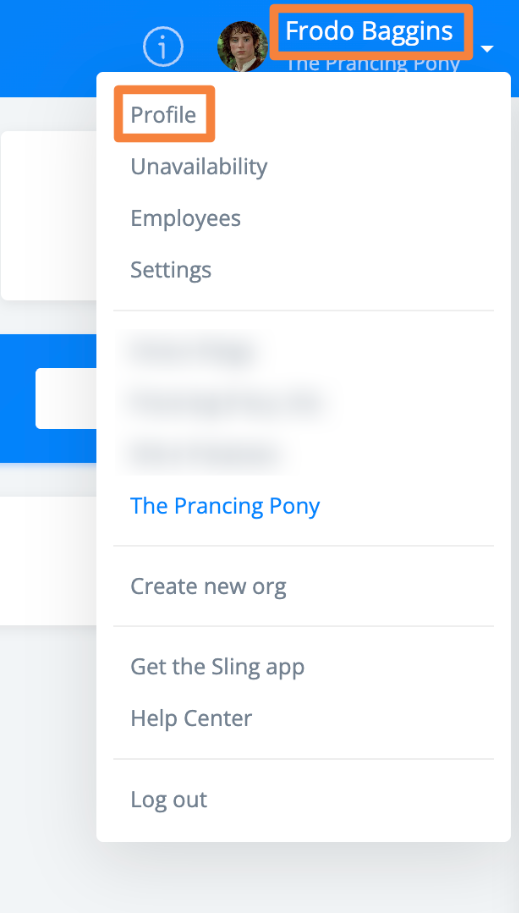
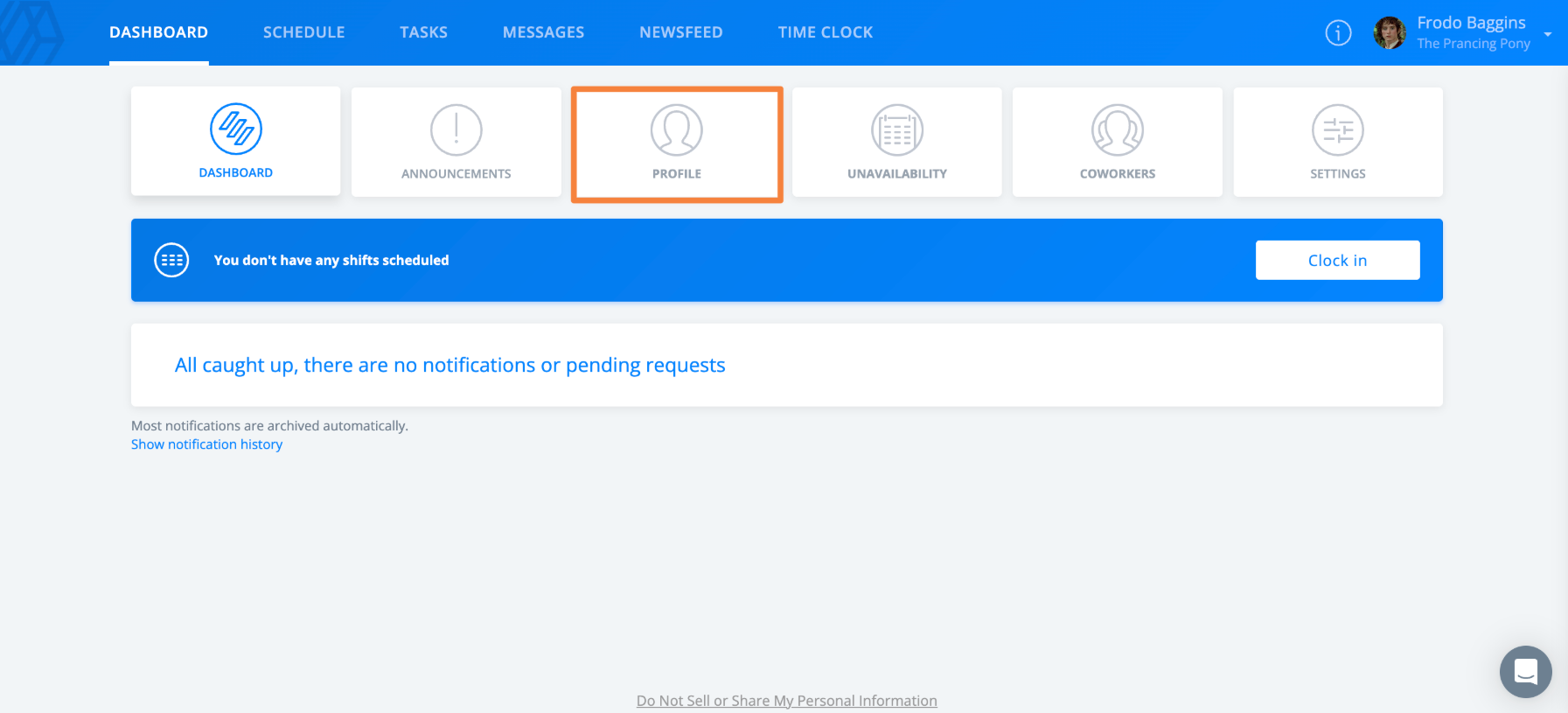
If you are an employee, you can also access your profile from the Dashboard.
Scroll down and select the option to reset your password.
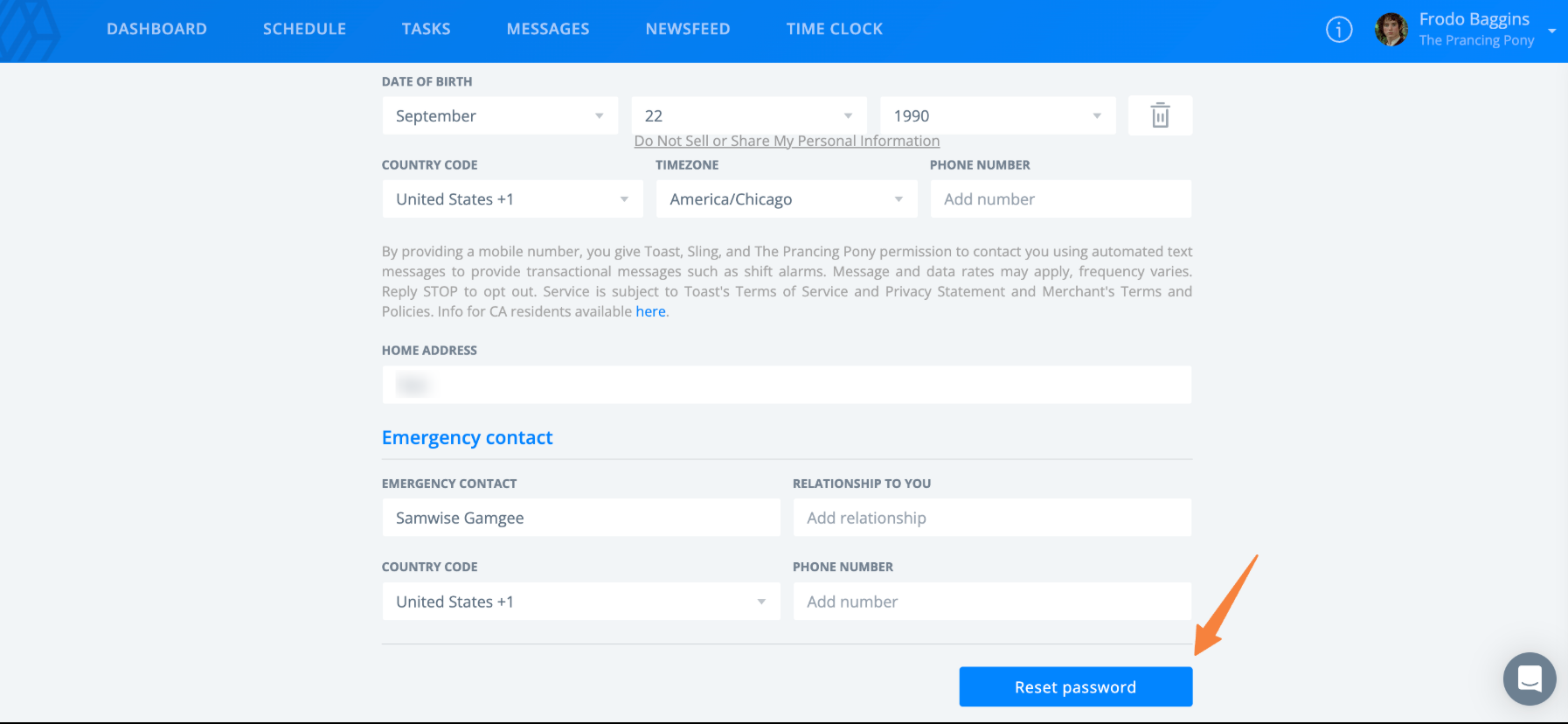
After selecting this option, check your email and follow the link provided to complete the reset process.
Review Requirements and Notes
Your password must be at least 8 characters long and include a lowercase letter, an uppercase letter, and a number.
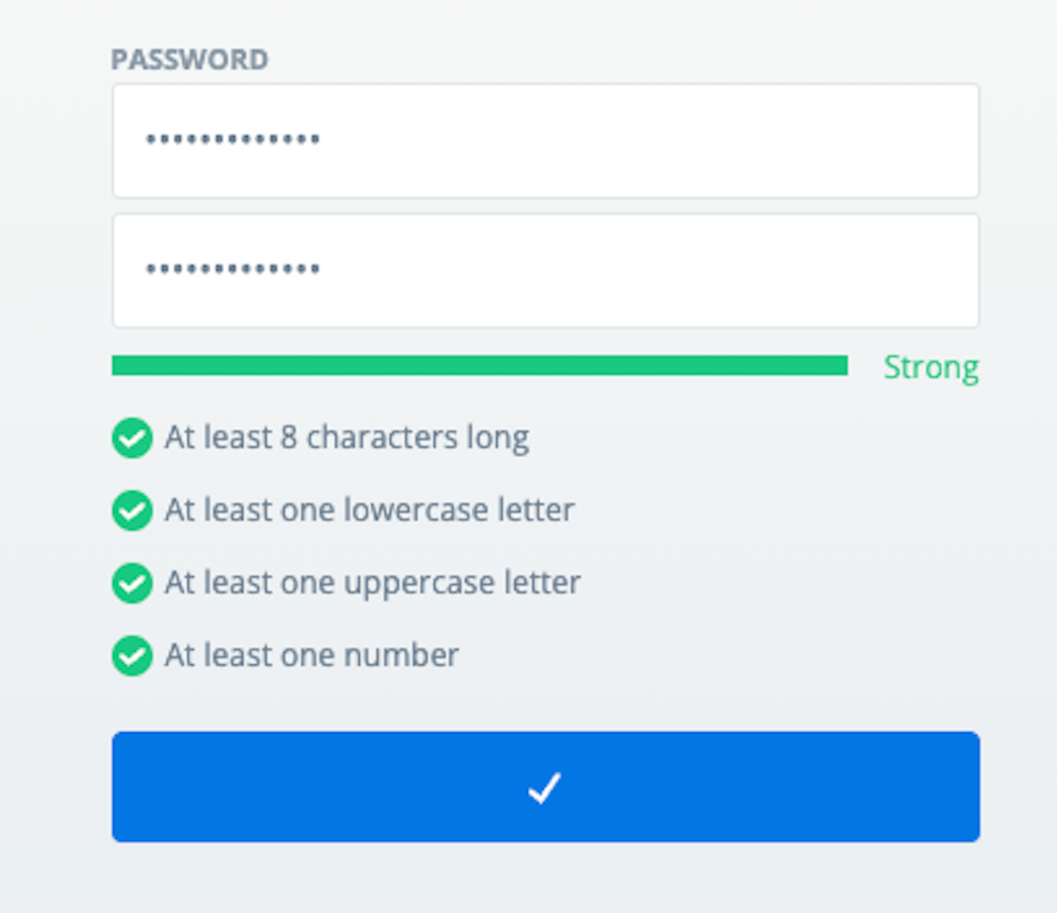
Note: You can request a password reset link from the Sling app, but you must complete the reset process through your email using a web browser.