Sling by Toast: System Roles
Last updated: Jun 11, 2026, 10:48 AM
Learn the difference between an admin, manager, and employee on Sling.
- Review the Admin System Role
- Review the Manager System Role
- Review the Employee System Role
- Change a User's System Role
Review the Admin System Role
- Admins have the highest level of access. This role is typically assigned to the account creator, but additional admins can be designated. It is recommended to have at least two admins on an account.
- Admins can create shifts and manage employees across all locations.
- Only admins can update company settings, including hours of operation, employee restrictions, and shift exchange permissions.
- Admins also have exclusive access to Labor Cost features and settings by default, including overtime rules and wage configurations.
Review the Manager System Role
- Managers can create shifts and approve shift exchanges and time-off requests for locations assigned to their profile.
- Managers can also enter time off directly into the shift calendar for employees or themselves.
- They can edit all employee profiles, allowing them to assign employees to their locations, and can view schedules across all locations.
- For Premium and Business subscriptions, admins can restrict managers from viewing schedules for other locations.
- Managers may also be granted access to Labor Cost features by an admin.
Review the Employee System Role
- Employees have basic access within Sling.
- They can view and print their own schedules and available shifts.
- If enabled, employees can communicate with others through messaging.
- Company settings controlled by admins determine whether employees can view schedules, initiate shift exchanges, request time off, access messaging, and edit unavailability.
- Employees cannot create or edit shifts, or modify positions or locations in their profiles.
Change a User's System Role
A user designated as an Employee is not able to change their own system role. A user designated as a Manager is able to appoint Employees and other Managers. Only an Admin can make another user an Admin.
Note: If you have been assigned the wrong system role, and you do not have access to create shifts, you will need to contact a manager or admin for your company's account and ask them to update your profile details.
To change a user's system role:
- Access the web version of Sling.
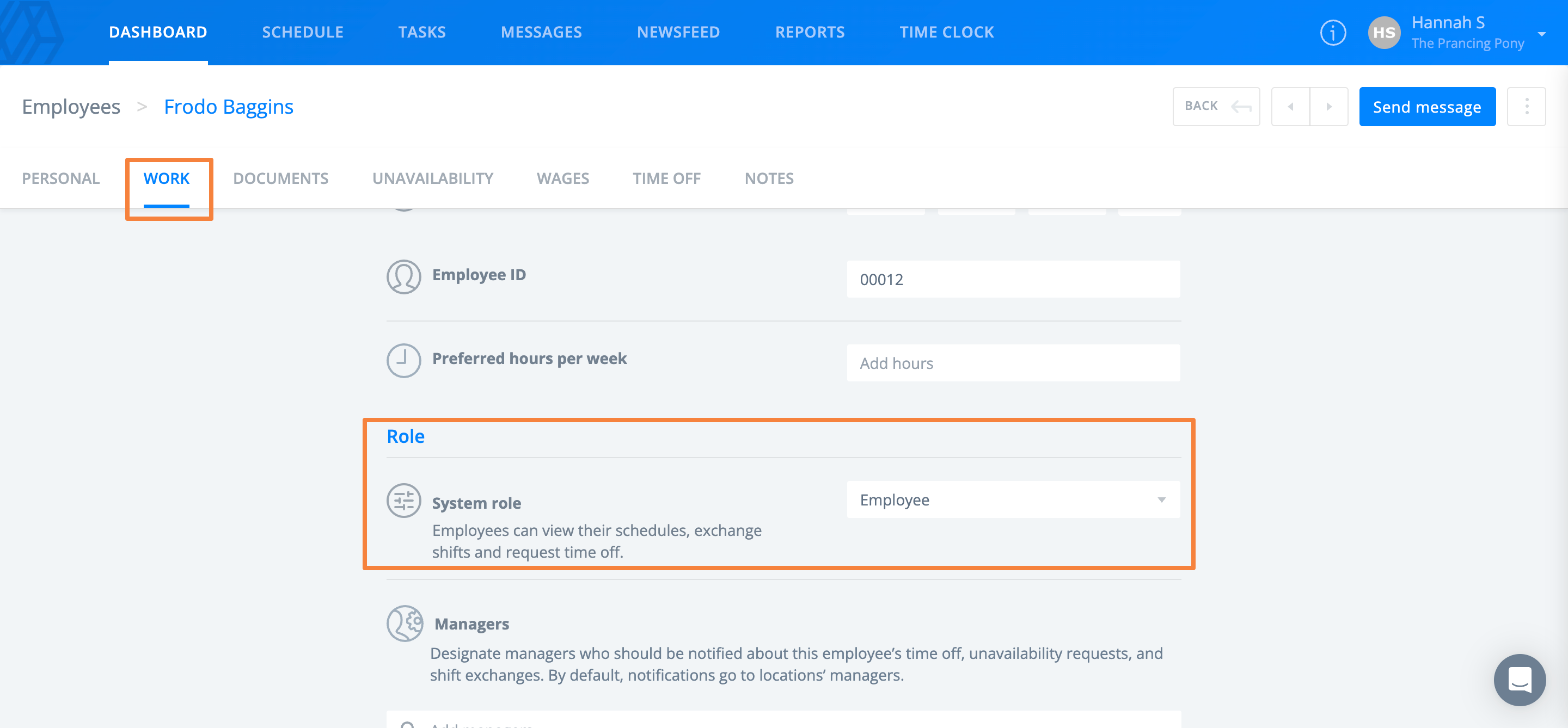
- Navigate to Dashboard > Employees and select an employee.
- Select the Work tab within their profile.
- Under Role, select a new system role.
- Select Save.