Sling by Toast: Calendar Sync
Last updated: Jun 2, 2026, 9:45 AM
Learn how to sync your scheduled shifts or the full schedule to a third-party calendar application.
Sync Sling Calendar
Sling supports calendar synchronization to third-party calendar applications for Premium and Business subscriptions.
Note: You must use the web version of Sling to obtain the calendar sync link.
Sync My Sling Schedule
- Go to the Schedule tab and select the calendar sync icon.
- Copy the URL from the Your schedule section.
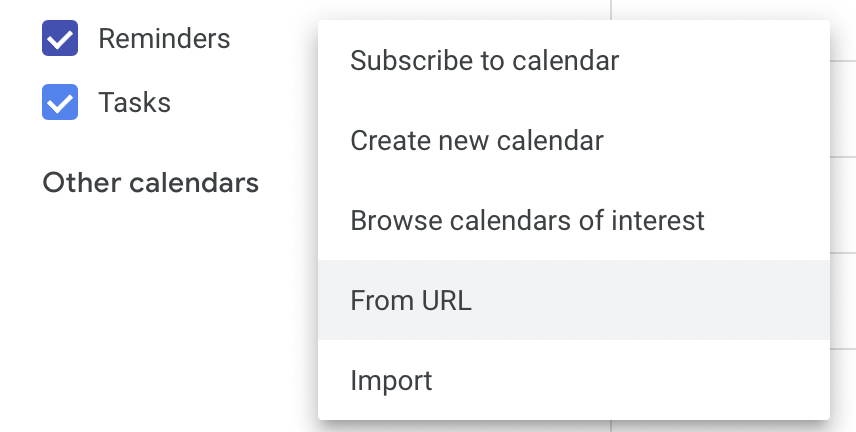
- Add it to your calendar application using the From URL option in the calendar application’s settings.

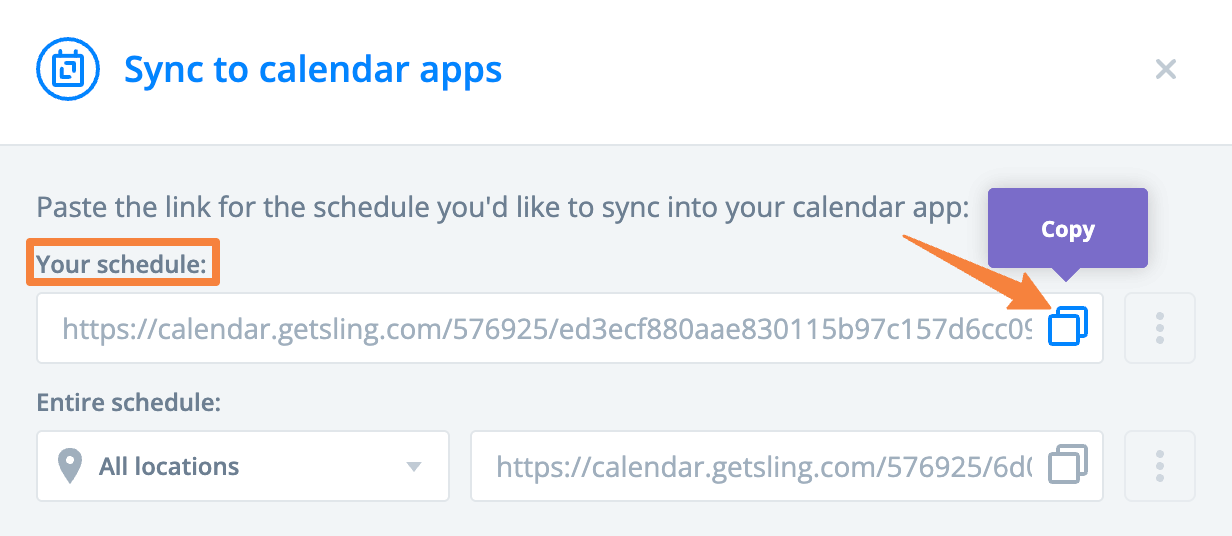
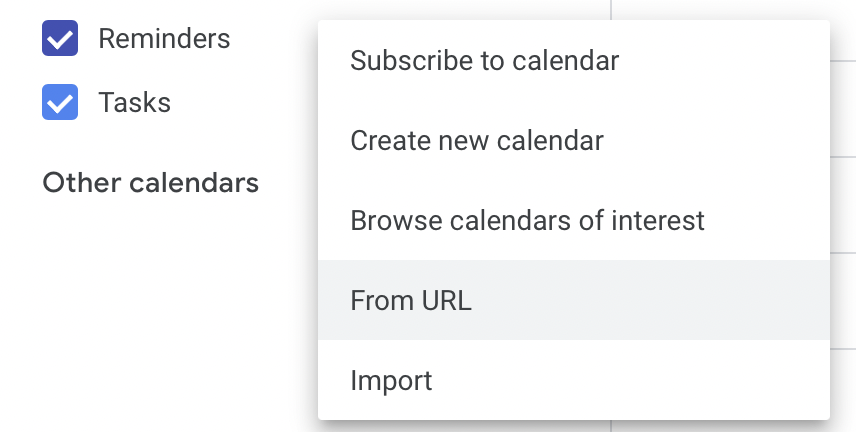
The sync includes shifts and time off for one month in the past and one month in the future. Shifts awaiting acceptance will sync if the Shift Acceptance setting is enabled.
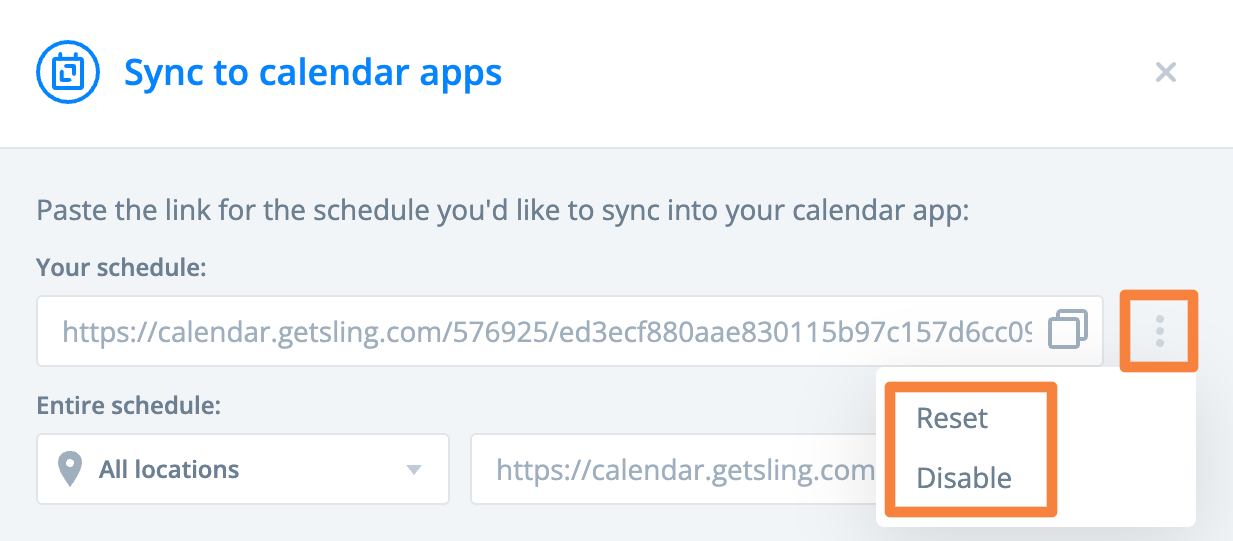
To stop the sync, select the calendar sync icon on the Schedule page, select the 3-dot option, then select Disable. To refresh the sync, select Reset.
Sync the Full Sling Schedule
- Go to the Schedule tab and select the calendar sync icon.
- Choose whether to sync all locations or specific ones, based on your permissions, then copy the URL from the Entire schedule section.
- Add it to your calendar application using the From URL option in the calendar application’s settings.

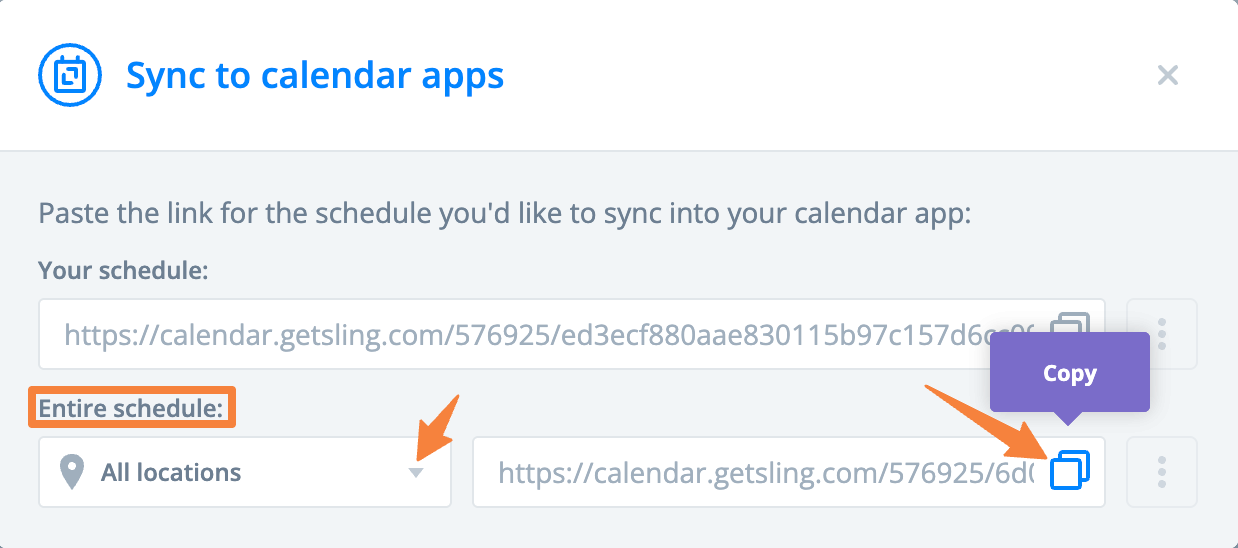
Note: Only scheduled shifts are included when syncing the full schedule.
Update Sling Schedule Sync Frequency
Calendar applications update at varying intervals, depending on the app. Sling does not control the refresh frequency.