Sling by Toast: Manage Employee Profiles
Last updated: Jun 11, 2026, 10:11 AM
Learn how to deactivate, reactivate, and delete employee profiles on Sling.
Deactivate Employee Profiles
Deactivating an employee does not remove their historical data from Sling. You will still be able to view their timesheet and report details. Deactivated employees do not count toward your total active user count, so you will not be charged for them.
Note: Admins can perform this action for any employee in the company. Managers are restricted to employees for their assigned locations.
Deactivate a Single Profile
From the web:
- Navigate to Dashboard > Employees.
- Select the 3-dot option in the row for the employee, then select Deactivate.
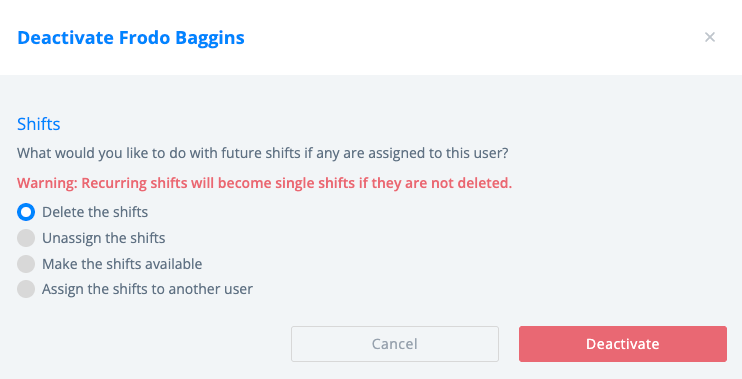
- Choose what to do with the shifts assigned to the employee.
- Select Deactivate.
From the mobile app:
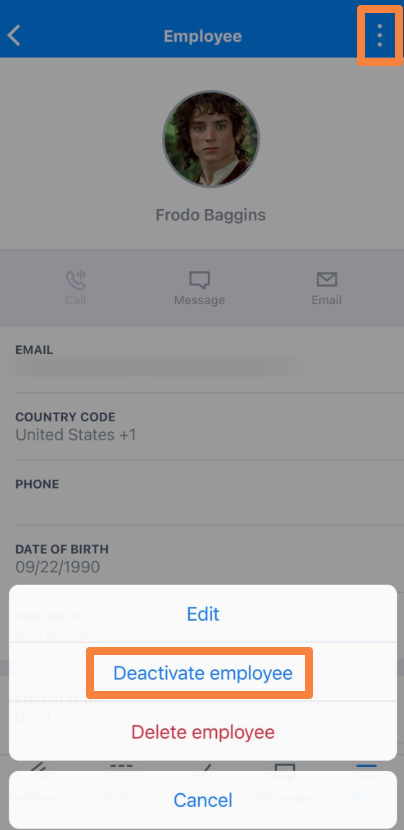
- Navigate to More > Employees.
- Select the name of the employee.
- Select the 3-dot option in the upper right corner, then select Deactivate employee.
- Choose what to do with the shifts assigned to the employee.
- Select Save.
Deactivate Multiple Profiles
It's only possible to deactivate multiple profiles from the web version of Sling at this time.
From the web:
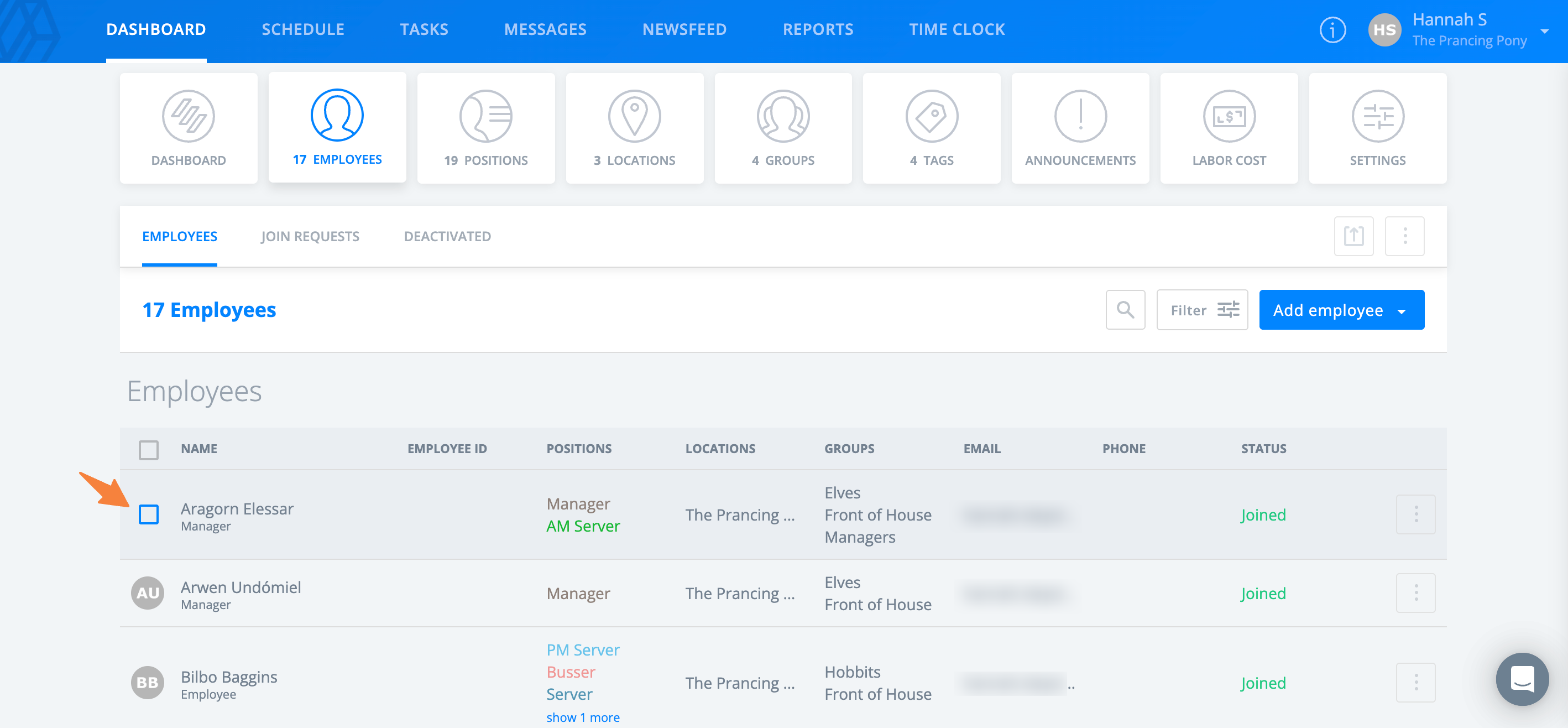
- Navigate to Dashboard > Employees.
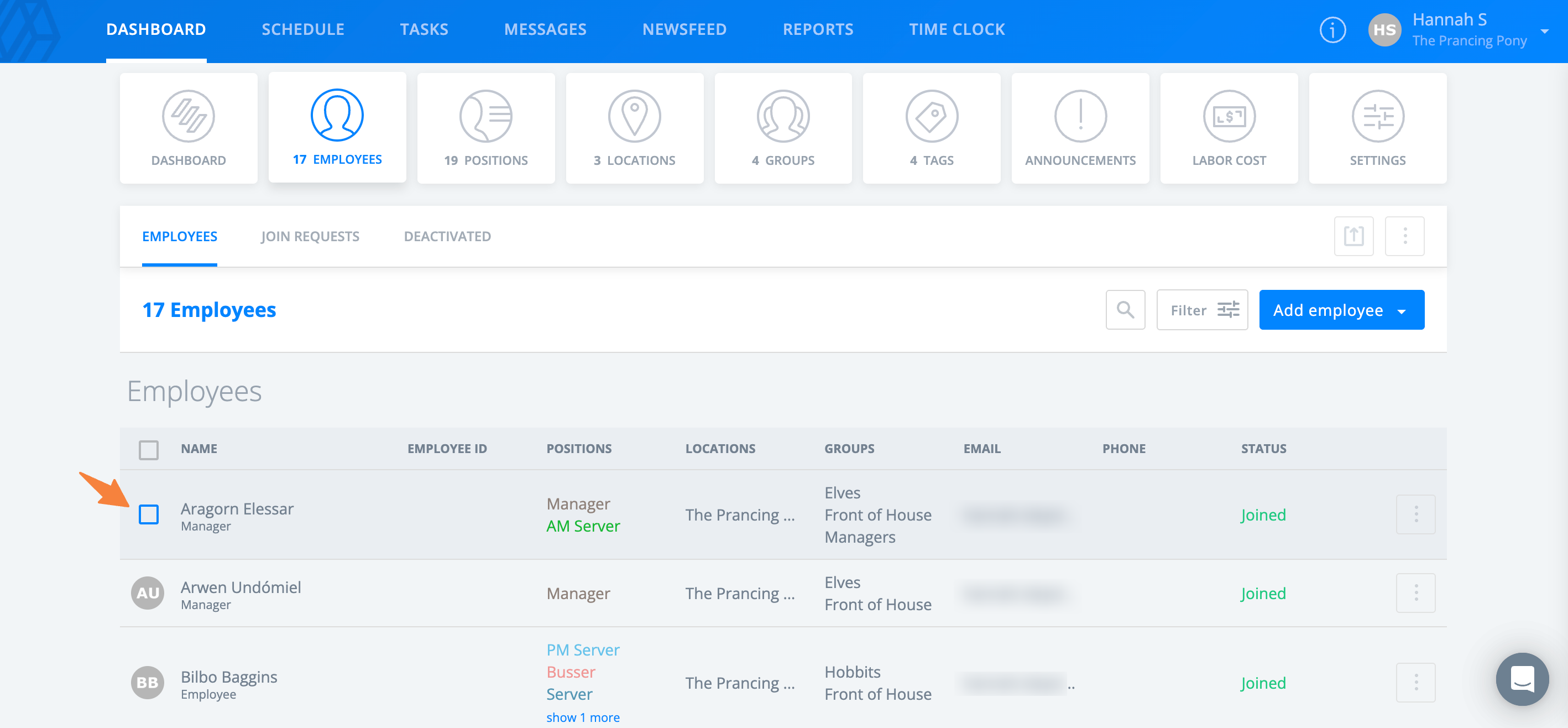
- Hover your cursor over the name of an employee until a checkbox appears.
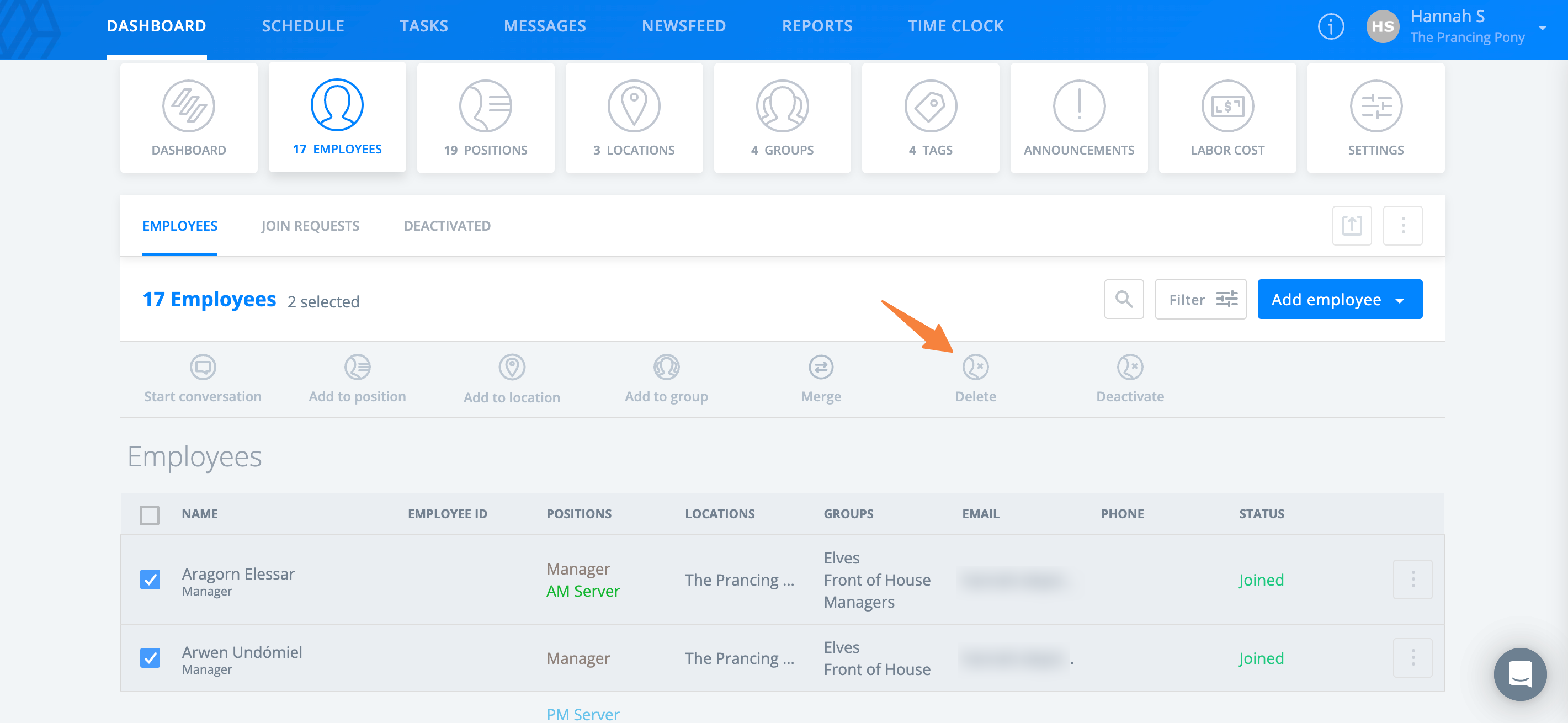
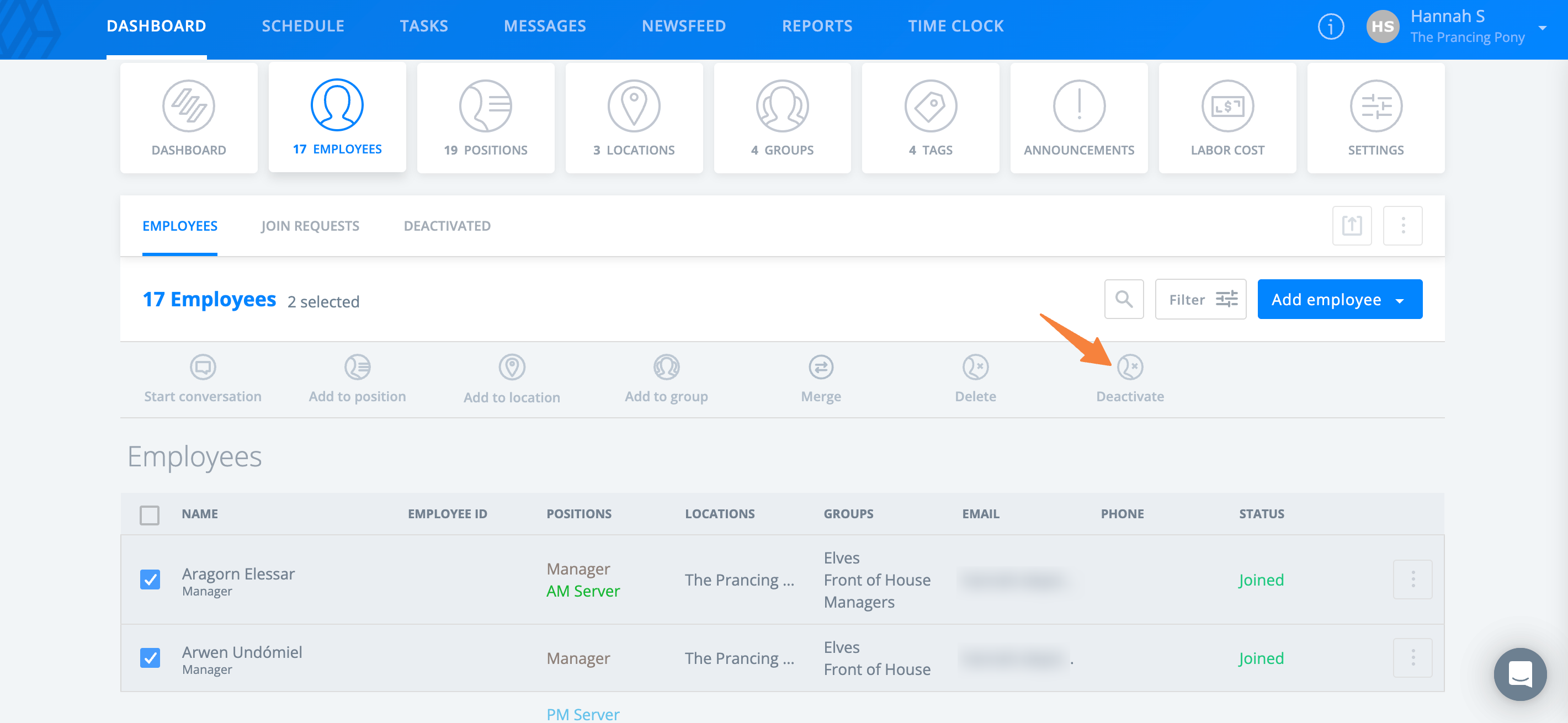
- Select the employees you would like to deactivate.
- Select Deactivate.
- Choose what to do with the shifts assigned to the employees. This will apply to all selected employees.
- Select Deactivate.
Reactivate Employee Profiles
From the web:
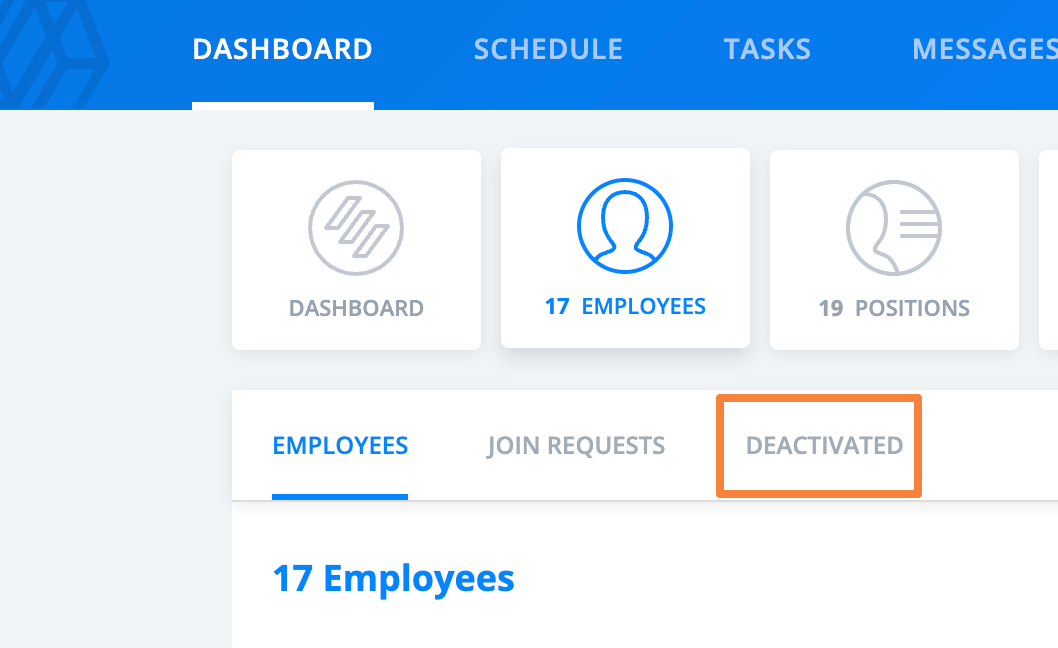
- Navigate to Dashboard > Employees > Deactivated.
- Select the 3-dot option in the row for the employee, then select Activate.
From the mobile app:
- Navigate to More > Employees.
- Select the name of the employee.
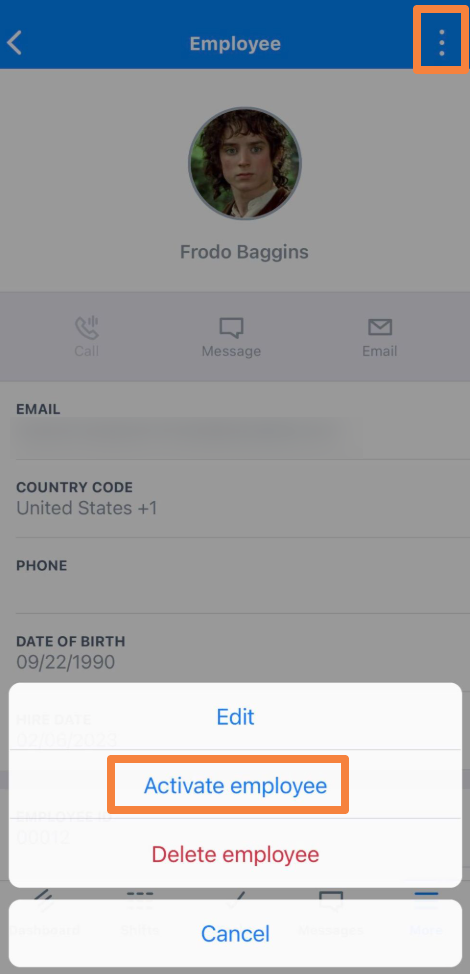
- Select the 3-dot option in the upper right corner, then select Activate employee.
- Choose what to do with the shifts assigned to the employee.
- Select Save.
Delete Employee Profiles
Deleting an employee profile removes them from your account completely and is not reversible. This option is best for employees who are no longer employed by your organization and will not be returning. Their shift history and timesheet history are retained.
Note: Admins can perform this action for any employee in the company. Managers are restricted to employees for their assigned locations.
Delete a Single Profile
From the web:
- Navigate to Dashboard > Employees.
- Select the 3-dot option in the row for the employee and select Delete.
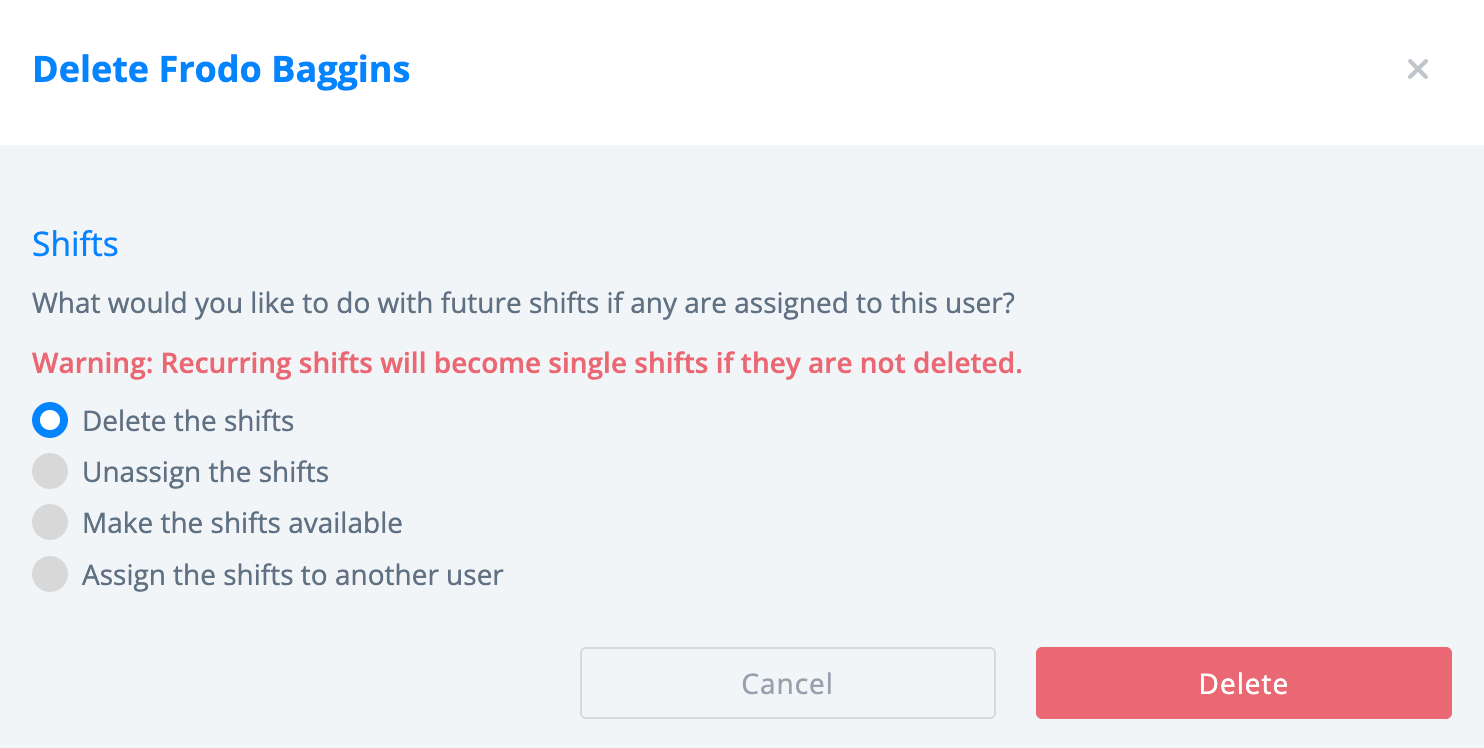
- Choose what to do with the shifts assigned to the employee.
- Select Delete.
From the mobile app:
- Navigate to More > Employees.
- Select the name of the employee.
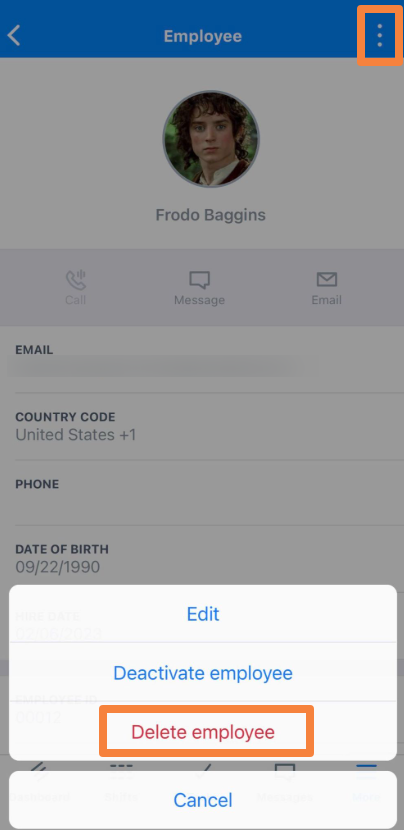
- Select the 3-dot option in the upper right corner and select Delete employee.
- Choose what to do with the shifts assigned to the employee.
- Select Save.
Delete Multiple Profiles
It's only possible to delete multiple profiles from the web version of Sling at this time.
From the web:
- Navigate to Dashboard > Employees.
- Hover your cursor over the name of an employee until a checkbox appears.
- Select the employees you would like to delete.
- Select Delete.
- Choose what to do with the shifts assigned to the employees. This will apply to all selected employees.
- Select Delete.