Toast Delivery Services Phone Order Tip Set Up
Last updated: Oct 8, 2026, 12:31 PM
When placing a Toast Delivery Services (TDS) phone order on the Point Of Sale (POS), tips for the driver must be included in the original payment authorization sent to your delivery service provider.
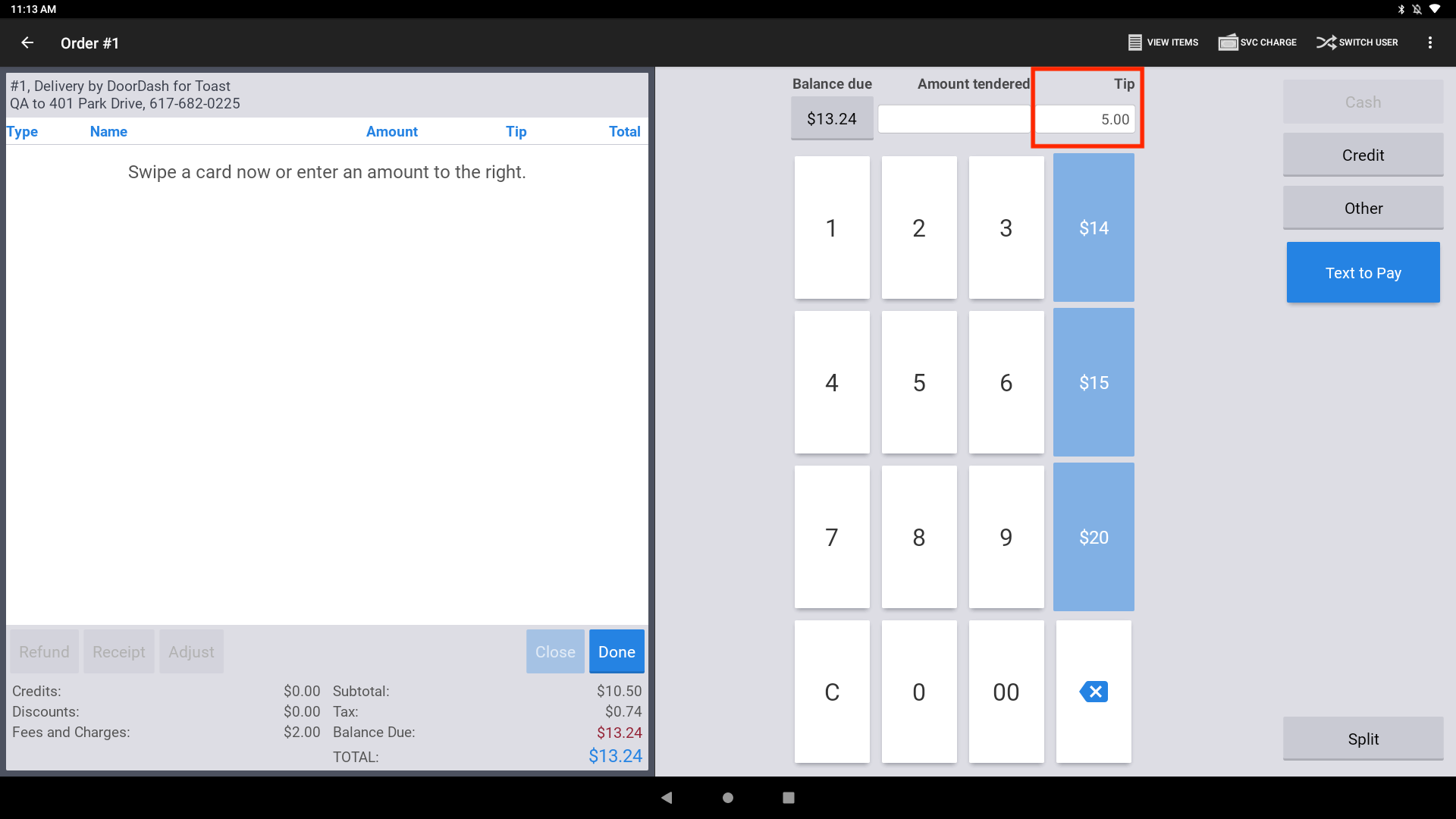
- If you are on a POS device with Digital Receipts disabled, you must manually key in a tip before hitting “credit” and taking the card payment.
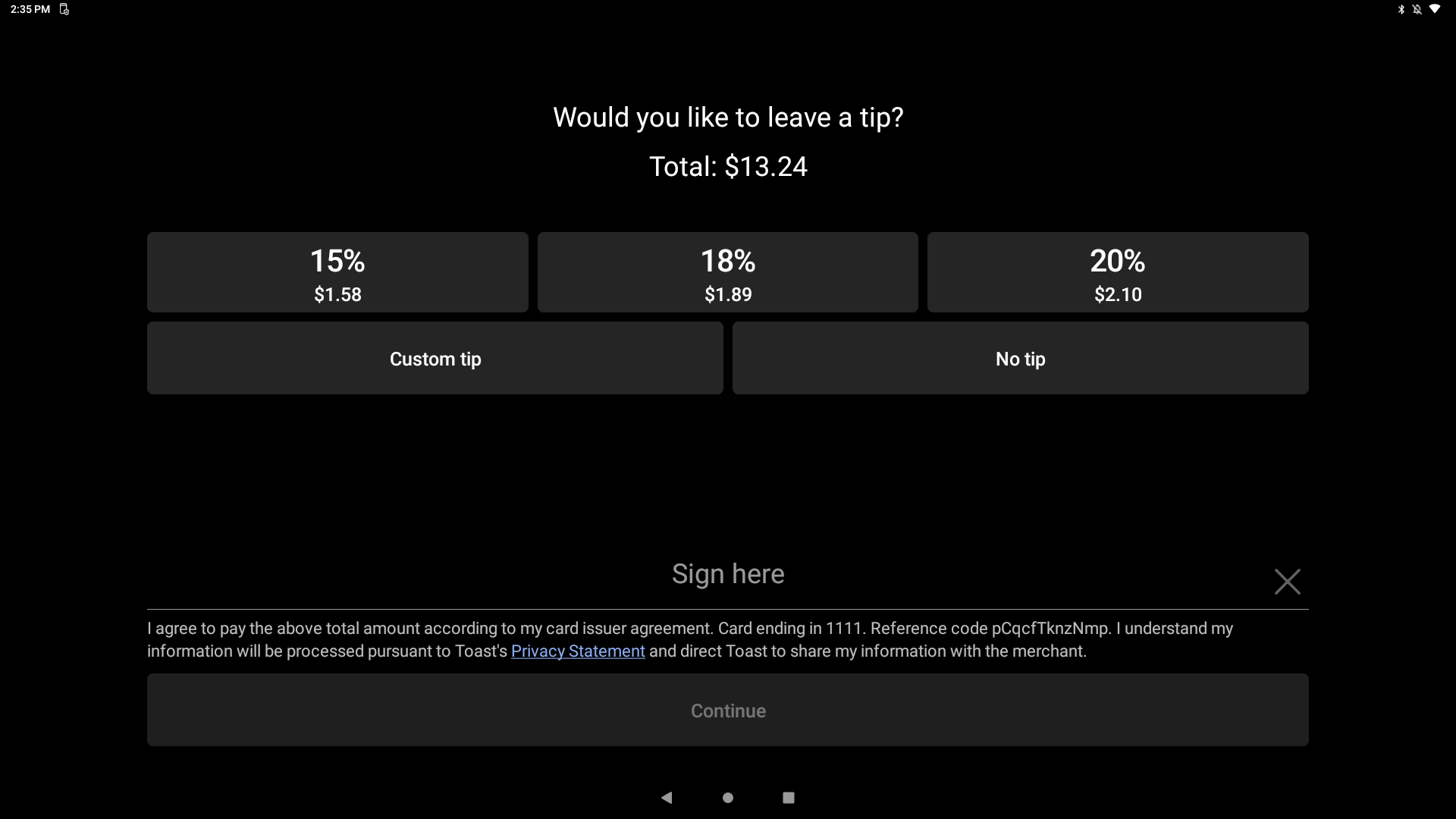
- If you are on a POS device with Digital Receipts enabled, you’ll need to input a tip during the workflow after the credit button in the Digital Payments workflow.
Toast Delivery Services (TDS) Digital Receipt Set Up
Enter TDS Tips When Digital Receipts are Not Enabled
Follow the steps below when placing a TDS order on the POS.
- Add a tip for the delivery driver by entering a tip in the Tip field on the payment selection screen.
- Select Credit to enter the guest’s credit card information and submit the order.
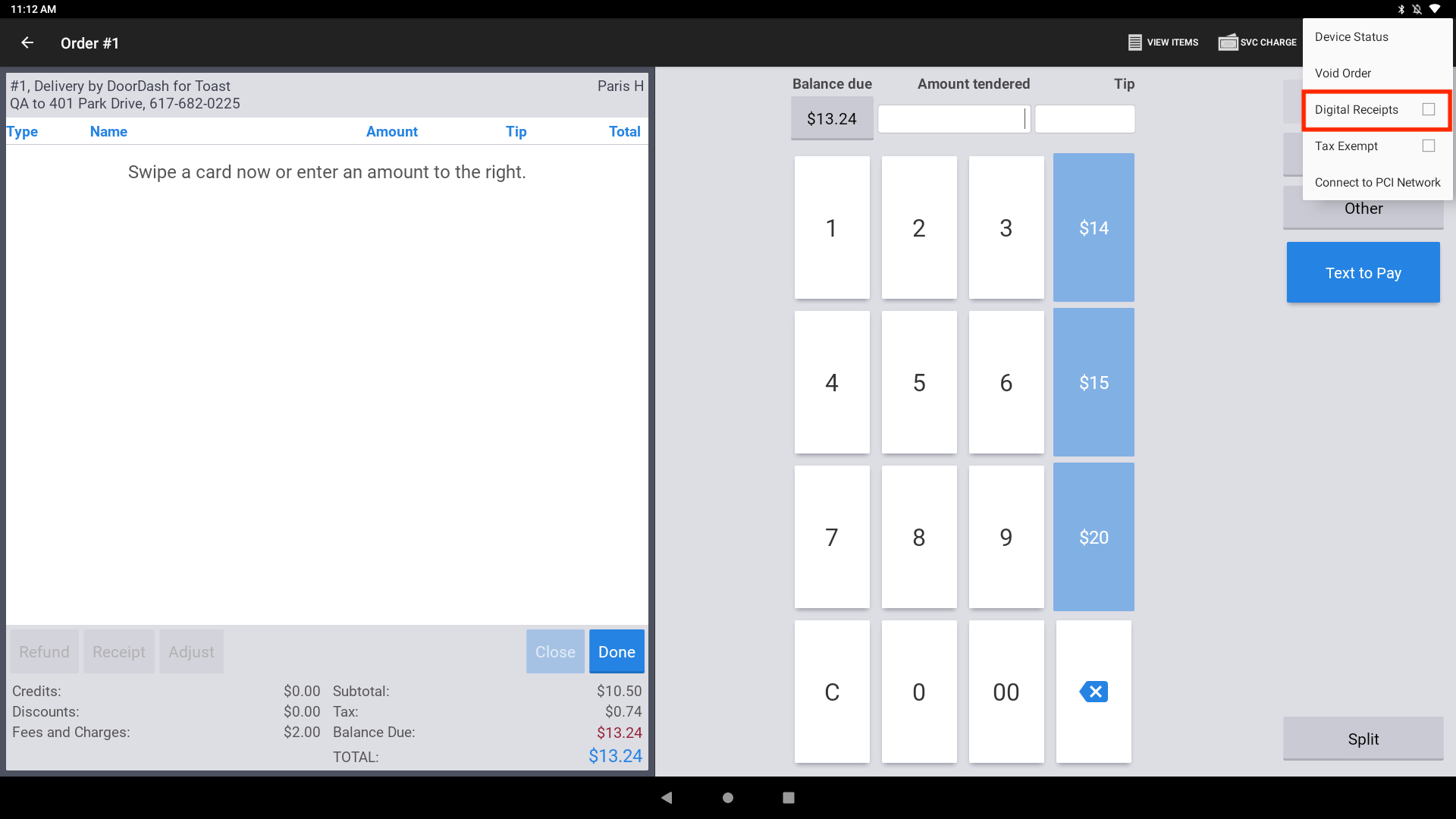
Note: You can also toggle the Digital Receipts workflow from the overflow menu on the payments page in the POS. On the payment selection screen, in the overflow menu, you can turn digital receipts on and off for a single transaction without impacting the device-level settings.
Enter TDS Tips When Digital Receipts are Enabled
When placing a TDS order on the POS, add a tip for the delivery driver by selecting from one of the pre-set tip amounts or by placing a custom tip through the Digital Receipts workflow.
Enable Digital Receipts on a POS Device
- Navigate to the settings page of your POS device, then scroll down and select Device Setup from the Setup section.
- Select Digital Receipts and then select Yes, use digital receipts.
- Make sure to Save your changes.
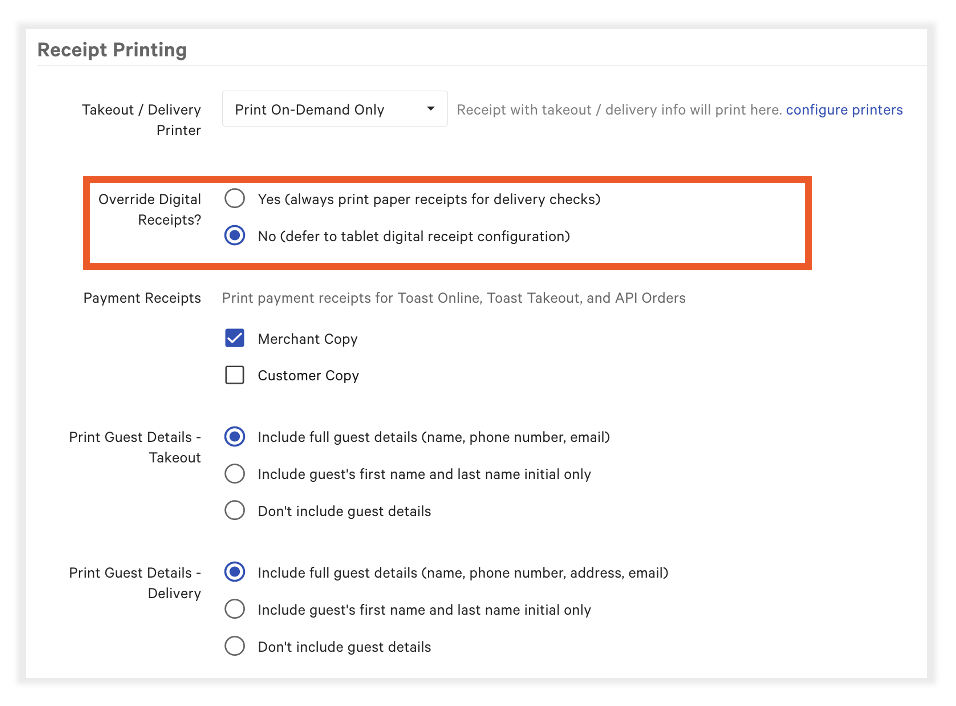
- In Toast Web, navigate to Takeout & delivery > Availability > Takeout/delivery. Scroll down to Receipt Printing and confirm Override Digital Receipts is set to No.
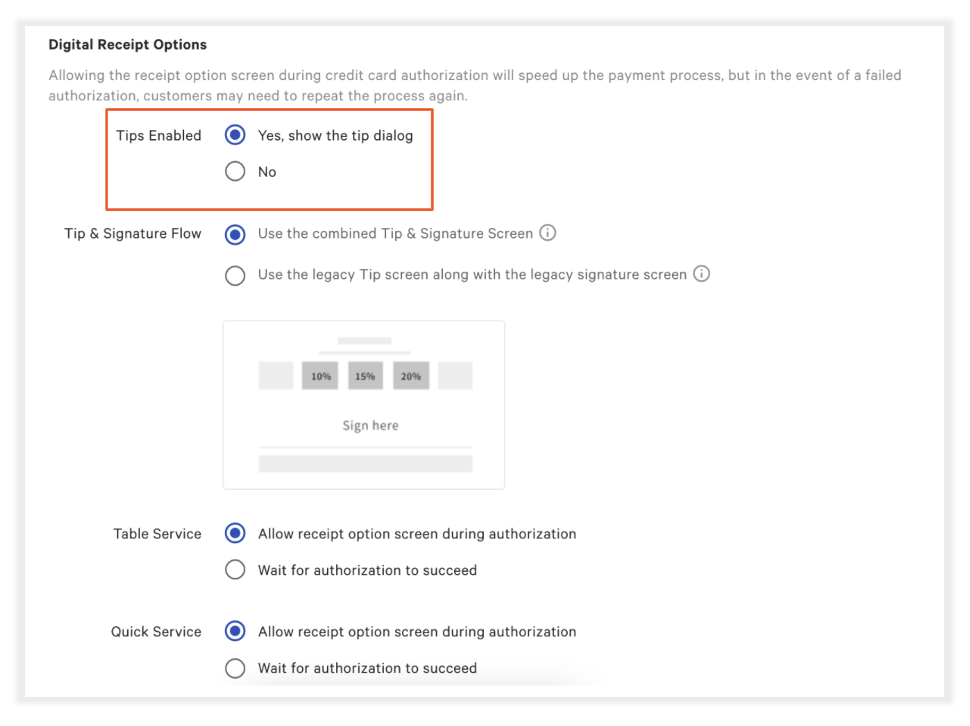
- In the Toast Web, enable tipping on digital receipts by navigating to Finance > Related > Settings > Payment options.
- From here, navigate to Digital Receipt Options > Tips Enabled, and select Yes, to show the tip dialog.
- Save and publish your changes!

Note: You can also toggle the Digital Receipts workflow from the overflow menu on the payments page in the POS. On the payment selection screen, in the overflow menu, you can turn digital receipts on and off for a single transaction without impacting the device-level settings.