Toast Payroll: Failed Collection Email
Last updated: Jul 9, 2026, 2:37 PM
Question
I received an Action required for payroll processing email and there's a notification on my Toast Payroll dashboard saying I cannot process payroll due to past bounce payroll. What should I do?
Answer
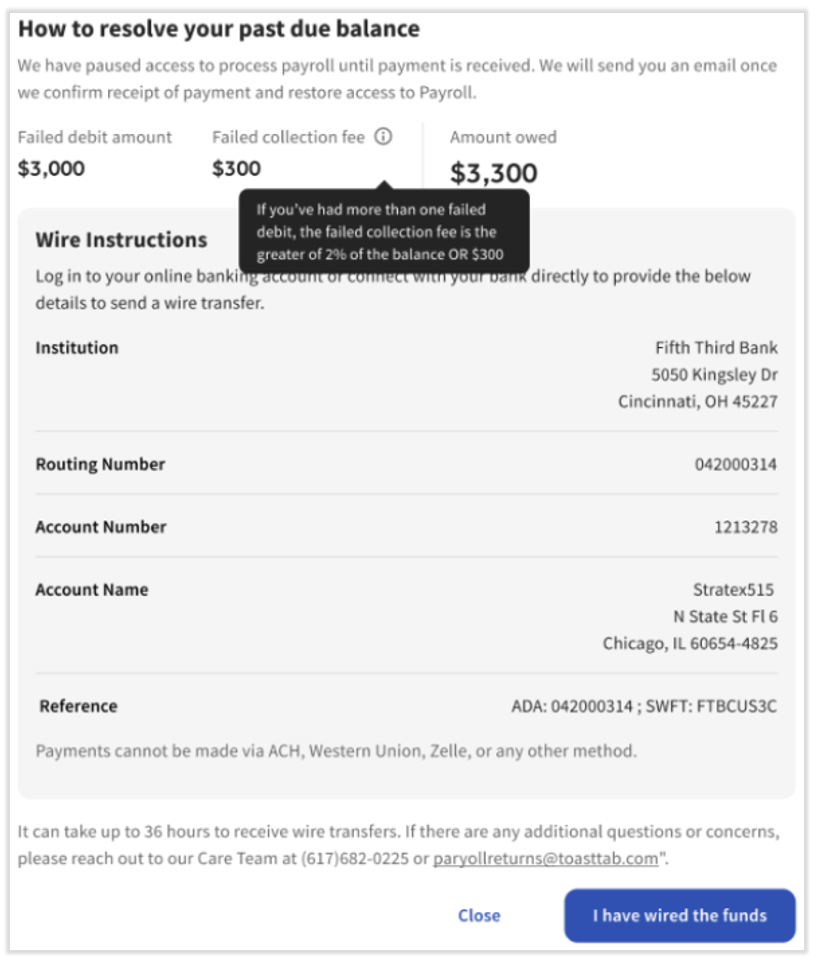
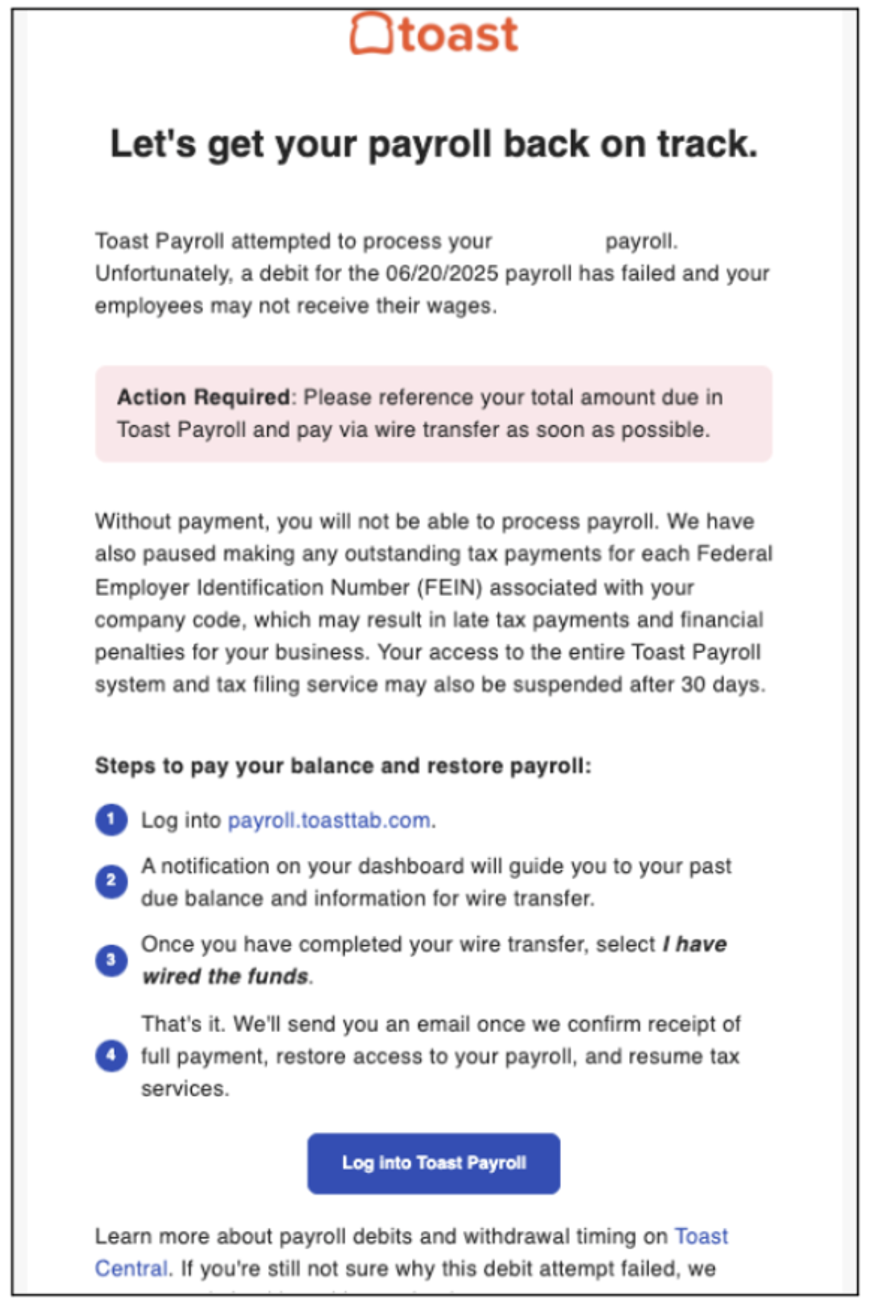
There were insufficient funds available for Toast Payroll to process your total payroll. In order to process the payroll again, you must pay back the owed funds to Toast Payroll. Additionally, Toast Payroll will not make tax payments for all FEINs associated with your company code until the funds for the failed debit are received. This applies even if the debit for the payroll tax portion was received by Toast Payroll. Your company is liable for any late fees or penalties received from a tax agency related to any failed payroll for insufficient funds. You can follow the directions in the email or dashboard notification (seen below) to learn more about how to successfully pay the insufficient funds. Once this has been successfully completed, you will receive an email confirmation.
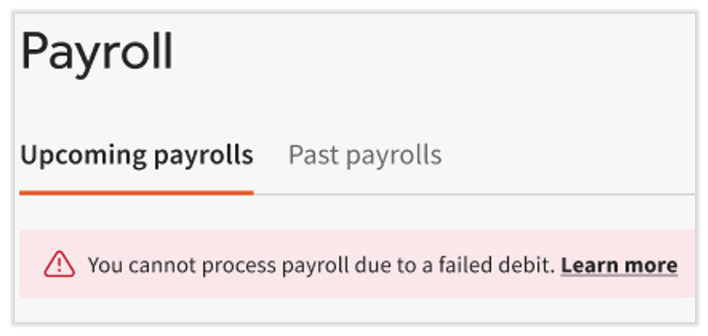
Select the Learn more link or read the associated email for resolution steps. Email us payrollreturns@toasttab.com if you have questions.
This content is for informational purposes only and is not intended as legal, tax, HR, or any other professional advice. Please contact an attorney or other professional for advice.