Toast Payroll: Create Surveys
Last updated: Oct 14, 2026, 5:24 PM
- Create a New Survey
- Modify a Saved (Not Published) Survey
- Employee Access to Surveys
- Survey Results
- Survey FAQ
Create a New Survey
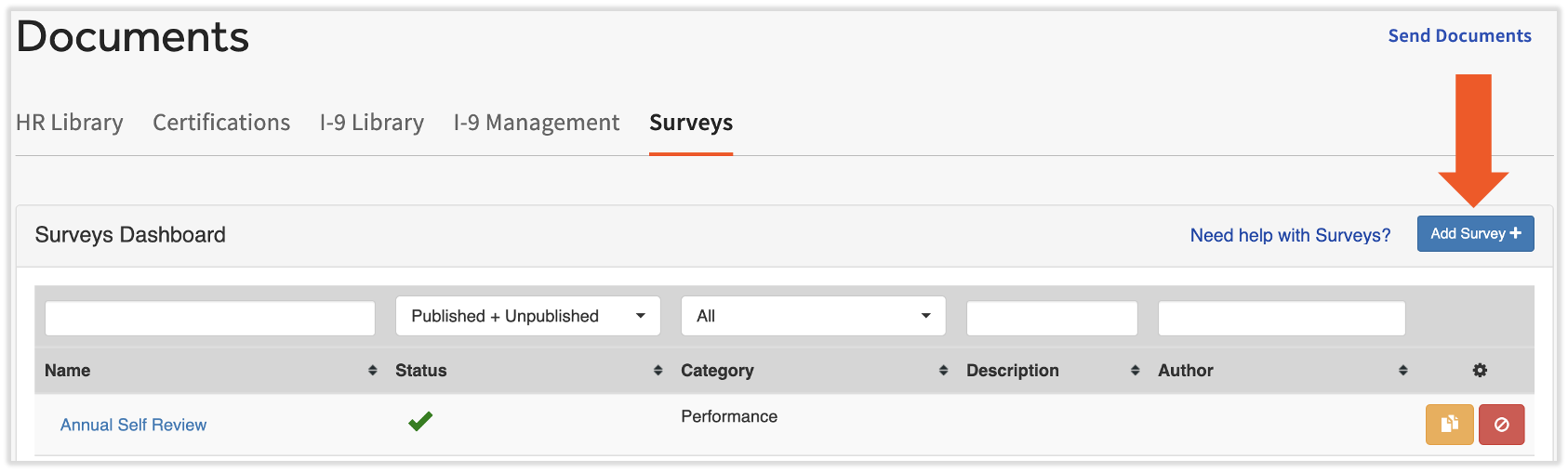
- In Toast Payroll, navigate to Documents > Surveys.
- If you do not see Documents on the left side of the screen, select Payroll from the Toast Web navigation rail on the left to make the Toast Payroll navigation rail appear.
- Select the Add Survey+ button.
- Complete the following fields:
- Name
- Description
- Category: The New Hire category is no longer used to auto-assign surveys to new hires. To send a survey to new hires, create it as a To Do survey and assign it to all employees during onboarding.
- Once these fields have been added, begin adding questions by selecting the + New Item button. Continue reading for more steps.
Add a Question
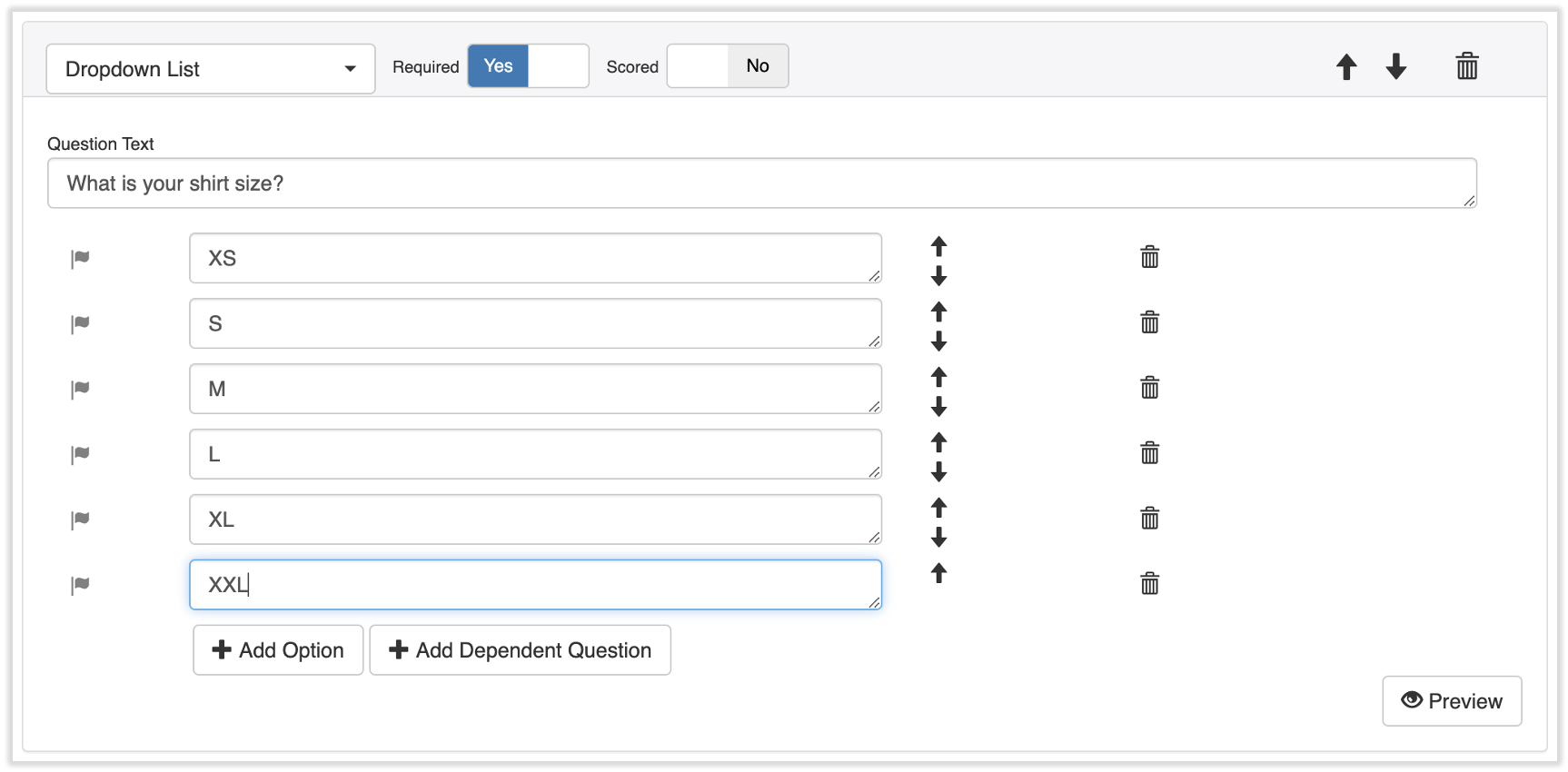
- Select + New Item to get started. Questions Types are interactive for the employee and Items add design elements or formatting to your survey. Choose your question type or item:
- Check Box: One or more answers can be chosen
- Date: A date can be selected in the answer field
- Dropdown List: One option from a list of dropdown answers can be selected
- Multiple Choice: Only one answer can be chosen
- Ranking: Answers can be ranked
- Scale: Only one answer can be chosen, but the options are arranged horizontally and facilitate 1‐5 rating types of questions
- Text Field: An open-ended answer with no text limit
- E-Sign: For employers that want employees to sign off on questions
- Image: For an image to be added in the survey (i.e. a company logo or seating chart)
- Break: For a break within the questions in the survey
- Text: For additional instruction or information on a question asked in the survey
- When a question type is chosen, elect whether an answer is required or not in the Required field.
- Enter a Score for the question (if applicable) for scoring purposes. You may then assign scores to each answer.
- Use the arrows to organize the answers to a question or to the questions themselves. The trashcan icons will remove an answer or question.
- Select +New Item to continue adding questions.
- After entering each question, select Preview from the very bottom to see how the survey will look to the user.
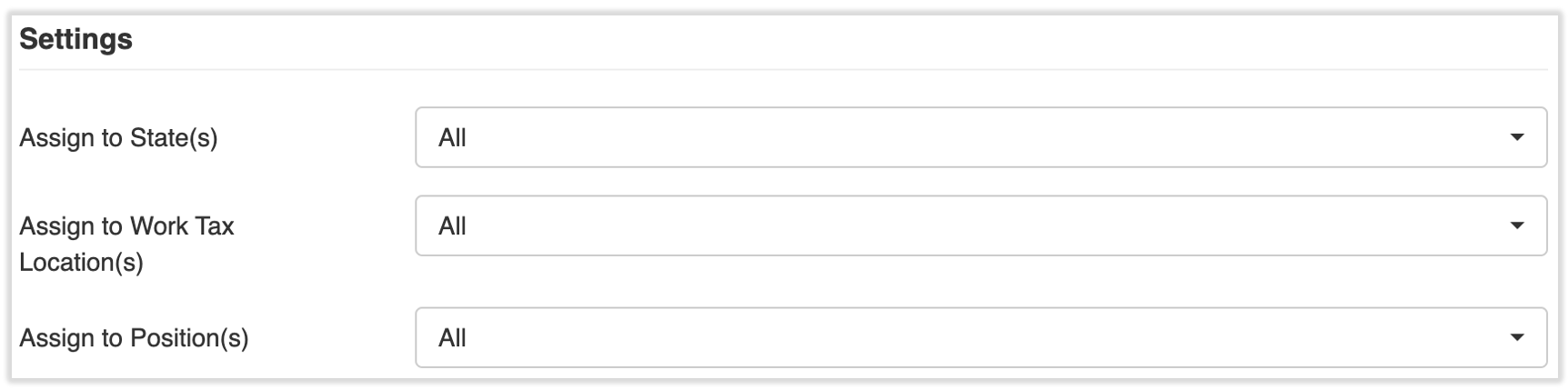
- Lastly, assign your survey. From the Settings section, you can choose if you would like to send this to employees in a specific State, Location, or Position this survey. You can use a combination of these settings. Continue reading to finalize and distribute your survey.
Publish a Survey
Once all questions have been added, and the survey has been assigned, select Save and Publish in order to publish and use the survey questions. Selecting Save will not publish this survey to new hires, but it does allow you to save your work and return to it later.
Important Note: Once a survey is published, it can no longer be edited. This is to maintain data reporting across all individuals who take the survey.
Modify a Saved (Not Published) Survey
To make adjustments to saved (not published) surveys and/or change its recipients, open Toast Payroll and navigate to Documents > Surveys. From this page, select the name of the survey you would like to adjust. (If you do not see Documents on the left side of the screen, select Payroll from the Toast Web navigation rail on the left to make the Toast Payroll navigation rail appear.)
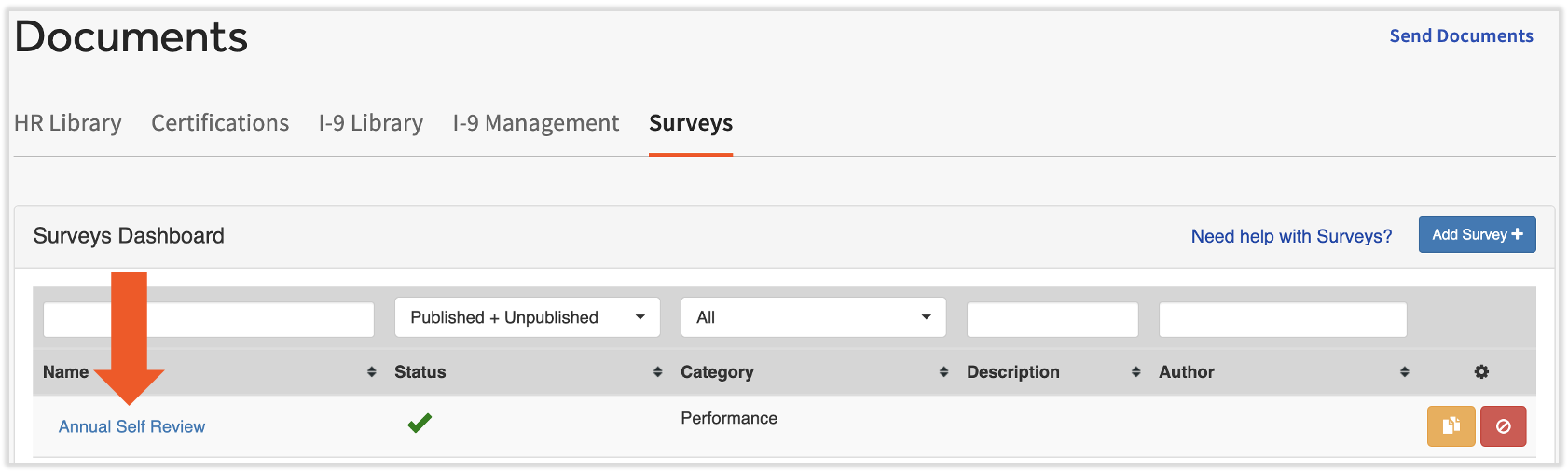
You can change the questions, answers, the order of the questions or answers, and who it is assigned to. See the steps above for direction on how surveys work and don't forget to select Save and Publish to update this survey for new hires.
Important Note: Once a survey is published, it can no longer be edited. This is to maintain data reporting across all individuals who take the survey.
Employee Access to Surveys
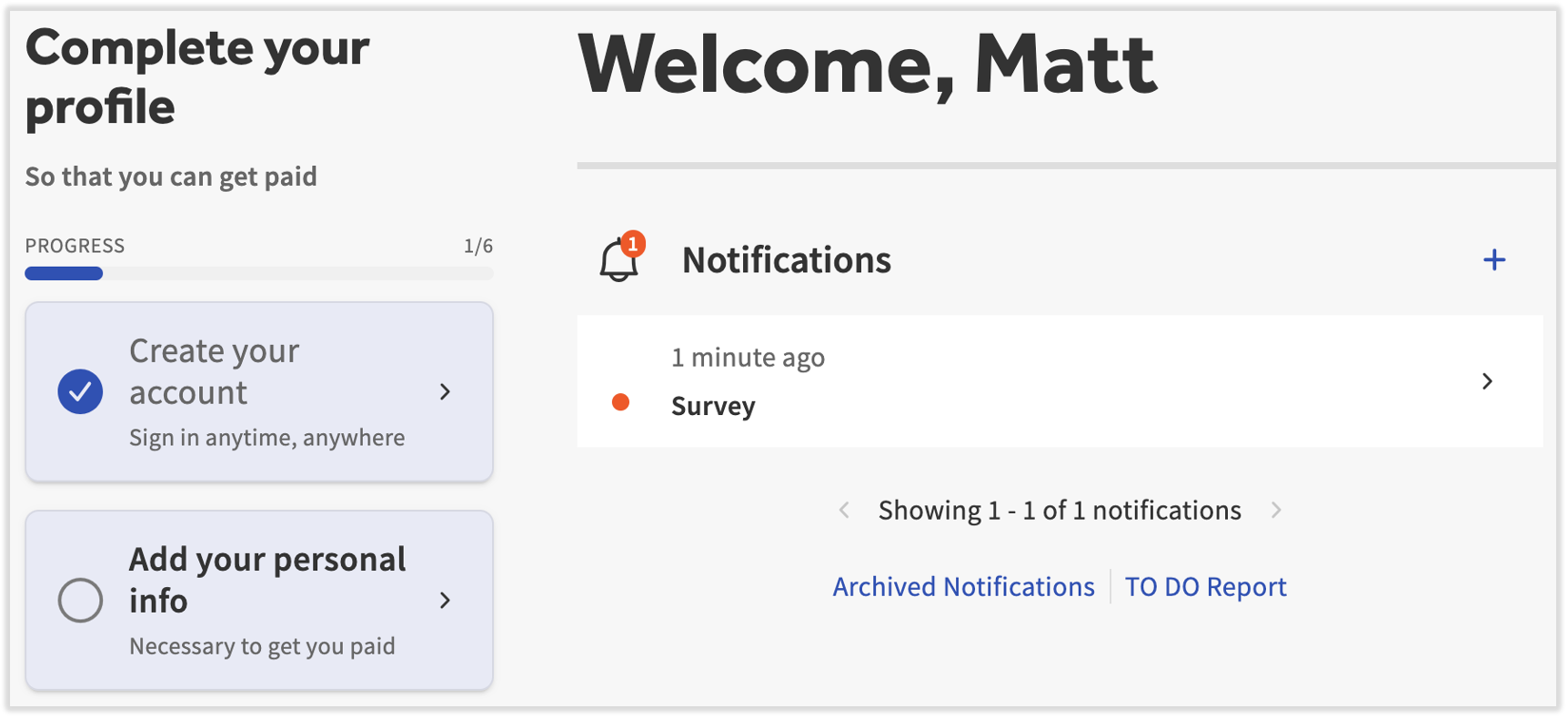
Once surveys have been published, an employee will receive a notification on their Toast Payroll dashboard showing they have a survey to complete.
Note: If an employee has not completed their new hire paperwork, a New Hire survey may not appear. Since surveys are distributed based on state, work location, and position, if an employee has not completed paperwork with this information included, their survey may not appear until the information is collected in the system.
Survey Results
- In Toast Payroll, navigate to Reports.
- When you select Reports in Toast Payroll, you should see a URL that begins with payroll.toasttab.com. Visit Navigate Toast Payroll Within Toast Web to learn how the new Toast Payroll navigation works.
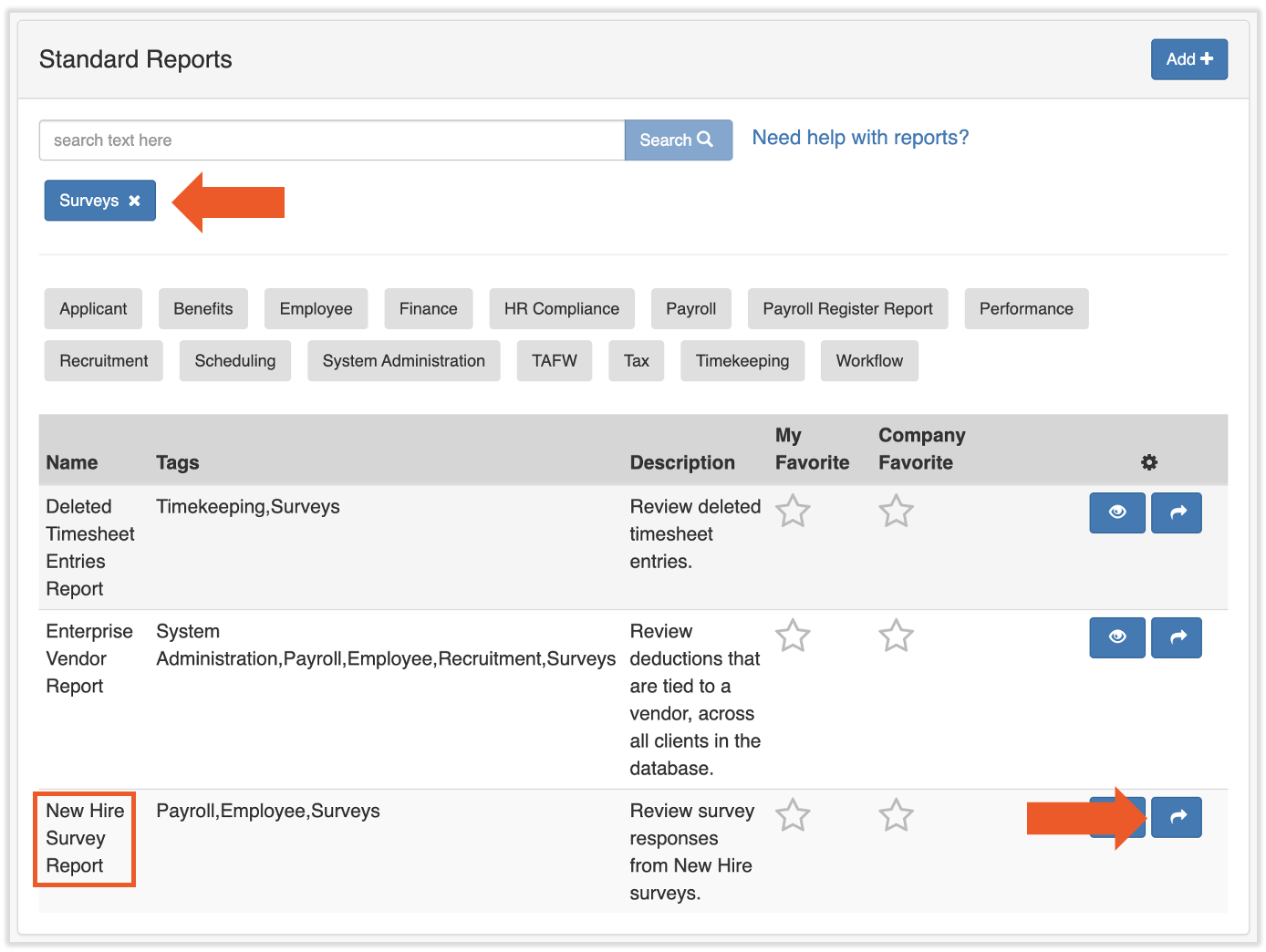
- Select the gray Surveys button.
- Use the blue arrow button in the New Hire Survey Report row to access the report.
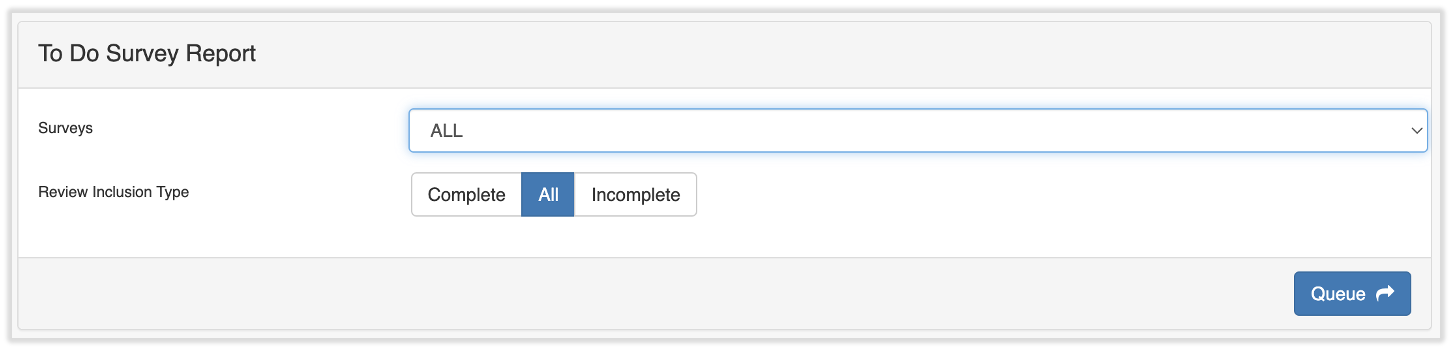
- Select the survey you would like to run a report for or leave the field as ALL. If you use ALL, you may also filter by completed surveys, all surveys, or incomplete surveys. Select Queue to run the report.
Frequently Asked Questions (FAQ's)
How do I know which surveys are available to me?
In Toast Payroll, navigate to Documents > Surveys. You may view all available surveys, their status, category, and description. If you do not see Documents on the left side of the screen, select Payroll from the Toast Web navigation rail on the left to make the Toast Payroll navigation rail appear.
How do I delete a survey?
In Toast Payroll, navigate to Documents > Surveys. Use the buttons in the right column to duplicate (yellow button) or delete (red button) a survey. If you do not see Documents on the left side of the screen, select Payroll from the Toast Web navigation rail on the left to make the Toast Payroll navigation rail appear.
What is a new hire survey and how is it useful?
A new hire survey is used for employees upon hiring. Surveys can be auto-assigned to new hires based on the employee's state, work location, and job in Toast Payroll. If surveys are not assigned, they will go out to ALL new hire employees.
Surveys are useful to collect information such as uniform size, schedule availability, or questions regarding the hiring and onboarding experience. Note: The New Hire category is no longer used to auto-assign surveys to new hires. To send a survey to new hires, create it as a To Do survey and assign it to all employees during onboarding.
This content is for informational purposes and is not intended as legal, tax, HR, or any other professional advice. Please contact an attorney or other professional for advice.