Toast Payroll: Employee Number and POS Access Code FAQ
Last updated: Sep 24, 2026, 11:00 AM
| Remember, all employee information (except for hours and tips) is entered and maintained in Toast Payroll. The information then syncs to Toast Web. It is important information is entered and edited in the correct spot. Use Toast Payroll: Sync Information With Toast Web to learn where to enter employee data. |
Employee Number and POS Access Code FAQ
What is an employee number in Toast Payroll?
This is their unique identifier in Toast Payroll. When you hire a new employee, their employee number is auto-generated, but can be changed (see step 4 in Toast Payroll: New Hire Employees (Employer Guide)). This unique identifier is also pushed to Toast Web and serves as their Toast Web Employee ID (and POS access code unless its changed).
What are the requirements of the employee number?
First, this number cannot be a duplicate of any existing employee number in Toast Payroll. Also, in order for this number to be functional as a passcode for POS, 3-8 digits must be entered during the hiring process. If the employee number is outside of that range, they will be unable to use a Toast POS device. However, you may change the employee number after the hiring process is complete and their passcode will be unaffected. The same goes for changing an employee's POS access code, the employee number will not change in this case.
How do I change an employee number in Toast Payroll?
- Note: If you're looking to change the number an employee uses to log into or use POS devices (also known as their POS access code), see Find or Edit an Employee's POS Access Code.
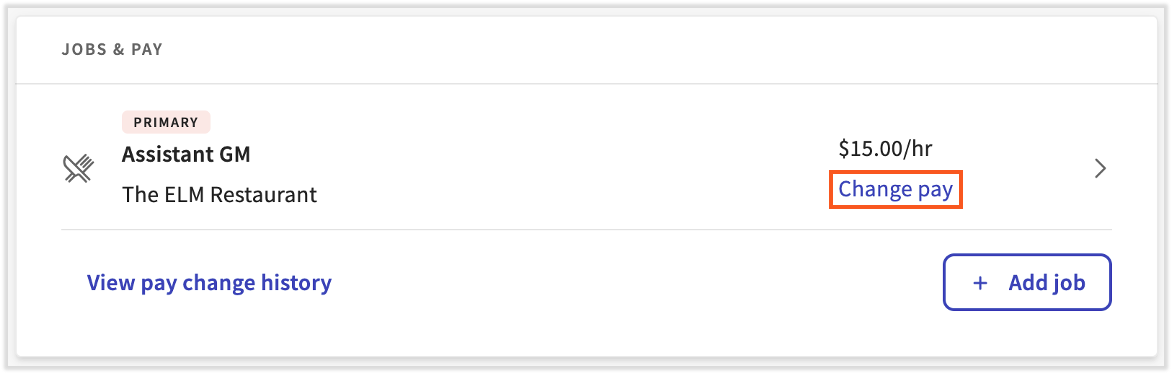
- Select the Team tab or use the Search employees bar to access the employee's profile.
- Select the > carat icon next to the primary job.
- Choose Edit on the next page.
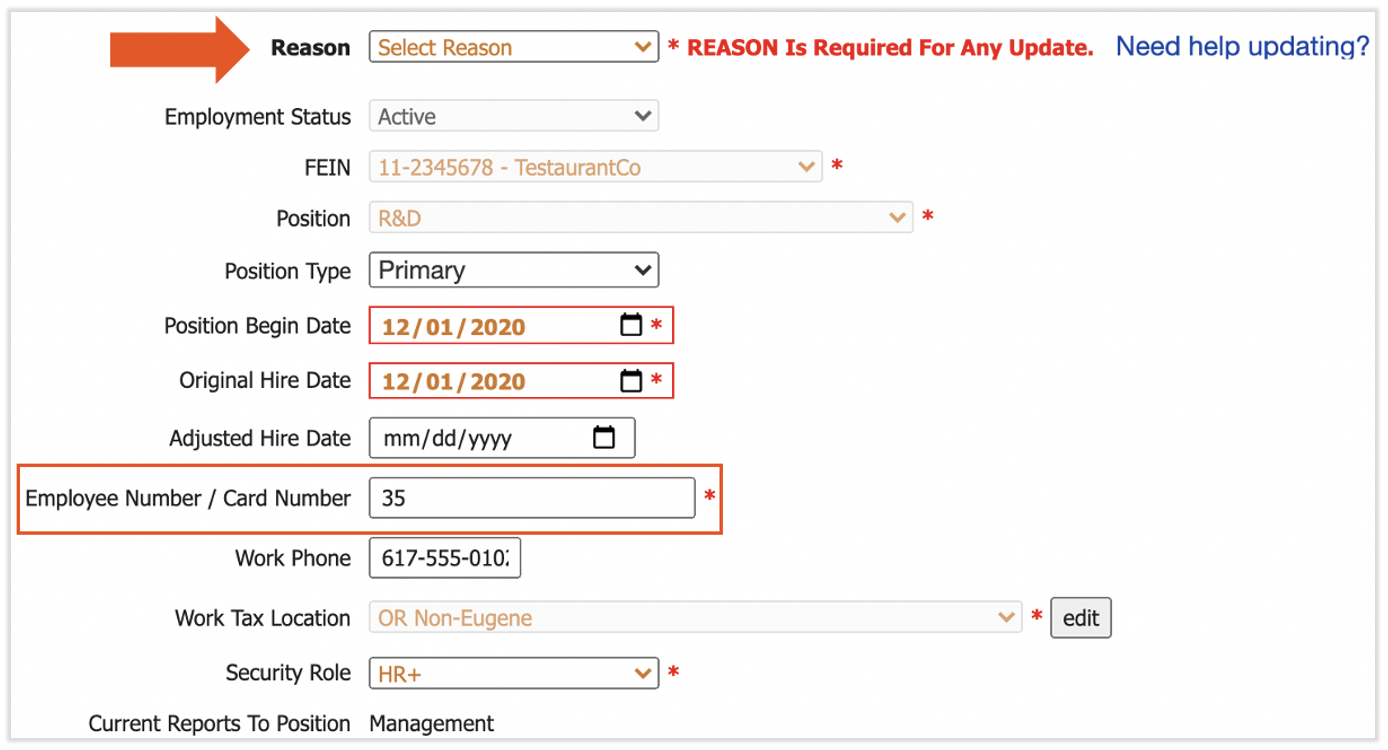
- Whenever making an update to Positions, you must enter a Reason. Select Administrative Update from the Reason drop-down.
- Next, edit the Employee Number / Card Number field. You may only choose a number that is not already assigned to an employee in Toast Payroll.
- Select Submit at the bottom of the page to finalize.
- The new employee number will sync up with Toast Web as the employee's ID number. Their POS access code will not be updated since this has been done outside of the hiring process.
How do I change an employee's POS access code (passcode/PIN) in Toast Web?
Visit Find or Edit an Employee's POS Access Code for the steps on updating this number.