Toast Payroll: Resolve a Failed Payroll Debit
Last updated: Oct 6, 2026, 11:47 AM
Learn what to do when you get a failed payroll debit email or Support Center notification and can't process payroll in Toast Payroll.
- Before You Begin
- Quick Fix
- If You Received a Payroll Debit Failed Notification
- If Your Outstanding Balance Was Updated
- If You Sent Payment and Still Can't Process Payroll
- If You Aren't Receiving Failed Payroll Debit Notifications
- Frequently Asked Questions
- Related Articles
Before You Begin
Applies to: Toast Payroll, Toast Web
Permissions needed:
- Access to Toast Payroll
What you'll accomplish: You will pay your outstanding failed payroll debit balance so you can process payroll again.
Quick Fix
| Symptom | Most Common Cause | Quick Fix |
| You received a Payroll Debit Failed email or Support Center notification, and you can't process payroll. | Toast Payroll could not withdraw the funds for your payroll because of insufficient funds. | Send the full outstanding balance by wire transfer. See If You Received a Payroll Debit Failed Notification. |
| You received an Updated Failed Payroll Debit Balance email or Support Center notification. | Another debit attempt for the same payroll was unsuccessful, and your balance changed. | Review the updated amount in Toast Payroll and pay that amount. See If Your Outstanding Balance Was Updated. |
| You sent payment, but you still can't process payroll. | The payment was sent by ACH instead of wire transfer, or the wire hasn't arrived yet. | Confirm with your bank how and when the payment was sent. See If You Sent Payment and Still Can't Process Payroll. |
| You are subject to a filed payroll debit, but you didn't receive a failed payroll debit email or notification. | The finance contact for your location is missing or out of date. | Update your finance contact. See If You Aren't Receiving Failed Payroll Debit Notifications. |
If You Received a Payroll Debit Failed Notification
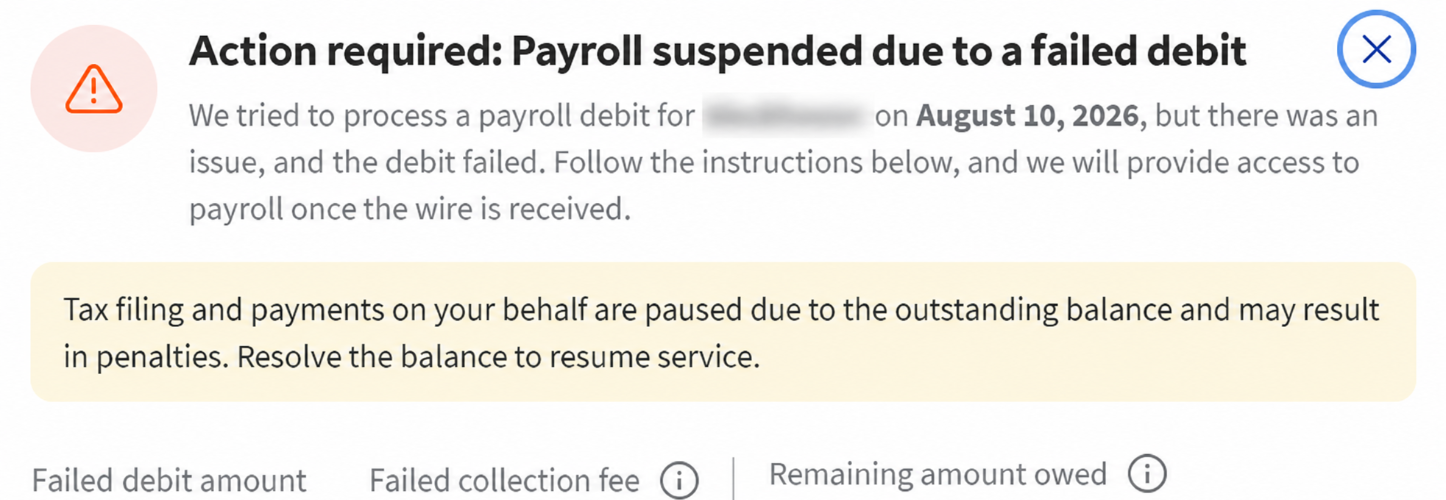
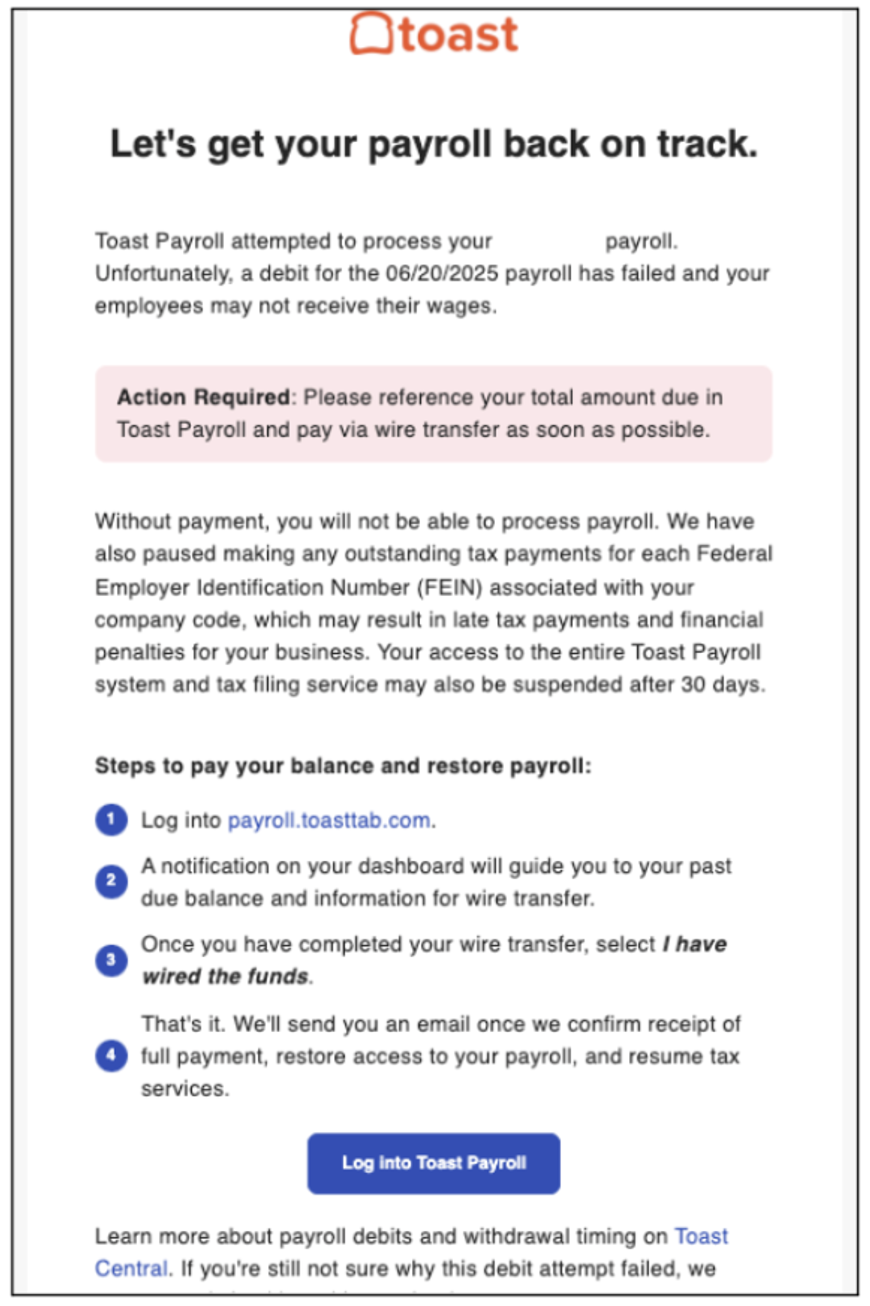
A Payroll Debit Failed notification means Toast Payroll attempted to withdraw funds for your payroll, but the debit was unsuccessful because of insufficient funds. Toast sends this notification by email and to the Support Center in Toast Web.
You can't process your next payroll until you pay the outstanding balance. This applies even if the debit for the payroll tax portion was received by Toast Payroll. Your company is liable for any late fees or penalties received from a tax agency related to any failed payroll for insufficient funds.
- Open the Action required for payroll processing email, or open the Payroll Debit Failed for [company code] [check date] notification in the Support Center in Toast Web. When you have a new notification, a red dot appears on the Notifications bell icon in the upper-right corner of Toast Web.
- Select Toast Payroll in the notification.
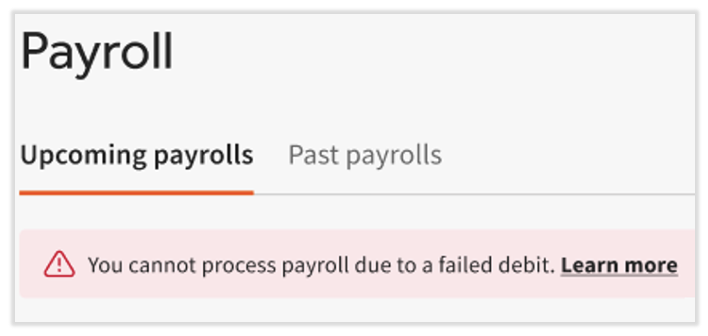
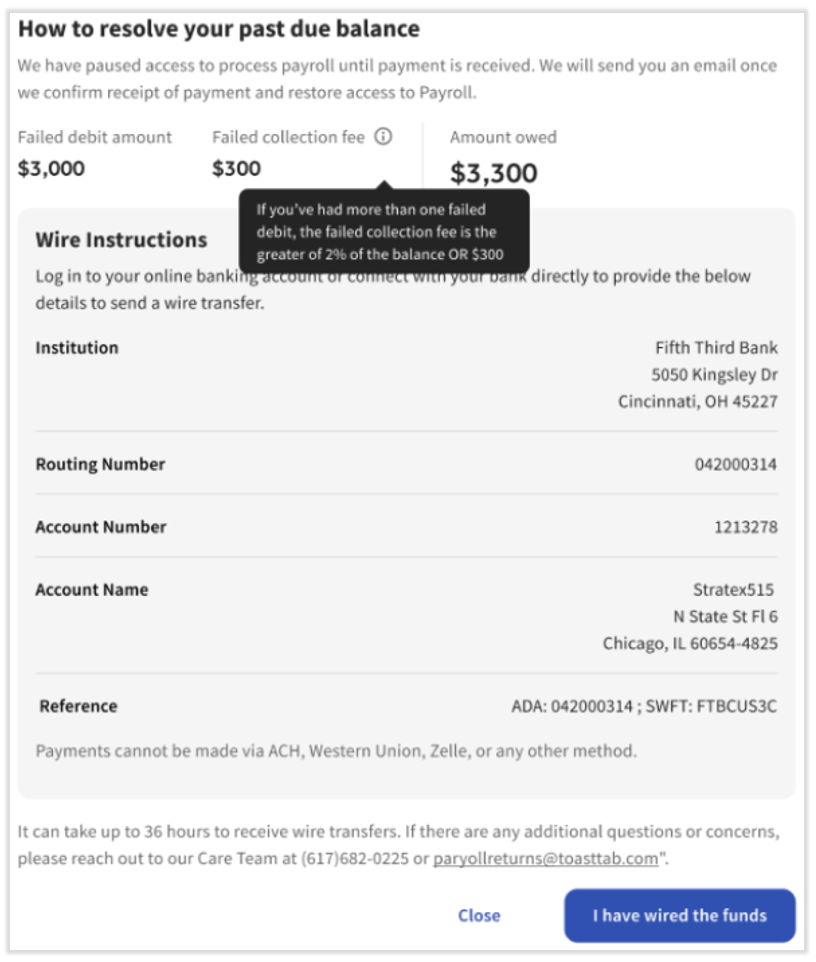
- On the failed debit notification in Toast Payroll, select Learn more to review your outstanding balance and repayment options.
- Send the full outstanding balance by wire transfer, using the instructions in the email or in Toast Payroll.
- Contact your bank to confirm the payment was sent as a wire transfer, not an ACH transfer.
Expected outcome: After Toast receives your funds, you receive a confirmation email and a Failed Payroll Debit Balance Resolved notification in the Support Center. You can then continue processing payroll as usual.
Note: Wire delivery timing depends on your bank.
If Your Outstanding Balance Was Updated
An Updated Failed Payroll Debit Balance notification means another debit attempt for the same payroll was unsuccessful, and your outstanding balance changed.
- Open the Updated Failed Payroll Debit Balance for [company code] [check date] email or Support Center notification.
- Select Toast Payroll in the notification to review the updated amount.
- Send the updated outstanding balance by wire transfer.
Expected outcome: After Toast receives the updated balance, you receive a confirmation email and a Failed Payroll Debit Balance Resolved notification, and you can process payroll again.
If You Sent Payment and Still Can't Process Payroll
If you sent payment and still can't process payroll, the payment may have been sent the wrong way, or it may not have arrived yet.
If you sent the payment by ACH transfer:
- Send the full outstanding balance again by wire transfer. An ACH payment may debit from your bank account at first, but it can return to your account a few business days later, depending on your bank.
If you sent the payment by wire transfer:
- Contact your bank to confirm the estimated delivery time. Wire delivery timing depends on your bank.
- If you still can't process payroll, email payrollreturns@toasttab.com and include your wire confirmation.
Expected outcome: After Toast receives your wire transfer, you receive a confirmation email and a Failed Payroll Debit Balance Resolved notification in the Support Center.
If You Aren't Receiving Failed Payroll Debit Notifications
Failed payroll debit emails and Support Center notifications go to the finance contact for the location where the payroll was posted. If you aren't receiving them, the finance contact for your location may be missing or out of date.
- Check and update the finance contact for your location. See Add or Update Financial Contact Email.
Expected outcome: Future failed payroll debit emails and Support Center notifications go to the correct finance contact.
Frequently Asked Questions
Why can't Toast Payroll make my tax payments after a failed payroll debit?
Toast Payroll can't make your tax payments after a failed payroll debit because it doesn't make tax payments for any FEIN associated with your company code until it receives the funds for the failed debit. This applies even if the debit for the payroll tax portion was received. Your company is liable for any late fees or penalties from a tax agency related to a failed payroll debit for insufficient funds.
Can I pay my outstanding balance by ACH, Zelle, or Western Union?
No, we do not accept outstanding balance payments from ACH, Zelle, or Western Union. You must send the funds by wire transfer. If you make an ACH payment, it should return to your account a few business days later. Contact your financial institution for more details. Toast can't access Zelle or Western Union funds to resolve your balance.
How do I know my failed payroll debit balance is resolved?
You know your failed payroll debit balance is resolved when you receive a confirmation email and a Failed Payroll Debit Balance Resolved for [company code] [check date] notification in the Support Center. You can then continue processing payroll as usual.
How long do failed payroll debit notifications stay in the Support Center?
Failed payroll debit notifications stay in the Support Center for one week after they are sent. You also receive the same information by email.
What happens if I send only part of my outstanding balance?
If you send only part of your outstanding balance, you receive an email confirming the partial payment and reminding you to send the full amount. You can't process payroll until the full balance is paid.
Who can I contact with questions about a failed payroll debit?
You can email questions about a failed payroll debit to payrollreturns@toasttab.com.
Related Articles
- Add or Update Financial Contact Email
- Get Started With Support Center
- Toast Payroll: Manage Debit and Withdrawal Schedules
- Update or Add a New Bank Account in Toast Web
This content is for informational purposes and is not intended as legal, tax, HR, or any other professional advice. Please contact an attorney or other professional for advice.