Update the Language Setting on Your Toast Device
Last updated: Sep 17, 2026, 11:30 AM
Learn how to change the language displayed on your Toast Flex, handheld, or KDS.
- Language Setting on Toast Devices
- Update Your KDS Language Setting
- Update Your Toast Flex POS Language Setting
- Update Your Toast Go® Language Setting
Language Setting on Toast Devices
You can switch between English, Spanish, French and Simplified Chinese user interfaces directly within your Toast devices. A few things to note:
- The Toast Go® language setting feature will impact guest-facing screens such as those for checkout and payment. If your guest prefers a different language, you must change it for them by toggling the language from the device's main menu.
- This does not affect portions of the POS display that are not part of the user interface or navigation; for example, menu names and items are not translated. To change items and modifiers, visit this article: Customize Menu Item and Modifier Names for POS and KDS.
- Language settings are currently set by device, not by user. If a user changes the POS language and logs out, the login screen will also be in that language since it is set at the device level.
- The language setting applies to the entire app. For example, if you change the language while in KDS Mode, the POS view on your device will also be updated to the new language.
Update Your KDS Language Setting
- On your Kitchen Display System screen, navigate to the top right corner and select the overflow menu (three vertical dots).
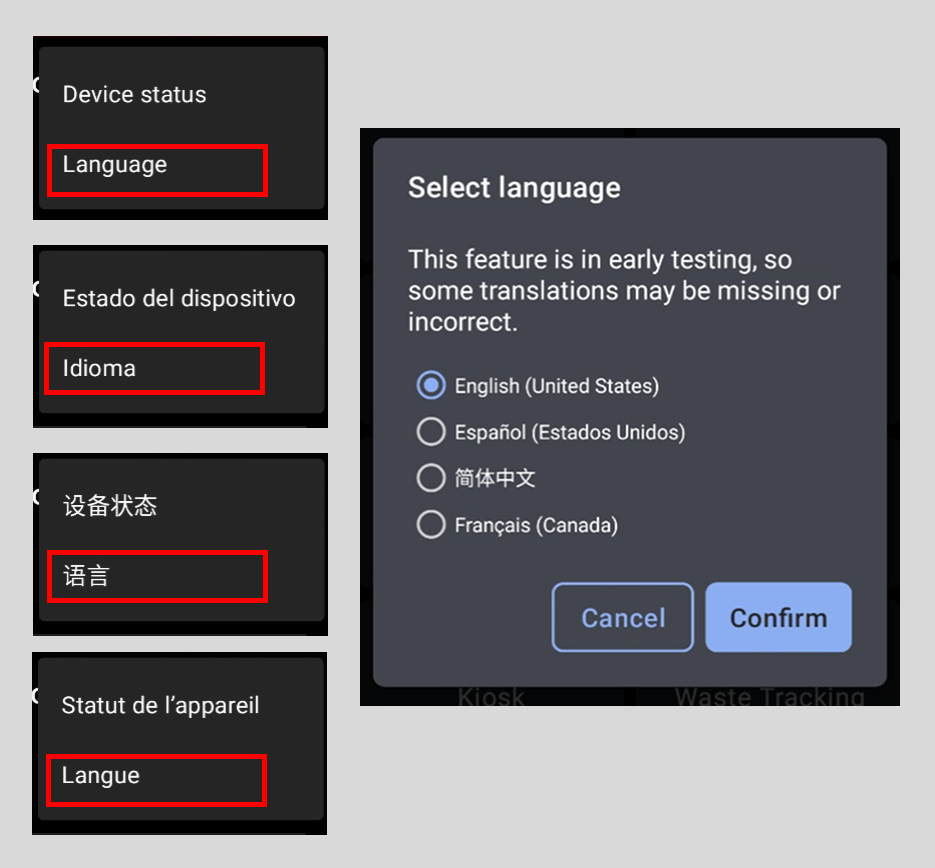
- Select Language.
- Select your preferred language from the provided list.
- Select Confirm.
Update Your Toast Flex POS Language Setting
| The language toggle on POS is currently in limited release. If you're interested in enabling this feature, please visit this Test Kitchen page in Toast Web. |
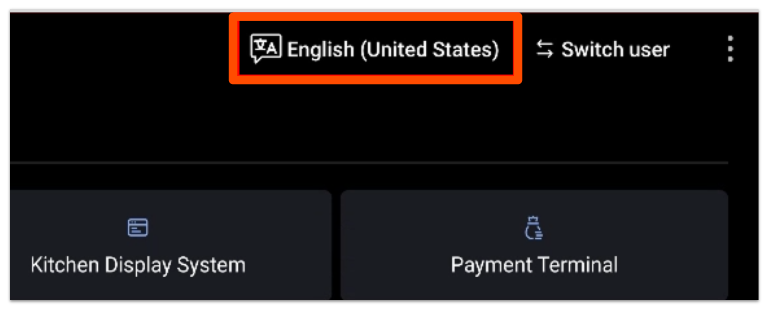
- On your POS screen's main menu, navigate to the top right corner and select language toggle button.
- Select your preferred language from the provided list.
- Select Confirm.
Update Your Toast Go® Language Setting
| The language toggle on Toast Go® handhelds is currently in limited release. If you're interested in enabling this feature, please visit this Test Kitchen page in Toast Web. |
Guest-facing screens such as those for checkout and payment will be in the same language that you have your Toast Go® device set to. If your guest prefers a different language, you must change it for them by toggling the language from the device's main menu as detailed in the steps below.
- On your Toast Go® handheld's main menu, navigate to the top right corner and select the overflow menu (three vertical dots).
- Select Language.
- Select your preferred language from the provided list.
- Select Confirm.
If you change your device's language, the Language button will also change to that language. The image below shows you what the Language button looks like in various languages in case it is set to one that you are unable to recognize.